Payments Integration in Surveys | Collect Payments & Sell Products
TABLE OF CONTENTS
What’s New:
We’re excited to introduce Payments Integration into surveys! You can now seamlessly collect payments or sell products directly from your surveys. This feature makes it easier than ever to monetize your surveys, whether you're accepting donations, selling products, or charging for services. This allows users to use surveys as 2-step-order form as well
Key Highlights:
Payment Options in Surveys:
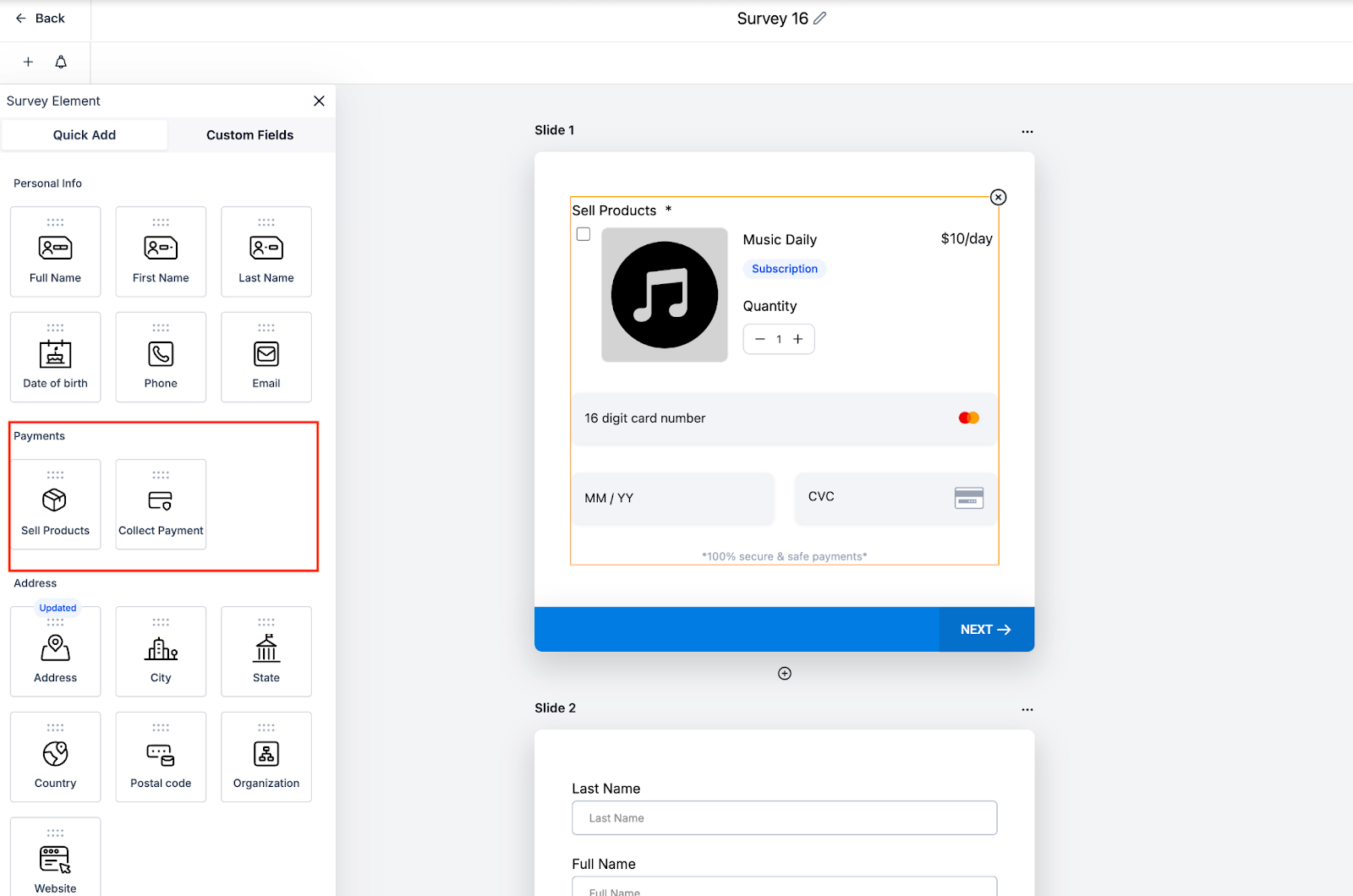
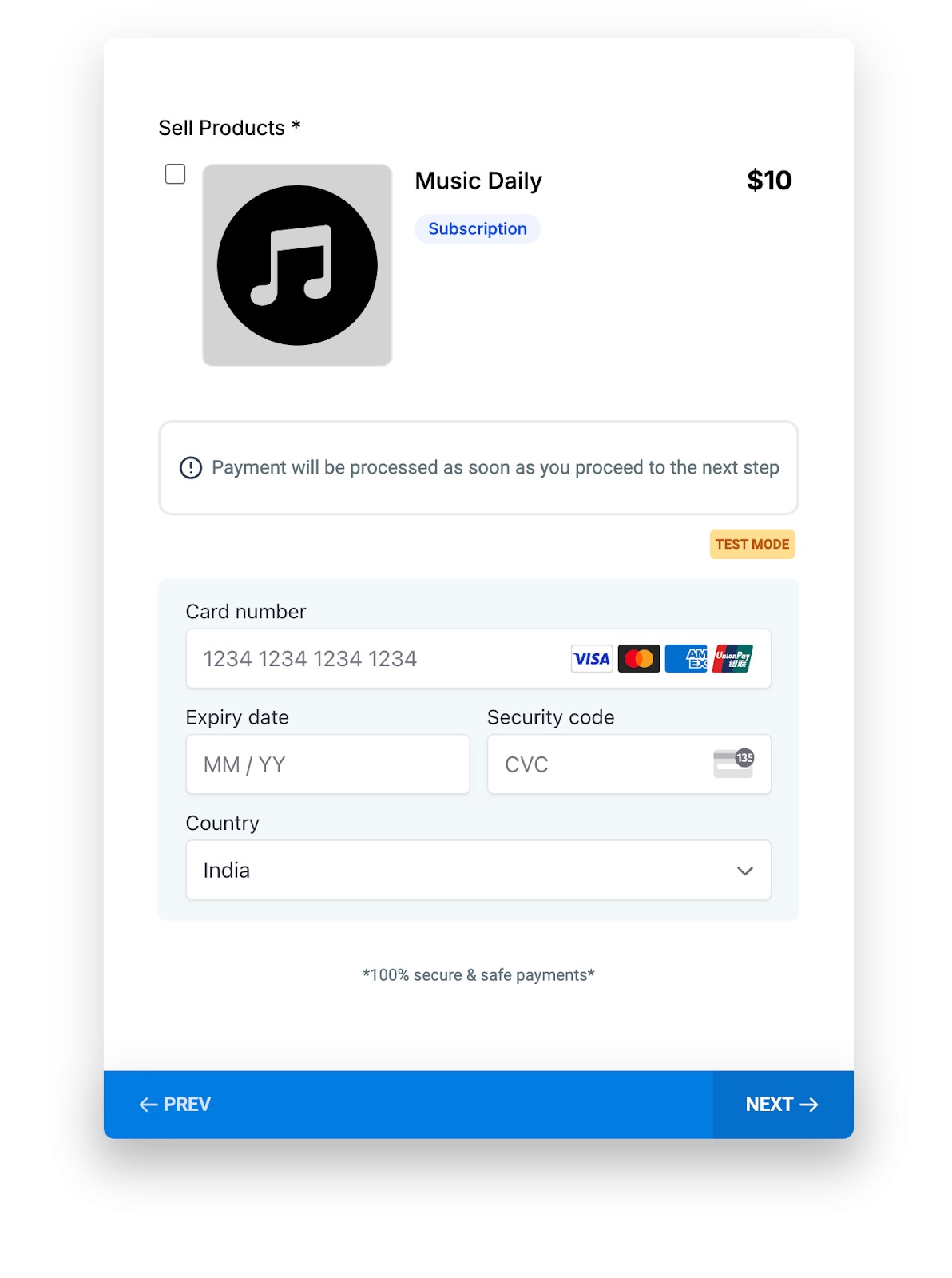
Collect Payments: Accept fixed or custom payment amounts easily.
Sell Products: Add products with pricing, quantity options, and even subscriptions!
Seamless Payment Flow:
Payments are processed immediately when the user moves to the next step.
Partial contact will be kept on for cases where payment element is used.
No additional actions required—just smooth and secure transactions.
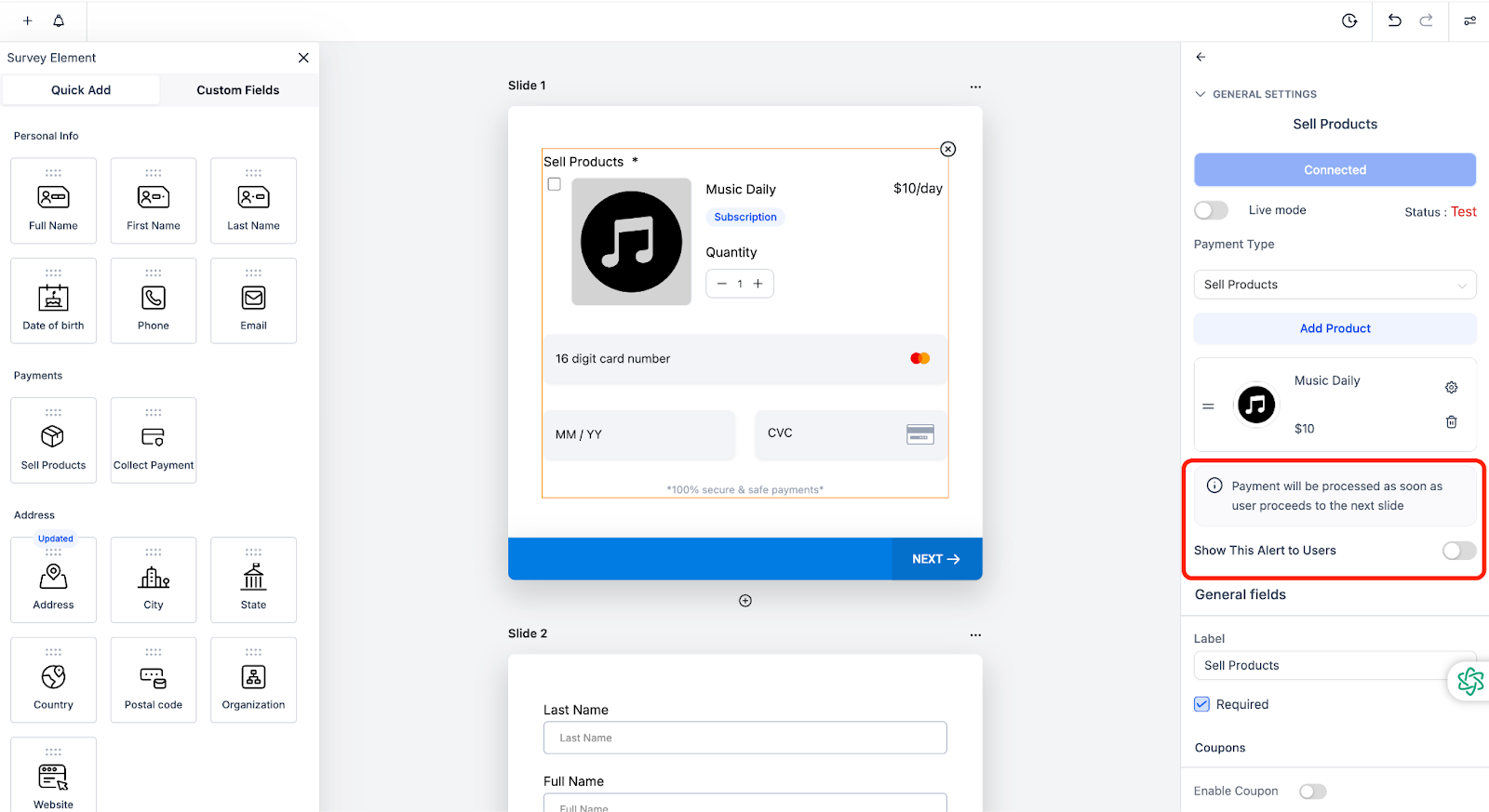
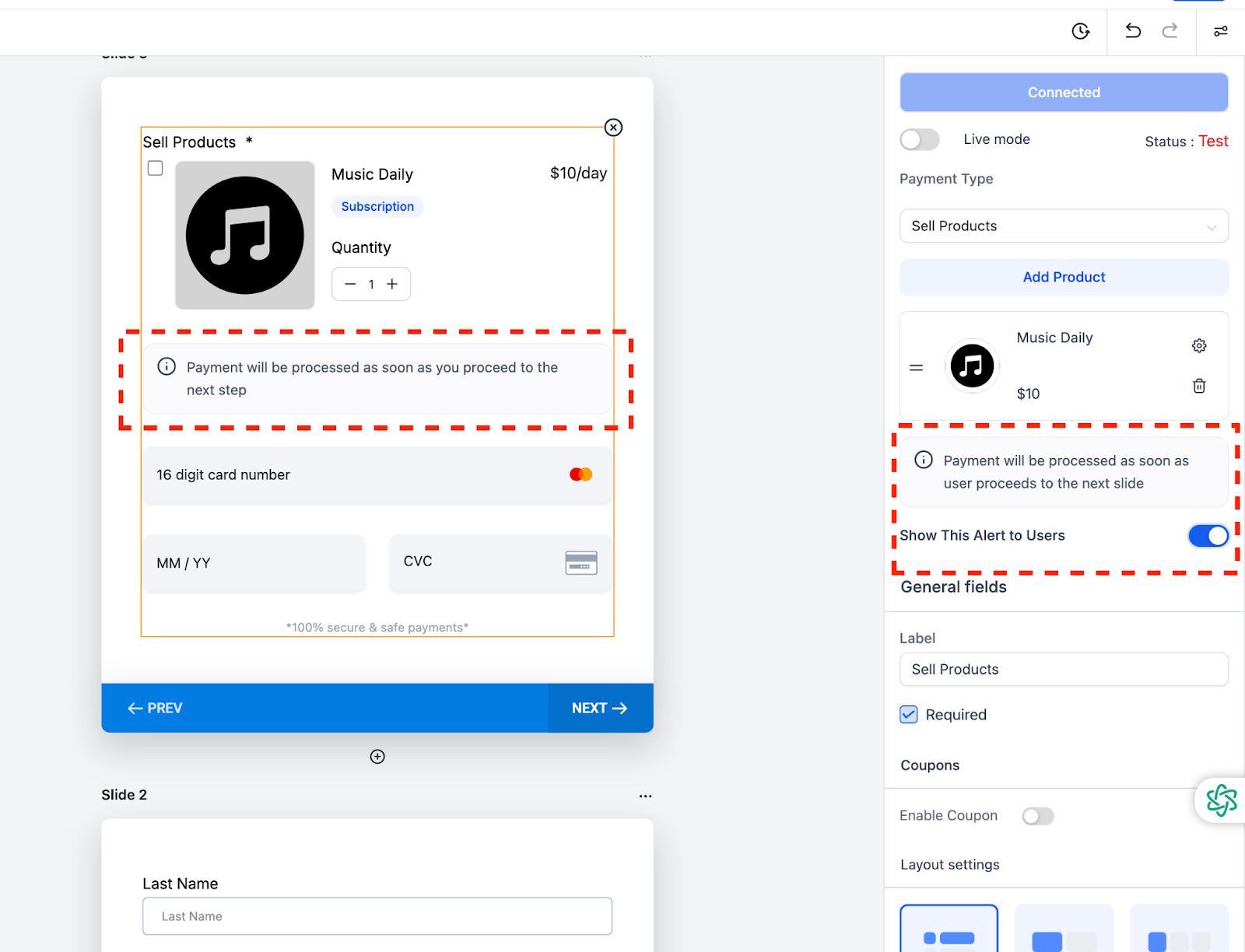
Informative Payment Alerts:
Add an optional information box that reads:
“Payment will be processed as soon as you proceed to the next step.”
Fully customizable—enable or disable this alert as needed.
How It Works:
Configuration:
Drag and drop the "Collect Payment" or "Sell Products" element into your survey.
Add product details, pricing, and optional subscription plans in the settings.
Customize your experience by enabling the optional payment alert.
Execution:
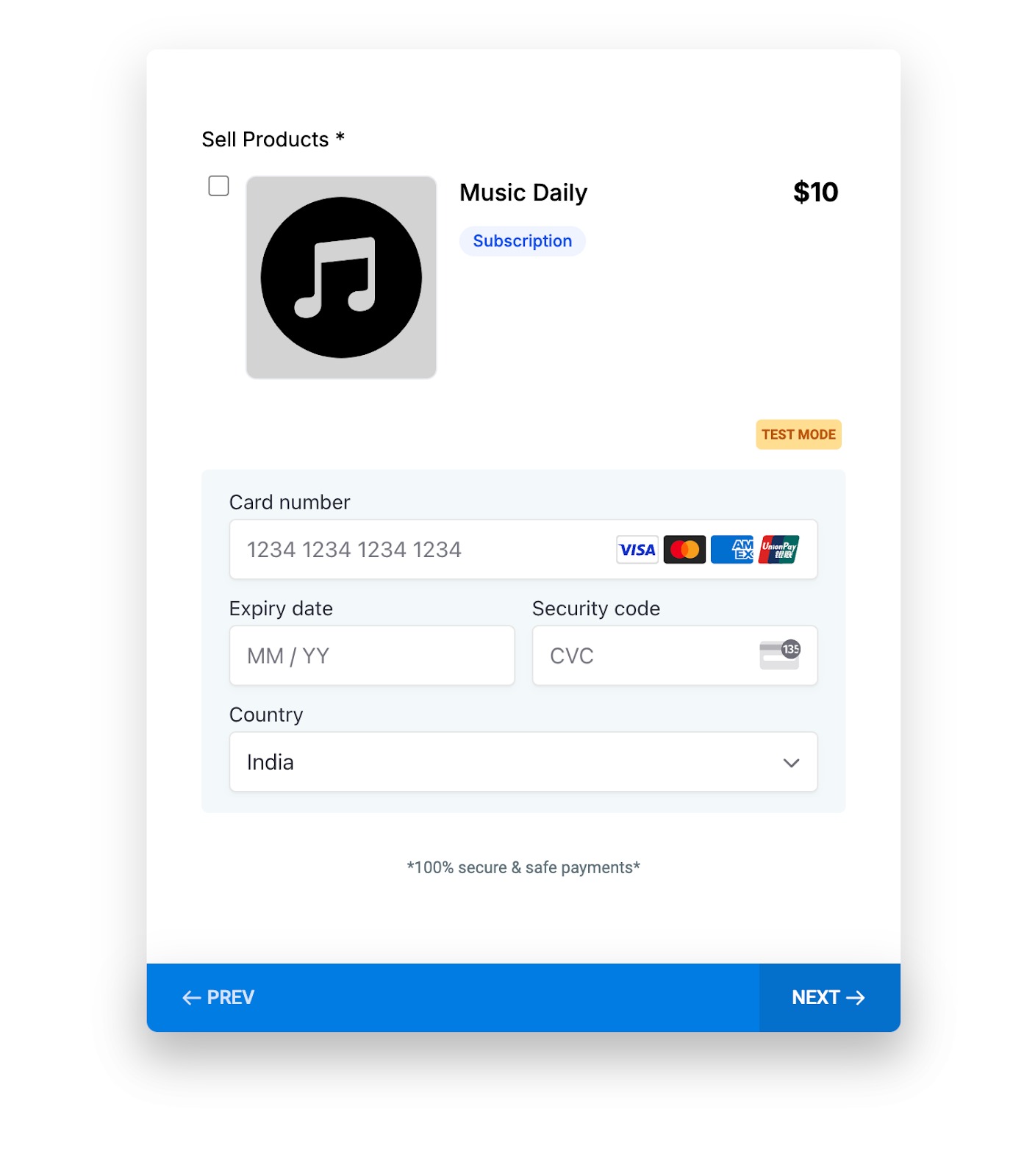
Users fill in their payment details, click "Next," and the payment is processed instantly.
A confirmation screen appears for successful transactions.
Notes:
Payments are 100% secure and encrypted for safety.
Test your setup in Test Mode to ensure a smooth experience before switching to Live Mode.
Note: This feature is designed to enhance user engagement by streamlining communication pathways. It’s perfect for businesses looking to automate and simplify interactions.
Configuration
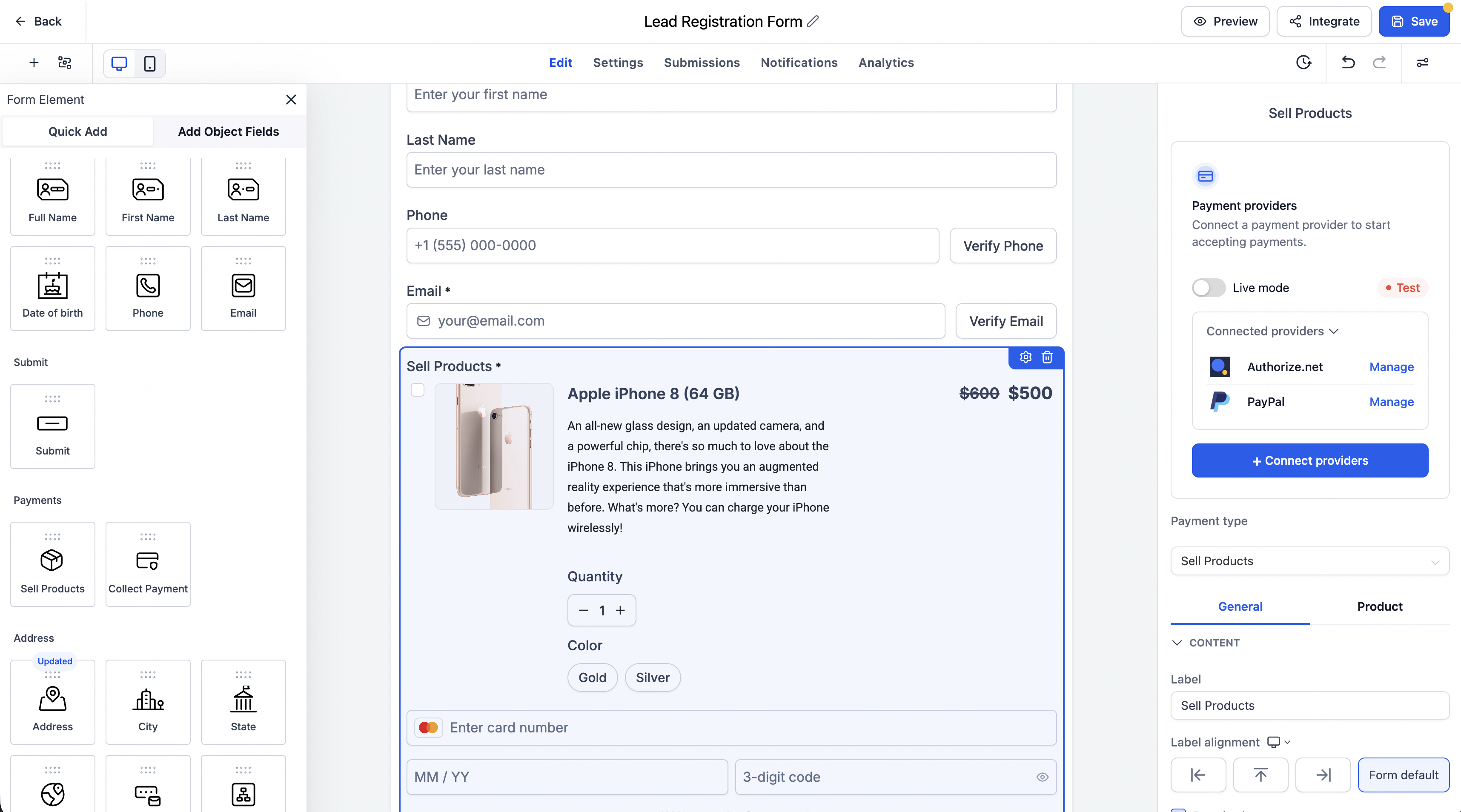
The Sell Products element in Surveys now includes a unified payment configuration panel for managing providers, products, pricing, and variants.
- Open your survey in the Survey Builder.
- Add the Sell Products element.
- Select the element to open its configuration panel.
- Click Connect providers to connect a payment provider if needed.
- Add products and configure their available prices and variants.
- Save and preview the survey.
Price Level and Variant Selection
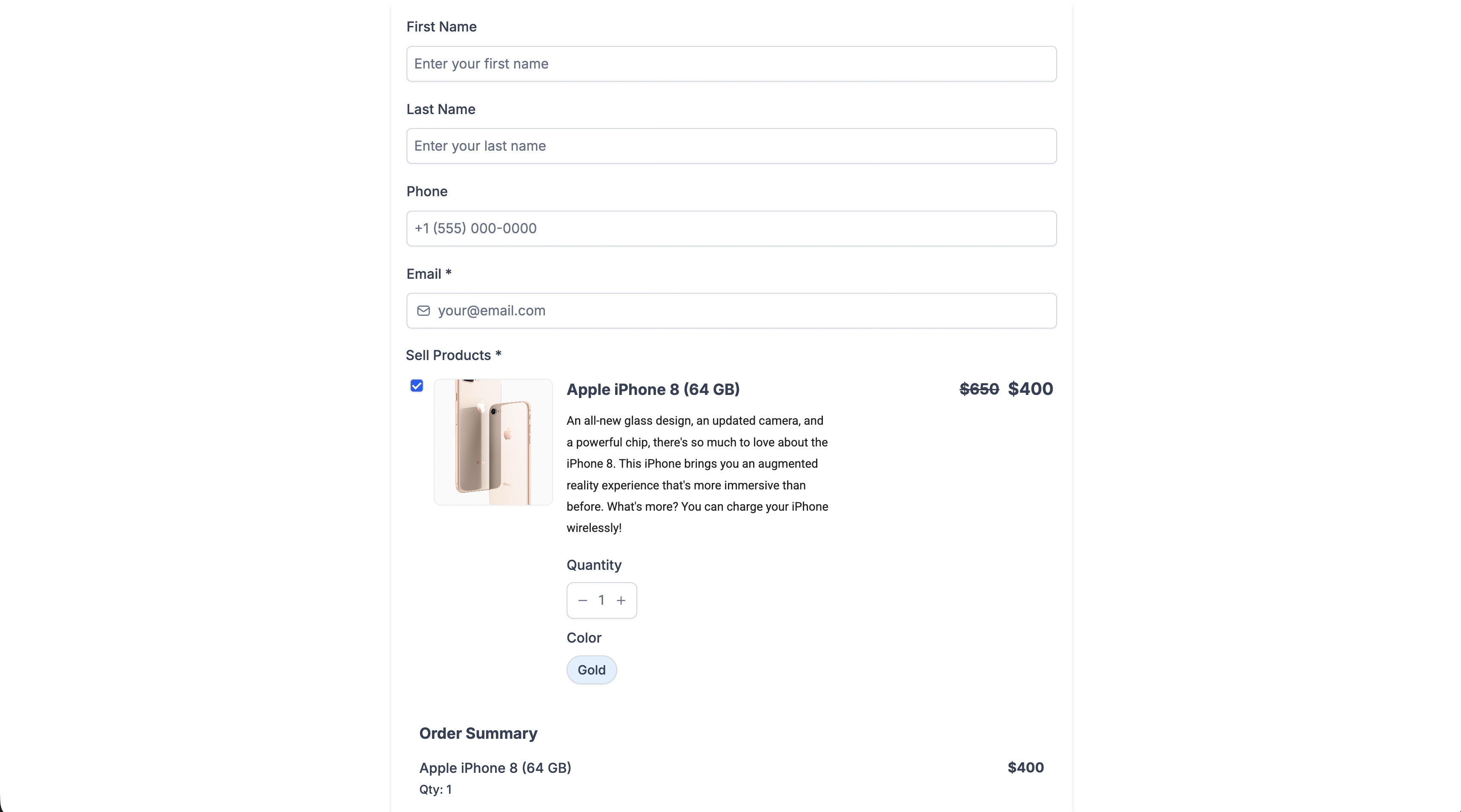
Customers can select from available price levels and product variants when supported by the selected product.
Their selections appear in the payment summary and are passed through checkout, invoicing, and payment processing. Required selections are validated before submission.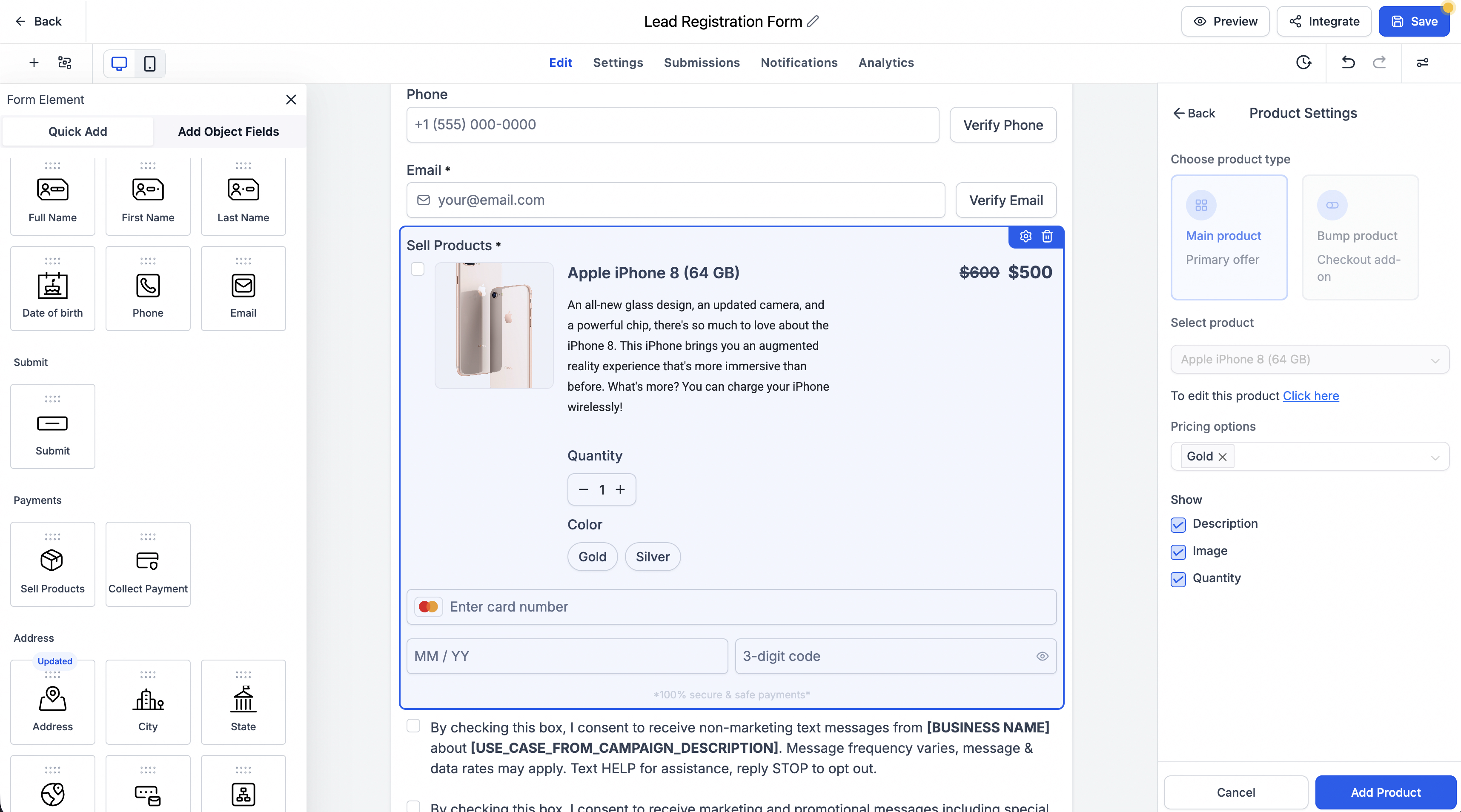
Notes — Additive Content
Existing surveys and payment configurations continue to work without changes.
Price level and variant selection are available for supported products with compatible configurations.