
Default Certificates in Courses & Category Completion Certificate
Overview
With the latest update, the certificate setup is now more streamlined. Every new course automatically includes a course completion certificate by default, ensuring learners receive a credential upon finishing. Additionally, the new category completion certificate feature will allow certificates to be awarded for completing a specific section of a course.
Key Benefits
✅ Automated Course Certificates – Every new course includes a default completion certificate, reducing manual setup.
✅ Flexible Certificate Management – Delete or draft default course completion certificates if not needed.
✅ Seamless Integration – Attach both default and custom certificates directly within the course builder.
✅ Category Recognition – Award certificates for completing an entire category within a course.
How to Use Default Course Completion Certificates
Accessing Default Certificates
Log in to your account.
Navigate to the Courses under Memberships and create a new product.
A default course completion certificate is automatically included.
Managing Default Certificates
Attaching a Certificate Template:.
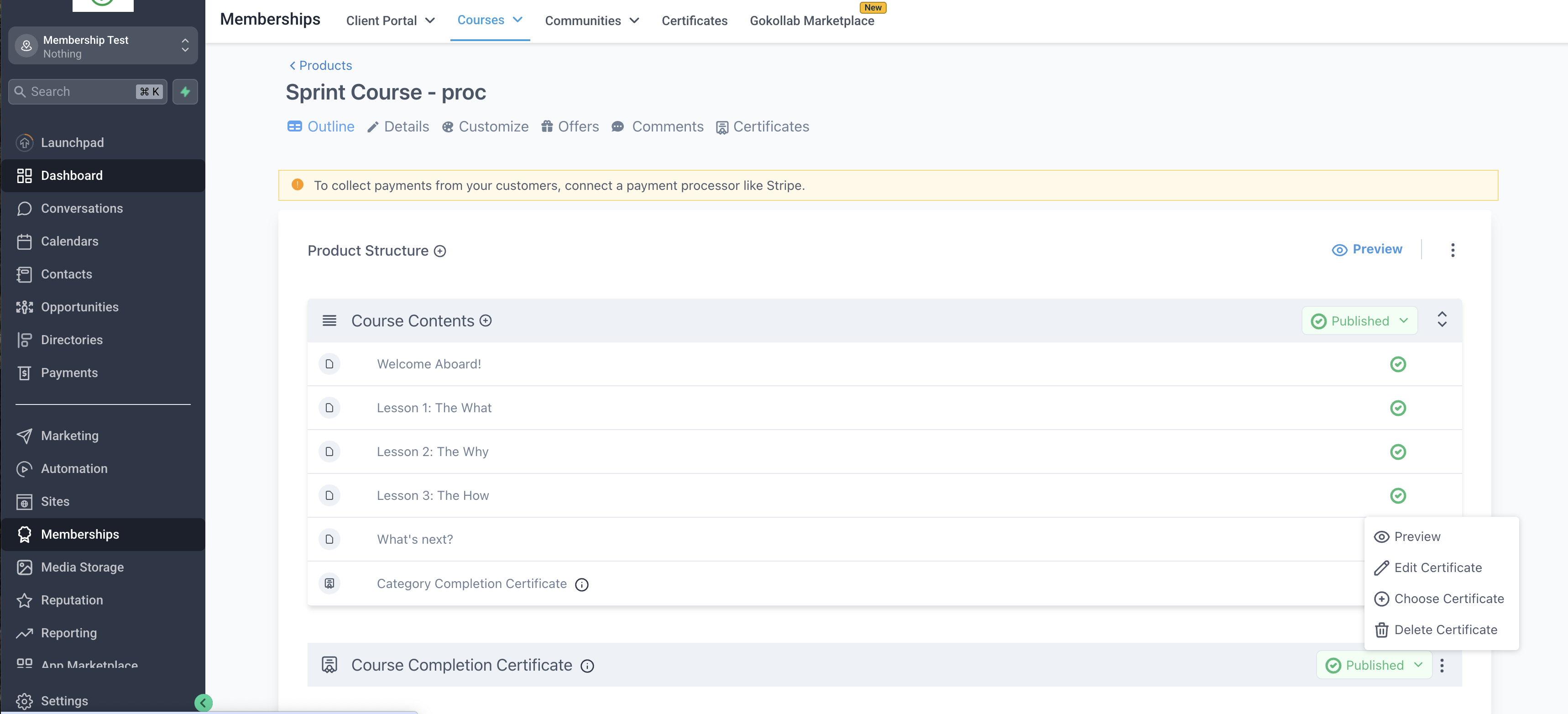
Click on the settings icon (three dots) under the Course Completion Certificate section
Select Edit Certificate or Choose Certificate.
Attach the preferred template to the course.
To Delete or Draft a Default Certificate:
Click on the settings icon (three dots) and choose Delete or Click on Published icon and select Draft.
How to Use Category Completion Certificates
Enabling Category Completion Certificates
Go to a Course.
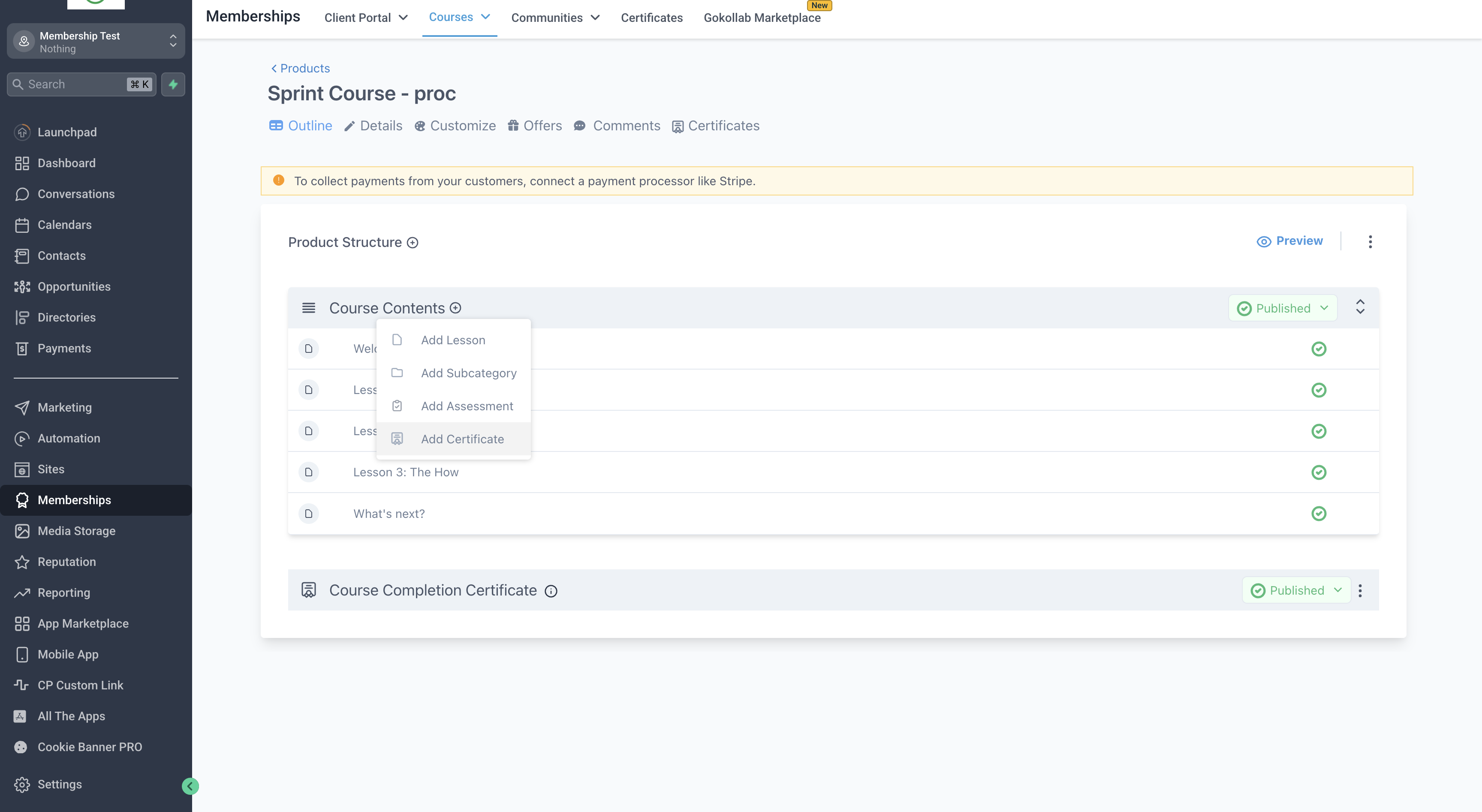
Select the Category you want to attach a certificate to.
Click on the plus icon to attach a certificate to the category
How It Works
The category completion certificate appears as the final lesson in the category preview.
The certificate is automatically awarded when all required lessons in the category are completed.
Category certificates cannot be moved – they always remain at the end of the category.
Note: Certificates will be triggered only once the course/section is 100% complete