Voice Notes on WhatsApp (Mobile App)
Voice Notes on WhatsApp (Mobile App)
Record and send voice notes directly from a WhatsApp conversation on the mobile app
Table of Contents
We're thrilled to announce our latest update to the mobile app: the ability to record and send voice notes using WhatsApp as a channel on Conversations. This update is available on CRM, Chat To Clients CRM, and whitelabelled apps (whitelabel update needs to be requested).
What's New
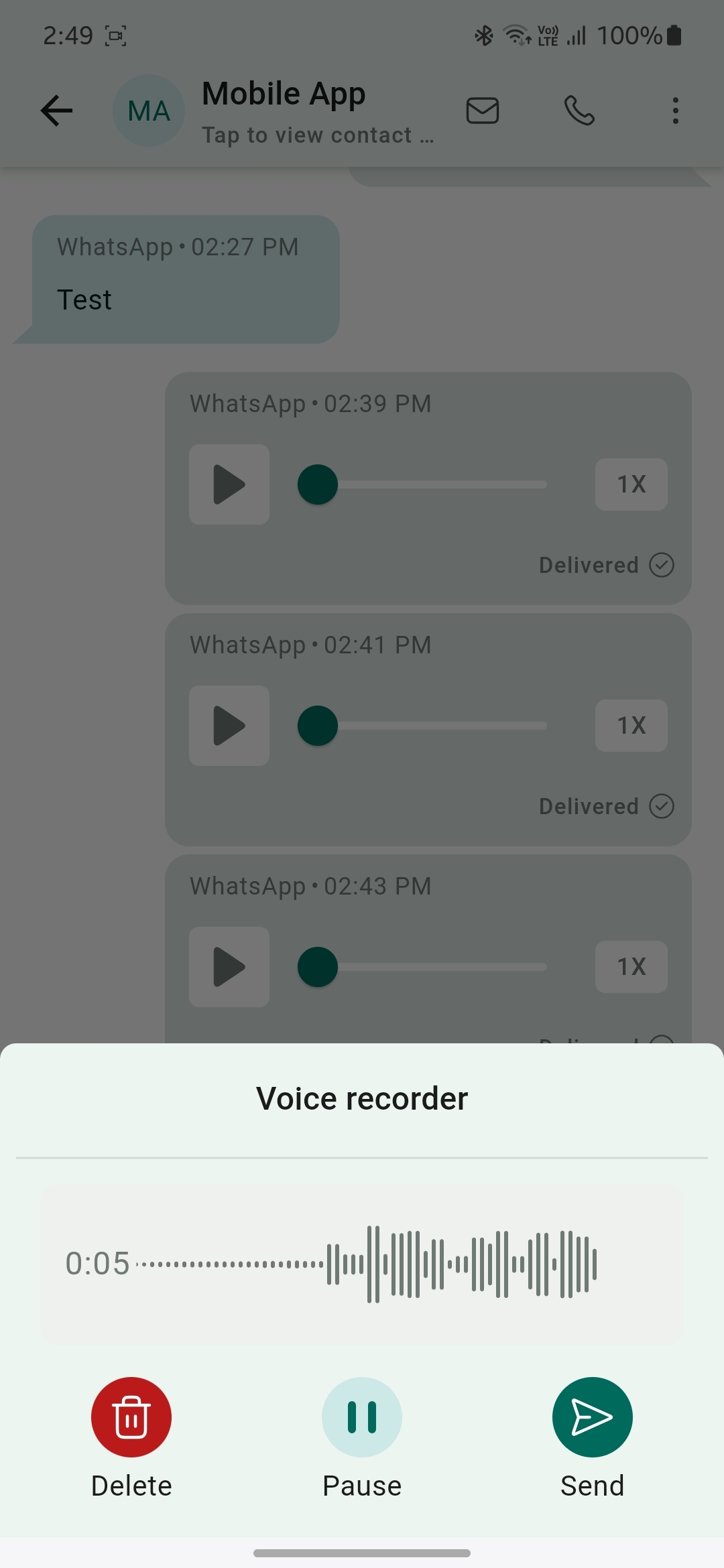
- Record voice note: Start recording a new voice note by tapping on the voice note icon.
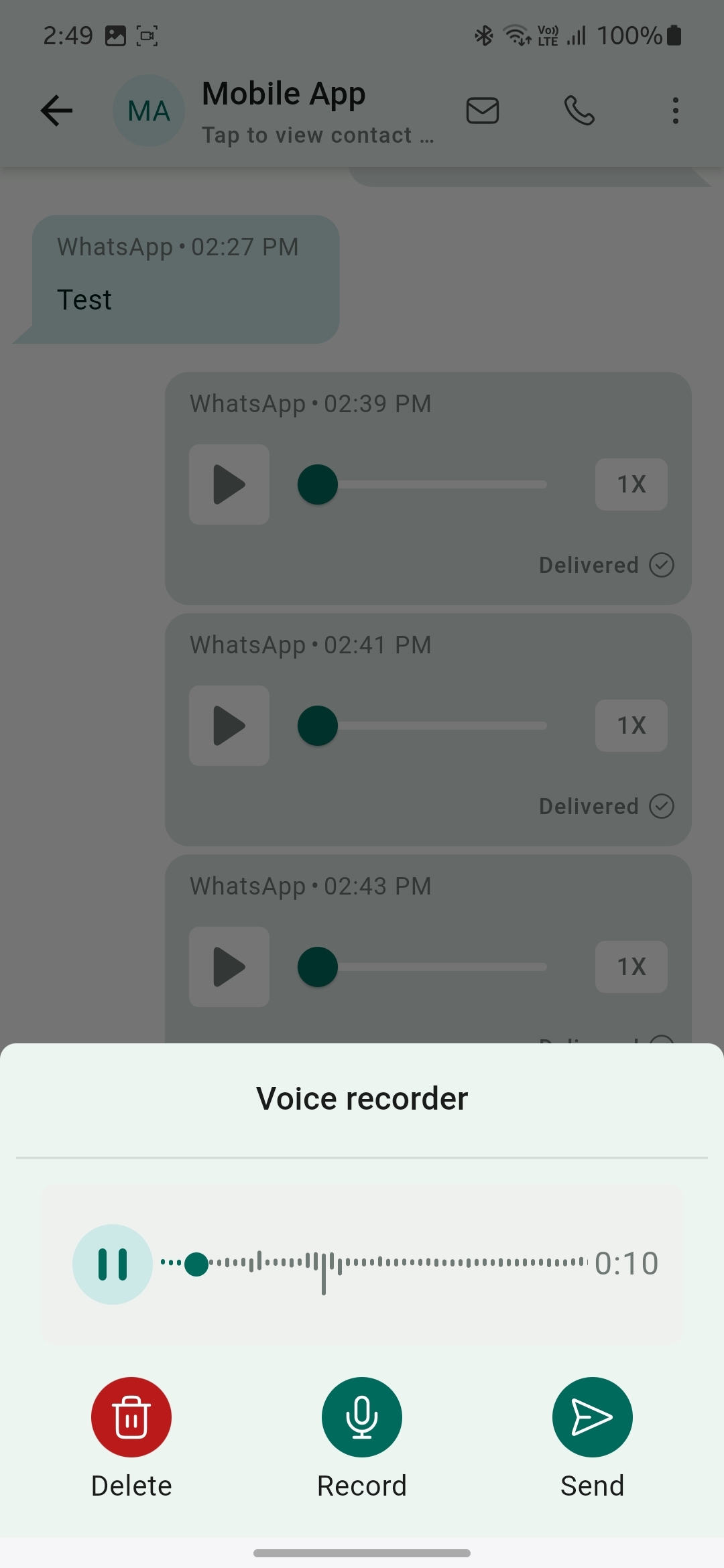
- Pause and delete: Pause and resume the voice note you're recording. You can even delete the existing recording and start a new one.
- Send voice notes: Send the voice note directly inside the conversation.
How It Works
1
Open the mobile app with your preferred sub-account.
2
Navigate to the Conversations section and select an ongoing WhatsApp chat.
3
You'll now see an icon next to the text field to record a voice note.
4
Record a voice note, pause and resume it, or delete it.
5
Once you've recorded your voice note, tap the send icon to send it. And you're all set!