
Multi-Select in Media Storage
Chat To Clients CRM's Media Storage now features Multi-Select capabilities, enabling users to perform bulk actions such as moving, downloading, and deleting files. This enhancement streamlines file management and boosts efficiency.
TABLE OF CONTENTS
- What is Multi-Select in Media Storage?
- Benefits of Using Multi-Select
- Multi-Select Media in Grid View
- Multi-Select Media in List View
- Performing Multi-Select Bulk Actions
- Frequently Asked Questions
What is Multi-Select in Media Storage?
The Multi-Select feature in Chat To Clients CRM's Media Storage allows users to select multiple files or folders simultaneously. This functionality facilitates bulk actions, making file management more efficient.
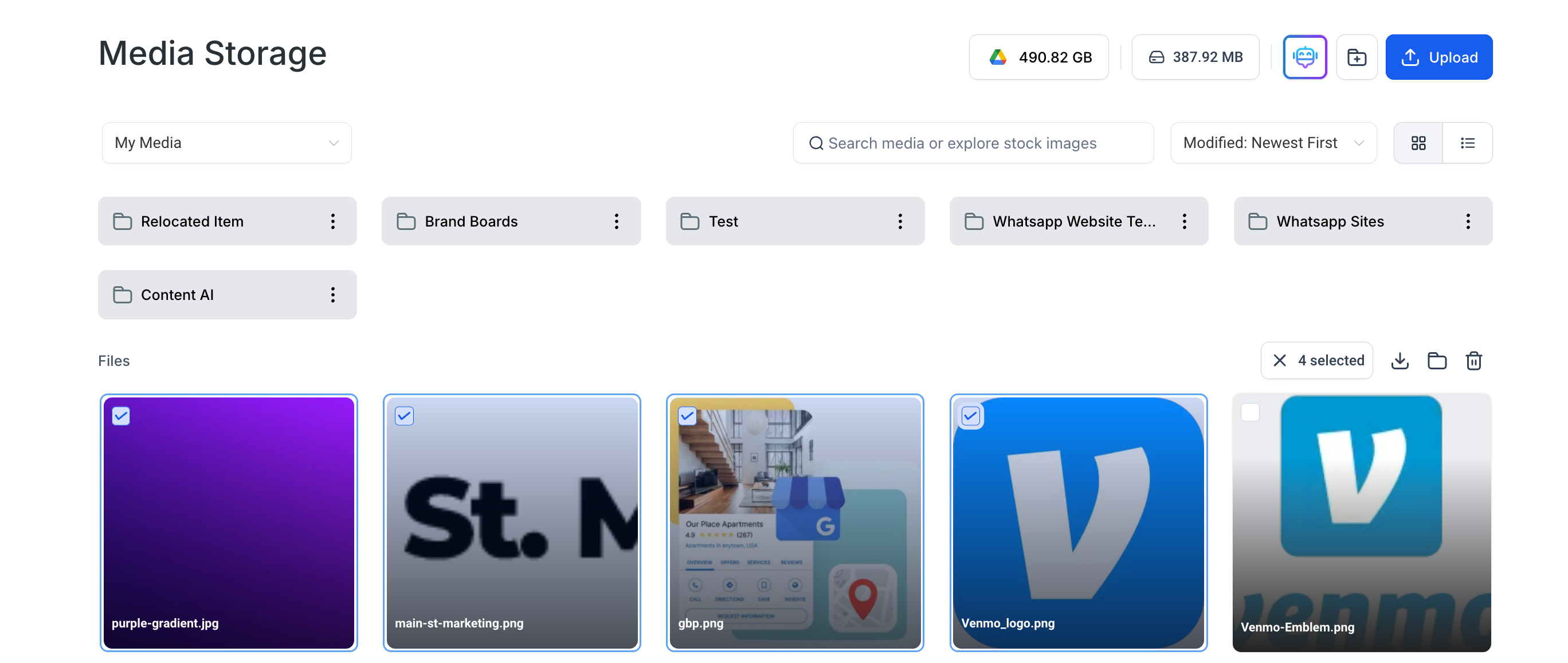
Benefits of Using Multi-Select
Efficient File Management: You can select multiple files at once using checkmarks or by dragging the mouse across items, simplifying the handling of large numbers of files.
Bulk Actions: Move, download, or delete selected files in one operation, reducing time spent on repetitive tasks.
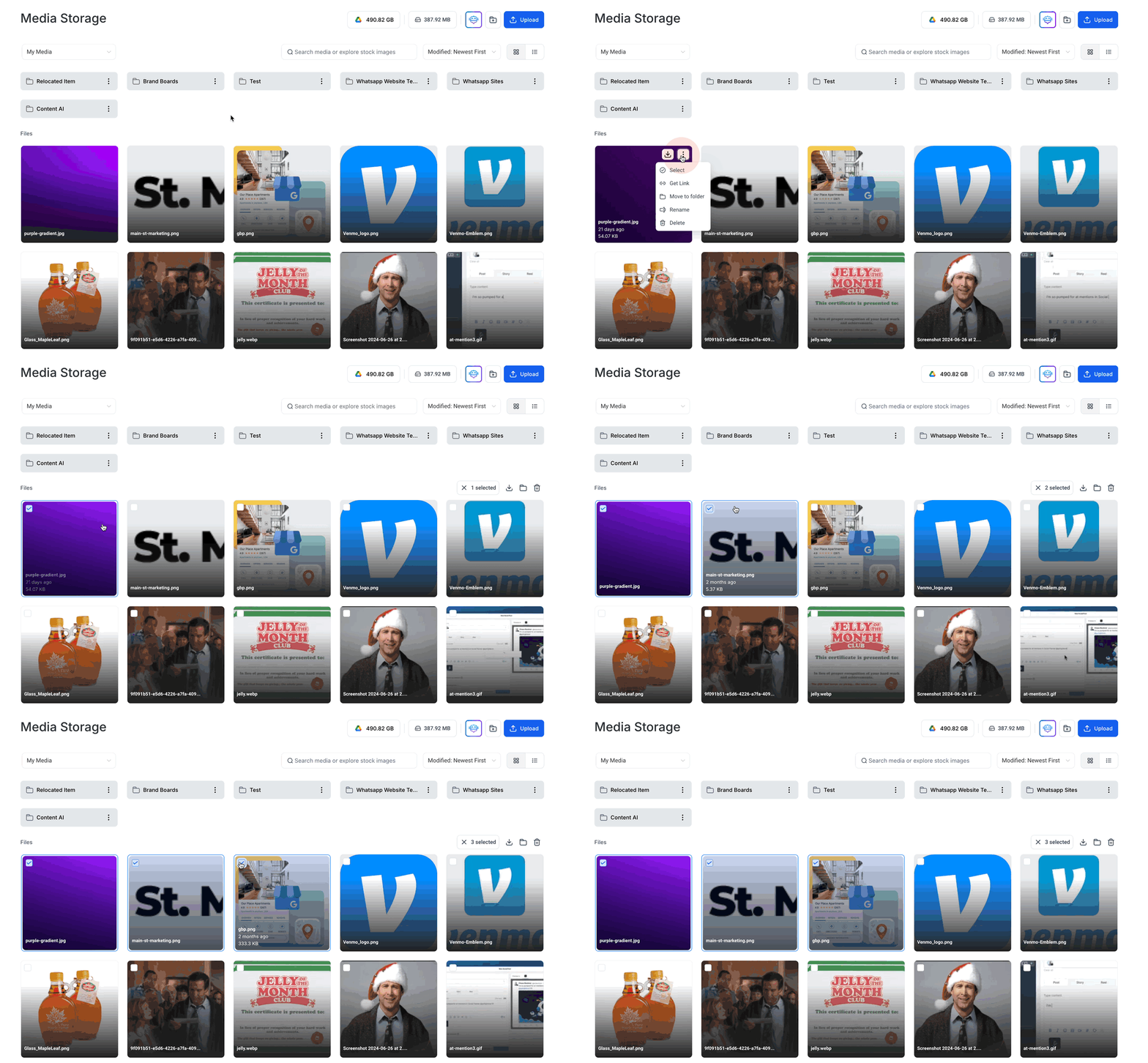
User-Friendly Interface: Enter multi-select mode by dragging to select or using the “Select” option in the three-dot menu. Selected files are marked with a checkmark at the top left corner.
Multi-Select Media in Grid View
Click and drag the mouse across the files you wish to select, or use the “Select” option from the three-dot menu. Selected files and folders will display a checkmark.
Multi-Select Media in List View
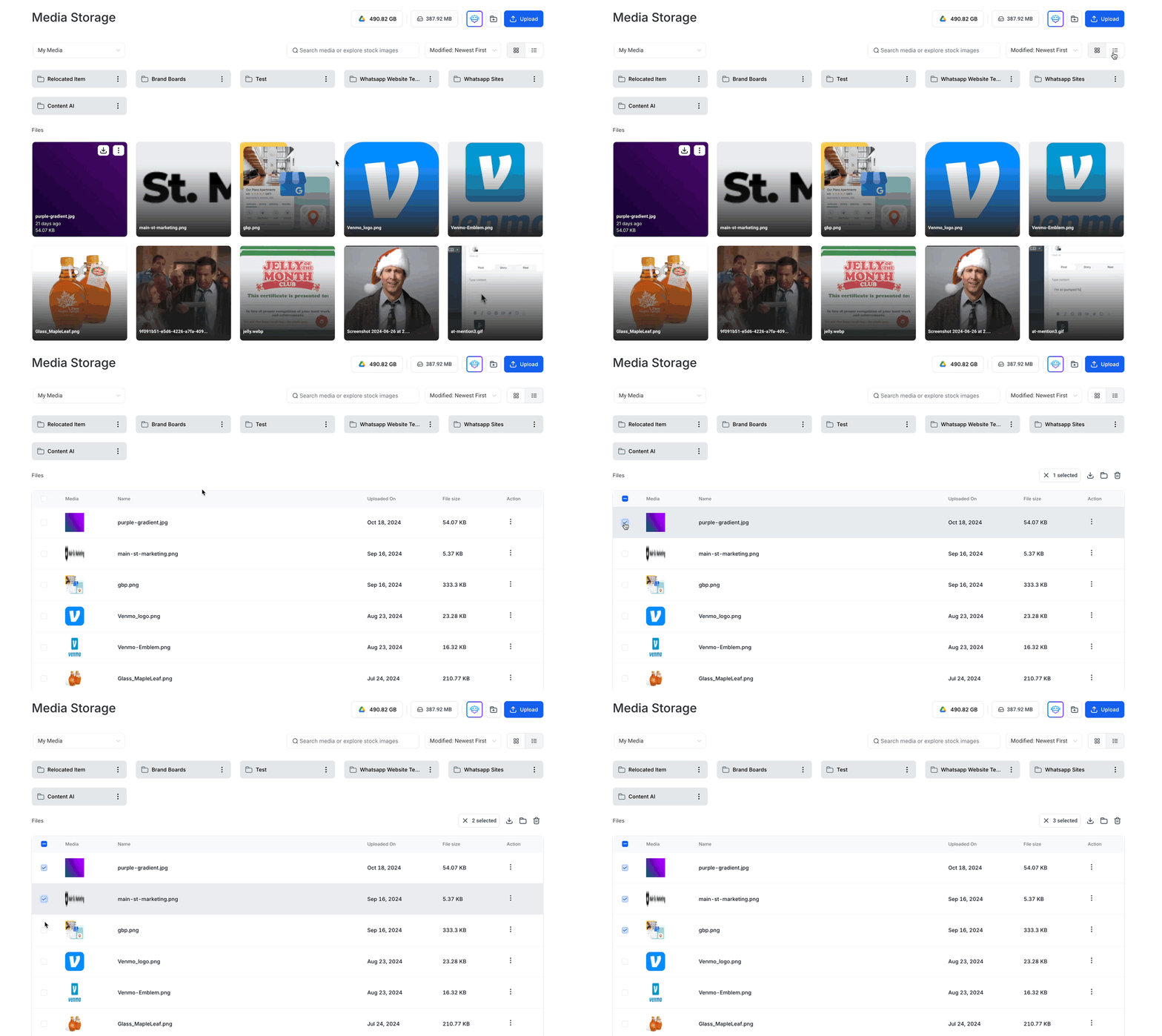
Use the checkboxes next to each file or folder to select multiple items.
Performing Multi-Select Bulk Actions
After selecting the files, you can move, download, or delete them in bulk by using the corresponding buttons.
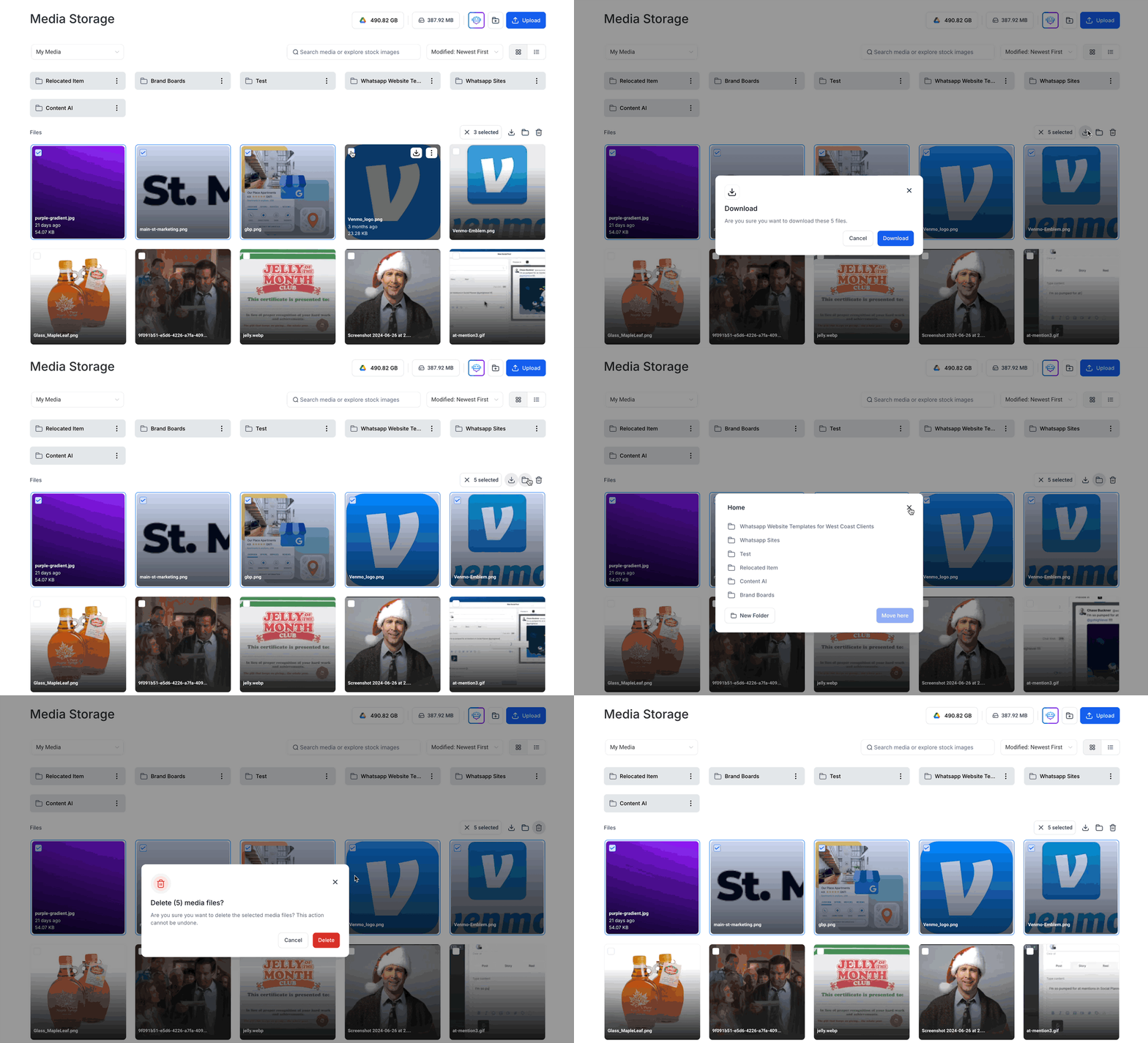
- Users can select and download up to 100 files at a time.
- If a file size exceeds 2 GB, it will be skipped in multi-download and must be downloaded individually.
- When in multi-select mode, the “Rename” and “Get Link” options are disabled for selected files to maintain simplicity during bulk actions.
Frequently Asked Questions
Q: Can I select files across different folders using Multi-Select?
Currently, Multi-Select allows selection within a single folder. To manage files across different folders, perform actions within each folder separately.
Q: Are there any file types that cannot be selected using Multi-Select?
Multi-Select supports all file types available in Media Storage. However, certain actions may be restricted based on file type. For example, some file types may not support previewing.
Q: How does Multi-Select handle files with the same name during bulk actions?
If you move or download multiple files with the same name, the system will prompt you to rename or skip files to prevent overwriting.
Q: Is there a limit to the number of files I can select at once?
You can select up to 100 files at a time for bulk actions. Attempting to select more than this limit will prompt a notification.