
How to Retry a Failed Payment for Any Reselling Products
If your payment for a product has failed, don't worry! You can easily retry your payment by following these simple steps.
TABLE OF CONTENTS
Why Payments Fail
Payment transactions may fail for a variety of reasons, including:
- Insufficient funds
- Incorrect card details (such as an expired card or incorrect CVV)
- Bank restrictions or security flags
When this happens, you’ll see a notification prompting you to retry the payment.
Retrying Your Payment
Go to the Product Page
- Visit the Product which you want to subscribe.
- Submit your credentials to make payment
Click “Retry Payment”
- On the Purchase page, locate the "Retry Payment" button.
- Click on it to re-initiate the payment process.
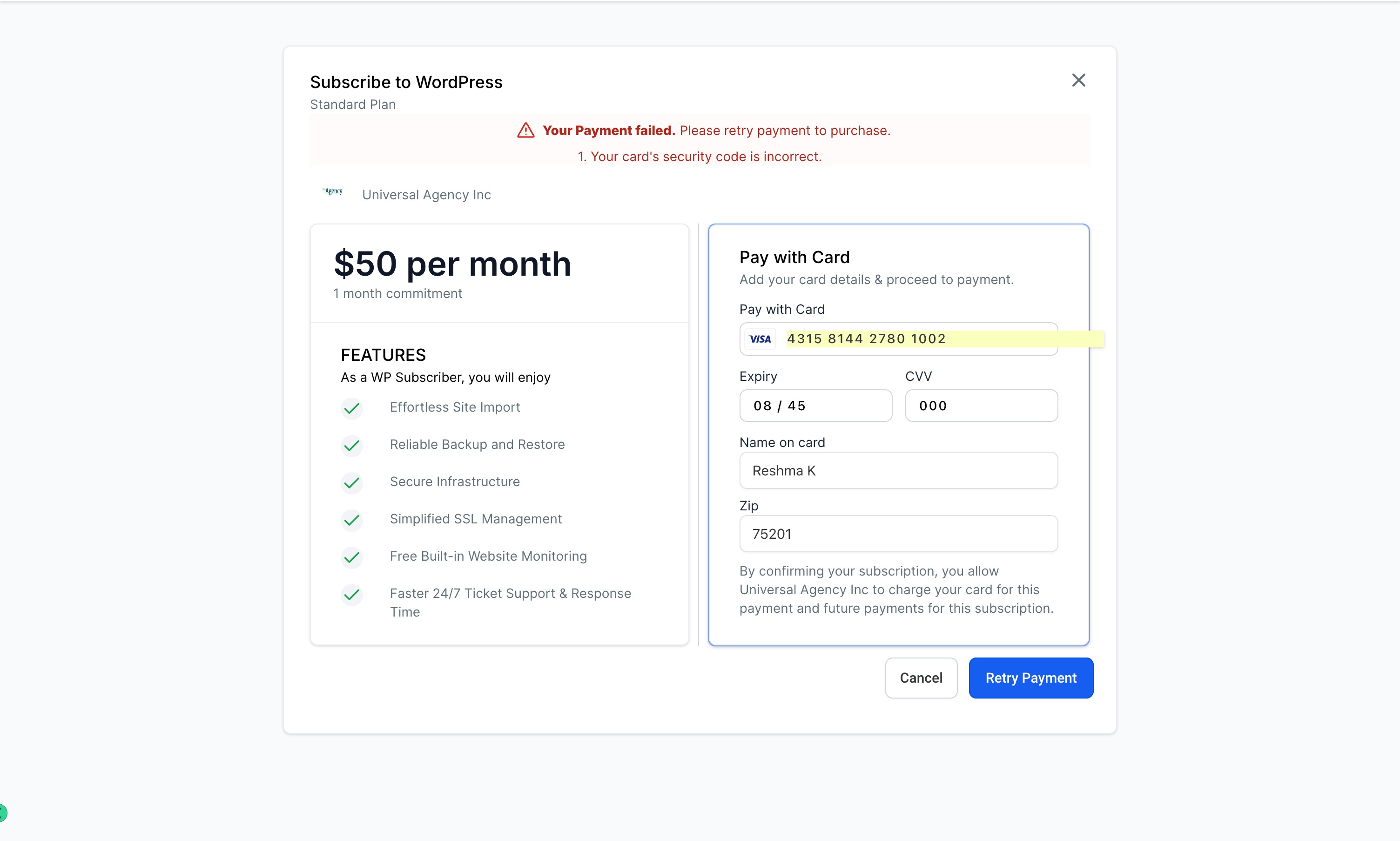
3. Update Payment Information if Needed
- If the failure was due to incorrect or outdated card information, you’ll be prompted to enter new details.
- Double-check all information before proceeding to ensure the payment goes through successfully.
4. Confirm Payment
- After updating your details, confirm the payment.
- You should receive a success notification once your payment is accepted.
Common Solutions for Successful Payment
- Check with your bank to ensure there are no restrictions on the card being used.
- Verify funds are available in the account.
- Consider alternative payment methods if the retry option is still not successful.
Still Having Trouble?
If your payment still isn’t going through, feel free to reach out to our Support Team for assistance. We’re here to help you complete your purchase!