
Trigger a Workflow within Conversation AI
TABLE OF CONTENTS
- Introduction
- Step 1: Once you're in the Bot Goals tab, click on the Trigger a workflow button to explore the details
- Step 2: Click on Trigger a workflow button and update the required details
- Important Notes for Using Trigger Conditions
Introduction
The Trigger a Workflow feature allows users to automate specific actions by linking workflows within the AI conversation. When a defined condition is met during a customer interaction, the AI bot automatically triggers the selected workflow. This helps streamline operations, improve user experience, and achieve desired outcomes without requiring users to manually input all conditions in the prompt. Here's a step-by-step guide to using this feature
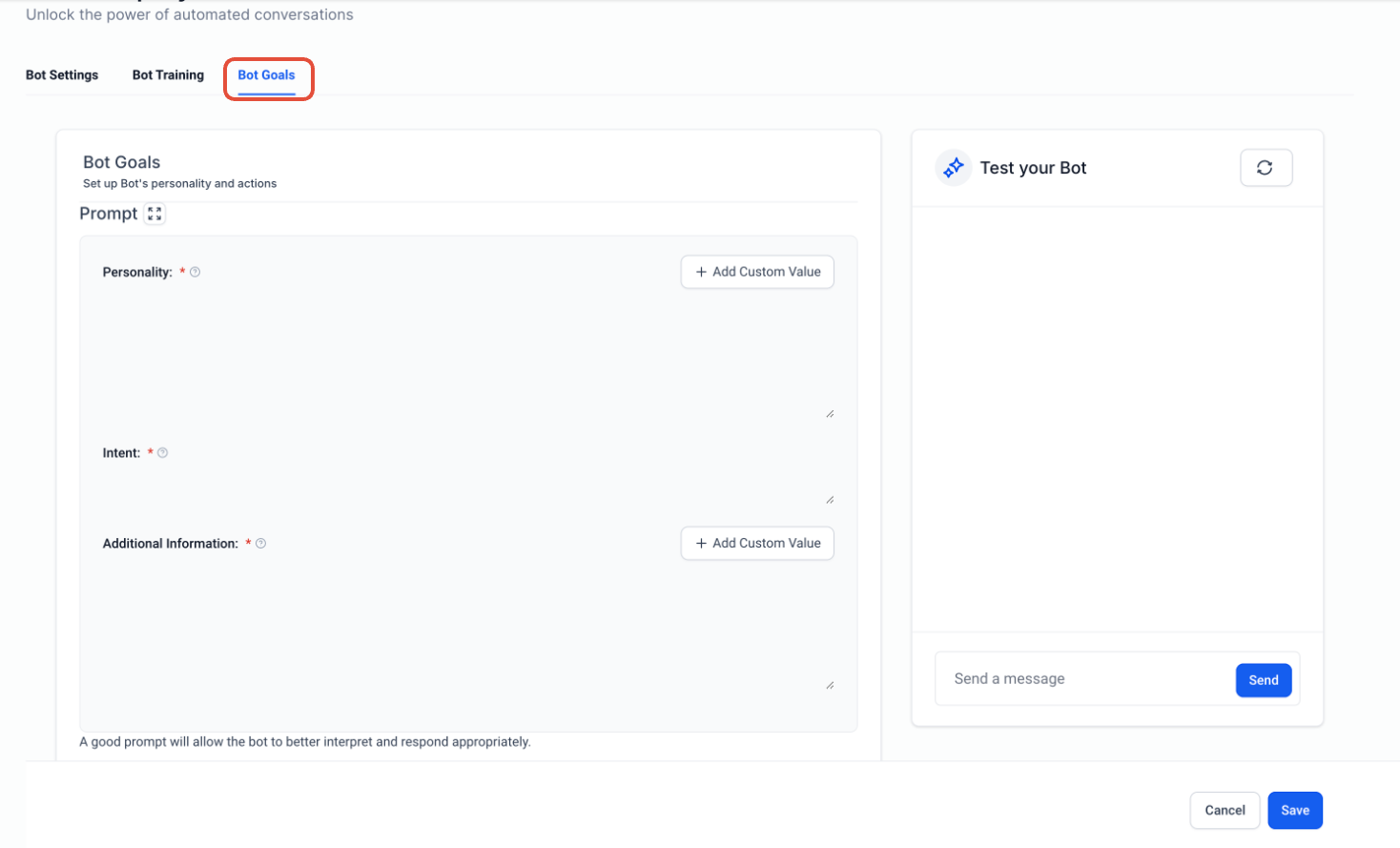
Step 1: Once you're in the Bot Goals tab, click on the Trigger a workflow button to explore the details
If you are creating a new bot, you need to edit the Bot name or assign a new name before accessing the feature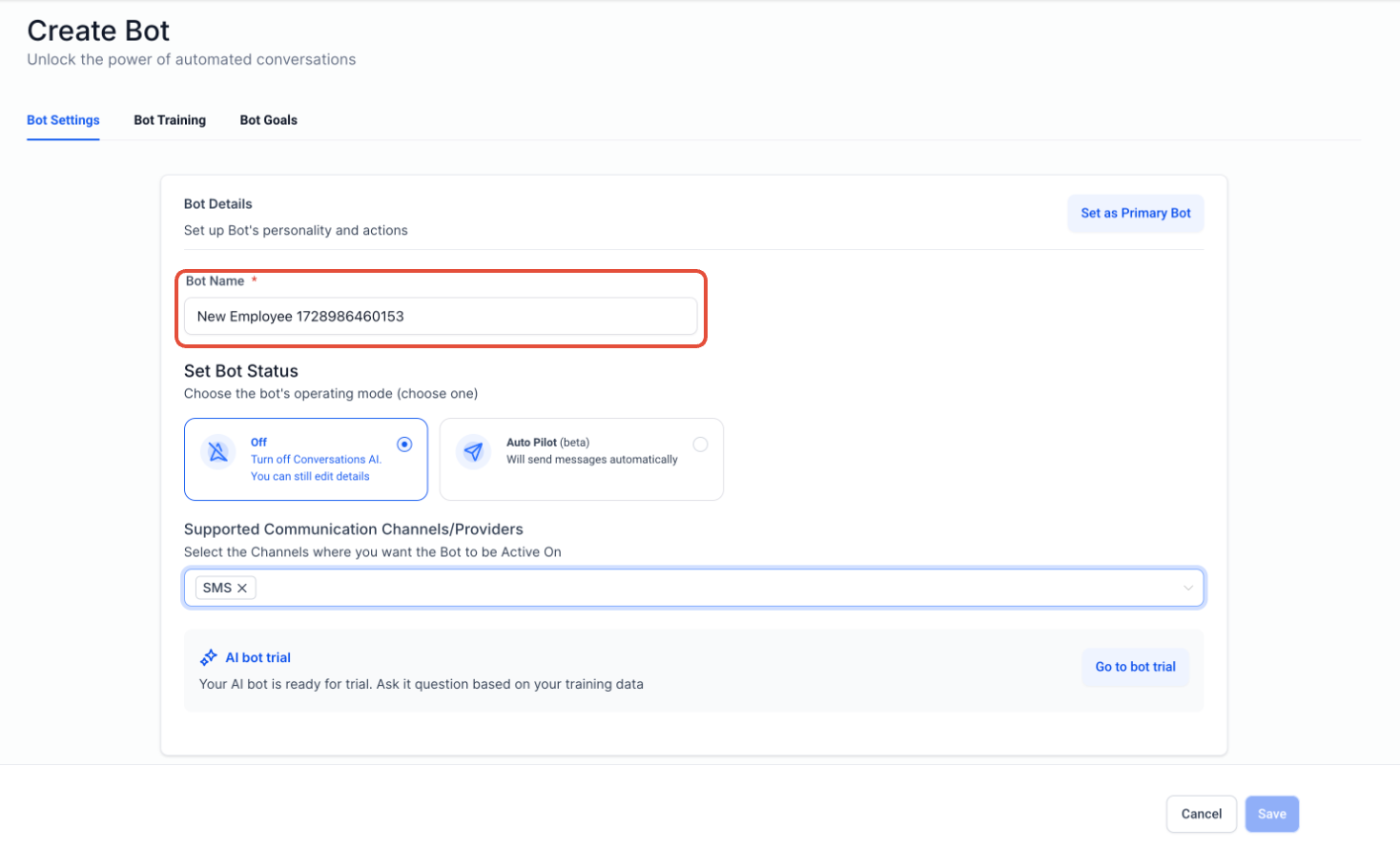
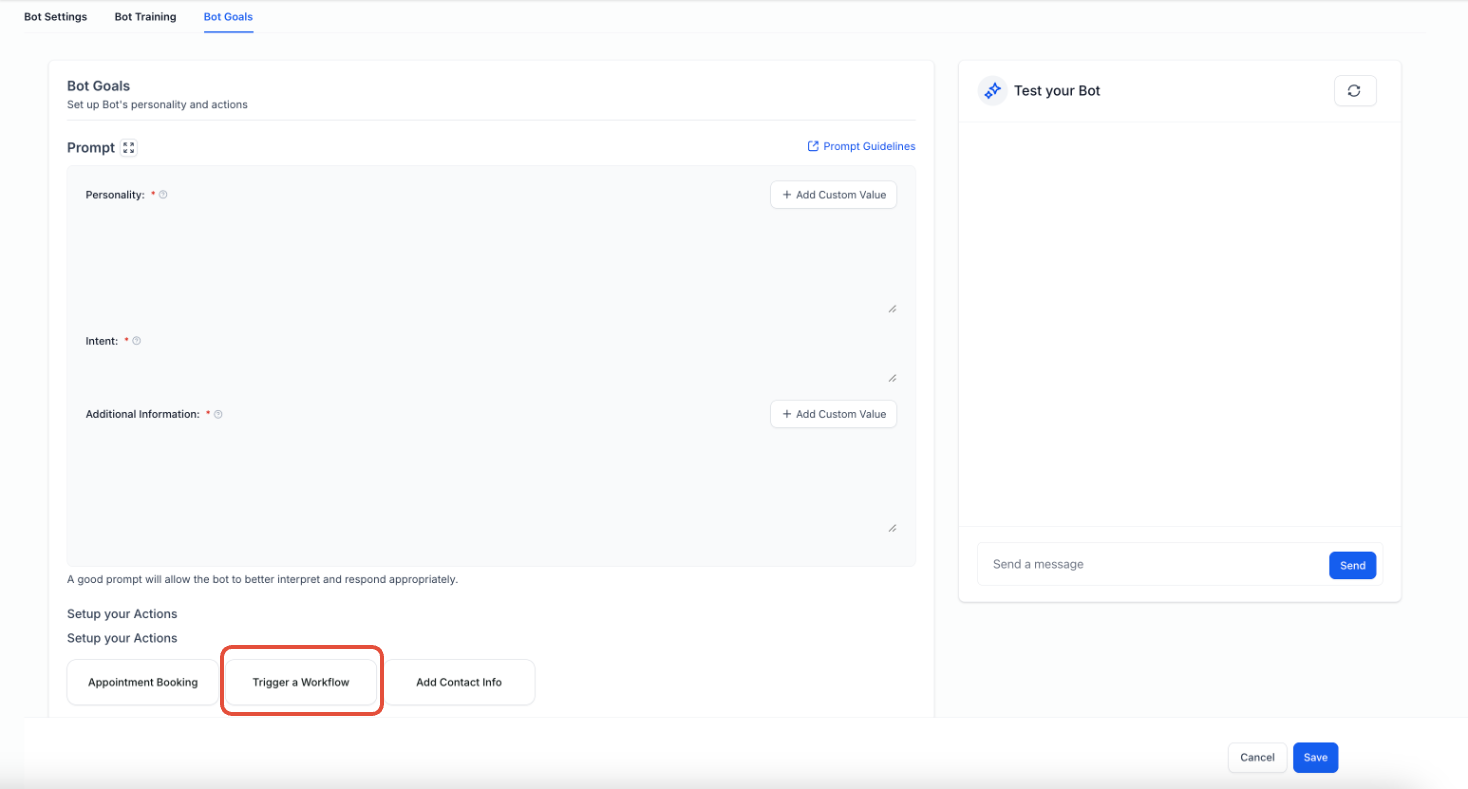
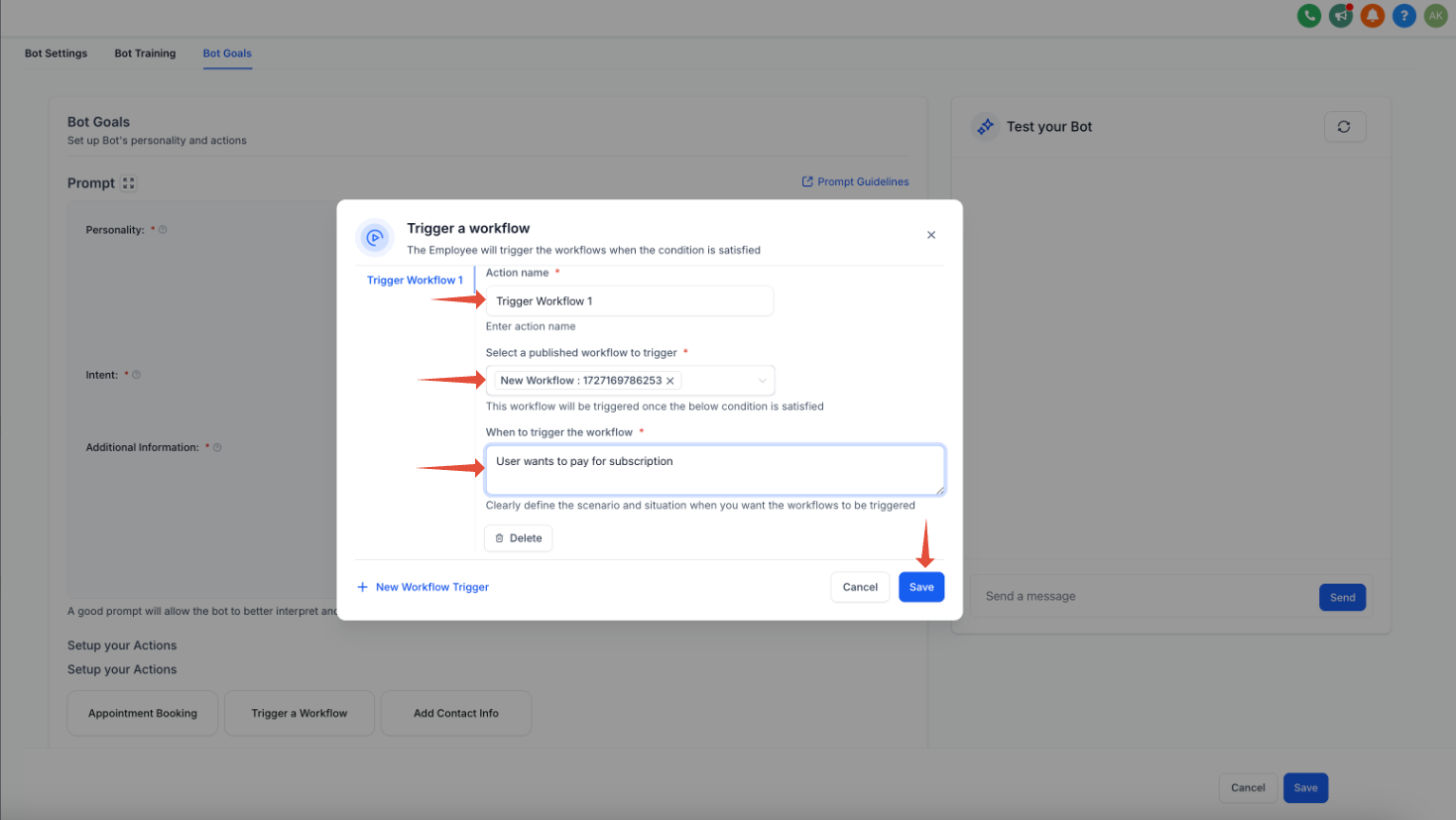
Step 2: Click on Trigger a workflow button and update the required details
How to Set Up the Fields
Follow these steps to set up and configure your workflow trigger:
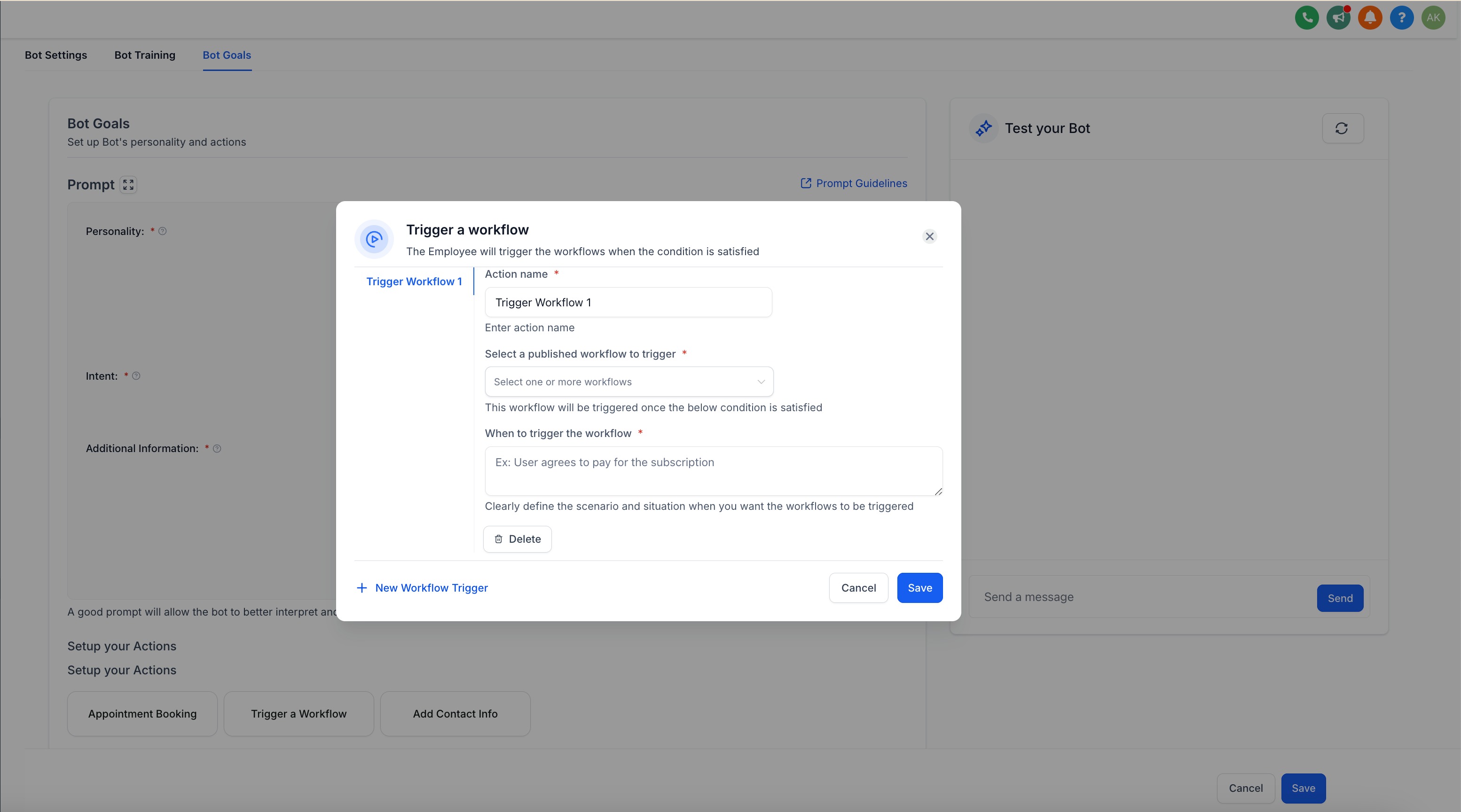
- Action Name: Assign an action name of your choice. This will help you easily identify the workflow later. For example you can name it, "Subscription Workflow".
- Select a published workflow to trigger: From the dropdown menu, choose the workflow you want to trigger. Ensure that the workflow has been published beforehand. This is the workflow that will be triggered when the specified condition is met.
- When to trigger a workflow: In the third field, provide a short description of the condition that will trigger the workflow. This is important for the AI to know when to activate the workflow. Here are some examples:
- If you want to trigger a workflow when the customer wants to purchase your subscription, you could write: "Customer wants to purchase the subscription"
- If you want to trigger a workflow when the customer wants book an appointment, you could write: "Customer wants to book an appointment"
- This description helps the AI recognise the condition and trigger the workflow accordingly when a similar scenario occurs during the conversation.
- Once you're done, click Save to finalise the settings.
- By following these steps, the bot will automatically trigger the specified workflow whenever the defined condition arises, streamlining the process and improving customer interaction.
Important Notes for Using Trigger Conditions
Crafting Effective Trigger Conditions:
When defining trigger conditions like "Customer wants to pay for a subscription" or "Customer wants to book an appointment", ensure the prompt is written in a way that:- The bot naturally leads the conversation to ask related questions.
- The customer's response aligns with the trigger condition.
For example, if the condition is "Customer wants to book an appointment", structure the prompt so that the bot asks "Would you like to book an appointment?" or similar, encouraging the condition to arise naturally in the conversation.
Handling Duplicate Trigger Conditions:
If a trigger condition matches multiple simultaneous conditions (e.g., update contact info and trigger a workflow), the AI will determine which action to execute. For instance:- Update Contact Info: Updates the date of birth when the user provides their DOB.
- Trigger a Workflow: Triggers a workflow when the user provides their DOB.
In such cases, the execution depends on the AI’s prioritization, as both conditions share the same trigger.
Triggering Conditions from Bot or User Responses:
A trigger condition can be activated based on responses from either the bot or the user. This flexibility ensures that workflows can be triggered regardless of whether the condition arises from the bot leading the conversation or the user initiating it.Avoid Duplicating Published Workflows:
Do not configure a Trigger a Workflow action for a workflow that is already published with the same trigger in Workflow Automation. Doing so will cause the workflow to execute twice, leading to unintended duplication of actions.
Frequently Asked Questions
Q.Can I update contact fields from a workflow that is triggered by the AI bot?
Yes, you can absolutely update contact fields through a workflow triggered by the AI bot — simply include the “Update Contact Field” action inside the workflow you select. This gives you the flexibility to enrich contact records as part of an automated follow-up process.