
Analytics Dashboard for Prospecting in Subaccounts
See every prospecting win at a glance. The new Analytics Dashboard for Prospecting in sub-accounts surfaces key metrics—reports generated, contacts created, engagement, and more—so you can double-down on what’s working and fill pipeline gaps faster.
TABLE OF CONTENTS
- What is the Analytics Dashboard
- Tracking Metrics using Analytics Dashboard
- Why You Should Use the Analytics Dashboard?
- Where to find the Analytics Dashboard
- Frequently Asked Questions
What is the Analytics Dashboard
The Analytics Dashboard is a powerful tool that provides you with a comprehensive overview of your reports, conversions, leads, and performance metrics. It’s designed to help agencies track key data points, such as the number of reports generated, total conversions, leads generated, and report views, all in one place.
The Analytics Dashboard provides a complete snapshot of your key performance metrics, enabling you to make data-driven decisions and optimize your strategies for better results. It offers an intuitive way to track and analyze critical data, helping you stay informed and take action where it matters most.
Tracking Metrics using Analytics Dashboard
With the Analytics Dashboard, you can easily monitor the following:
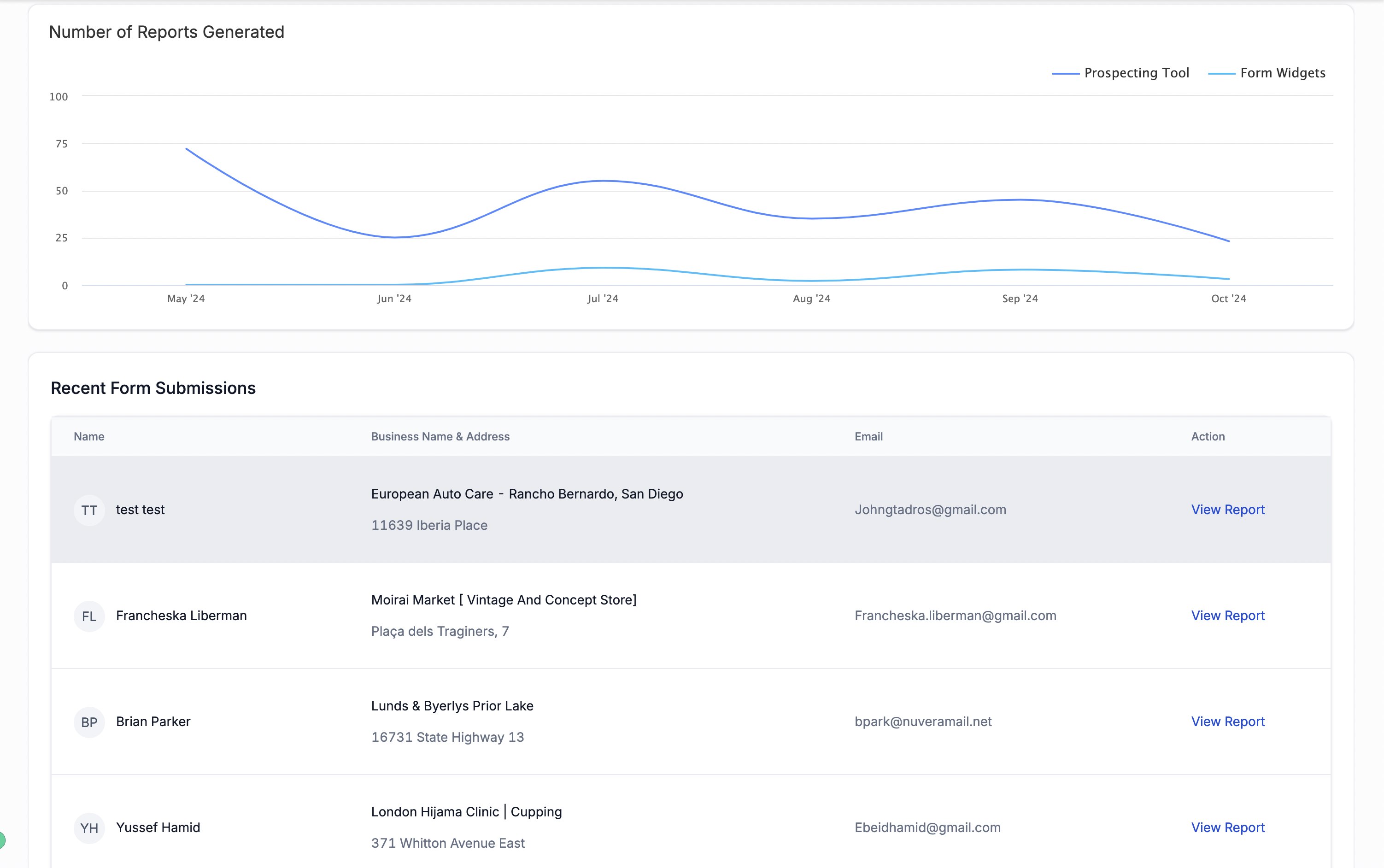
Reports Generated: See the total number of reports created, giving you insight into your reporting activity and engagement over time.
Leads Generated: Track how many new leads have been brought in from your reports, allowing you to measure the effectiveness of your prospecting efforts.
Total Conversions: Keep an eye on how many leads have successfully converted into clients or sales, helping you evaluate the success rate of your marketing campaigns.
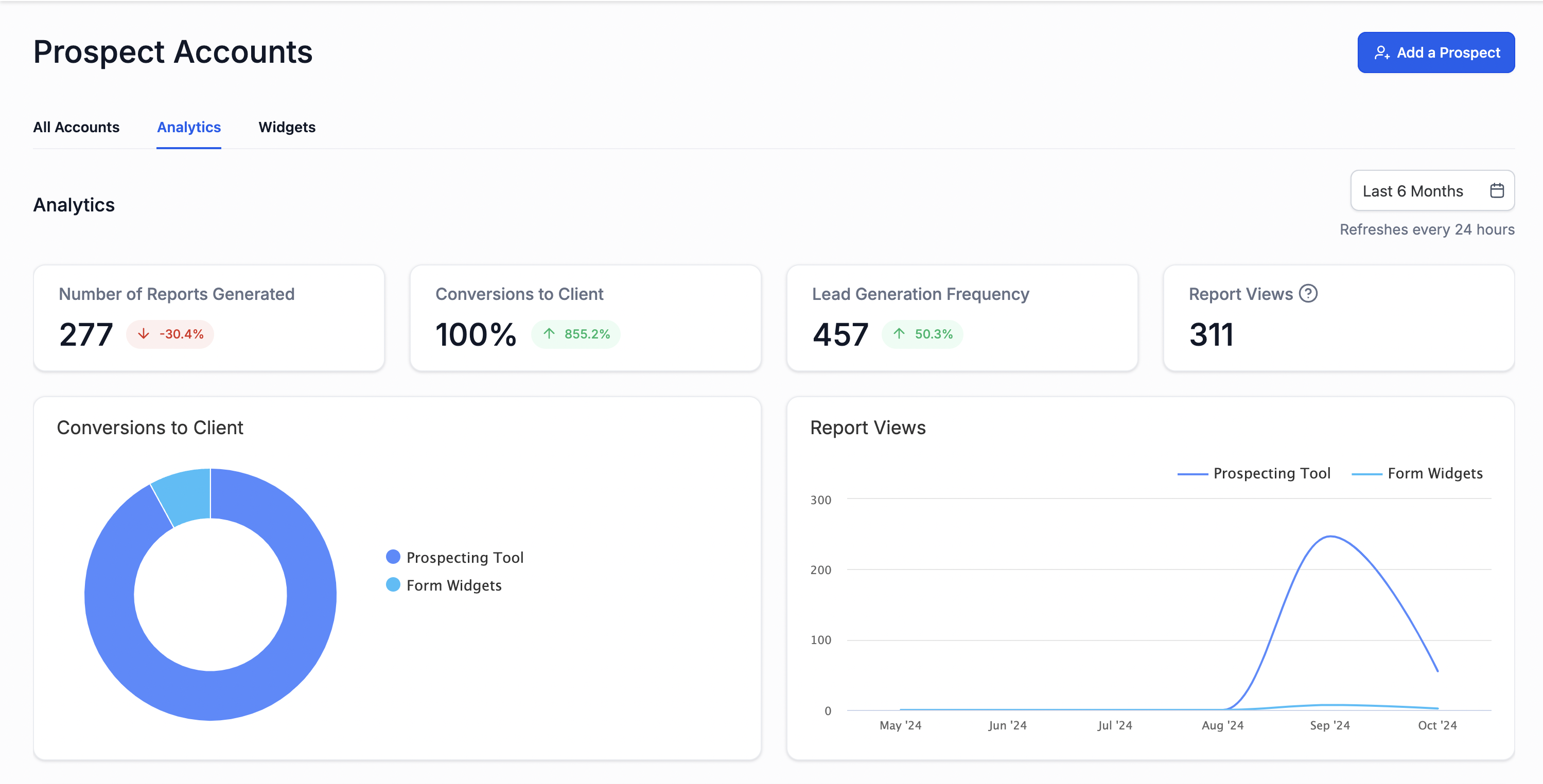
Highest Viewed Prospect Reports: Identify which prospect reports are receiving the most attention. This data highlights which prospects are the most engaged and where your strongest opportunities lie.
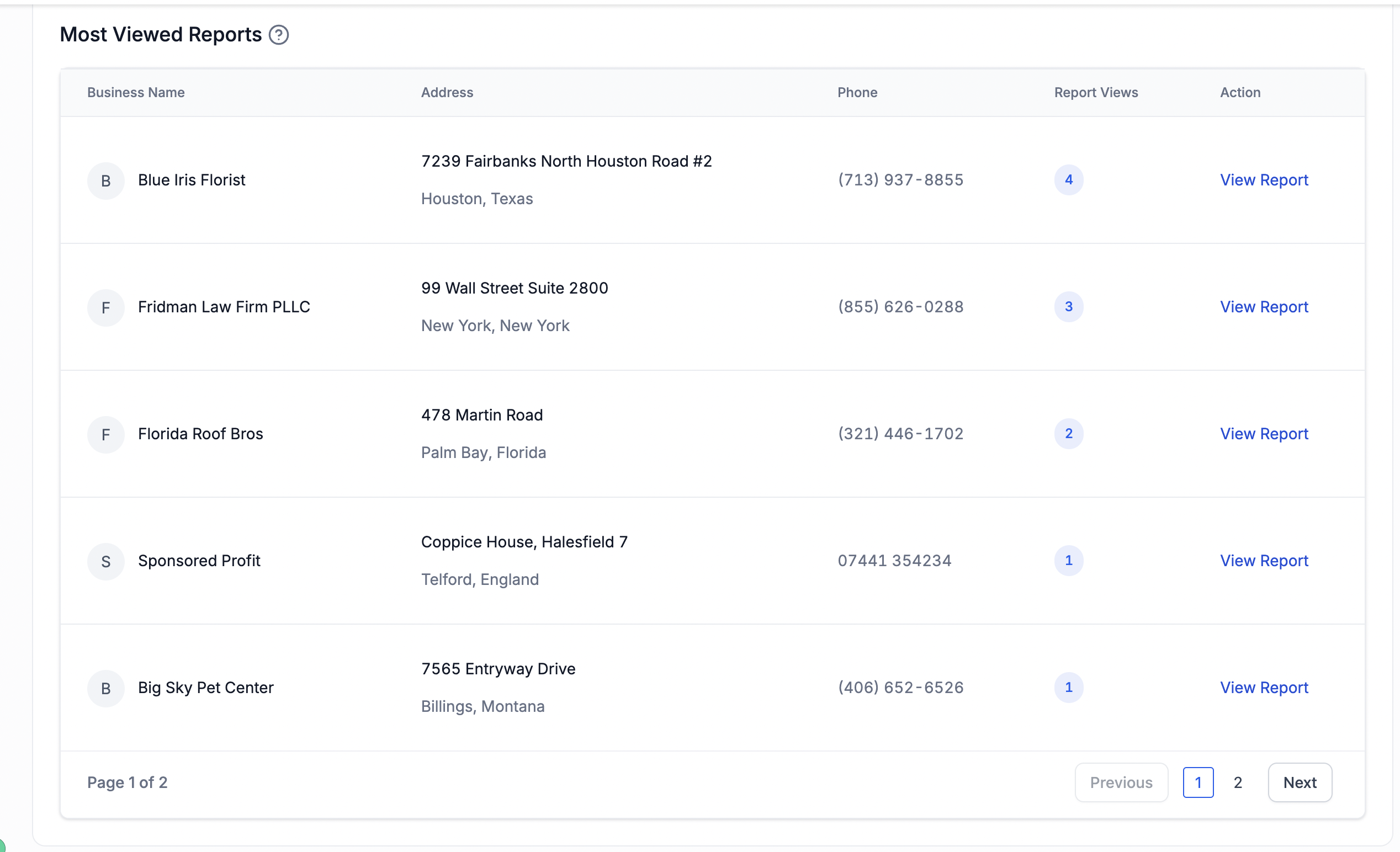
Reports Generated Through Forms: Track the reports that have been created via embedded forms on your website, giving you insights into how well your lead generation forms are performing.
Why You Should Use the Analytics Dashboard?
The Analytics Dashboard allows you to:
- Monitor Performance: Gain insights into the performance of your campaigns and reports by tracking detailed metrics.
- Optimize Strategies: Identify areas that need improvement by analysing data on conversions, leads, and report views.
- Make Informed Decisions: Use the data to refine your strategies and focus on what’s driving success for your clients.
- Track Report Engagement: See which reports are viewed the most and understand the impact they are making.
- Measure ROI: Evaluate how your efforts translate into real business results through comprehensive analytics.
Where to find the Analytics Dashboard
You can easily access the Analytics Dashboard by following these steps:
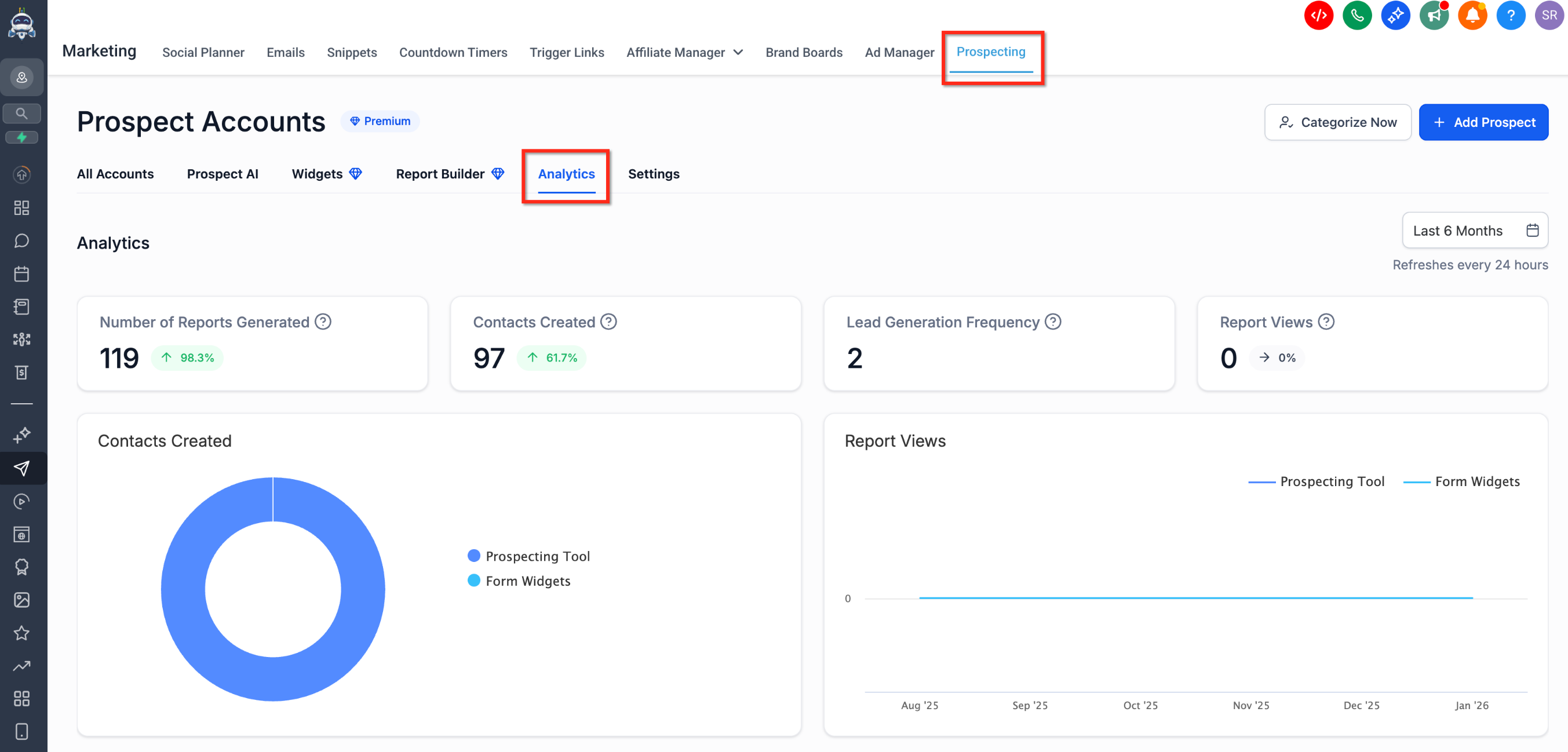
1. Navigate to Prospecting Tool under Marketing
2. Click on the "Analytics" section in the main Dashboard
3. You will be directed to the Analytics Dashboard, where you can view key metrics and reports.
Frequently Asked Questions
Q: How often is the data updated on the Analytics Dashboard?
The data on the Analytics Dashboard is updated in real-time or at regular intervals, depending on your connected tools and integrations.
Q: Can I export data from the Analytics Dashboard?
No, you cannot export data from the dashboard in formats like PDF or CSV. But this feature will be rolled out on need basis.
Q: What metrics can I track on the Analytics Dashboard?
You can track a variety of metrics, including the number of reports generated, total conversions, leads generated, report views, most viewed reports, and reports that came via forms.