
Step-by-Step Guide on Customizing Audit Report Sections
When creating or customising reports, it’s important to have control over what information is presented and in what order. This guide will show you how to select specific sections for your report and rearrange them based on your preference.
TABLE OF CONTENTS
- 1. Access the Report Customisation
- 2. Select Report Sections
- 3. Reorder Report Sections
- 5. Save and Generate the Report
- Tips for Customising Reports
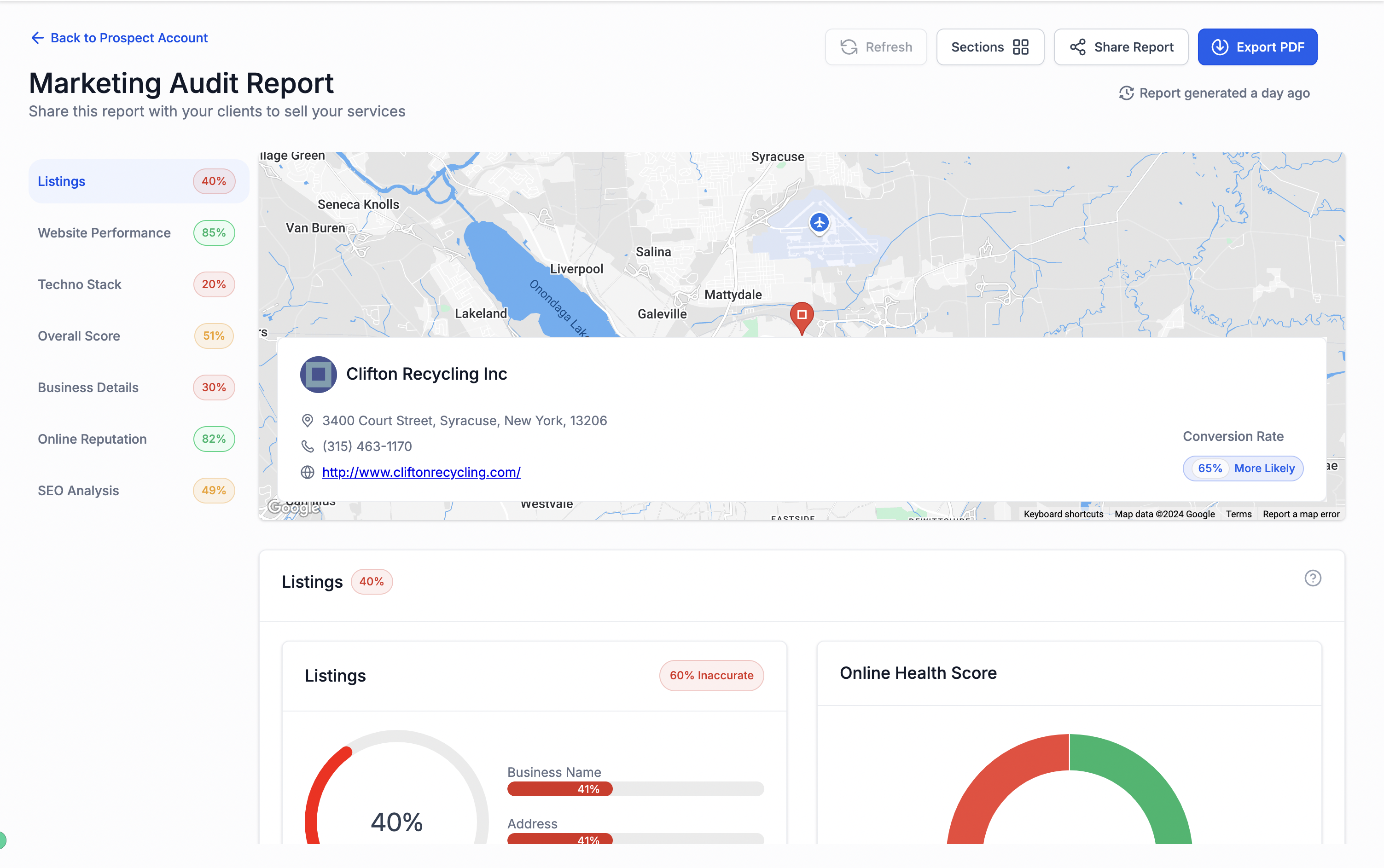
The report sections are reordered in both the external report and the PDF.
1. Access the Report Customisation
- Navigate to the dashboard where you generate or manage reports.
- Select the report you want to customise.
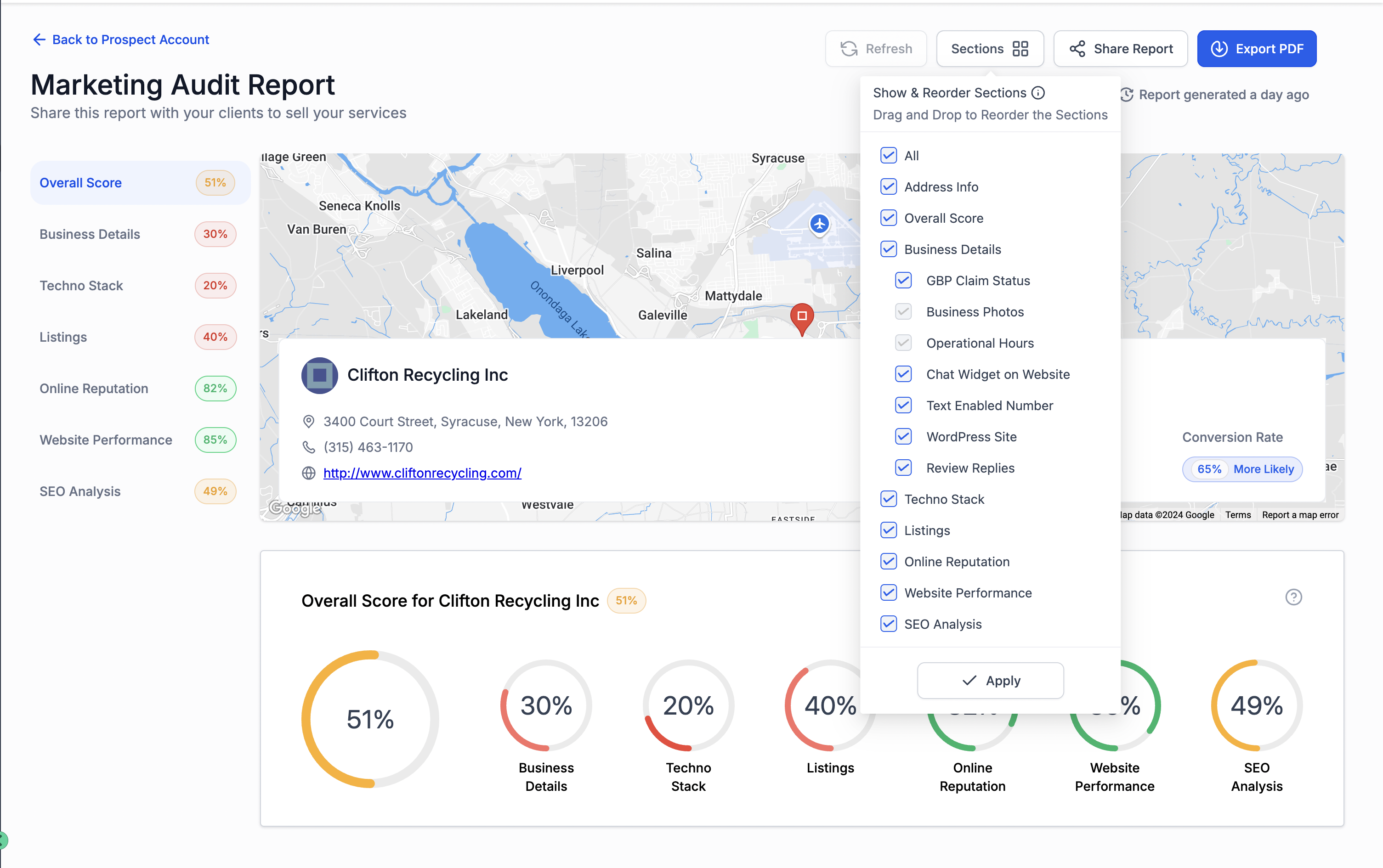
- Click on the “Sections” button for editing the report layout.
2. Select Report Sections
- Check the boxes next to the sections you want to include in your report.
- You can choose as many or as few sections as you need for your specific report.
3. Reorder Report Sections
- After selecting the sections, you can reorder them to fit your preferred layout.
- Hover over a section name, then click and hold the drag handle that appears next to it.
- Drag the section up or down to rearrange the order.
- Release the section when it’s in the desired position.
4. Save and Generate the Report
- If everything looks good, click “Apply” to lock in your section selections and their order.
- Now, you can generate the report as usual, and it will reflect the custom layout you’ve created.
Tips for Customising Reports:
- Prioritise Important Information: Always place the most relevant or impactful sections at the top to ensure they grab attention.
- Use a Logical Flow: Organise sections in a way that tells a cohesive story, from overview metrics to more detailed insights.
- Keep Reports Concise: Only include sections that add value to avoid overwhelming the reader with too much information.
By following these steps, you can easily tailor your reports to suit your specific needs, ensuring they are informative and well-structured.