
WhatsApp Flows: In app Appointment Booking
WhatsApp Flows for Appointment Booking
This article explains how WhatsApp Flows enable interactive appointment booking directly inside WhatsApp, reducing friction and increasing booking completion rates.
You'll learn how to create appointment booking Flows, send them through templates or workflows, and use Ask AI to manage Flows conversationally.
Why Flows Increase Booking Rates & Reduce Drop-offs
WhatsApp Flows is a feature that allows businesses to create interactive, guided conversations within WhatsApp. It enables the creation of structured, multi-step interactions that can collect information, provide choices, and guide users through specific processes—like booking an appointment.
How to Create an Appointment Booking Flow
Go to Settings > WhatsApp > Flows.
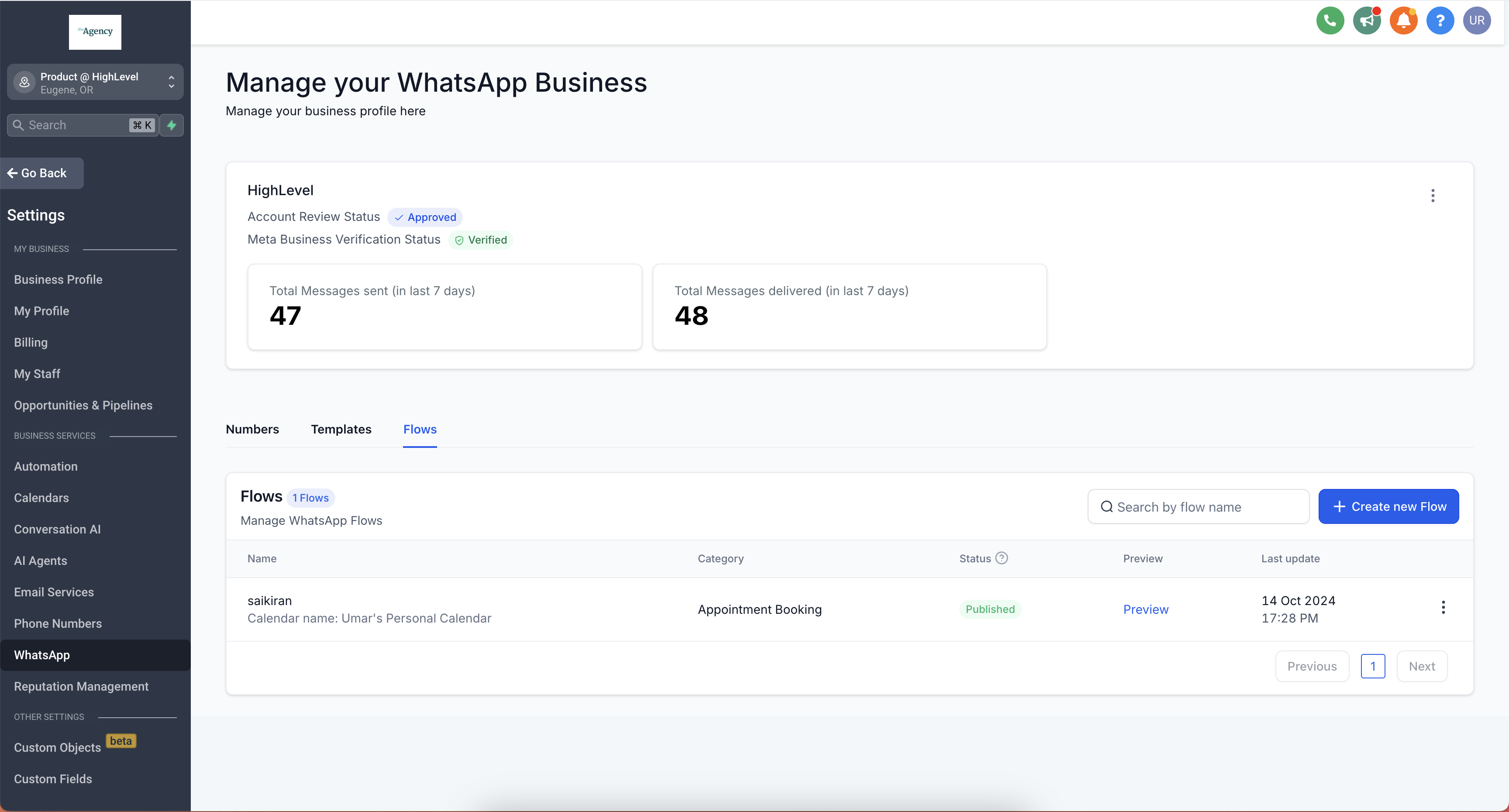
Click Create new Flow, add a flow name, pick the calendar where appointments should be booked, then click Next.
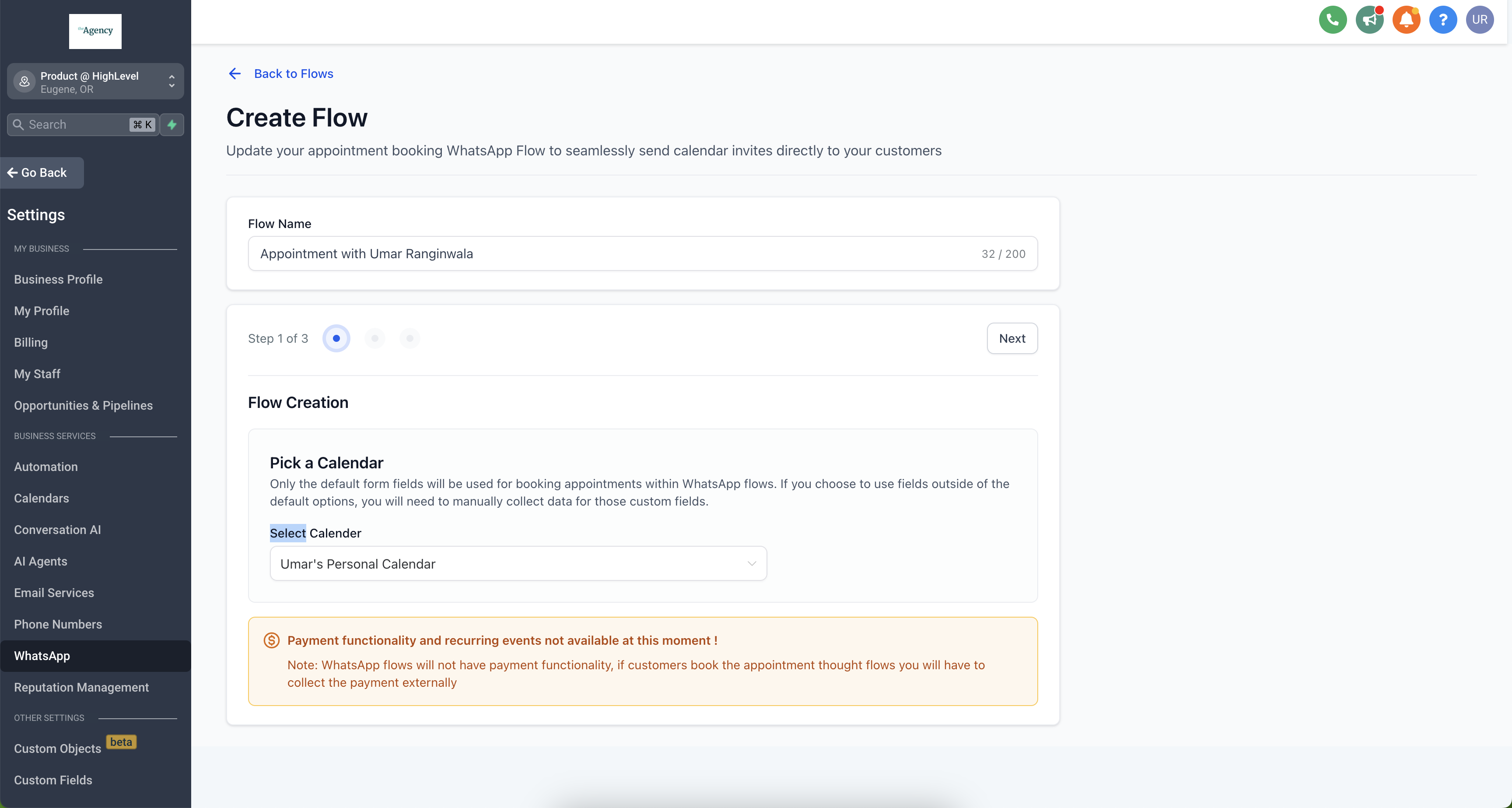
Arrange the default form fields for your appointment booking Flow.
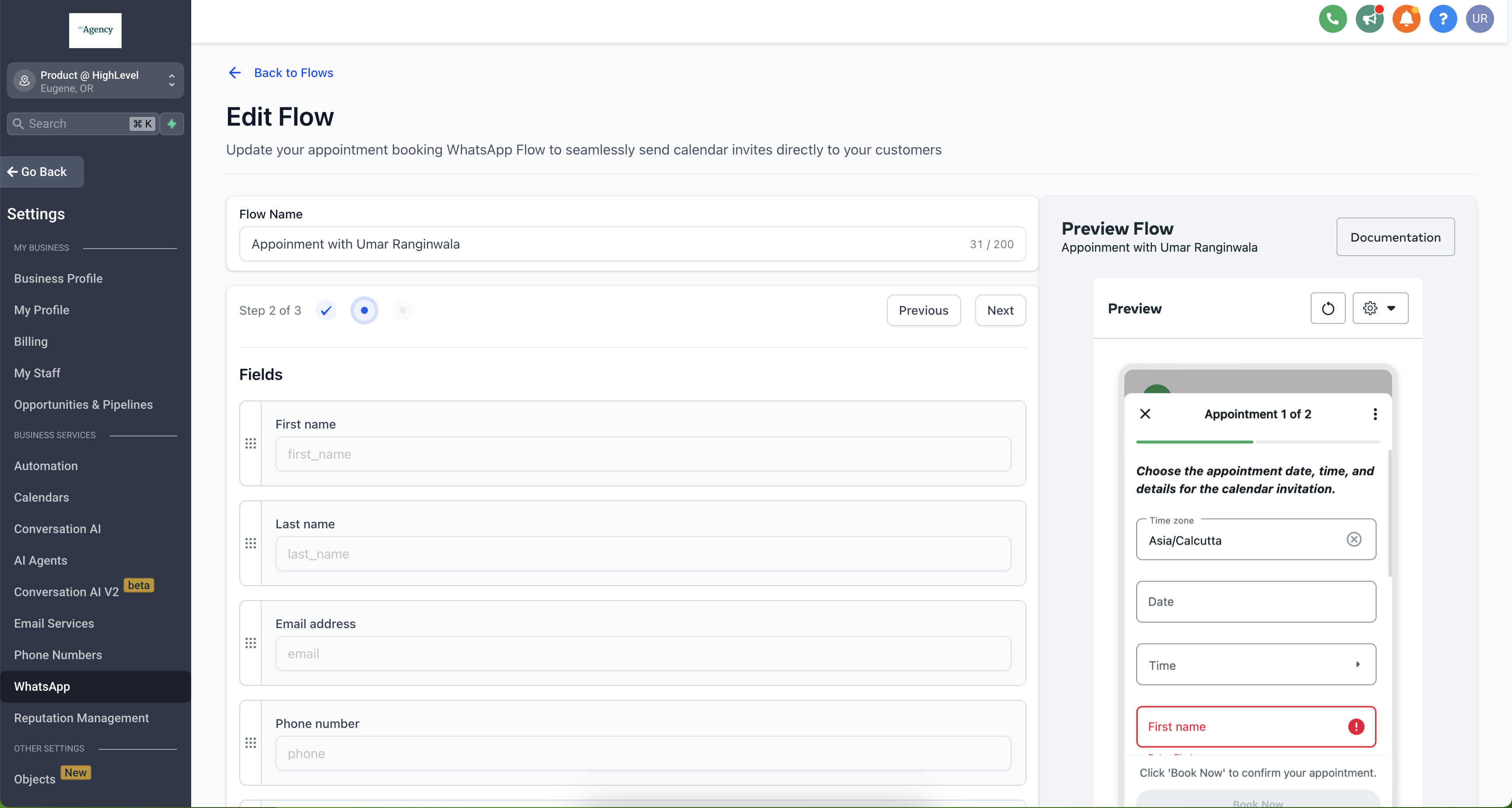
Add the Header, Body, Footer, and Button text, then click Publish.
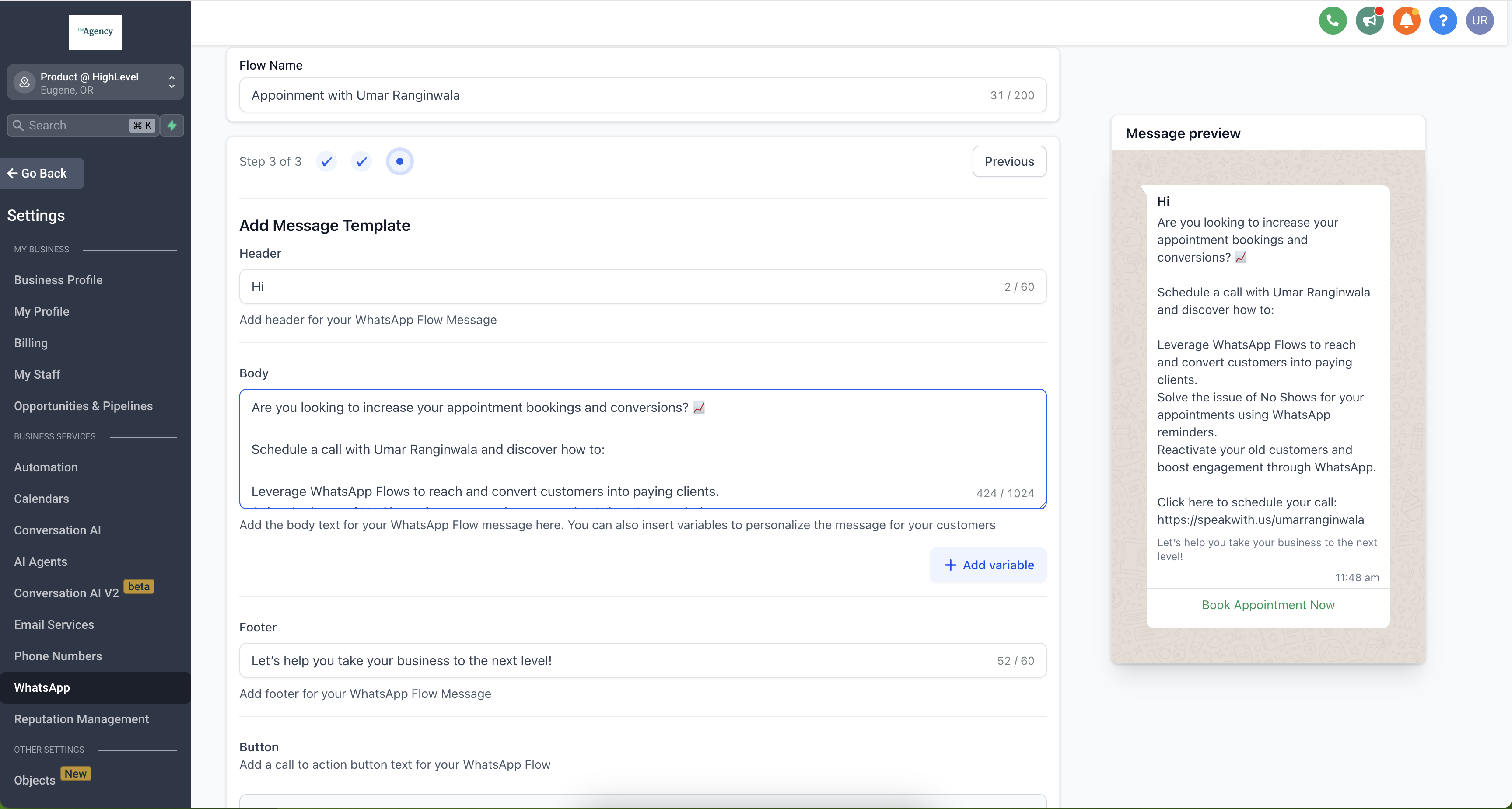
Calendars which have payments enabled will not be supported through WhatsApp Flows, since WhatsApp currently does not have payment capabilities.
How to Send WhatsApp Flows Through Templates
Go to WhatsApp > Templates > Create Template.
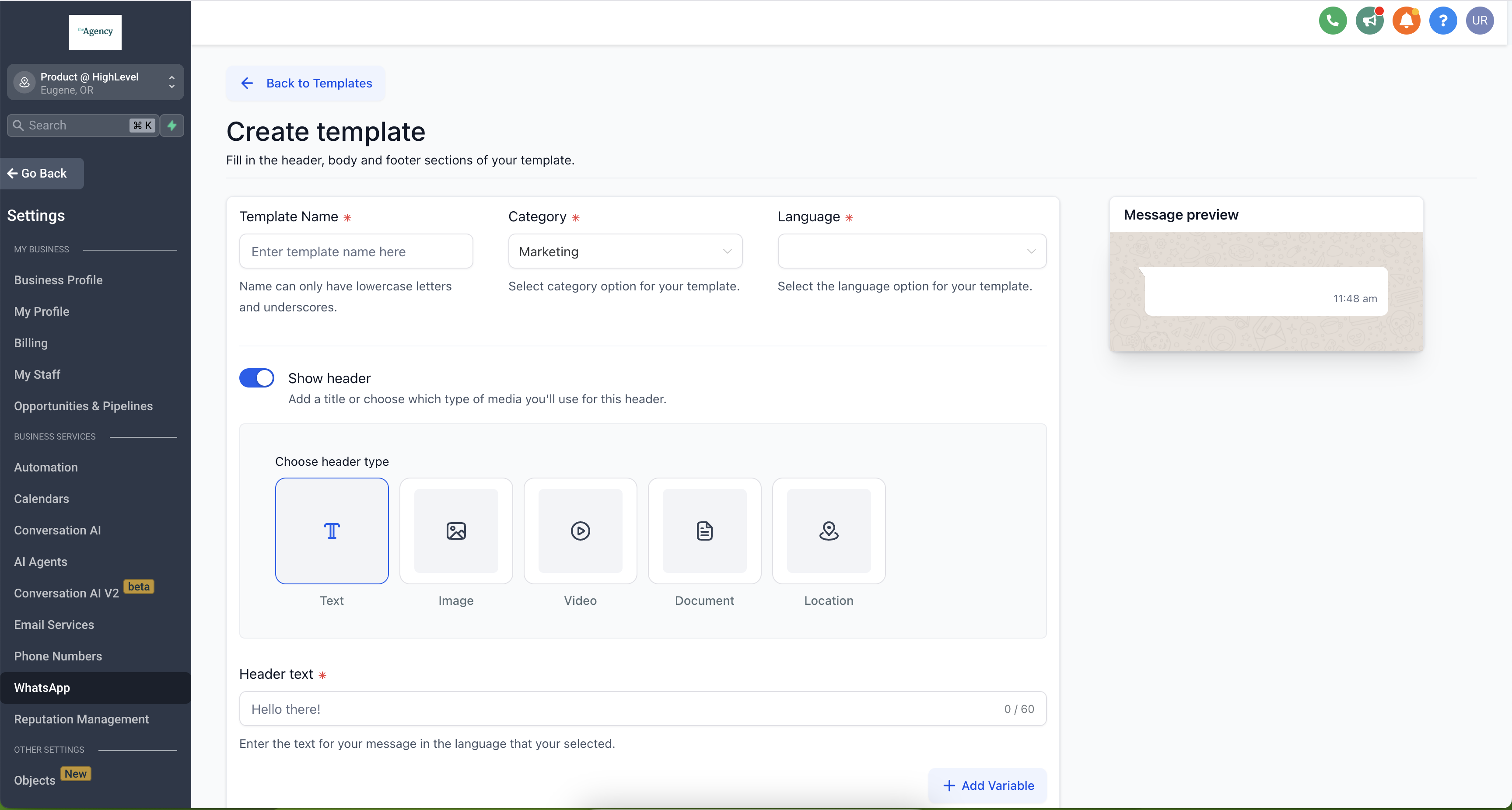
Add the template name, category, language, header text, body, and footer.
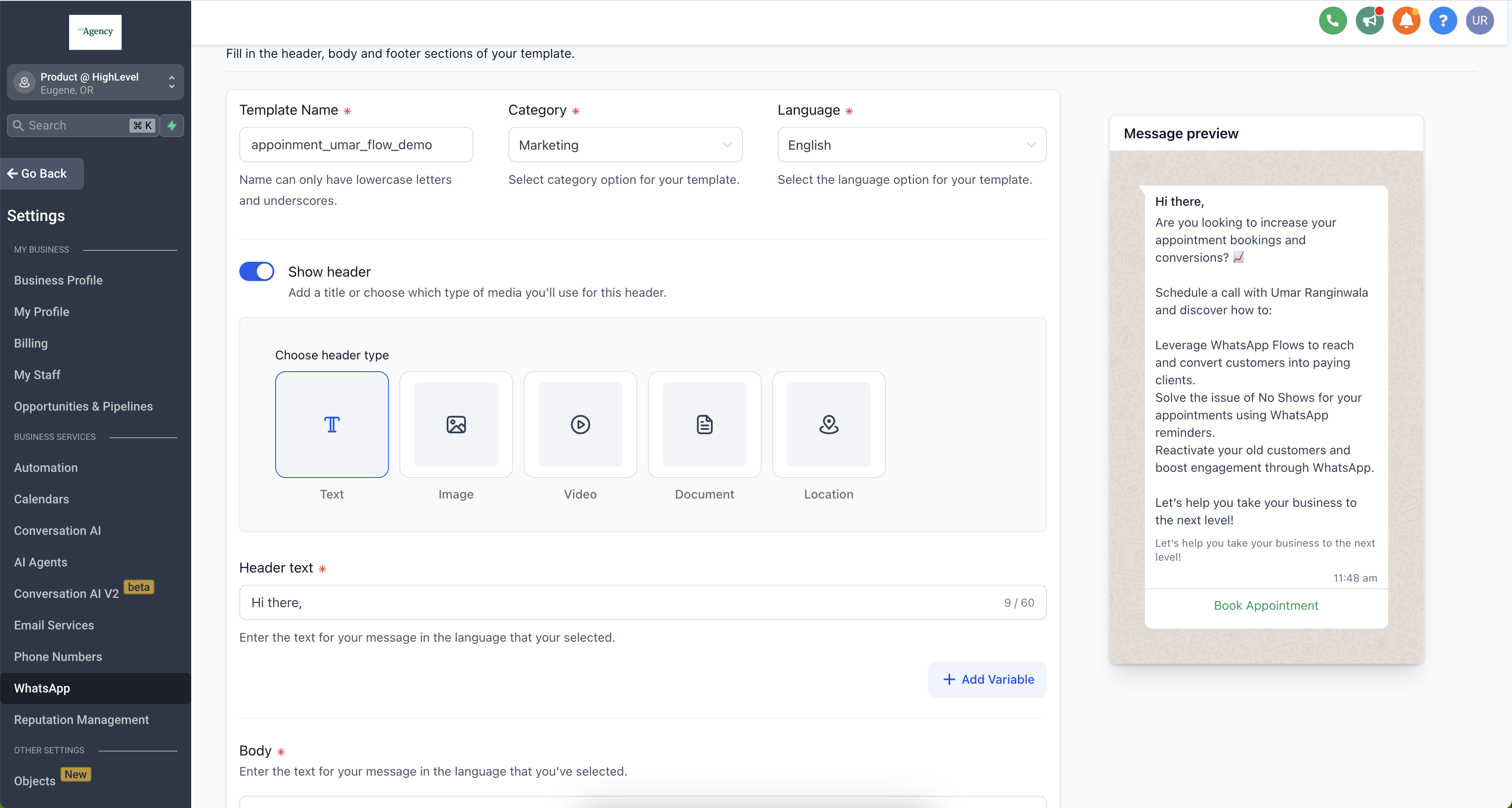
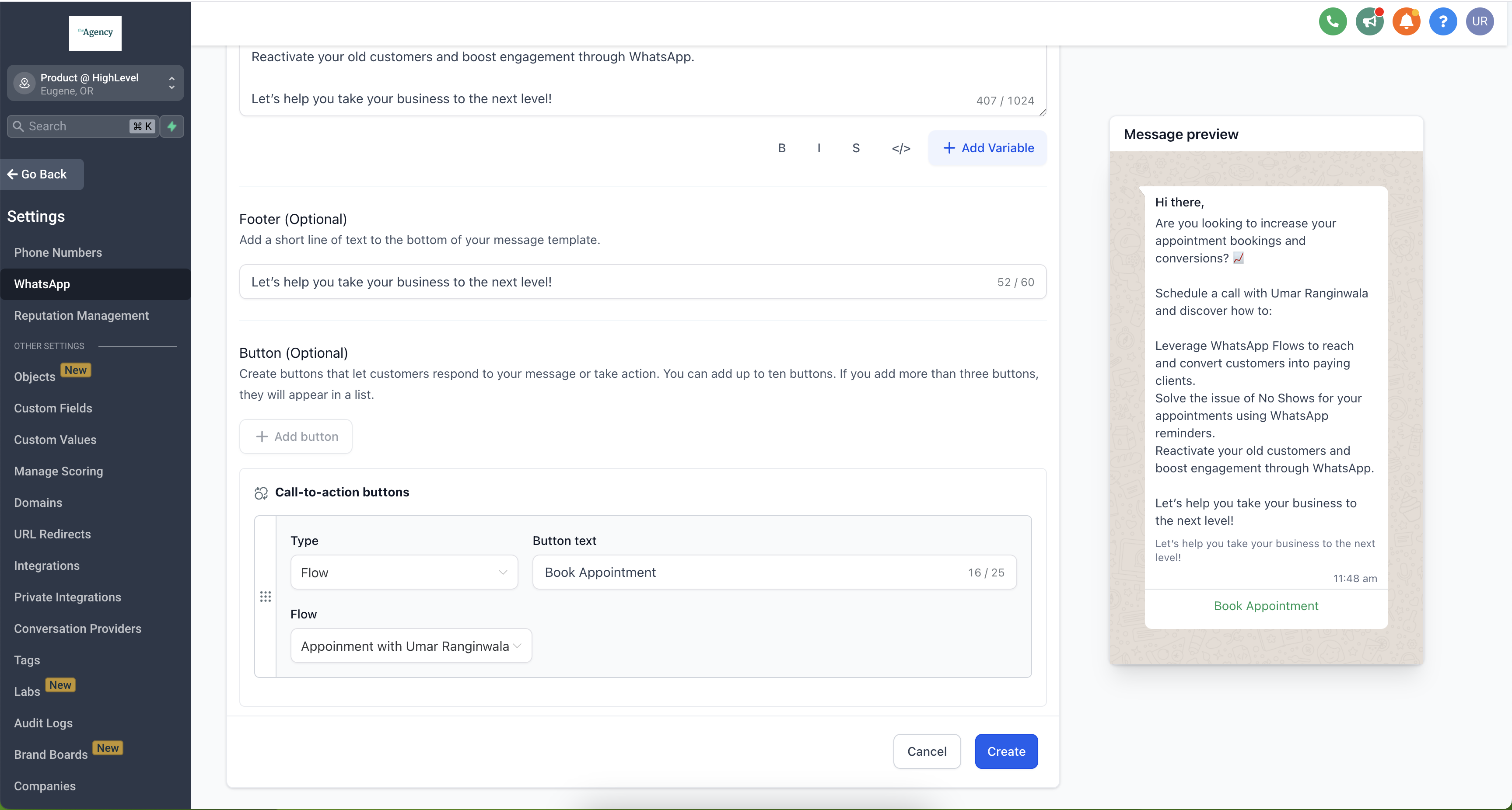
Add a button and select Flow to link it to your WhatsApp Flow.
How to Send WhatsApp Flows from Workflows
Recurring calendar events are currently not supported through WhatsApp Flows.
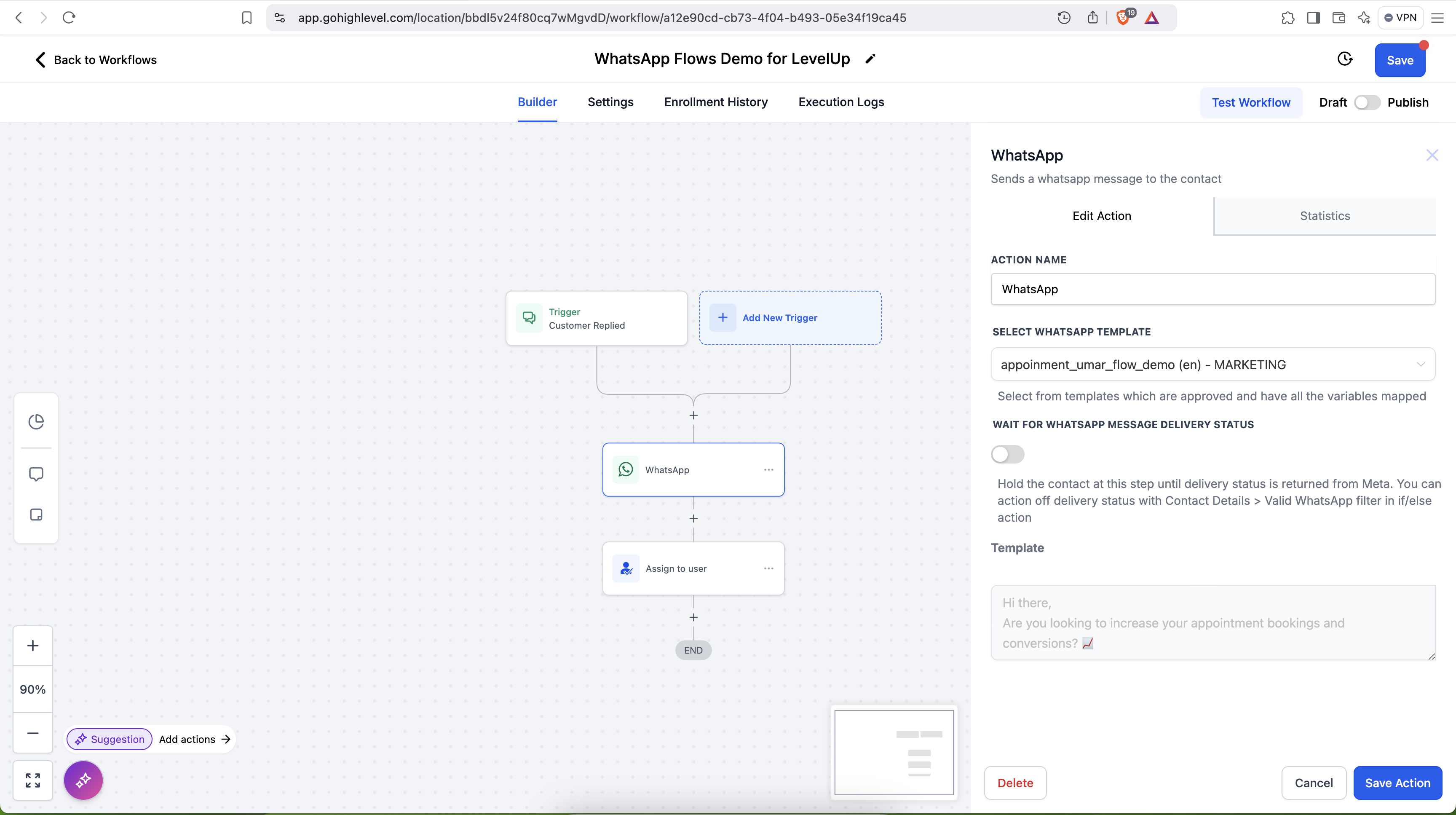
Option 1: Send WhatsApp Flow via a WhatsApp Template
Go to Automations > Create Workflow > Start from Scratch.
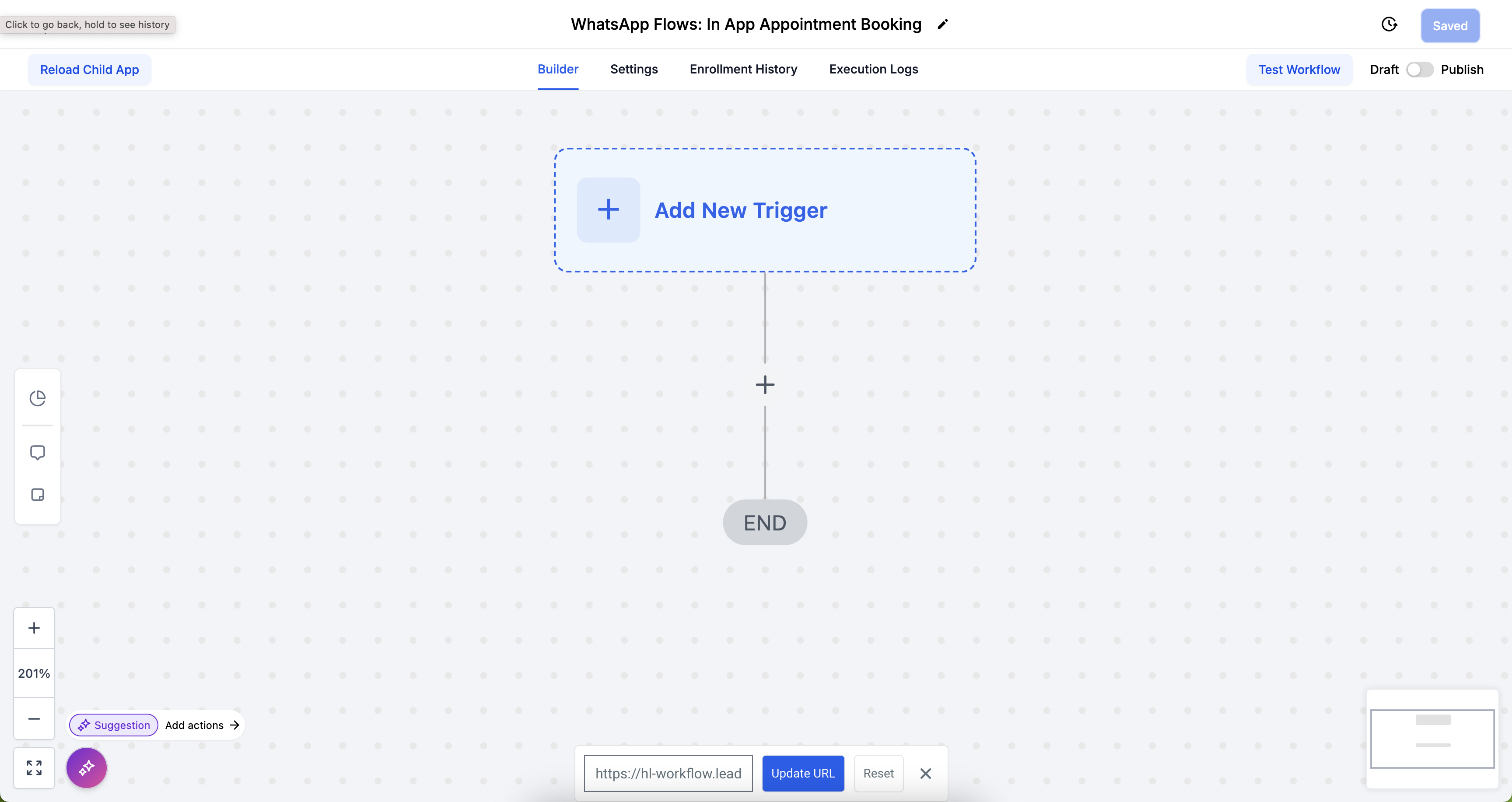
Add the WhatsApp Action, select the template with the WhatsApp Flow, then click Save Action.
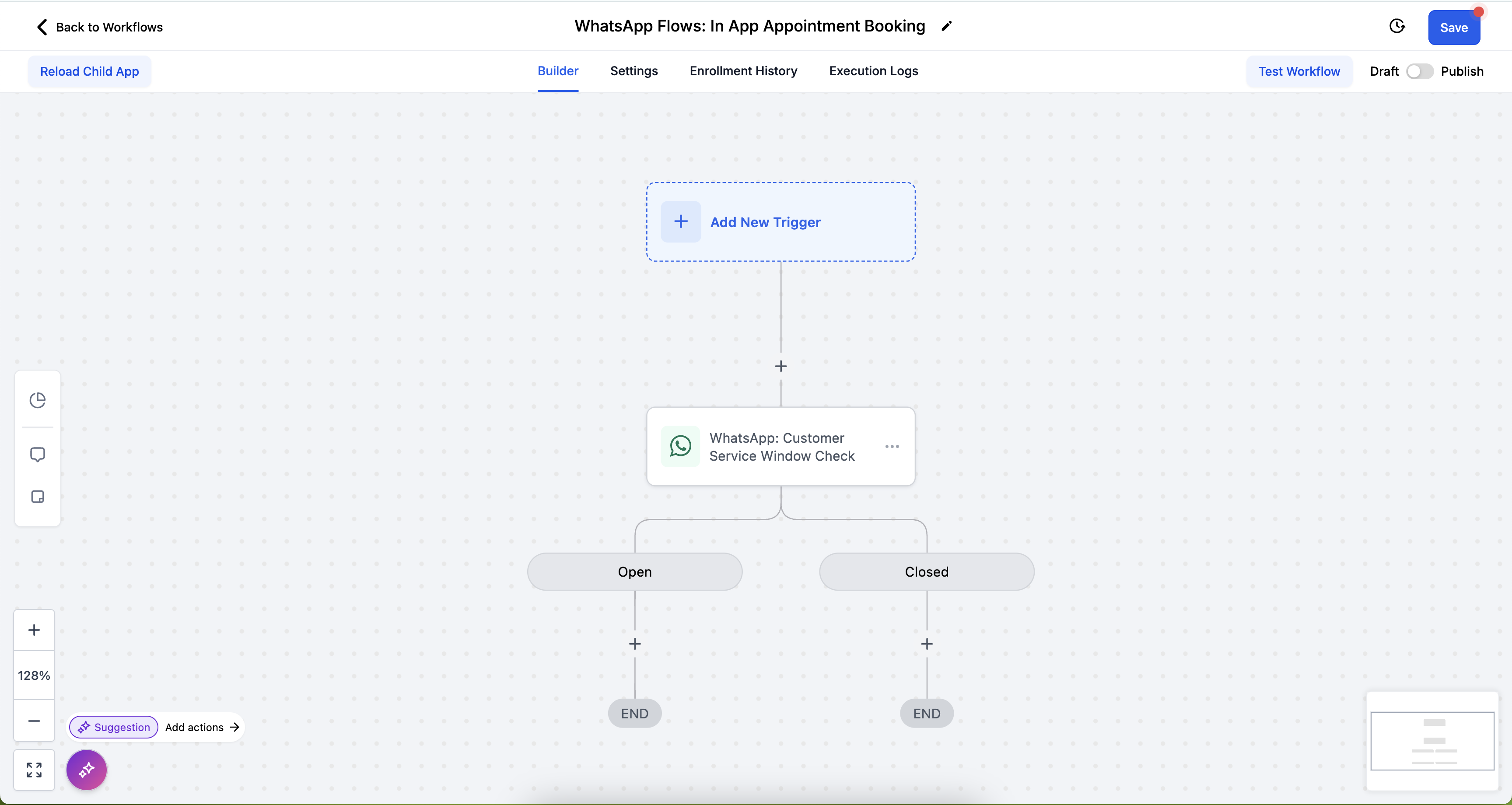
Option 2: Send WhatsApp Flow Inside an Open Conversation (Free of Cost)
Go to Automations > Create Workflow > Start from Scratch.
Click the + button, add WhatsApp: Customer Service Window Check, then click Save Action.
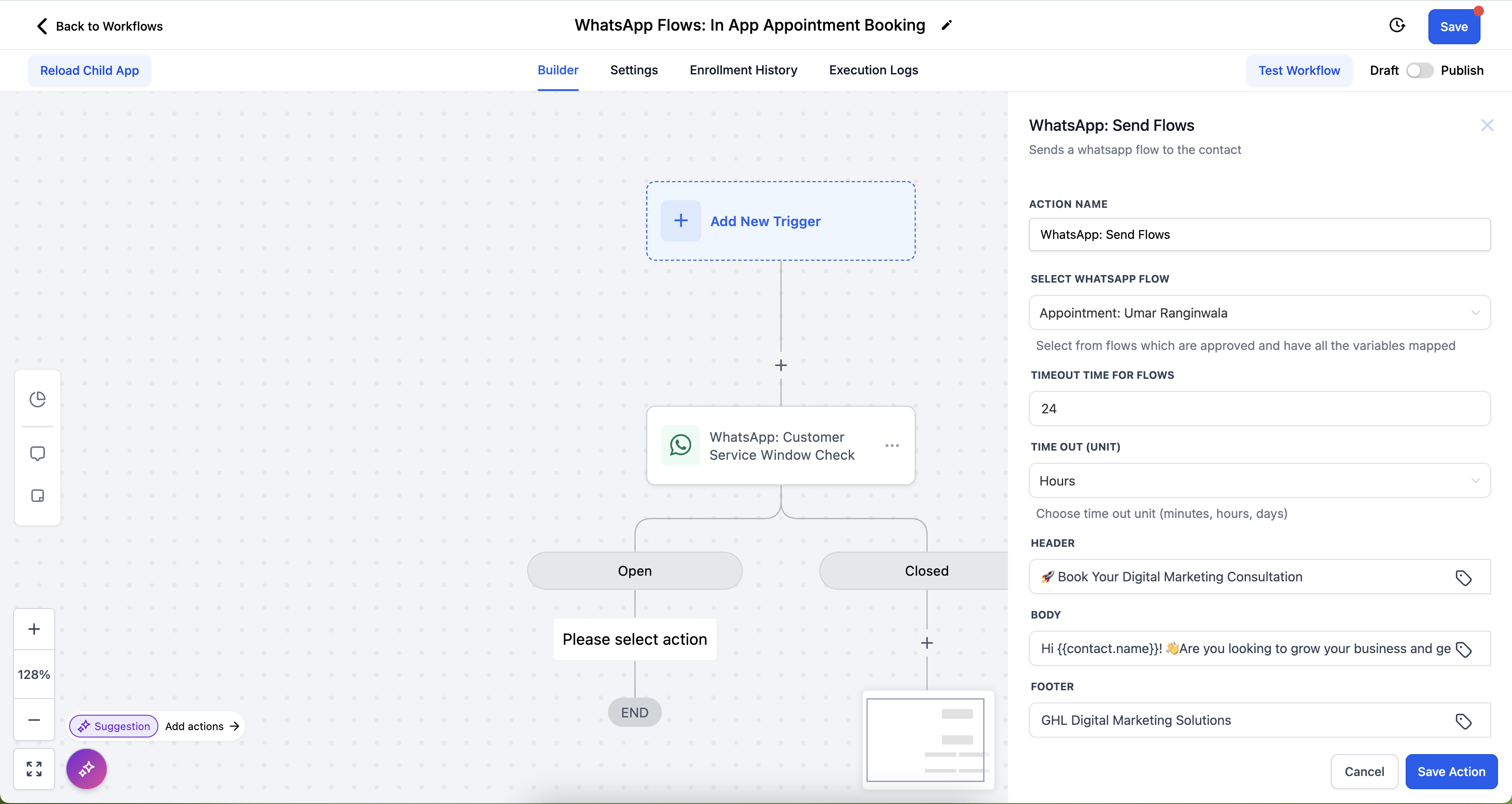
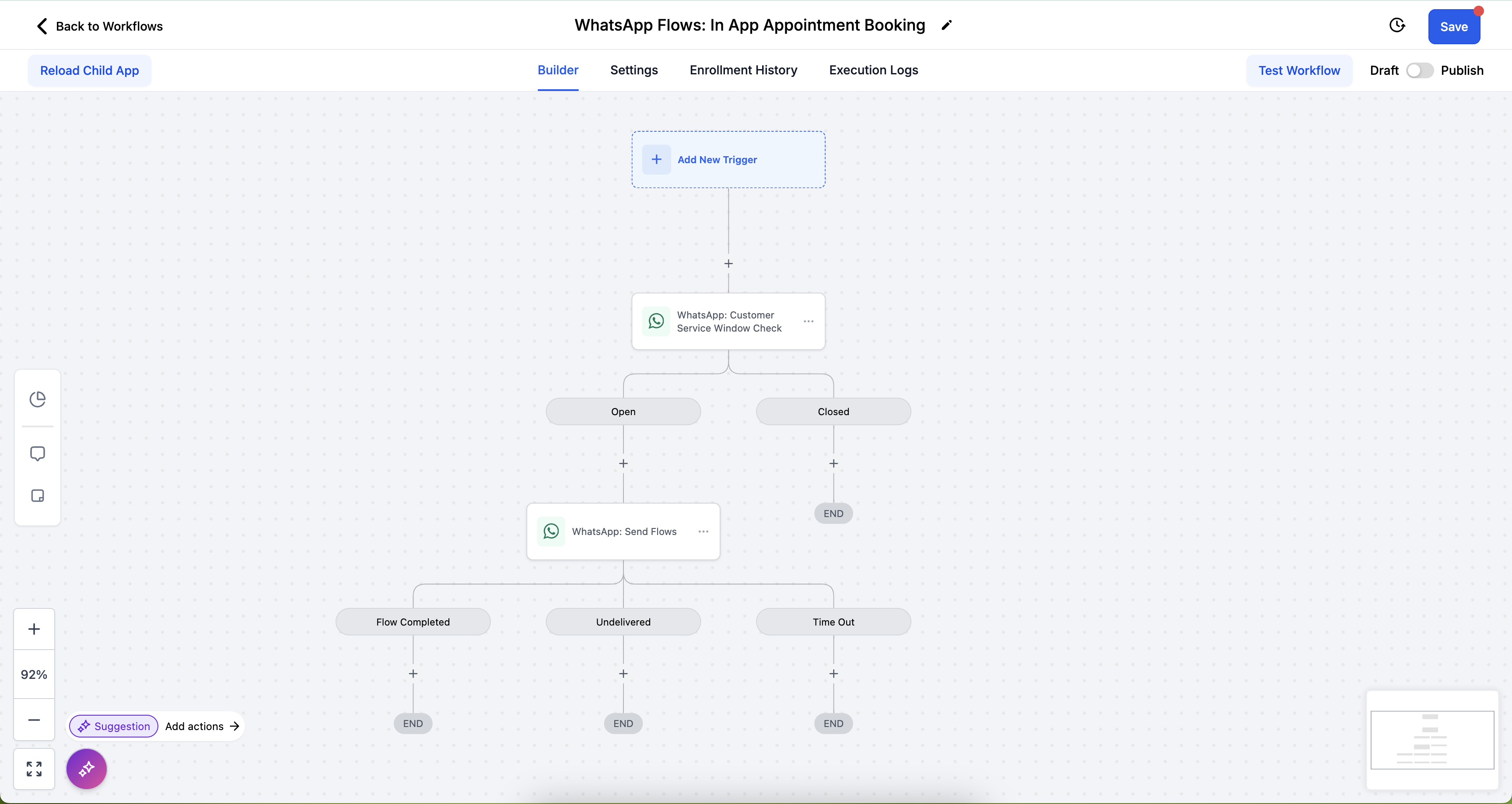
Under the Open branch, add WhatsApp: Send Flows, then select the WhatsApp Flow to send.
Click Save Action to complete the workflow configuration.
Managing Flows with Ask AI
You can now create, update, publish, deprecate, and delete WhatsApp appointment-booking Flows using conversational prompts through Ask AI for WhatsApp. This eliminates manual Flow configuration and lets you deploy self-serve booking experiences at speed.
- Create new Appointment Booking Flows by saying which calendar or pipeline to use
- Update existing Flows conversationally (for example, changing questions or availability rules)
- Publish, deprecate, or delete Flows when they're no longer needed
- Use a guided calendar-selection wizard to link Flows to the correct Chat To Clients CRM calendar (for example, "Sales Calendar" or "Clinic Appointments")
- "Create a WhatsApp flow for appointment booking linked to my Sales Calendar, and publish it"
- "Update my clinic booking Flow to ask for insurance information"
- "Build a WhatsApp appointment booking Flow for my Therapy Calendar, publish it, and show me how to attach it to my reminder template"
For more details on using Ask AI to manage WhatsApp Flows, templates, campaigns, and analytics, see the Ask AI for WhatsApp article.
Frequently Asked Questions
Option 1 — Using a WhatsApp Template: Go to Automations > Create Workflow > Start from Scratch. Select the WhatsApp Action, choose a template with the WhatsApp Flow for appointment booking, then save the action.
Option 2 — Using an Open Conversation: Go to Automations > Create Workflow > Start from Scratch. Click the + button, add WhatsApp: Customer Service Window Check, then save the action. Under the Open branch, add WhatsApp: Send Flows and select the Flow to send, then save.
Note: Calendars with payment options are not supported, as WhatsApp currently does not process payments.
- Reduced Friction: Users complete the booking process entirely within WhatsApp, avoiding external sites or apps.
- Familiar Interface: Customers feel more comfortable since WhatsApp is a widely used platform.
- Immediate Interaction: Customers can start booking directly from a conversation, capturing interest instantly.
- Personalization: Key details like name and contact info are pre-filled, reducing effort.
- Faster Load Times: Interactions happen quickly without the lag of external websites.
- Reduced friction: Everything happens inside WhatsApp, leading to a smoother booking experience.
- Pre-filled customer details: Critical information such as name, email, phone number, and time zone is automatically filled in.
- Increased engagement: Step-by-step guided conversations help reduce confusion and increase completion rates.
- Faster load times: Flow interactions happen directly within WhatsApp, speeding up the process.
- Free conversations: The first 1,000 service conversations for appointment booking are free each month.
- No payment processing: Appointments that require payments cannot be booked through the WhatsApp Flow, as WhatsApp currently does not support payments.
- Custom fields: Only default form fields are supported. Custom fields must be handled manually.
- Recurring appointments: Recurring calendar events are not supported.
- Guest support: Guest booking functionality is not available within the WhatsApp Flow.
Note: If the sub-account's WhatsApp integration is Coex, Flows is not supported, because Meta does not support Flows for Coex integrations.