
Pipedrive to Chat To Clients CRM (Migration Guide)
This is a comprehensive, step-by-step guide for migrating data and operations from Pipedrive to Chat To Clients CRM, ensuring a seamless transition of CRM data, automation workflows, and marketing activities across platforms. The goal is to leverage Chat To Clients CRM’s comprehensive features while maintaining the integrity and functionality of existing processes.
TABLE OF CONTENTS
- Preparation for Migration
- Data Migration
- Migrate Sales Pipelines and Automations
- Migrate Documents and Contracts
- Testing and Validation
- Team Training and Transition
- Decommissioning Pipedrive
Preparation for Migration
Step 1: Review Current Pipedrive Setup
- Identify Key Assets: Document all sales pipelines, deals, contacts, and automation sequences currently in use within Pipedrive.
- Assess Data Volume: Evaluate the size and complexity of the data (e.g., number of contacts, deals, custom fields) that need to be migrated.
Step 2: Define Migration Objectives
- Set Clear Goals: Determine the primary reasons for migrating to Chat To Clients CRM, such as advanced automation, integrated CRM, or cost efficiency.
- Prioritize Features: Focus on migrating critical components like CRM data, sales pipelines, and essential automations first.
Step 3: Prepare Backup
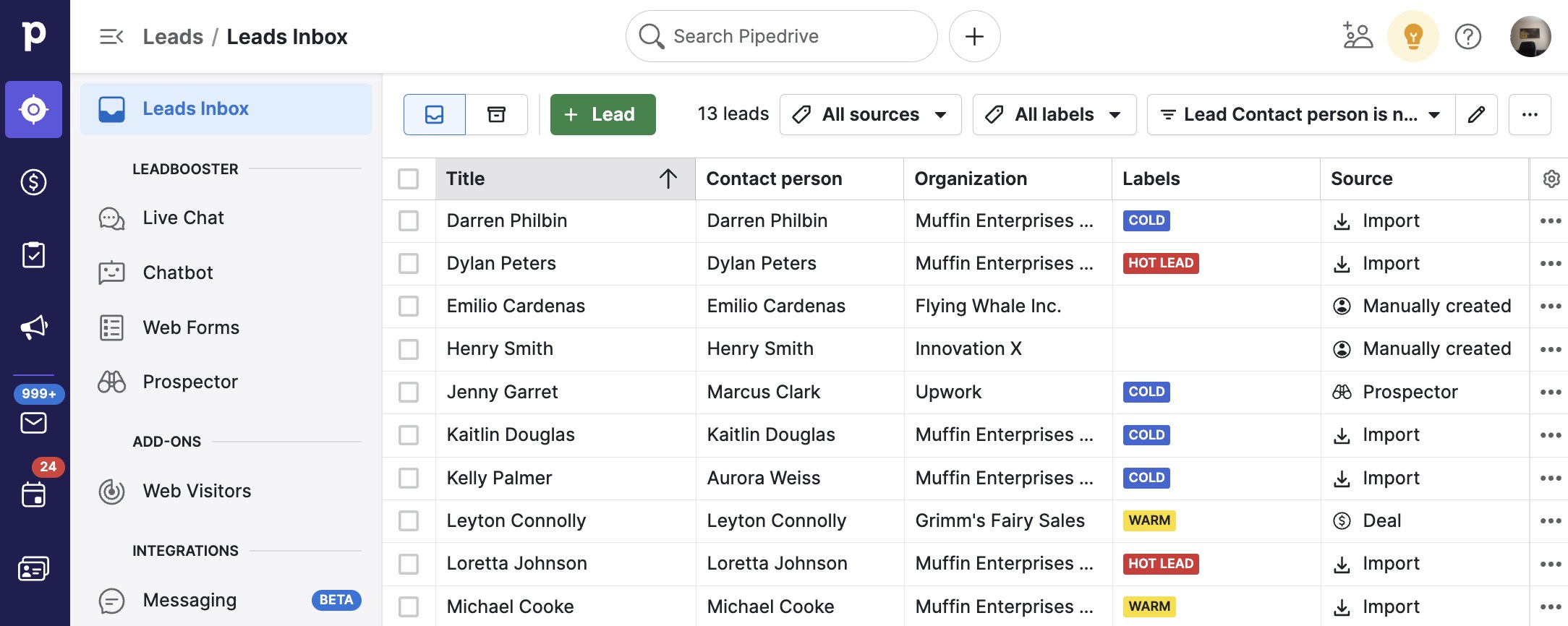
- Export Data from Pipedrive: Ensure that all CRM data (contacts, deals, custom fields, etc.) is exported from Pipedrive as CSV or Excel files.
- Backup Documentation: Securely store all exported data files and relevant documentation before initiating the migration process.
Data Migration
Step 1: Export Data from Pipedrive
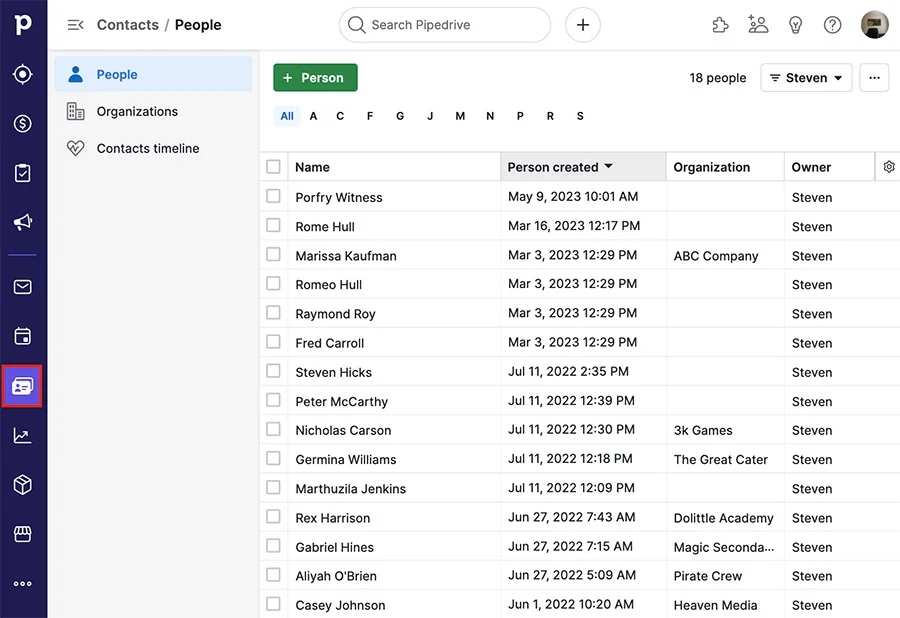
- Export Contacts:
- Navigate to Contacts > People in Pipedrive.
- Use the export function to download contacts as a CSV or Excel file, including all relevant fields such as names, email addresses, phone numbers, and custom fields.
- Navigate to Contacts > People in Pipedrive.
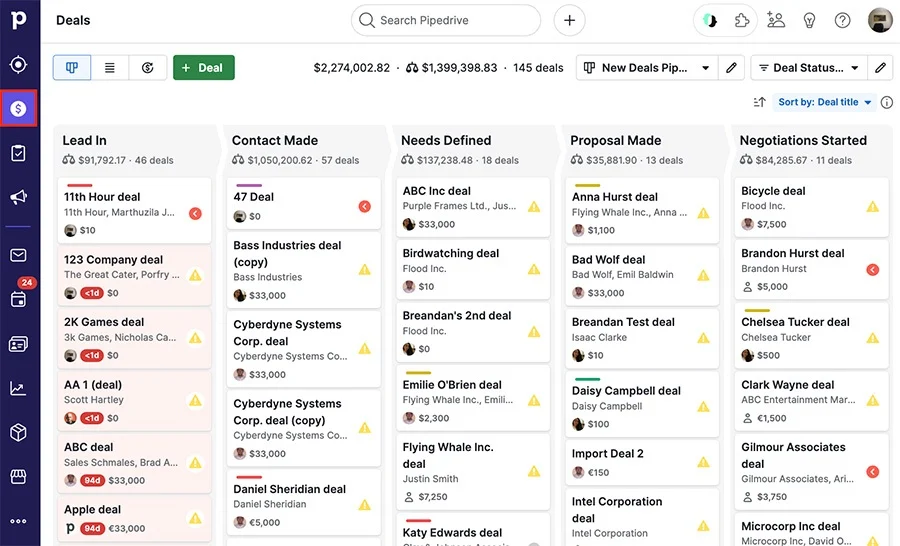
- Export Deals: Go to Deals and export all active and closed deals, ensuring that deal stages, values, and associated contacts are included.
- Export Activities and Notes: Export all scheduled activities, notes, and files associated with contacts and deals.
Step 2: Import Data into Chat To Clients CRM
- Import Contacts:
- In Chat To Clients CRM, navigate to Contacts > Import Contacts and upload the CSV file(s) exported from Pipedrive.
- Map the fields appropriately to ensure accurate data import.
- In Chat To Clients CRM, navigate to Contacts > Import Contacts and upload the CSV file(s) exported from Pipedrive.
- Import Deals (Opportunities):
- Recreate your sales pipelines in Chat To Clients CRM by going to Opportunities > Pipelines.
- Import deals from the CSV file, mapping deal stages and values to the new pipeline structure.
- Recreate your sales pipelines in Chat To Clients CRM by going to Opportunities > Pipelines.
- Recreate Activities: Manually recreate or import scheduled activities, ensuring that all tasks, meetings, and follow-ups are accurately transferred.
Migrate Sales Pipelines and Automations
Step 1: Recreate Sales Pipelines in Chat To Clients CRM
- Set Up Pipelines: In Chat To Clients CRM, create sales pipelines that mirror the stages used in Pipedrive. Ensure all stages are accurately represented.
- Transfer Deals: Assign deals to the appropriate stages within the new Chat To Clients CRM pipelines, ensuring continuity in sales tracking.
Step 2: Recreate Automations in Chat To Clients CRM
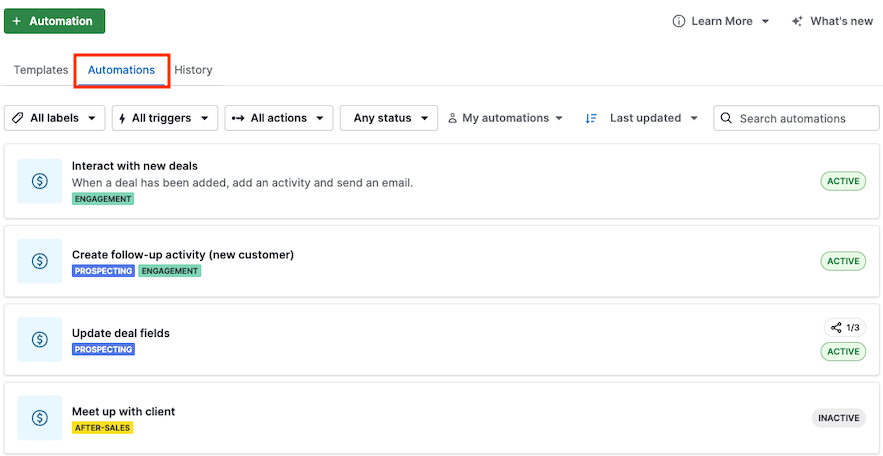
- Set Up Triggers and Actions:
- Rebuild automation workflows in Chat To Clients CRM by navigating to Automations > Workflows.
- Recreate triggers (e.g., new deal creation, stage changes) and corresponding actions (e.g., send email, update status) similar to those used in Pipedrive.
- Rebuild automation workflows in Chat To Clients CRM by navigating to Automations > Workflows.
- Integrate Communication Channels: Ensure that email and SMS automations are set up correctly within Chat To Clients CRM, taking advantage of its integrated communication tools.
Migrate Documents and Contracts
Step 1: Transfer Document Templates
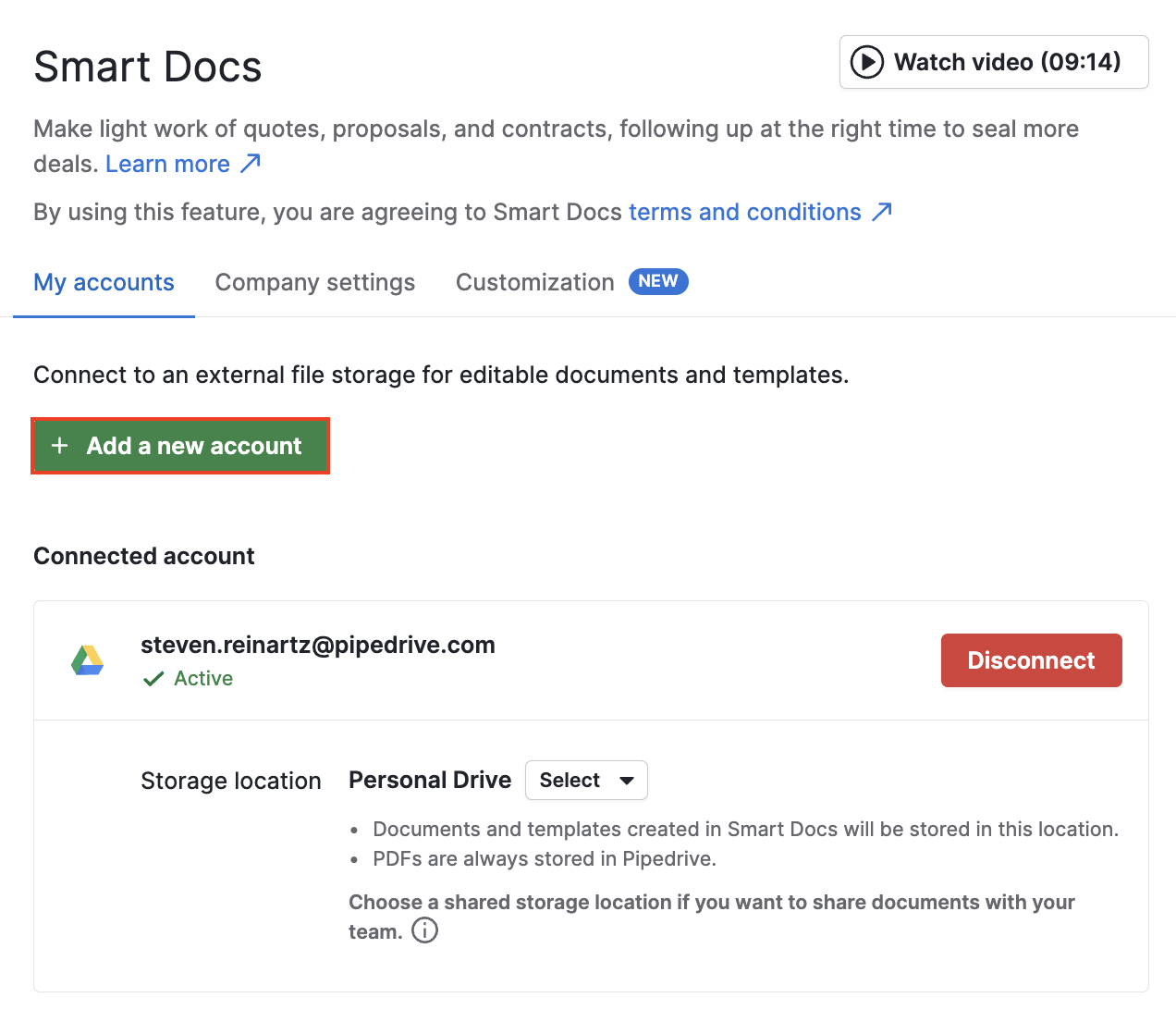
- Export Templates from Pipedrive: Download any document or contract templates used in Pipedrive’s SmartDocs feature.
- Import and Rebuild in Chat To Clients CRM: Recreate document templates in Chat To Clients CRM by navigating to Documents and using the template editor to set up contracts, proposals, and quotes.
Step 2: Set Up E-signature and Document Tracking
- Enable E-signature: Configure Chat To Clients CRM’s document features to include e-signature capabilities for contracts and agreements.
- Track Document Engagement: Set up tracking features to monitor when documents are opened, viewed, or signed, similar to the SmartDocs feature in Pipedrive.
Testing and Validation
Step 1: Test Sales Pipelines
- Perform End-to-End Testing: Simulate sales processes in Chat To Clients CRM by moving deals through the stages to ensure everything functions as expected.
- Validate Data Integrity: Cross-check imported data to ensure contacts, deals, and activities are accurately represented.
Step 2: Validate Automation Workflows
- Run Test Scenarios: Test each automation workflow in Chat To Clients CRM to confirm triggers and actions are functioning as intended.
- Verify Communication Channels: Ensure that emails, SMS, and other communication actions are executed correctly within the workflows.
Team Training and Transition
Step 1: Train Team Members
- Chat To Clients CRM Training: Provide training sessions for team members to familiarize them with Chat To Clients CRM’s interface and features.
- Provide Documentation: Distribute user guides and SOPs tailored to Chat To Clients CRM’s functionalities to support team members during the transition.
Step 2: Monitor and Optimize
- Monitor System Performance: Regularly check the performance of sales pipelines and automations post-migration.
- Optimize Workflows: Make necessary adjustments to optimize workflows and improve efficiency based on team feedback.
Decommissioning Pipedrive
Step 1: Transition Period
- Run Systems in Parallel: Consider running Pipedrive and Chat To Clients CRM in parallel for a short period to ensure a smooth transition.
- Phase Out Pipedrive: Gradually reduce reliance on Pipedrive as confidence in Chat To Clients CRM grows.
Step 2: Cancel Pipedrive Subscription
- Final Backup: Ensure all necessary data is backed up before canceling the Pipedrive subscription.
- Official Cancellation: Follow Pipedrive’s process to cancel your subscription and terminate any associated services.
Step 3: Post-Migration Review
- Review Success: Assess the success of the migration, documenting any challenges and how they were resolved.
- Ongoing Monitoring: Continue to monitor Chat To Clients CRM’s performance, making adjustments as needed.