
How to track Affiliate sales using coupons
Affiliate coupons provide a simple way to track sales when sharing a referral link is not practical. Each affiliate can be assigned a unique coupon code that customers can use during checkout. The coupon can provide a discount or be configured with a 0% discount when you only want to track affiliate attribution.
TABLE OF CONTENTS
Benefits of Coupon Code Tracking:
- Affiliate coupon tracking gives you more flexibility when affiliates promote your offers across different channels.
- Track sales without referral links: Use coupon codes when affiliates cannot easily share a referral URL.
- Offer flexible discounts: Create percentage-based or fixed-value discounts.
- Track without discounting: Use a 0% coupon to track affiliate sales without reducing the customer’s purchase price.
How to Set Up and Use Coupon Codes:
- Go to Marketing > Affiliate Manager, then open the Affiliate/Promoter section and select the affiliate you want to configure.
- Scroll to Active Referral Links, locate the relevant campaign, and click Customize.
- Customize the Campaign:
- Scroll down to the "Active Referral Links" section. Here, you’ll see a list of campaigns and the affiliate’s URL.
- For the desired campaign, click on
Customize.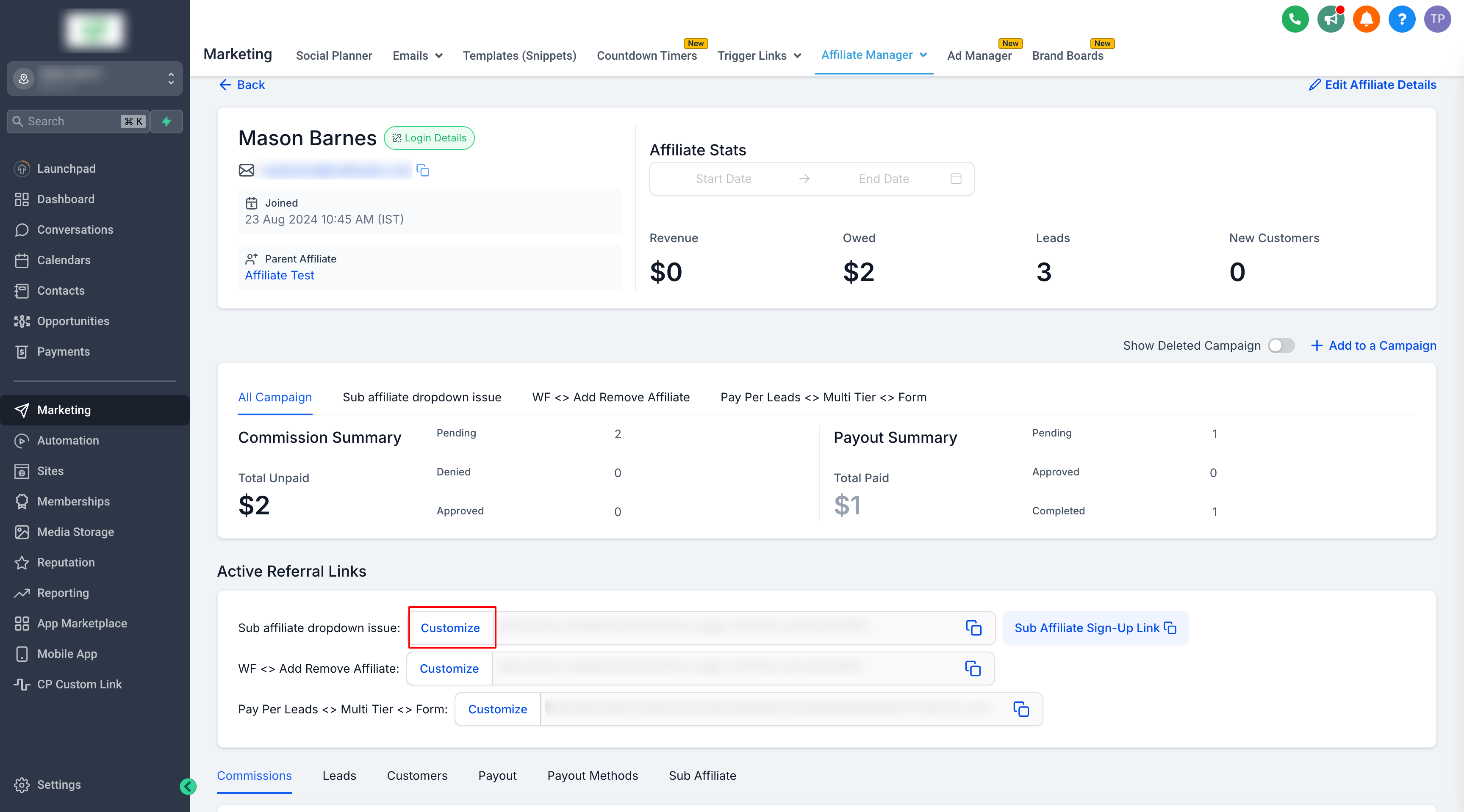
- Configure the Coupon:
- Switch to the
Coupontab. - Choose the coupon type:
PercentageorFixed. - Enter a user-friendly coupon name.
- Click on
Generate Codeto create your coupon code.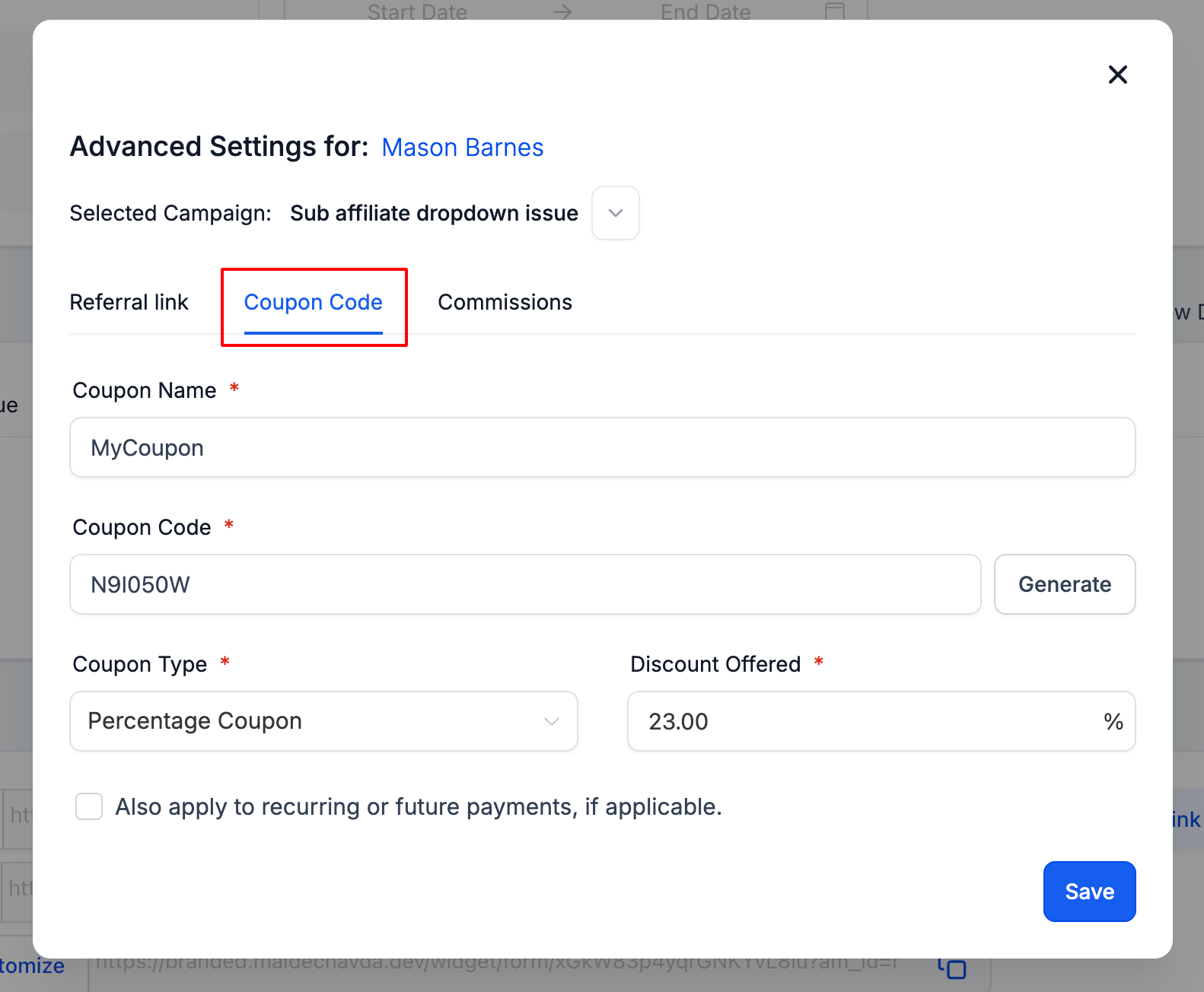
- Switch to the
- Set the Discount:
- For a free service, set the discount to
100%. - For a specific discount, set the percentage from
0%to100%. (Note: A0%discount is used solely for tracking purposes.)
- For a free service, set the discount to
- Save and Manage:
- Click
Saveto finalize the coupon code. - You can also edit or manage existing coupon codes within the same pop-up window.
- Click
Important Notes:
- Ensure the coupon code is user-friendly and easy for your affiliates to share with their audience.
- Regularly review and update coupon codes to align with your promotional strategies.
By following these steps, you can effectively track and manage affiliate activities using coupon codes, enhancing your promotional efforts and optimizing affiliate performance.