
Workflow Trigger - Subscription
TABLE OF CONTENTS
Overview
The Subscription Trigger in Chat To Clients CRM automates processes related to subscription status changes, enhancing workflow efficiency for businesses. This feature allows users to respond to key events in the subscription lifecycle.
Trigger Name
Subscription
Trigger Description
The Subscription Trigger activates workflows based on specific events such as:
- Creation of a new subscription for a customer.
- Transition of a subscription from trial to active status.
- Cancellation of a subscription.
This trigger enables businesses to set conditions based on subscription status changes or associated products, utilizing custom values from the Payments section for tailored automation.
How to Configure
Access Triggers
Navigate to the Automations section in your Chat To Clients CRM dashboard. Once you are inside the workflow builder, Click on "Add Trigger."
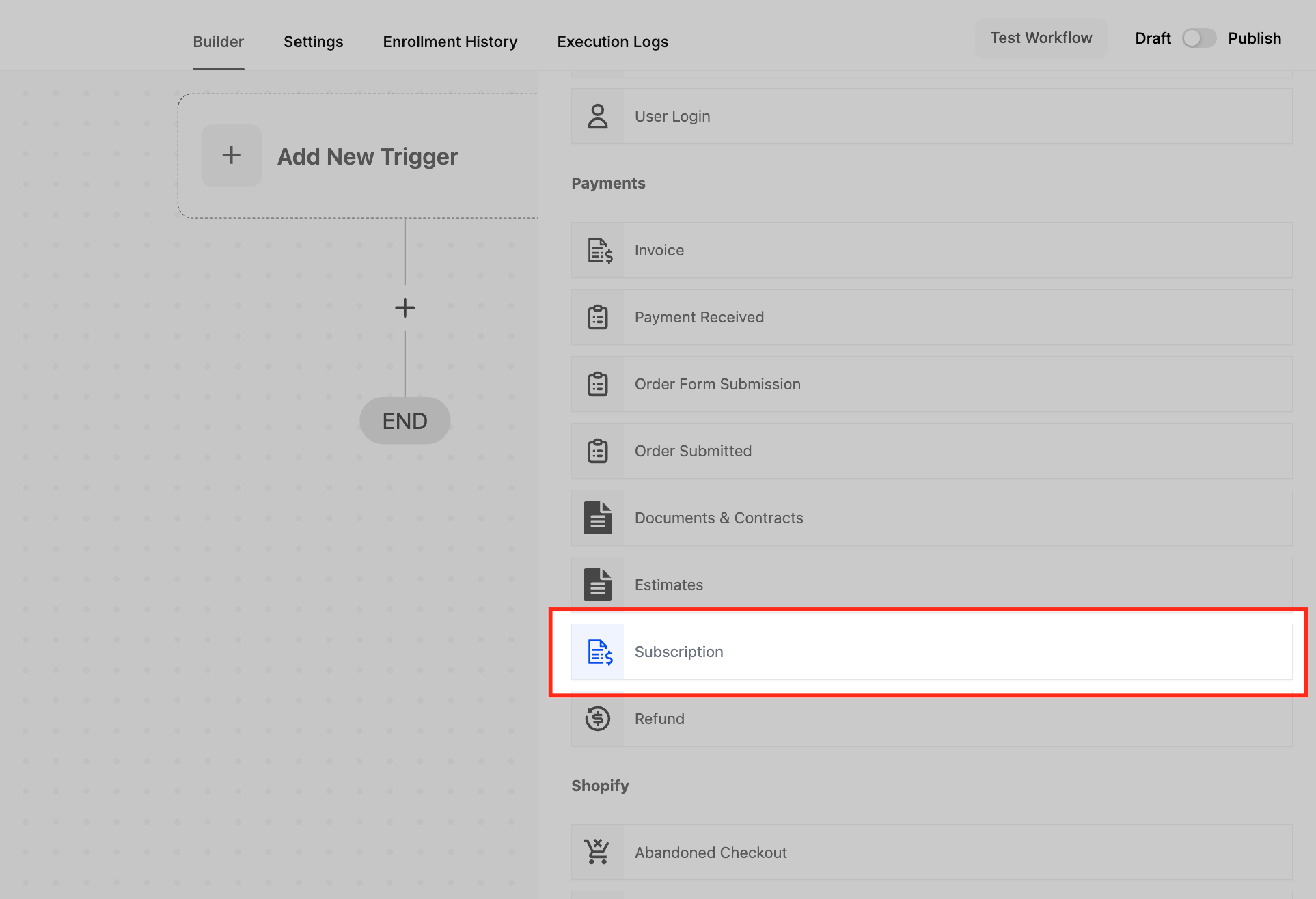
Select “Subscription” Trigger
Under the Payments section, choose the Subscription trigger. This trigger allows you to run automation when a contact’s subscription status changes or when a new subscription is created through your payment platform.
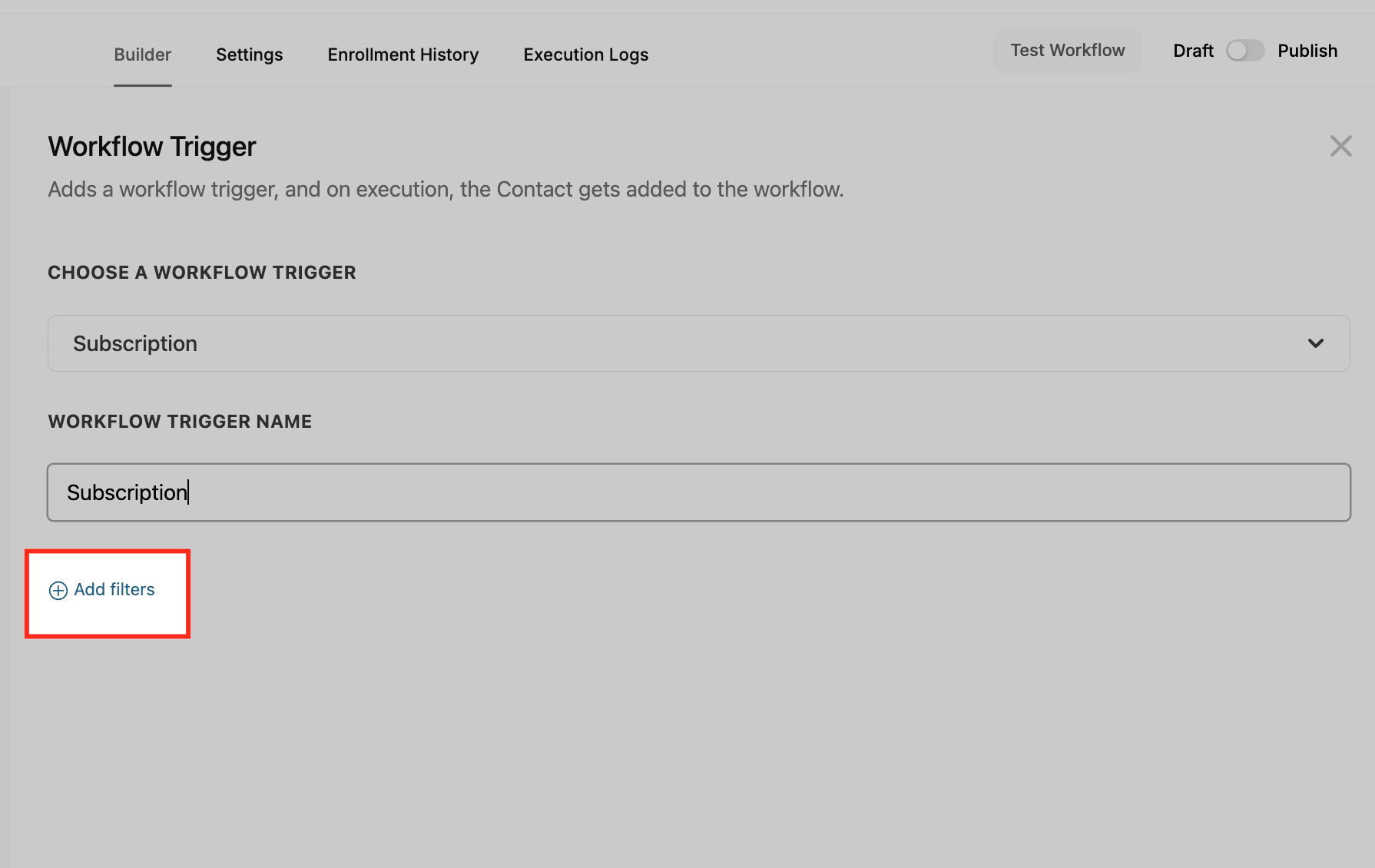
Add Filters
Use the Add filters option to apply conditions that narrow down which subscriptions should trigger the workflow. Filters help you specify criteria such as the product purchased or the status of the subscription (e.g., active, failed, trial). This is useful when you want the workflow to run only under certain circumstances rather than for all subscriptions.
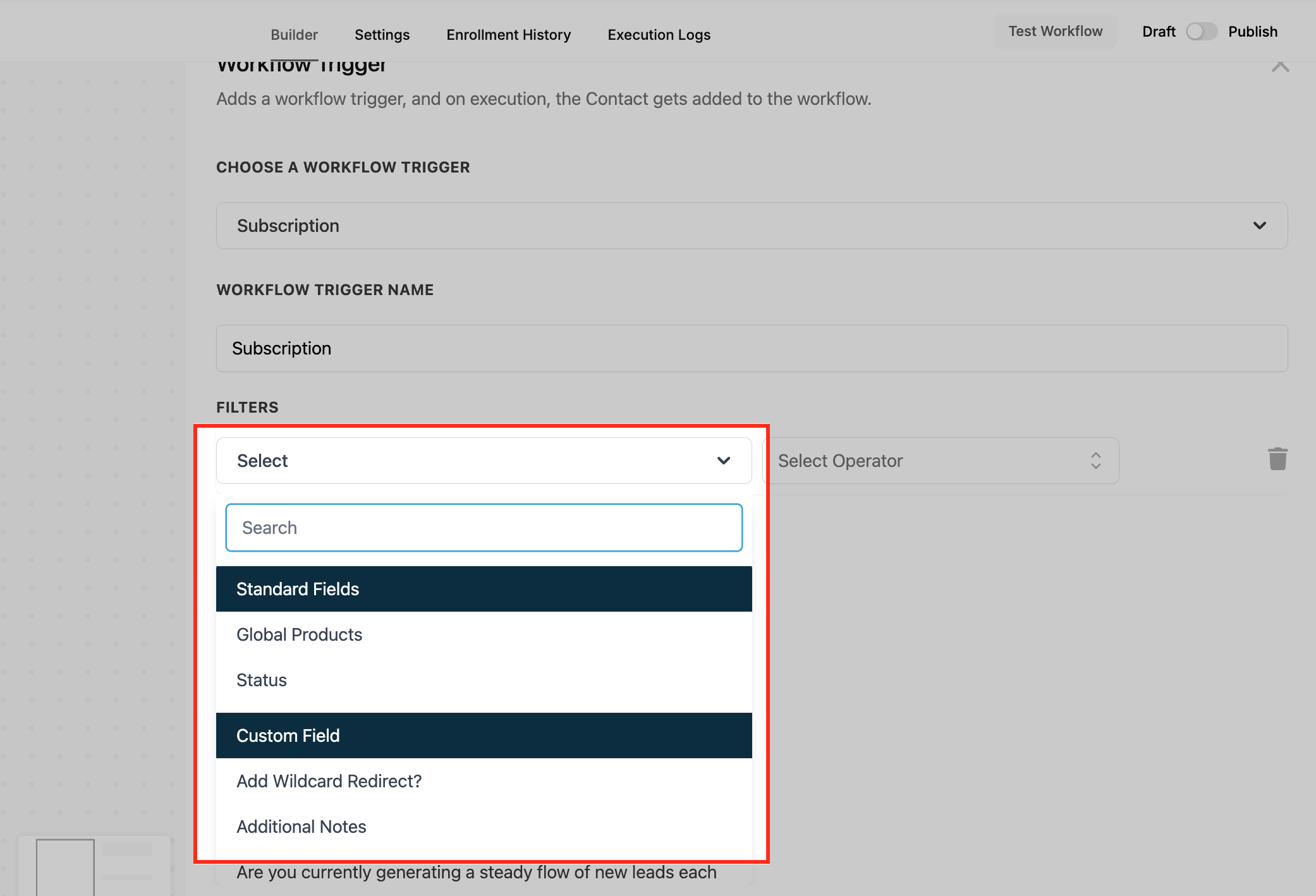
Filter Options: Standard & Custom Fields
This dropdown allows you to add conditional filters to refine when the Subscription trigger should activate. You can choose from two types of fields:
- Standard Fields: These are built-in options such as Global Products (the product associated with the subscription) and Status (e.g., Active, Expired, Failed). Filtering by these fields ensures that the workflow only runs when specific system-level conditions are met.
- Custom Fields: These are personalized fields that you or your team may have added to track specific details related to the subscription (e.g., membership tier, customer segment). Using custom fields allows for more tailored automation based on your unique business logic.
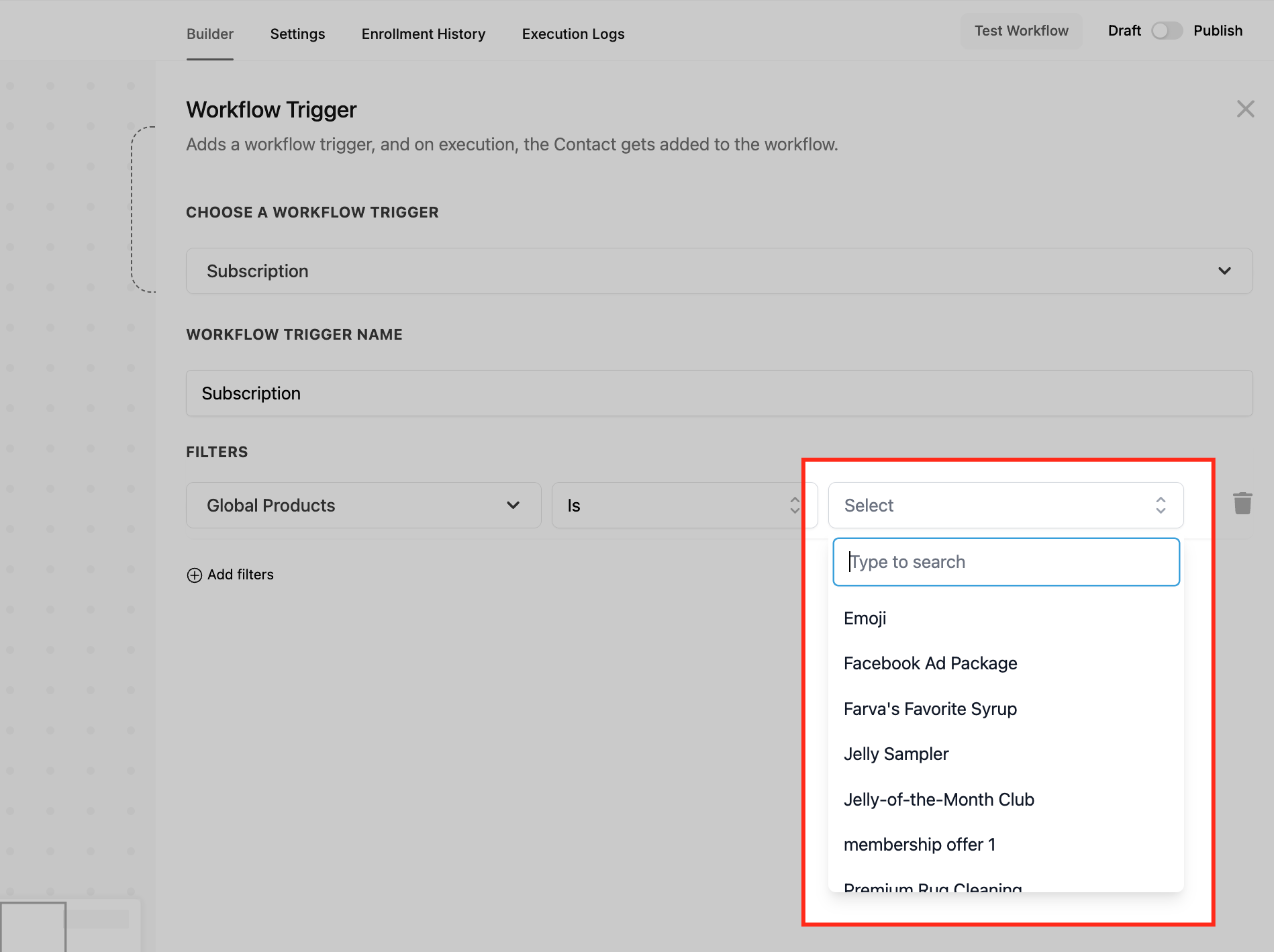
Global Products Filter
The Global Products filter helps you trigger workflows based on the specific product tied to a subscription. You can choose from options like Is, Is not, Is empty, and Is not empty to include or exclude products. After selecting this filter, you’ll see a searchable dropdown to pick one or more products—ensuring the workflow runs only for those selected items. This allows for precise, product-specific automation.
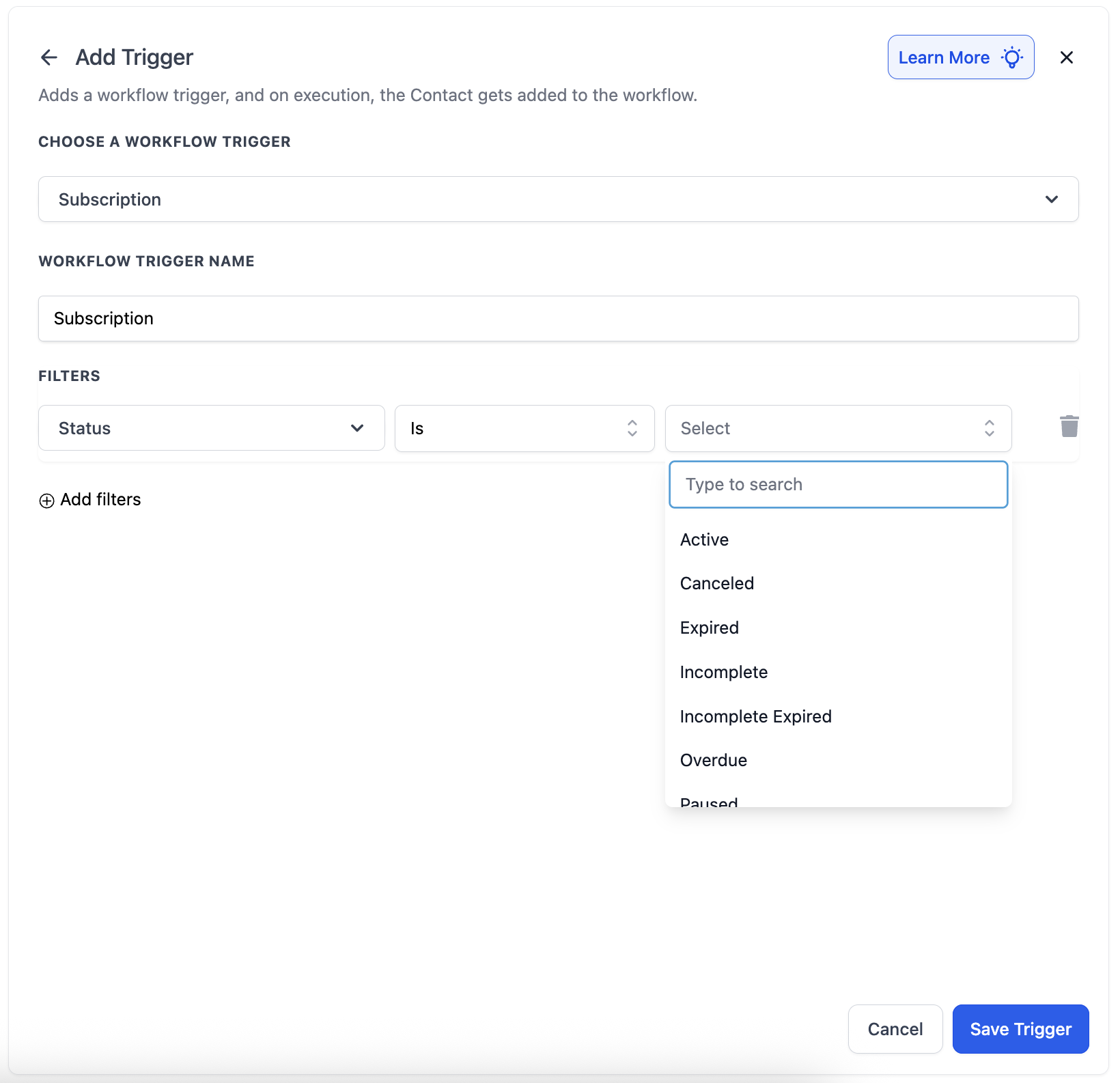
Status Filter
The Status filter allows you to trigger workflows based on the current lifecycle stage of a contact’s subscription. This is useful for sending targeted emails, reminders, or internal alerts based on changes in payment or access status. You can apply logic using options like Is or Is not to either include or exclude subscriptions in certain states. This ensures workflows only execute when a subscription reaches the exact condition you define. Below are the available options in status filter :
- Active: The subscription is live and billing successfully. Workflows using this status typically handle fulfillment, onboarding, or access logic.
- Canceled: The subscription was manually or automatically canceled. This is ideal for triggering re-engagement campaigns or internal follow-up actions. Additionally incase of Stripe subscriptions, the status Canceled is also used when a subscription completes it's term.
- Expired: The subscription ended at the completion of its billing term (not due to cancellation or failure). Useful for renewals or feedback collection. (Not applicable for Stripe subscriptions)
- Incomplete Expired: A payment attempt for the subscription failed the first time while creating the subscription. This is applicable in case of first payment failure for a subscription i.e. the subscription could not start or become Active even once. (Previously - 'Failed')
- Incomplete: The user started the subscription process but didn’t complete it (e.g., abandoned cart during checkout). This is great for follow-up nudges or recovery flows.
- Overdue: Payment is past due, but the subscription is still technically active. Ideal for grace-period messaging or alerts. This is applicable in case of payments for a subscription that became 'Active' at least once i.e. the subscription's first payment was successful. This status is used when the 2nd or later payments for a subscription fail.
- Scheduled: A future-dated subscription that hasn’t started billing yet. Can be used to send onboarding or prep emails before activation.
- Trial: The subscription is currently in a trial phase. This is useful for sending nurture sequences or reminders before the trial ends.
- Unpaid: The subscription is active but has pending/missed payments. Use this to flag internal teams or prompt the user to update their payment method.
Customize Actions
Choose actions that should follow the trigger activation, such as sending emails, updating records, or notifying team members.
Save and Activate
Once configured, save the trigger and ensure it is activated for it to function as intended.
Example
A common use case for the Subscription Trigger is automating customer communication. For instance, when a customer’s subscription transitions from trial to active, an automated welcome email can be sent to enhance customer engagement and satisfaction. Similarly, if a subscription is cancelled, a follow-up email can be triggered to gather feedback or offer re-engagement incentives.