
Workflow Action - WhatsApp
TABLE OF CONTENTS
Overview
The WhatsApp action allows you to send WhatsApp messages directly from a workflow. This feature is useful for creating dynamic, real-time communication with your customers through whatsapp. You can send manual messages or use pre-approved templates.
Action Name
Action Description
The WhatsApp Send Message action enables the automatic sending of messages to customers via WhatsApp based on workflow triggers. This action can be configured to send free-form text messages within the 24-hour messaging window or pre-approved templates to initiate conversations outside the window. Particularly useful for reaching your audience, whether you're following up on inquiries, sending appointment confirmations, or delivering promotional content.
Key Features:
- Send real-time WhatsApp messages directly from a workflow.
- Use pre-approved templates for messages outside the 24-hour window.
- Customize messages with dynamic variables (e.g., contact name, email).
- Support for both business-initiated and customer-initiated conversations.
Action Details
Step-by-Step Guide
Prerequisites:
- Ensure that WhatsApp is enabled and set up on your Chat To Clients CRM account. For business-initiated conversations, ensure that you have approved WhatsApp message templates. You can refer to the WhatsApp Subaccount Setup and How to Create a WhatsApp Template for more information.
Choose the Action Type:
- In your workflow builder, select "WhatsApp" from the list of available actions.
Name Your Action:
- Give the action a descriptive name, such as "Customer replied."
Select Message Type:
- WhatsApp Template: Choose a pre-approved template to send messages outside the 24-hour window.
Save and Activate:
- Save your action and activate the workflow to send WhatsApp messages to your contacts based on the defined triggers.
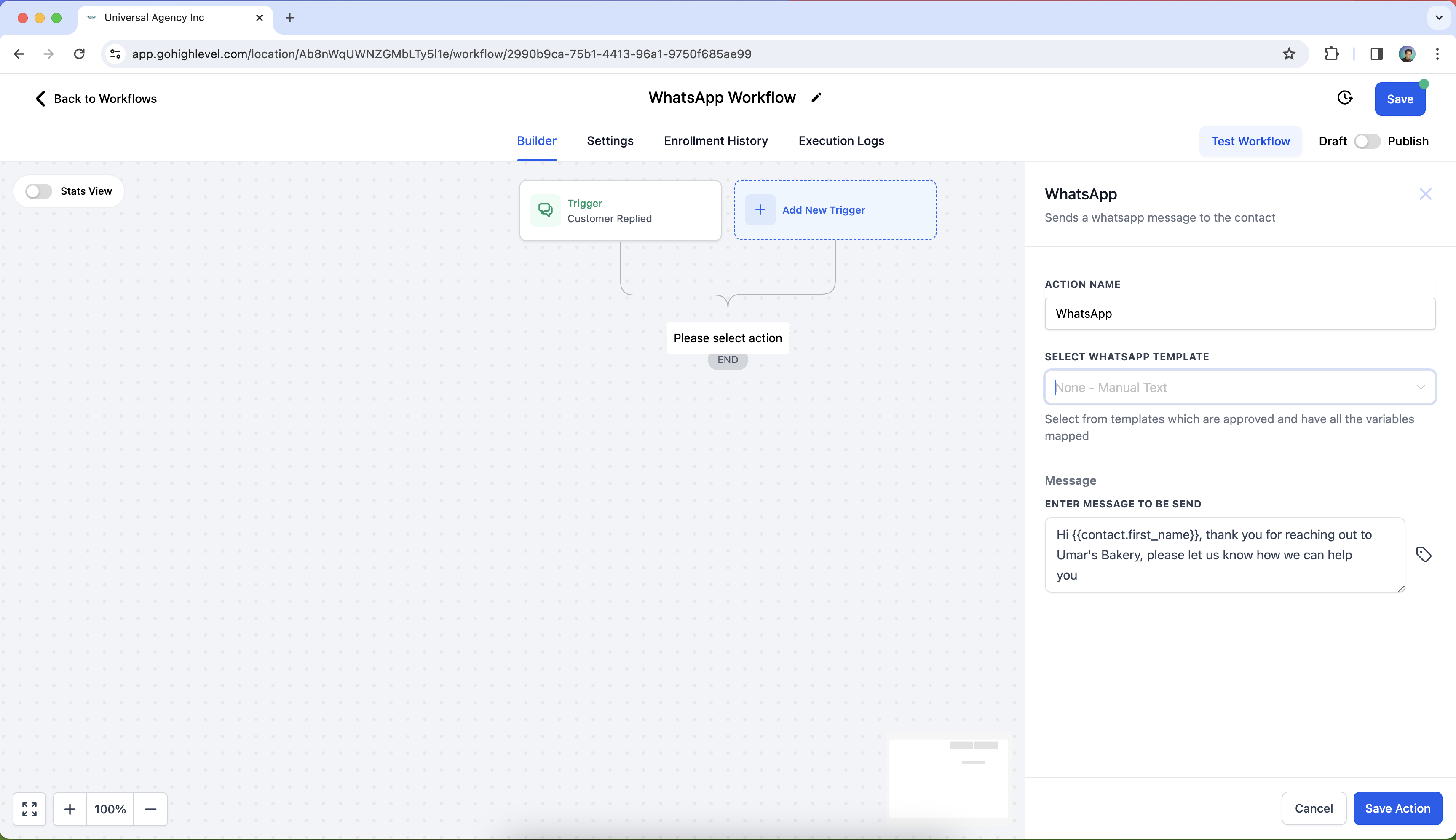
Key Notes:
- Free Entry Point Conversations: Customers responding to a WhatsApp message open a Free Entry Point conversation, which allows you to send free-form or template messages for up to 72 hours at no additional cost.
- Do Not Disturb (DND): You can set up DND for WhatsApp to manage customer communication preferences and respect those who opt out.
Example
Scenario: A business wants to send appointment reminders via WhatsApp 24 hours before a scheduled meeting.
Workflow Setup:
- Trigger: Appointment Reminder
- Action:WhatsApp Send Message
- Name: "Send WhatsApp Appointment Reminder"
- Message Type: Template - Appointment Reminder
- Template Content: "Hi {{contact.first_name}}, this is a reminder for your appointment scheduled on {{appointment.date}}."
Outcome: The contact will automatically receive a personalized WhatsApp message reminding them about their upcoming appointment.