
Sub Account Transfers : Eject Sub-Account to a New Agency
Ejecting a Sub-Account feature allows you to seamlessly convert a sub-account within your agency into a separate, independent agency account. This feature is ideal when you want to push one of your existing sub-accounts to operate as its own standalone agency.
As part of the process, you'll nominate one user from the sub-account to become the new agency owner. The nominated user will then receive an invitation via email to sign up for the $97/month plan. Upon their successful signup, you will be rewarded with 40% affiliate commission on all of their future renewals.
For more details on how the affiliate program works, please refer to our Affiliate Guidelines.
To track the status of your ejected sub-account referrals, click here.
TABLE OF CONTENTS
- Steps to Eject a Sub-Account to a New Agency (Sender)
- Steps to Receive a Sub-Account and Sign Up for a New Agency (Nominee)
- What all information and assets are transferred over?
- IMPORTANT: What all information and assets are not transferred over?
- Phone Number Transfers
- Sub-Account Transfer FAQs
Steps to Eject a Sub-Account to a New Agency (Sender)
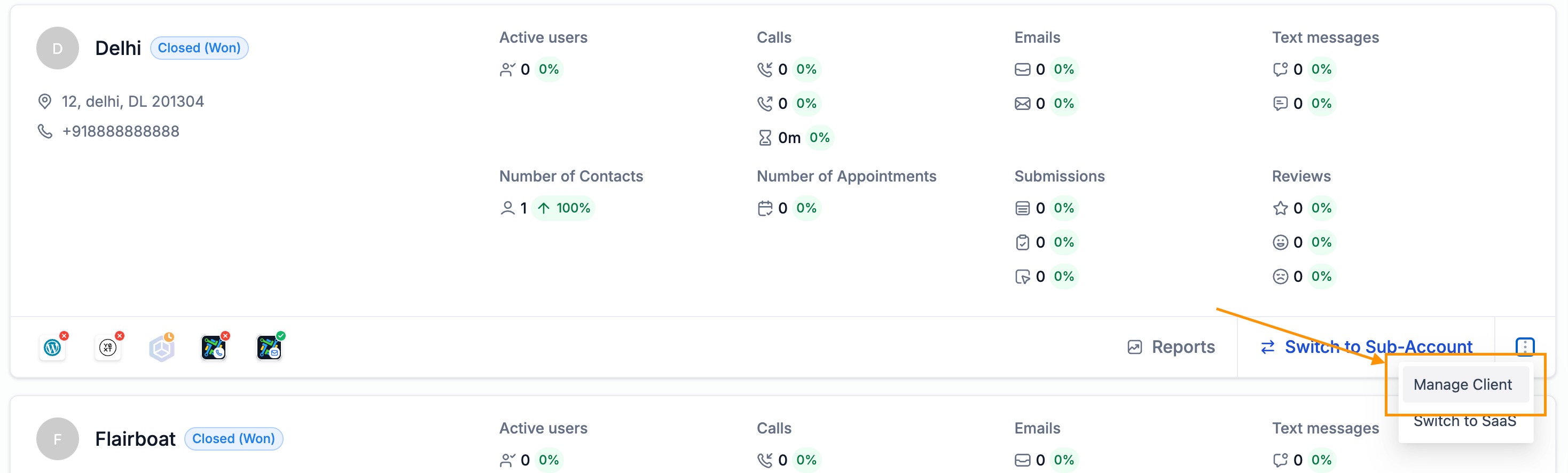
- Step-1: Go to Agency Level > Sub-Accounts. Go to Manage Client for the sub-account that needs to be ejected to a New Agency.
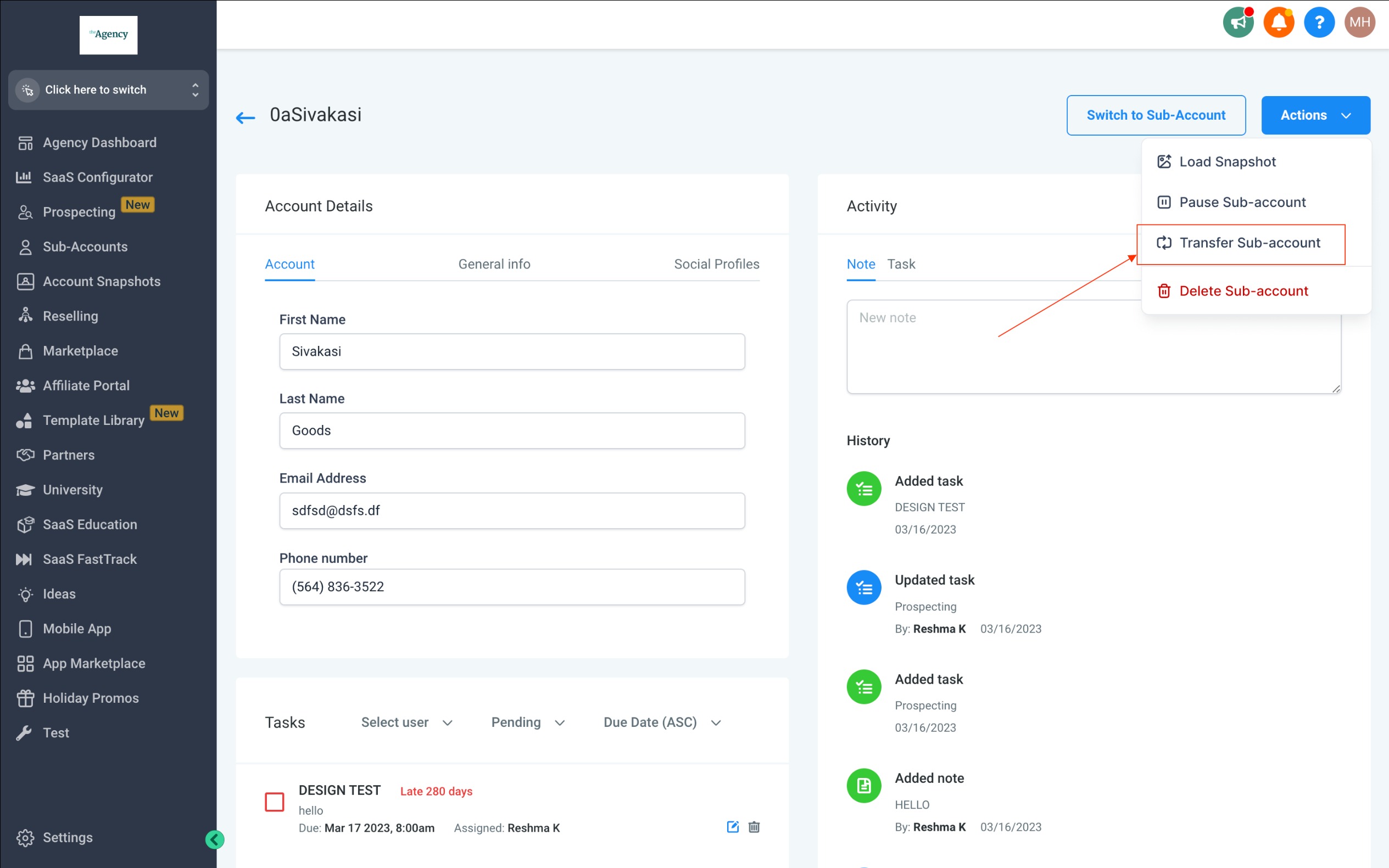
- Step-2: Select Actions > Transfer Sub-account
- Step-3: You will be prompted with two options to either "Transfer to an Existing Agency" or "Eject to a New Agency . Select "Eject to a New Agency" to proceed.
If you want to transfer to an existing agency instead, click here for detailed guide.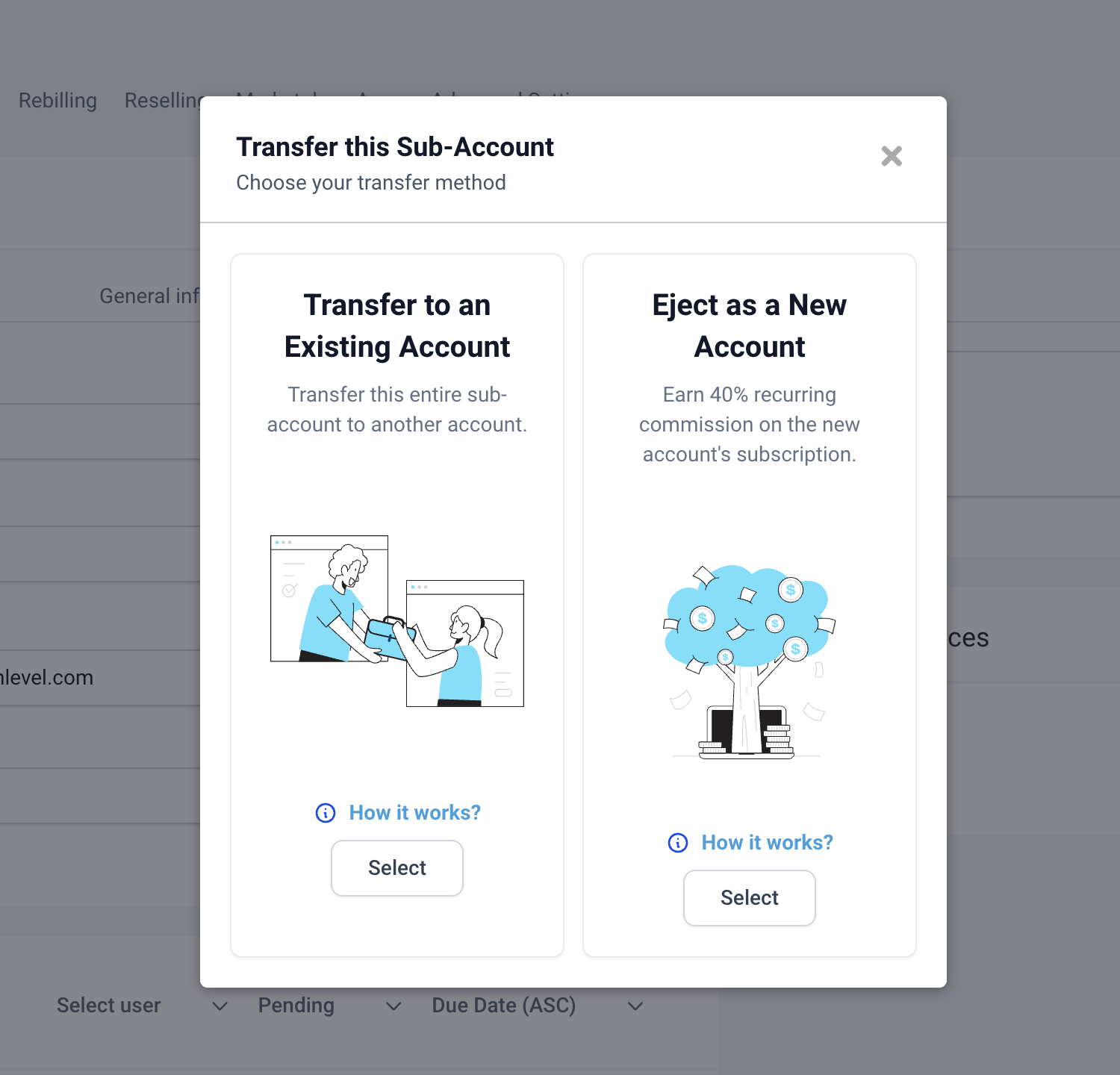
- Step-4: Nominate Agency Owner for the new agency .
Please note that the user selected here will be receiving an email with a signup link for setting up new agency account and also on successful signup the user will be marked as agency owner for the newly created agency account.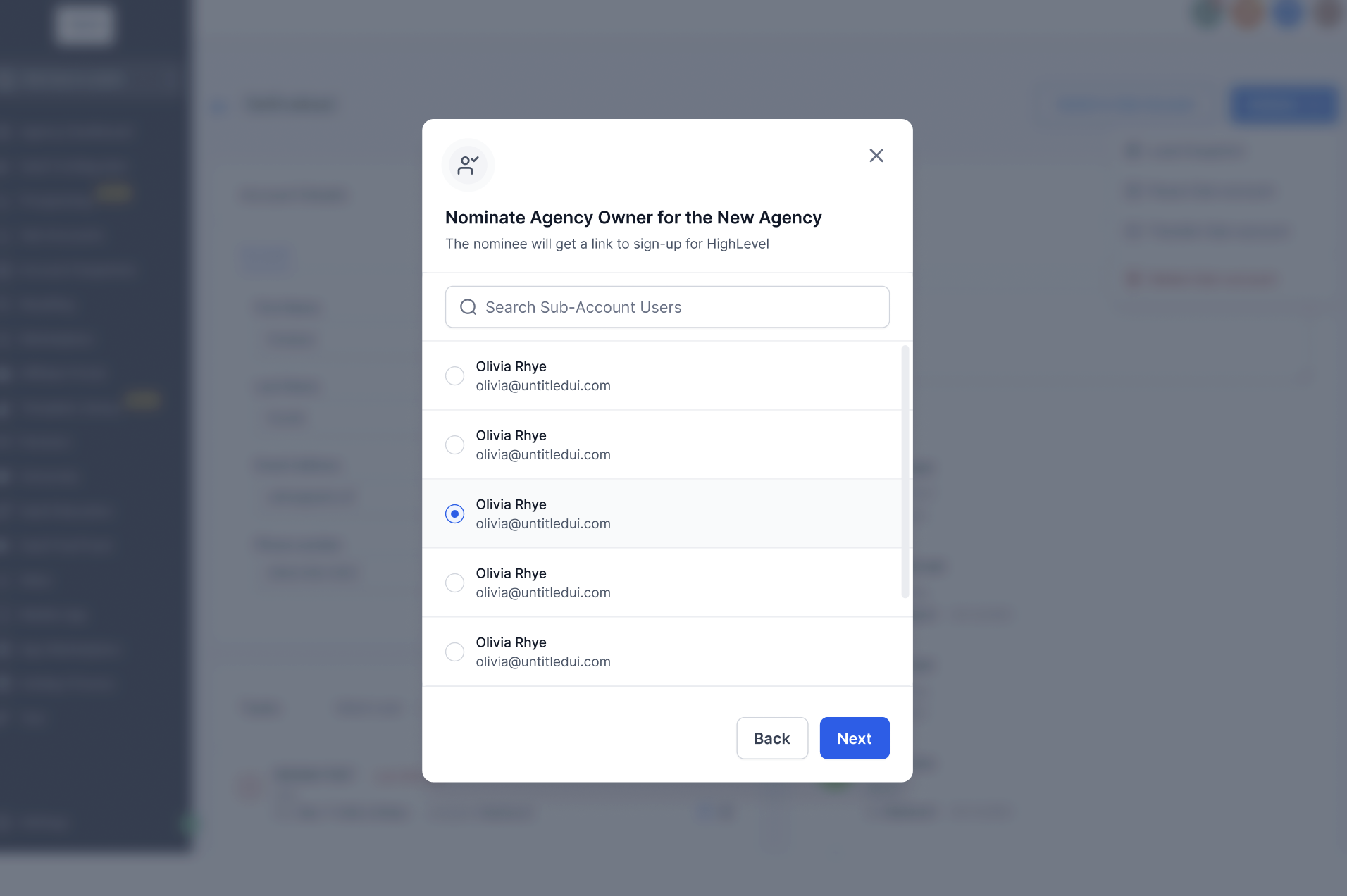
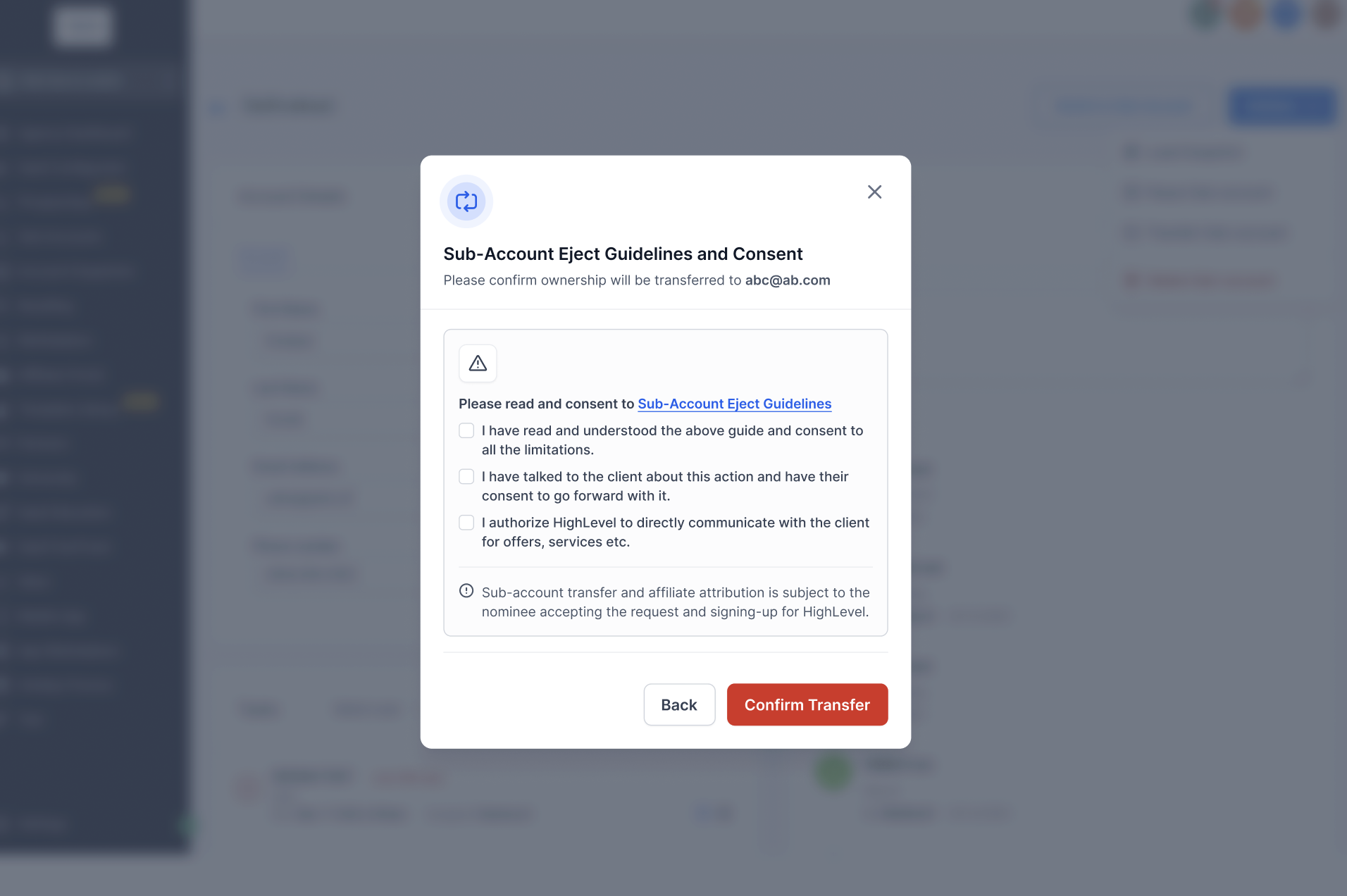
- Step-5: Review the Sub-Account Ejection guidelines and click Confirm Transfer
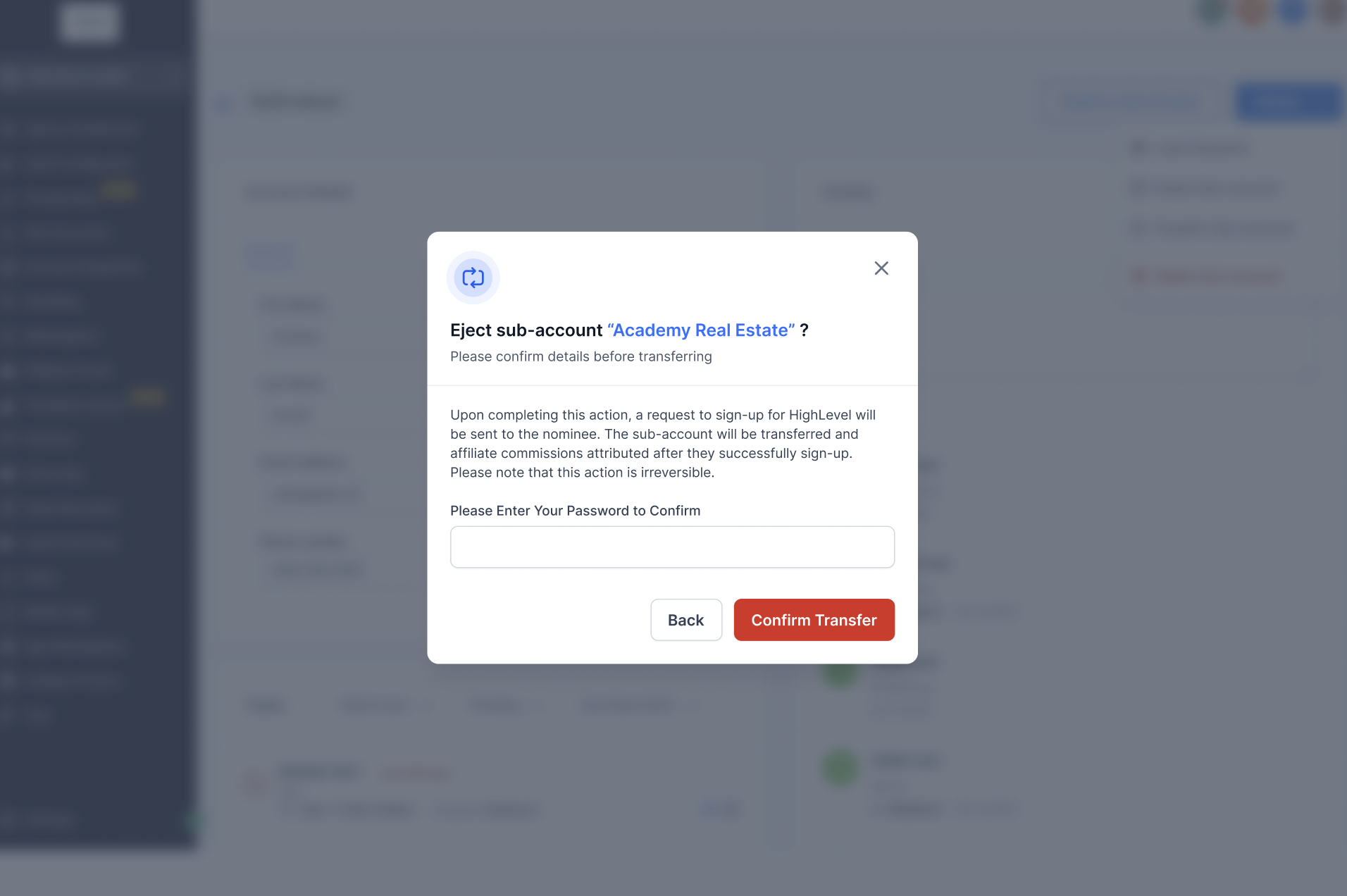
- Step-6: Enter your password to confirm the transfer. Upon confirming the action, an email will be sent to the nominee with instructions to set up the new agency account.
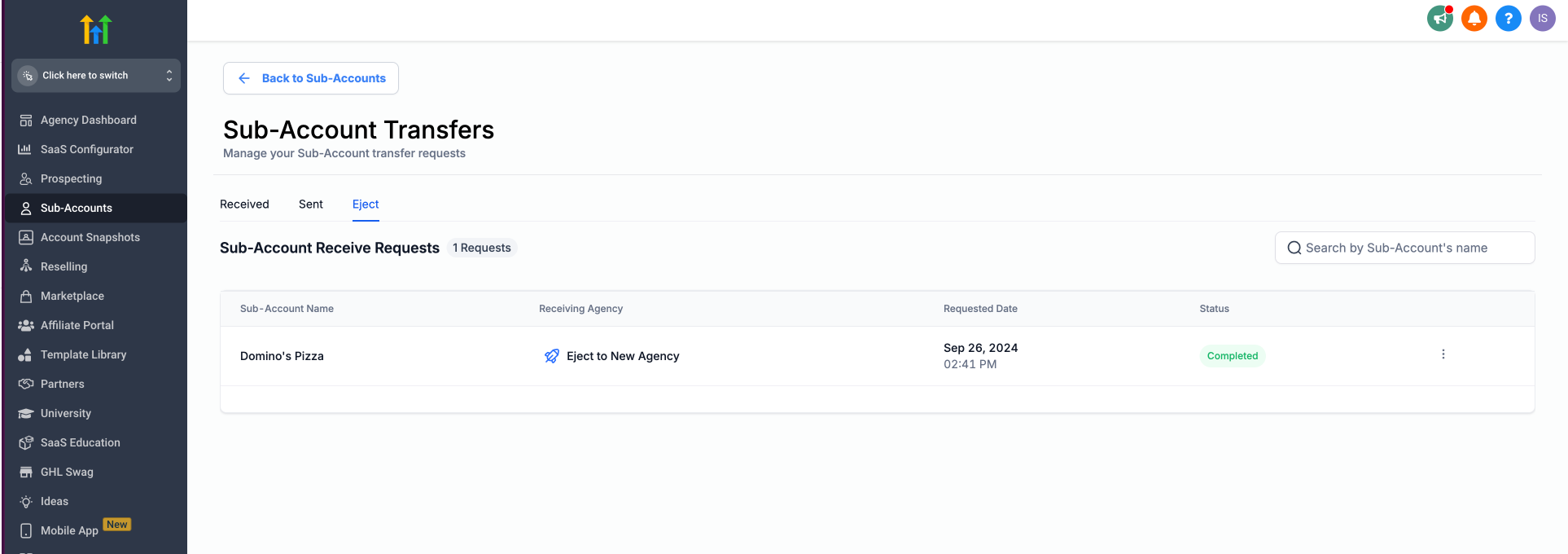
- Tracking: In order to track your sub-account transfer requests, go to Agency Level > Sub-Accounts. Select the Sub-account Transfers option. Navigate to the Eject tab.
Steps to Receive a Sub-Account and Sign Up for a New Agency (Nominee)
The nominee (new agency owner) will receive an email titled "Access your account." Click the button or link within the email to begin the setup process.
- Step-1: Click on "
Location Eject request from - {Agency Name}" and you will be redirected to the login page in a new window.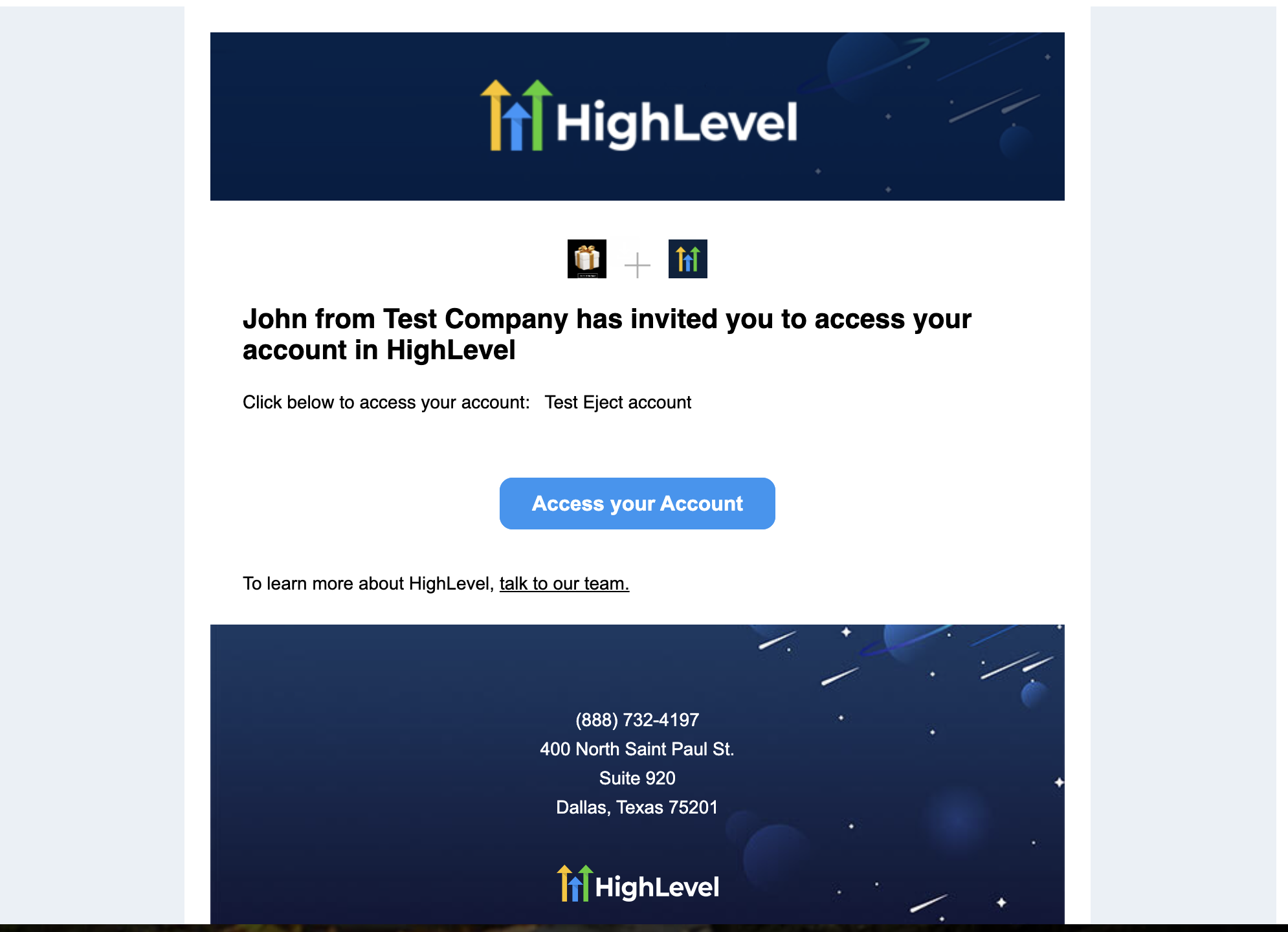
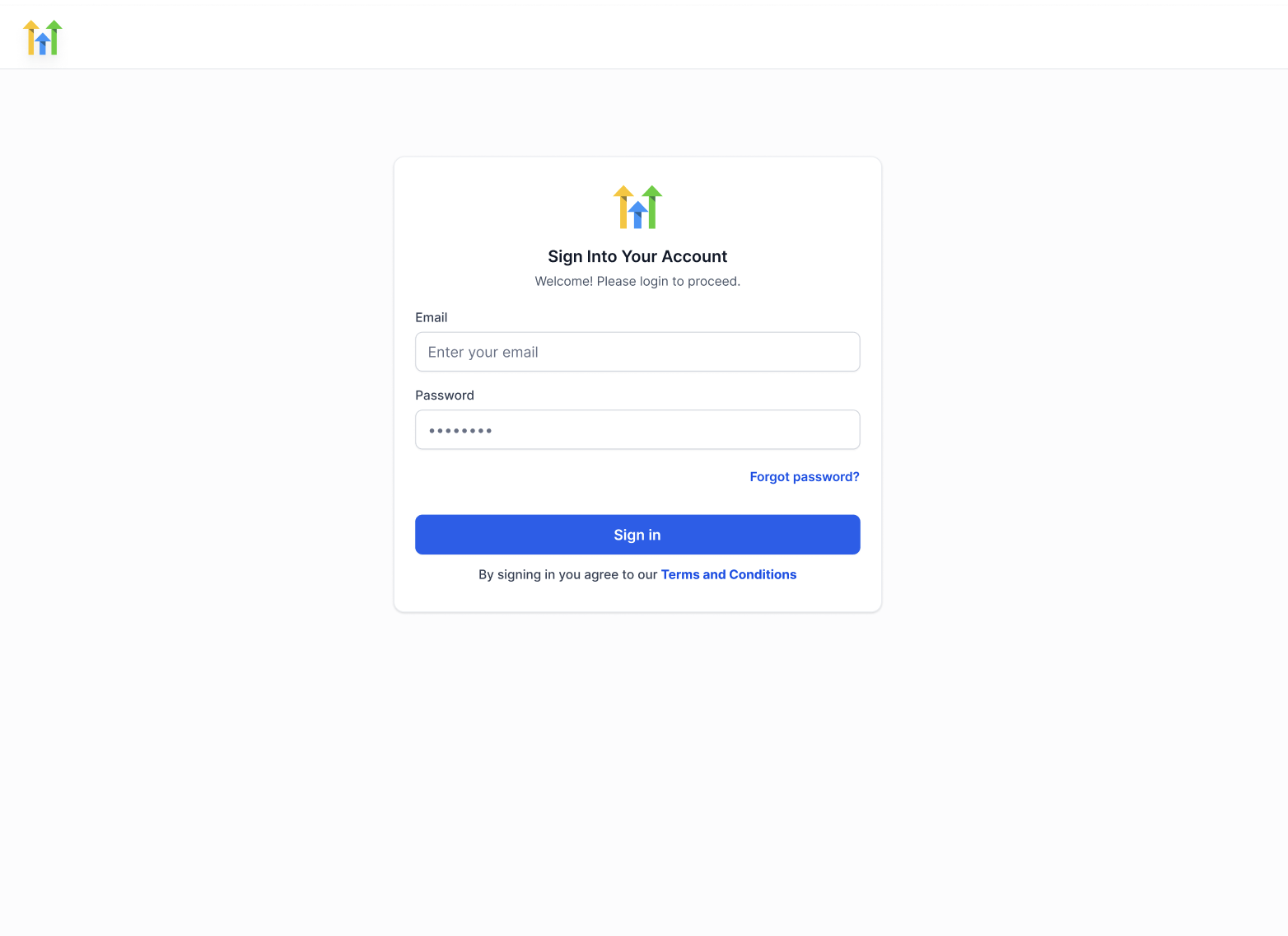
- Step-2: Clicking on the link will redirect you to the login page in a new browser window. Log in using the email address and password associated with your Highlevel account.
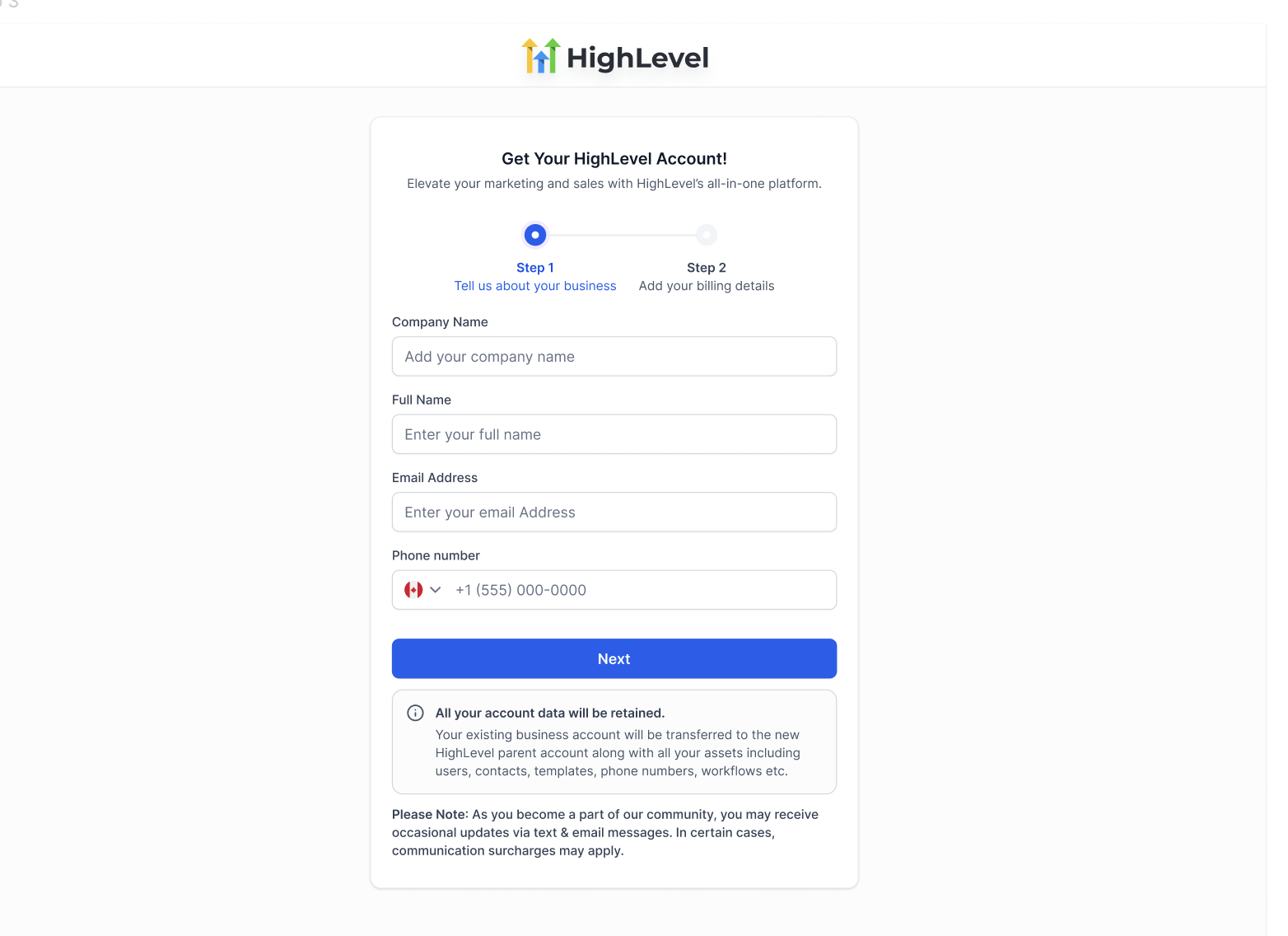
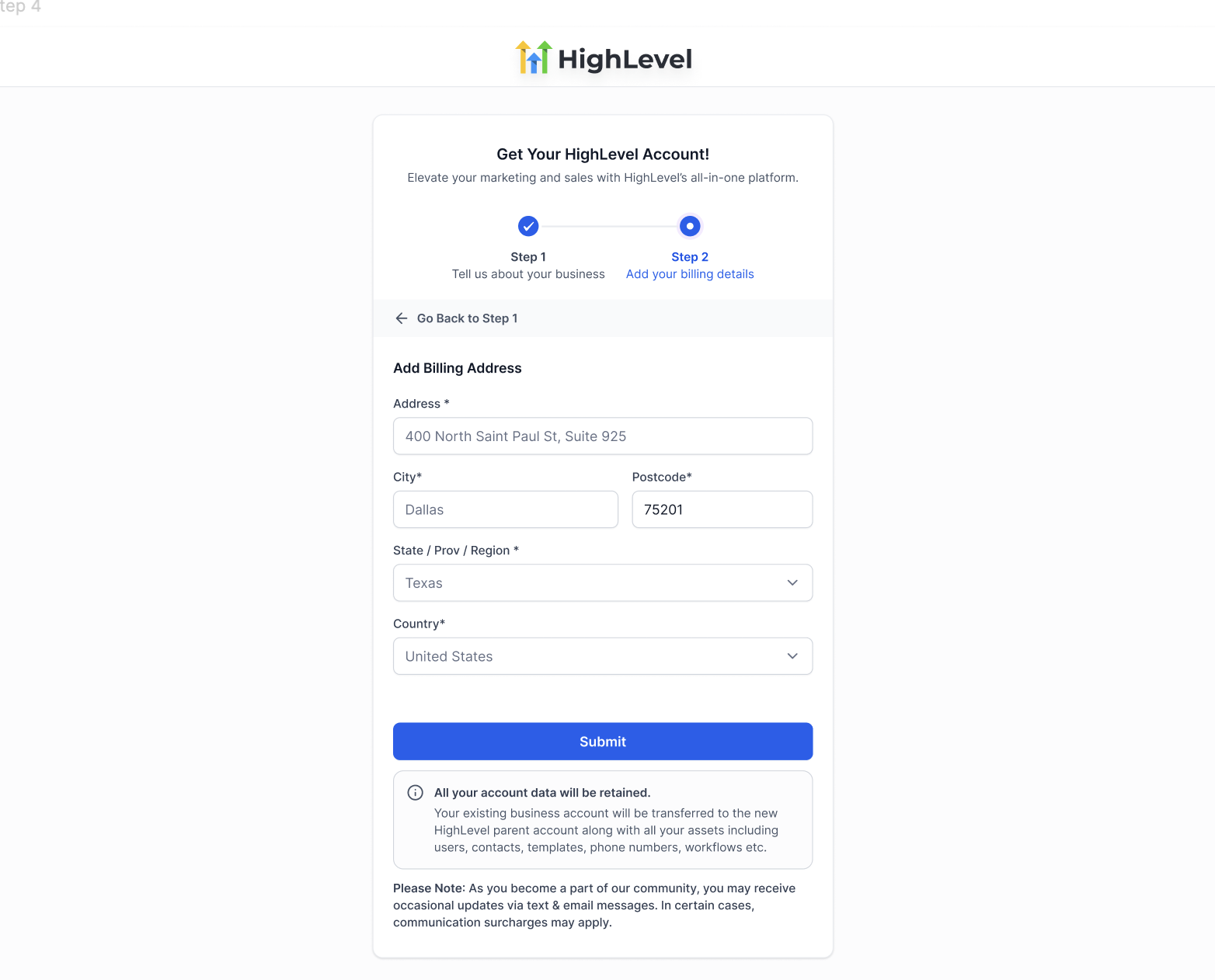
- Step-3: Fill out the Company Details and Billing Address for the new agency account. Most details will be prefilled—review and make changes if necessary.
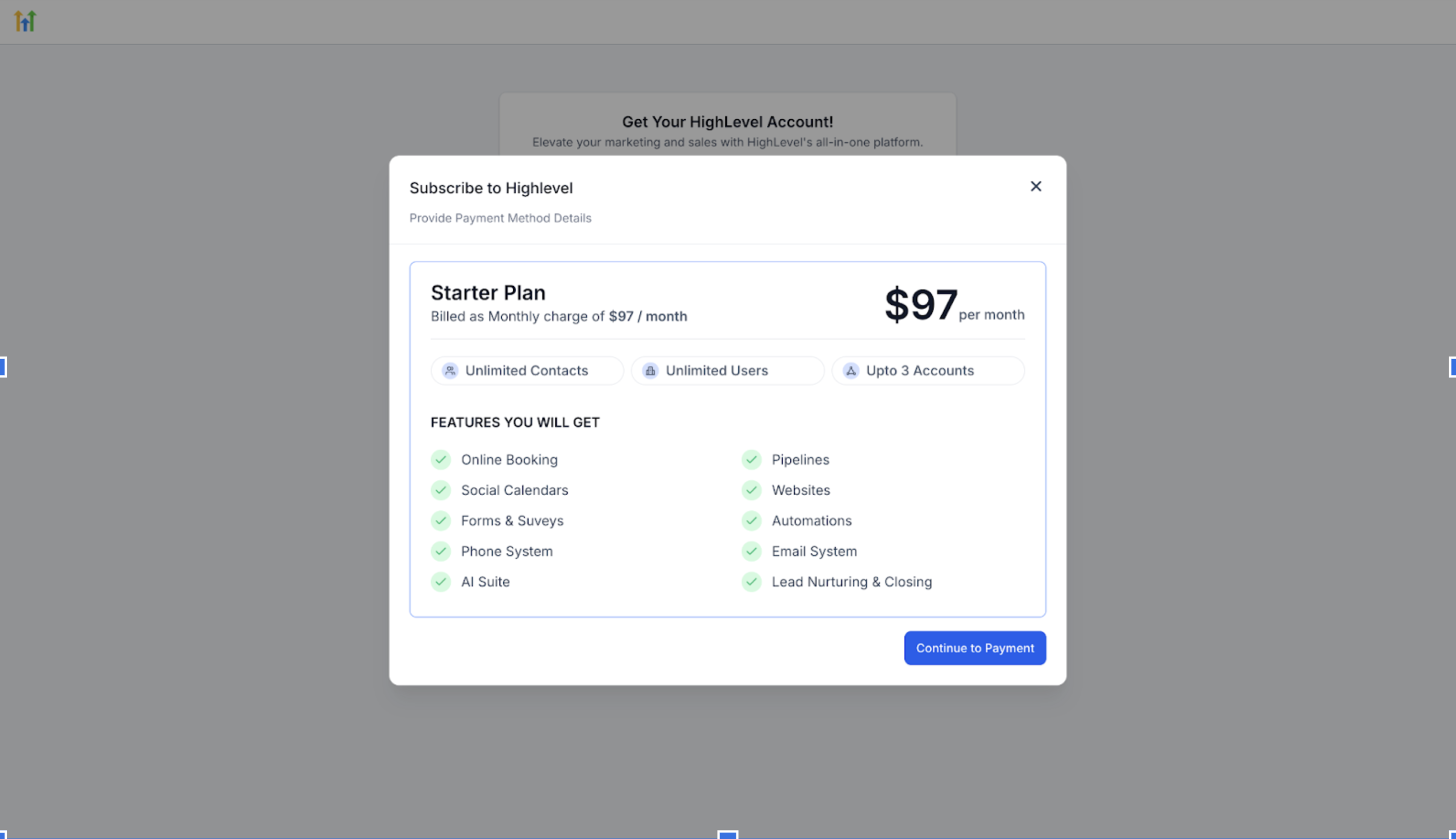
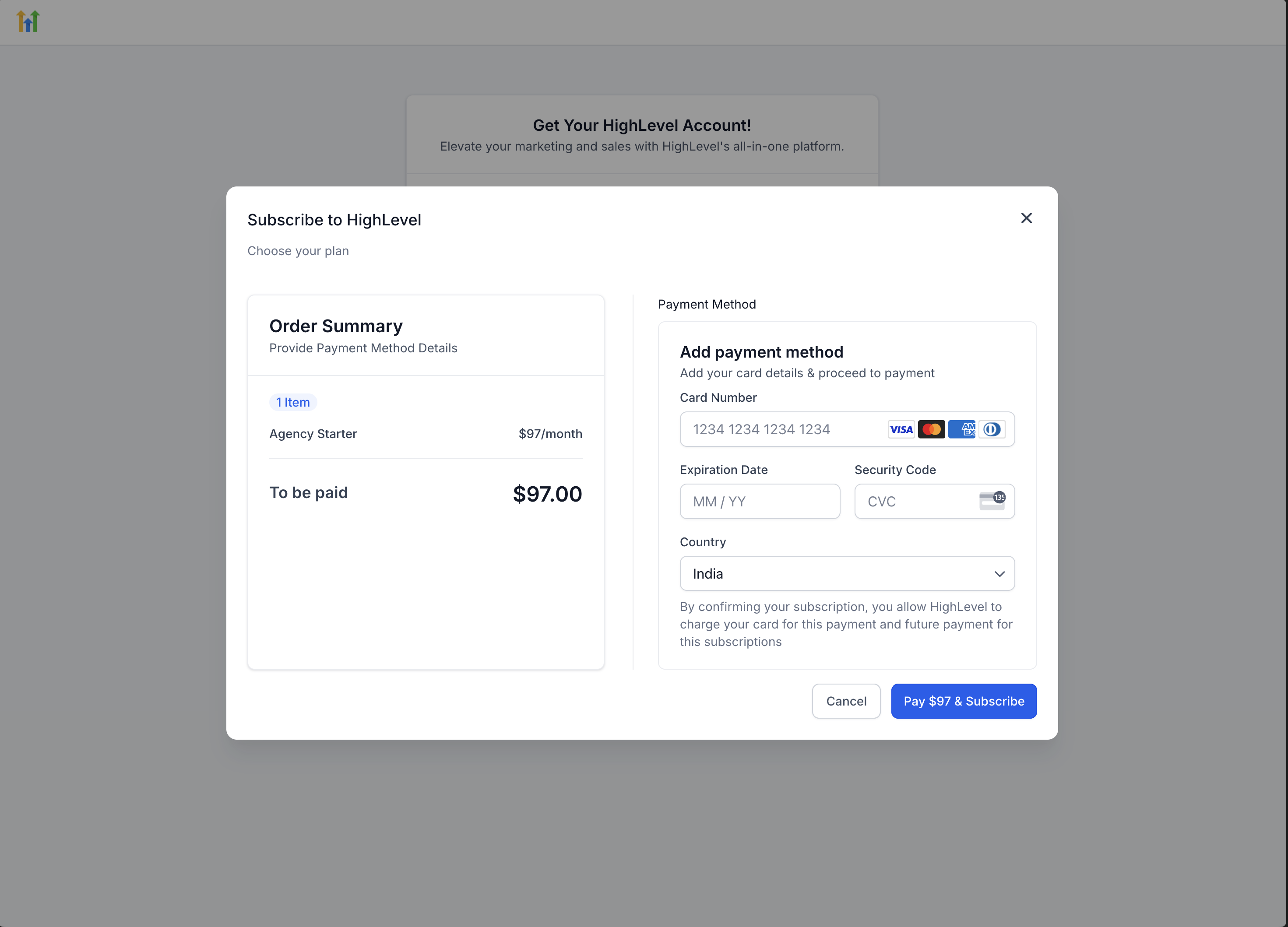
- Step-4: The setup process will default to the $97/month plan. Click Continue to Payment to proceed with entering your payment details.
- Step-5: Review the order summary, enter your card details, and confirm to complete the signup.
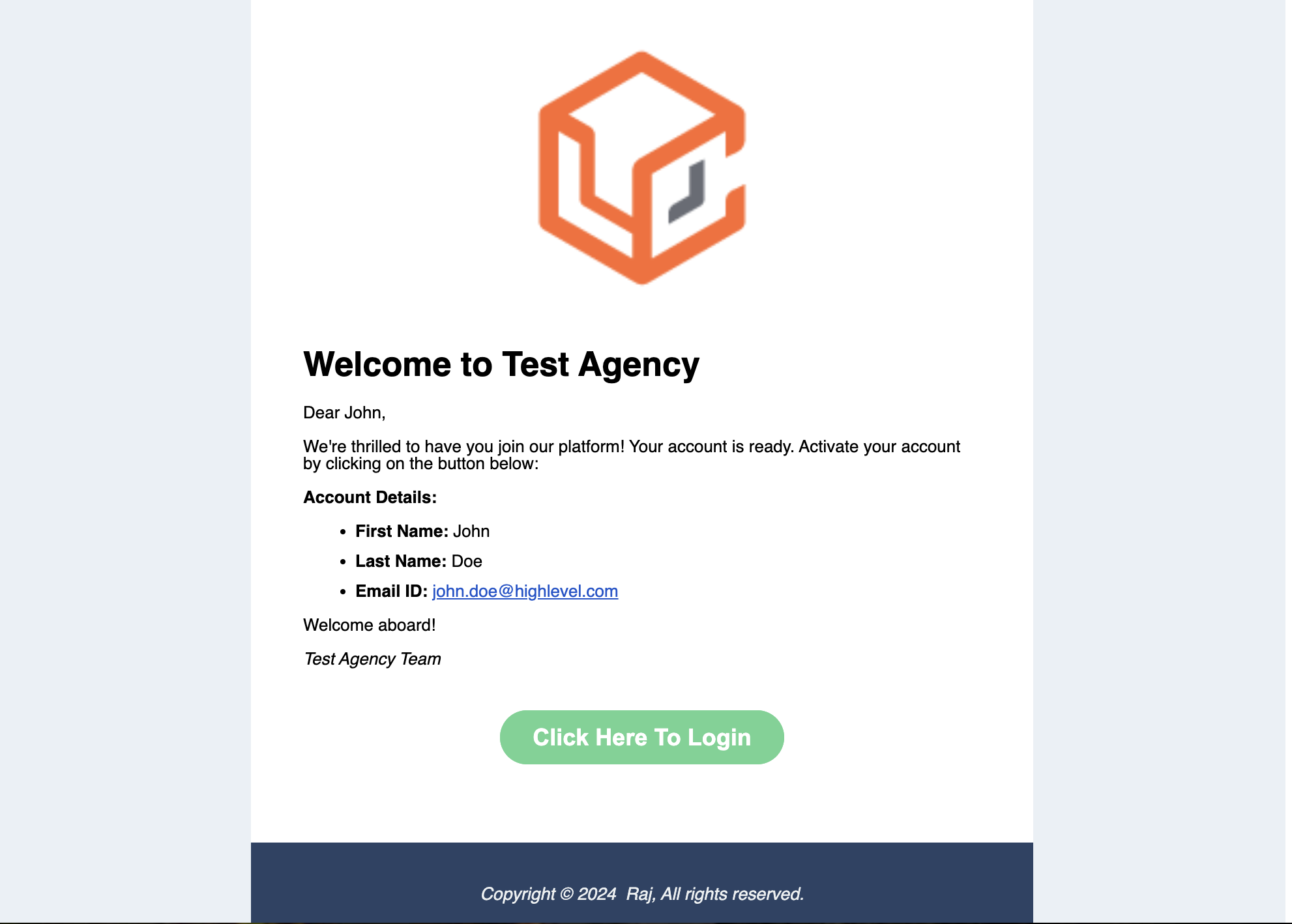
- Step-6: After successfully completing the payment and signup, you’ll receive a welcome email.This email will provide a link to set up your new account password and log in.
Note : The sub-account that was ejected from original agency will automatically be transferred to your new agency account once its created.What all information and assets are transferred over?
- Websites and funnels will all be transferred.
- Chat To Clients CRM calendars will get transferred over.
Note: The external calendar integrations will be disconnected. - All automation will be transferred over.
Note: They will all be set to Draft. - Contacts and their conversations, appointments, opportunities, and history will be transferred over.
- All users with User Type 'Account', and only assigned to that particular sub-account and no other sub-account will be transferred.
- Contacts will remain in the workflow.
- The workflow enrolled data remains as it is in workflows.
- Sub-account level API Keys will remain the same.
IMPORTANT: What all information and assets are not transferred over?
- All auth connections will be deleted (ex: Google, FB, Instagram, Quickbooks, Clio, DrChrono, Yext)
- All Facebook and Google settings will be cleared
- Sub-Account-level Stripe fields will be cleared
- Any SaaS setting will not be transferred over.
Note: SaaS mode will automatically be disabled before the transfer takes place. - Smartlists do not get transferred over with the sub-account currently
- Mailgun/SMTP won't get transferred.
- All active subscriptions like Wordpress, Yext, Whatsapp, Dedicated IP etc. won't get transferred. They'll have to be cancelled before the transfer can happen.
Phone Number Transfers
Both Agencies are on Chat To Clients CRM
- If BOTH the releasing and receiving agencies along with the sub-account that needs to be transferred is on LC, then the phone numbers will automatically be transferred with the sub-account.
- A2P DLC status will be retained. Sub-accounts do not need to again register the phone numbers that are already registered.
- All the phone usage charges going forward will be accrued by the receiving agency.
Both Agencies are not on Chat To Clients CRM (Either one or Both are Twilio)
No phone numbers will be transferred over by Chat To Clients CRM. It is your responsibility to work with the previous account owner as well as Twilio to move over any or all phone numbers that you may want to keep connected to the transferred sub-account.
Kindly reach out to Chat To Clients CRM Support for any concerns.
Domain Transfers
Here’s how domains (including subdomains) are handled when you eject a sub-account to a new agency, based on the article and Chat To Clients CRM’s domain setup flow:
Domains are not automatically carried over.
In the “What is the setup that new agency will need once the transfer is made?” section of the Eject Sub-Account article, Chat To Clients CRM explicitly notes:You will have to re-add your domains” help.Chat To Clients CRM.com
This means any custom URLs—whether a root domain (e.g. mybusiness.com) or a subdomain (e.g. marketing.mybusiness.com)—must be reconfigured in the newly created agency. None of the old DNS records “move” automatically.“Domain” here includes both root domains and subdomains.
In Chat To Clients CRM, when you “connect a domain,” you can choose to enter either a root domain or a subdomain. The process for each is very similar:
For a root domain (e.g.
mydomain.com), you enter it exactly as-is into the Domain field, then update your DNS provider with the accompanying records (often an A record or a CNAME forwwwthat points to Chat To Clients CRM).For a subdomain (e.g.
funnels.mydomain.comorpages.mydomain.com), you enter that full subdomain string into the Domain field. Chat To Clients CRM then generates DNS records—almost always a CNAME—that you copy over to your DNS host.
In both cases, once your DNS propagates, Chat To Clients CRM will validate and issue an SSL certificate automatically.
Because domains (and subdomains) are not “inherited” during the eject process, plan on reconfiguring them immediately after the sub-account is accepted by its new owner. This ensures that any existing funnels, websites, or branded links continue to resolve without downtime.
Sub-Account Transfer FAQs
1. What is the prep that I have to do to the sub-account before ejecting?
- Set all users that you want to be transferred over are User Type ‘Account’ and only assigned to this specific sub-account being transferred.
- Any SaaS sub-account will need to have SaaS disabled.
- All active subscriptions like Wordpress, Yext, Whatsapp, Dedicated IP etc. will have to be cancelled before the transfer is requested.
2. What is the setup that new agency will need once the transfer is made?
- You will need to reconnect all auth connections (ex: Google, FB, Quickbooks, Clio, DrChrono)
- You will have to reintegrate Facebook and Google
- You will have setup the sub-account-level Stripe
- You will have to re-add Chat To Clients Email, Mailgun/SMTP, and Twilio
- You will have to re-add your domains
- Any SaaS sub-accounts will have to have SaaS re-enabled.
3. Can I eject a HIPAA-enabled Sub-account?
Yes, you can eject a HIPAA-enabled sub-account. However, the new agency will be required to purchase the HIPAA Add-on during the signup process. This add-on will automatically be included in the order summary at checkout, ensuring the new agency maintains HIPAA compliance.
4. Will the deleted workflows be visible in the "Deleted" tab when a location is transferred?
Deleted workflows from the old location will not be visible in the new location. Only the deleted workflows from the new location will be displayed in the "Deleted" tab.
5. What about whitelabel (app) subdomains?
If your agency has a whitelabel domain—commonly something like app.yourbrand.com—that also does not transfer automatically.