
How to Enable and Rebill Domain Purchases
If you're offering domain purchases as part of your Founder plan, this article will show you how to enable that feature for your clients, and optionally rebill them through your connected Stripe account.
You’ll learn how to activate domain reselling, set your own pricing margin, and determine who pays (you or your client) based on your toggle settings. This setup is ideal for agencies who want to generate recurring revenue and simplify the domain buying experience for their clients.
- Agencies on Any Plan  ($97, $970, $297, $2970, $497, $4970) can access Domain Purchase.

- Once Domain Purchase is enabled via the Agency settings, existing and new sub accounts will see an option to purchase domain

- For agencies to avoid accruing execution costs for EXISTING Sub-Accounts, rebilling will need to be enabled manually for each Sub-Account within the Agency view.

- If Domain Purchase is enabled on the SaaS Configurator, new Sub-Accounts generated will automatically be enrolled in Domain Purchase, no further action is required by the agency.
TABLE OF CONTENTS
How to Enable Domain Purchases at the Agency Level
Before clients can purchase domains, you must enable Domain Purchase at the agency level.
From Agency View, navigate to Settings > Company.
Find and turn on the Domain Purchase toggle.

Check the box confirming that you agree to the Domain Purchase terms.
Click Enable to confirm.
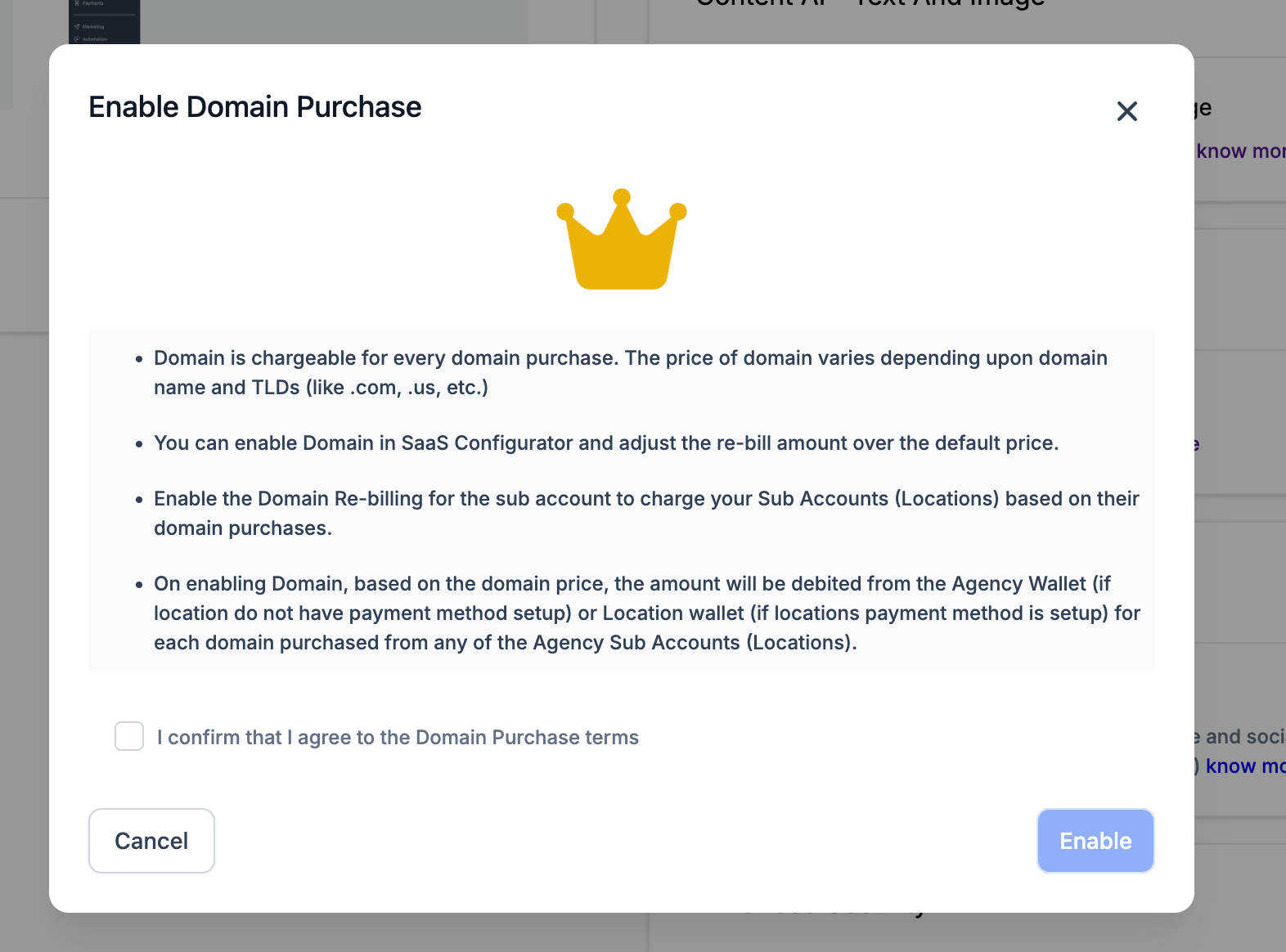
Once enabled, Domain Purchase becomes available to your agency's sub-accounts, subject to their individual settings. You can enable or disable the Domain Purchase feature or rebill for each Sub-Account in Agency Settings > Domain Purchase. You can access Sub-Account Settings only if Domain Purchase is enabled at the Agency Level.
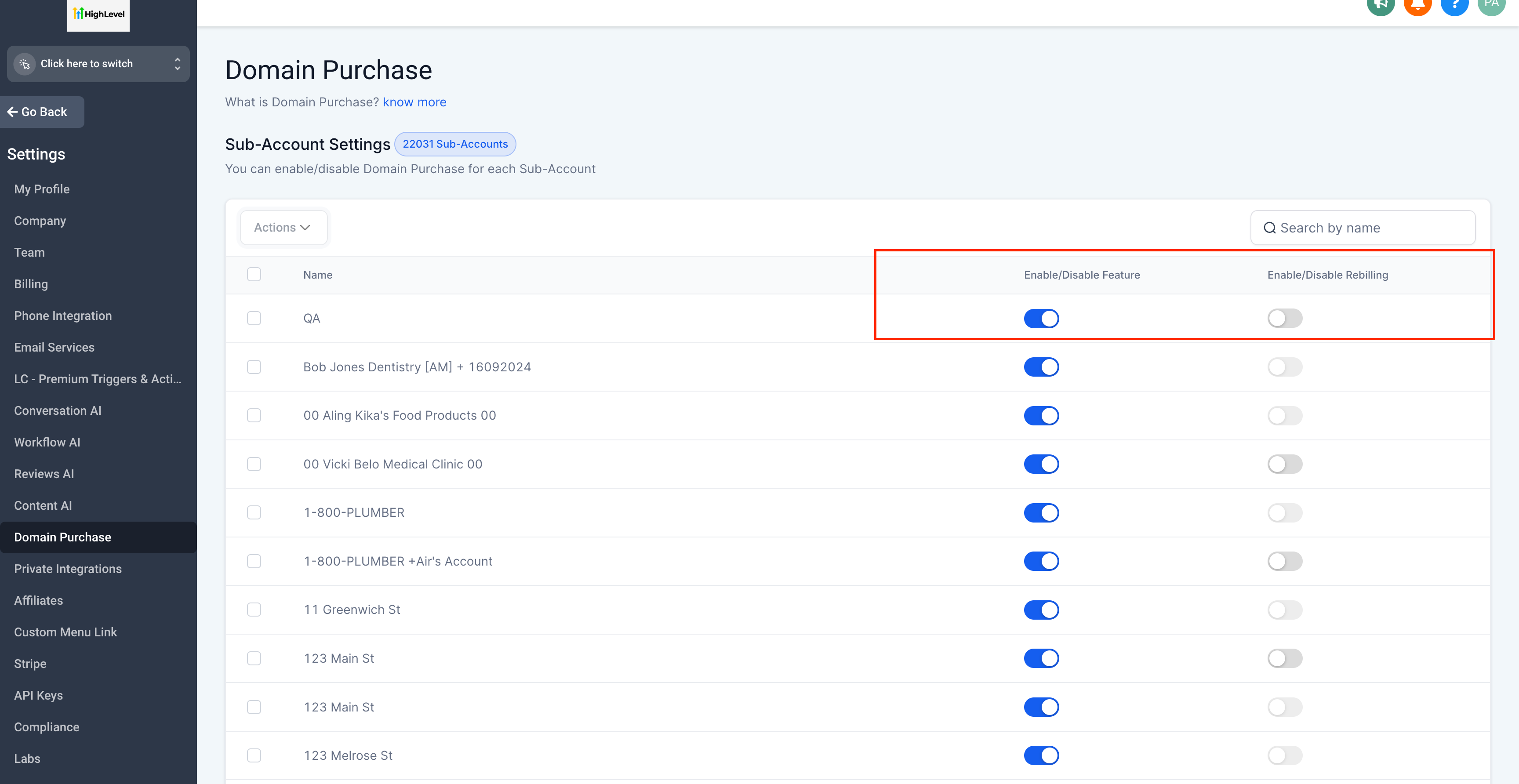
Domain Purchase Pricing
Once Domain Purchase is enabled, the Purchase a Domain option becomes available on the Domains page of your sub-accounts.
Domain prices vary depending on the domain name and extension (TLD), such as .com, .us, or .net.
Rebilling the Costs to Your Clients and Making a Profit
Note: This is available for $497 Founder Plan customers onlyOnce Domain Purchase is enabled, clients can purchase domains directly from their sub-accounts.
You can choose to:
Rebill at cost: Charge clients the same amount your agency pays for the domain.
Add a markup: Increase the amount charged to clients to earn a profit.
How to Turn On Domain Rebilling for Your Clients
Make sure Domain Purchase is enabled at the agency level.
In Agency View, go to Accounts.
If the sub-account is not already in SaaS Mode, locate it, click the three-dot menu, and select Switch to SaaS. (See How to convert a location to SaaS for more info)
Find the sub-account you want to configure and click View Details.
Scroll to Domain Purchase Re-Sell Settings and enable the toggle.
Use the slider to set your desired markup.
Click Save.
- Rinse and repeat for all your Sub-Accounts where you wish to rebill for usage.
How Client Rebilling Works
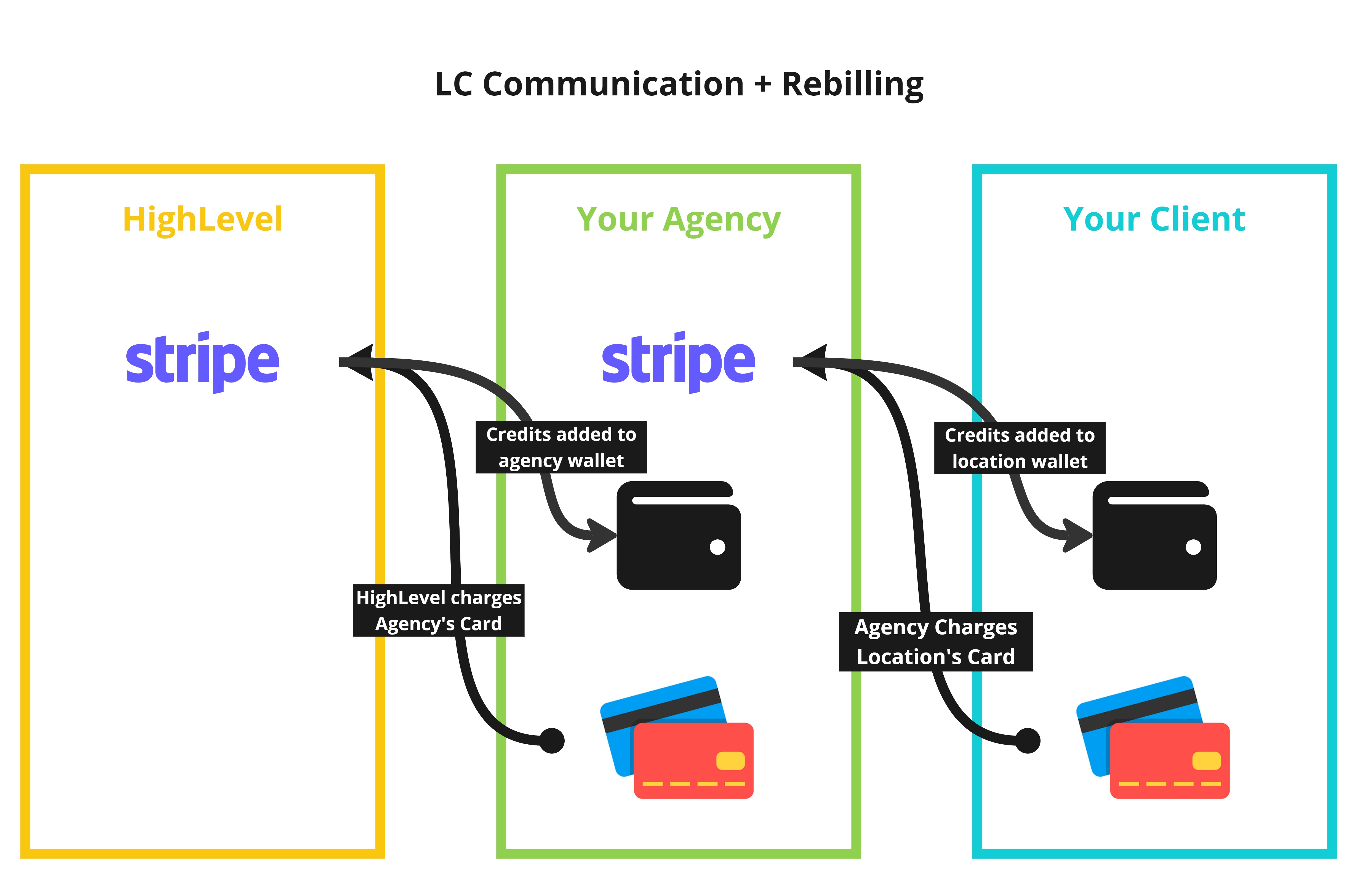
When a client purchases a domain, the billing process depends on whether rebilling is enabled.
Agency charges: Your agency pays Chat To Clients CRM for the domain and receives an invoice with Chat To Clients CRM branding.
Client charges: When rebilling is enabled, clients pay your agency at the configured price and receive invoices with your agency branding.
Stripe payments: Client payments are deposited into the Stripe account connected at the agency level. See How do I connect my agency's Stripe account to collect client payments for more info.
Wallets: Domain Purchase rebilling uses credits from the agency wallet and sub-account (location) wallet, similar to Chat To Clients Phone and Chat To Clients Email rebilling.
Frequently Asked Questions
Q: Who gets charged for the domain, me or my client?
This depends on whether Rebilling is enabled. If rebilling is OFF, your agency pays for the domain and absorbs the cost. If rebilling is ON, your client is charged through your Stripe account, using the price you set.
Q: Do I need a Stripe account to enable rebilling?
Yes. You must have Stripe connected through the SaaS Configurator to use rebilling. Without Stripe, clients will not be charged and the domain cost will default to your agency.
Q: Can clients buy domains directly from their sub-account?
Yes. Once domain reselling is enabled, clients can go to Settings > Domains in their sub-account, search for a domain, and purchase it without needing to leave the platform.
Q: Is this feature available to all agency plans?
No. You must be on a plan that includes SaaS Mode and have Stripe connected to use domain rebilling.
Q: Are domain purchases billed monthly or annually?
Domain purchases are charged upfront for the selected registration period, not monthly. You can register a domain for one or multiple years, depending on the domain extension (TLD). The total cost is displayed during checkout before you complete your purchase. For more information, see How to Purchase Domain Step by Step.