
Typeform to Chat To Clients CRM (Migration Guide)
This comprehensive guide outlines the steps to effectively migrate forms, surveys, and associated data from Typeform to Chat To Clients CRM. The goal is to ensure a smooth transition while maximizing the use of Chat To Clients CRM’s comprehensive features such as CRM integration, marketing automation, and advanced analytics.
IMPORTANT: Make sure you migrate all of the following components when switching over from Typeform to Chat To Clients CRM.

1. Forms
2. Contacts
3. Automations
4. Domains & QR codes
5. Reports
TABLE OF CONTENTS
- Migrate Forms
- Migrate Contacts
- Migrate Automation and Follow-Ups
- Migrate Form Domains & QR Codes
- Exporting and Generating New Data
Migrate Forms
Typeform helps user collect information through forms, surveys, and polls and all responses can be downloaded in a CSV.
Step 1: View TypeForms
- Log in to TypeForm: Log in to access your Workspace and manage all forms and surveys.
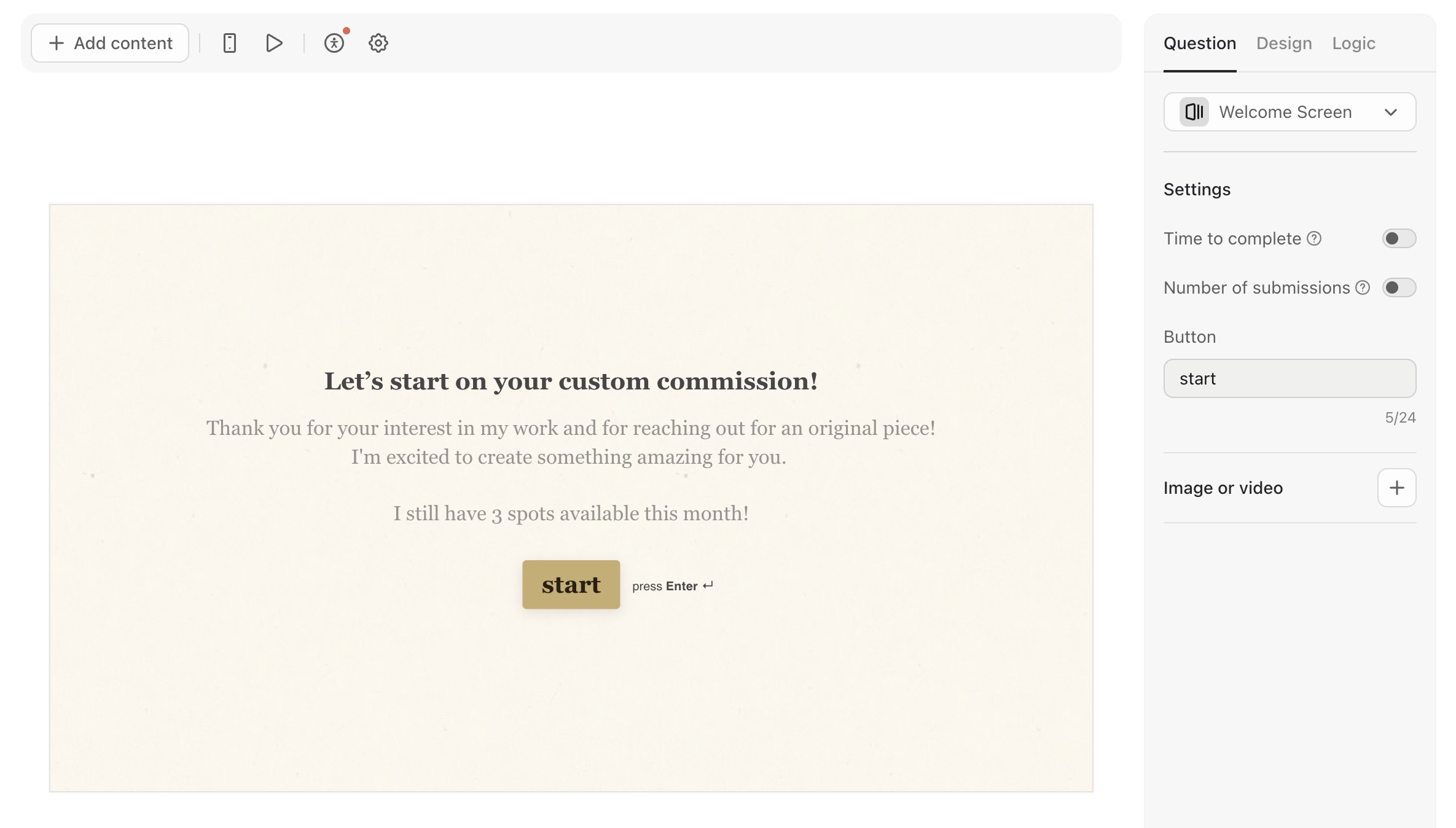
- View Form Questions: Click on each form to view each form question on the left side of the form preview screen.
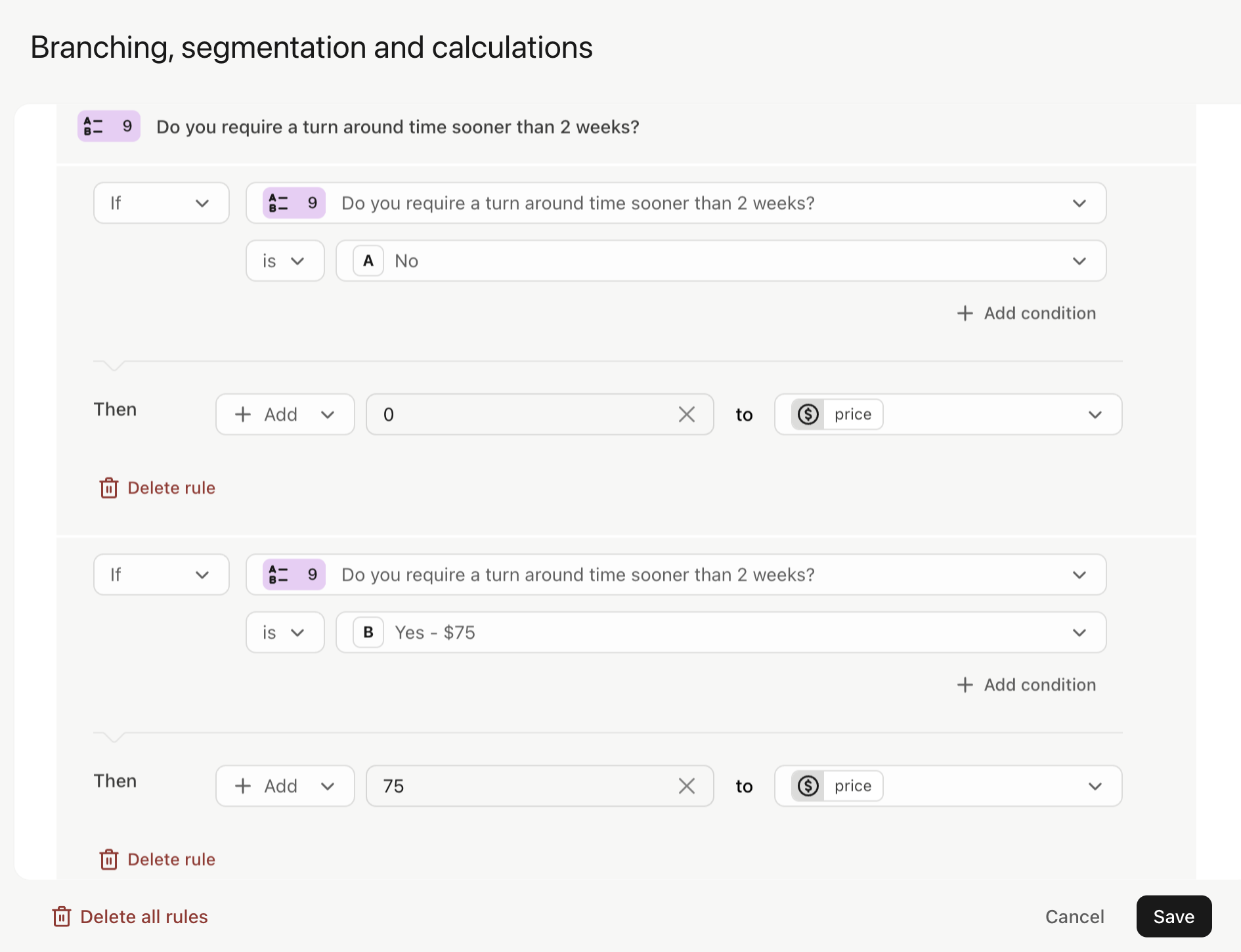
- Document Existing Automations: Review any existing automation sequences in Typeform, including form logic, calculations, email validation, and notifications.
Step 2: Recreate Questions in Chat To Clients CRM
- Log in to Chat To Clients CRM: Go to Contacts > Settings > Custom Fields.
- Recreate form questions: Add Custom Value Folders for all Form Questions. Manually add these as custom fields, matching their data types.
Step 3: Recreate Forms & Surveys in Chat To Clients CRM
- Recreate Forms and Surveys: Create Individual forms and surveys and add their corresponding questions.
- Recreate Form Design: Use Chat To Clients CRM’s customization options to match the design and branding of the original TypeForm.
- Add Form Builder Automations: Replicate any existing automation sequences in Typeform, including logic, calculations, email/phone validation, and notifications. Several settings can be built within the form builder. Remaining automations are built at the Automation Step.
- Test Forms: Test Forms and ensure they perform correctly.
Migrate Contacts
Unlike Chat To Clients CRM, Typeforms doesn't require email or phone for each form submission. You must only export form responses that have phone and email fields to migrate to Chat To Clients CRM Contacts.
Step 1: Export Form Responses from Typeform
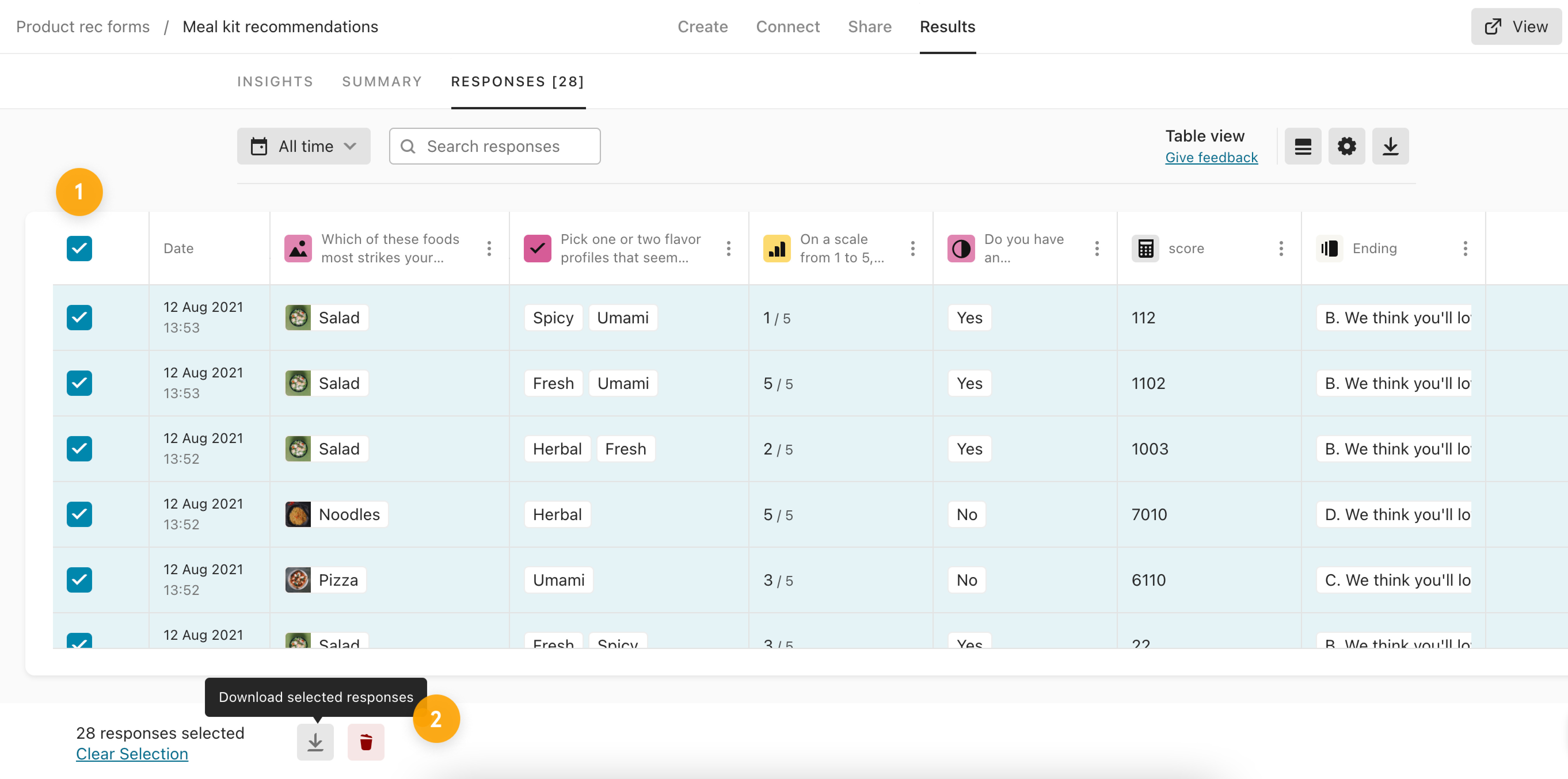
- Export Typeform Data: Access their form in My Workspace, navigate to Results, and select Responses.
- Download Data: Use the checkbox to select all responses. Click the download icon at the top right to download all form responses in CSV format for backup.
Step 2: Prepare CSV for Chat To Clients CRM Import
- Check Date Formats: Ensure all date fields in the CSV are in the YYYY-MM-DD format. This is essential for compatibility with Chat To Clients CRM.
- Encode Special Characters: Make sure the CSV file uses UTF-8 character encoding to properly handle special and accented characters.
- Clean Up Data: Remove any line breaks, emojis, and unnecessary special characters from the file. This step helps prevent import errors.
- Recreate Custom Fields: Log in to Chat To Clients CRM and navigate to Contacts > Settings > Custom Fields. Add custom fields to store contact data in a similar way to how they were stored in Typeform.
Step 3: Import Contacts into Chat To Clients CRM
- Log in to Chat To Clients CRM: Navigate to the Contacts section using the left-hand menu.
- Start Import Process: Click the Import Contacts button.
- Upload CSV File: Select and upload the prepared CSV file.
- Map Fields: Chat To Clients CRM will prompt you to map the fields from the CSV file to the corresponding fields in Chat To Clients CRM. For example, map “First Name” in the CSV to “First Name” in Chat To Clients CRM.
- Field Mapping Tip: Ensure all required fields are correctly mapped. If a field in your CSV does not have a corresponding field in Chat To Clients CRM, you may need to create a custom field in Chat To Clients CRM before proceeding.
- Field Mapping Tip: Ensure all required fields are correctly mapped. If a field in your CSV does not have a corresponding field in Chat To Clients CRM, you may need to create a custom field in Chat To Clients CRM before proceeding.
- Assign Tags and Lists: During the import process, you can assign contacts to specific lists and apply tags. Consider applying a tag that indicates the source of the contacts, such as “Typeform Import.”
- Complete Import: After mapping all fields and setting tags/lists, click Import. Chat To Clients CRM will process the import, and the contacts will be added to your account.
Step 4: Review Imported Data
- Review: Check that all data imported into Chat To Clients CRM, including contacts and form submissions, is accurate and complete.
- Cross-Check with Typeform Data: Compare the data in Chat To Clients CRM with the original Typeform data to ensure no discrepancies.
Migrate Automation and Follow-Ups
Automation in Typeform can be built in-app or by using Slack, Zapier, or webhooks.
Step 1: Review Existing Automations in TypeForm
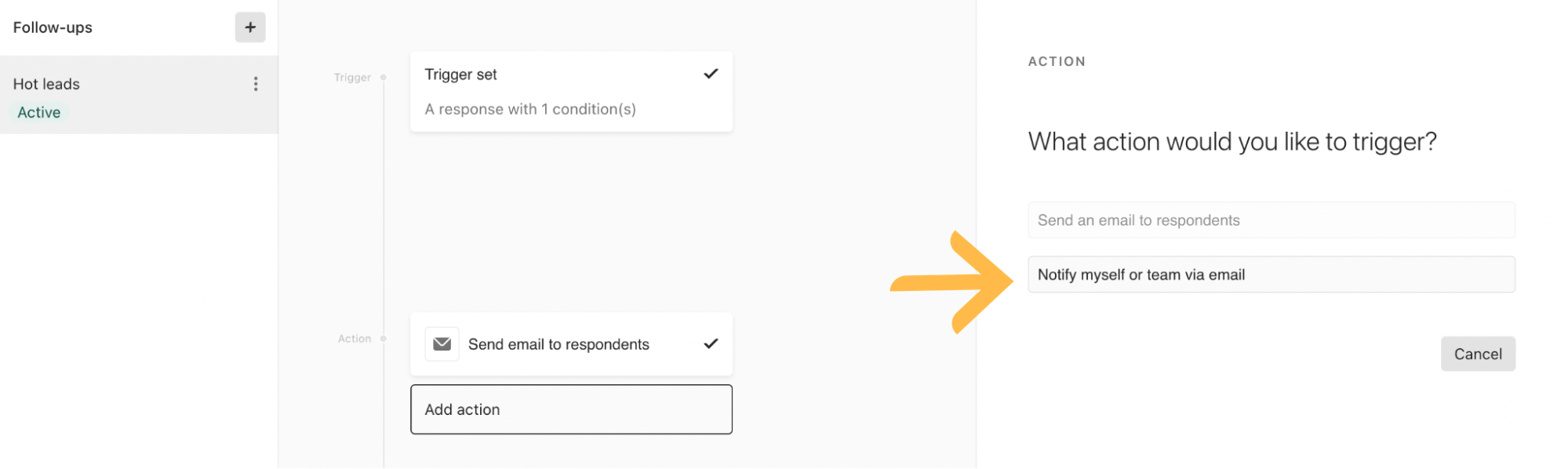
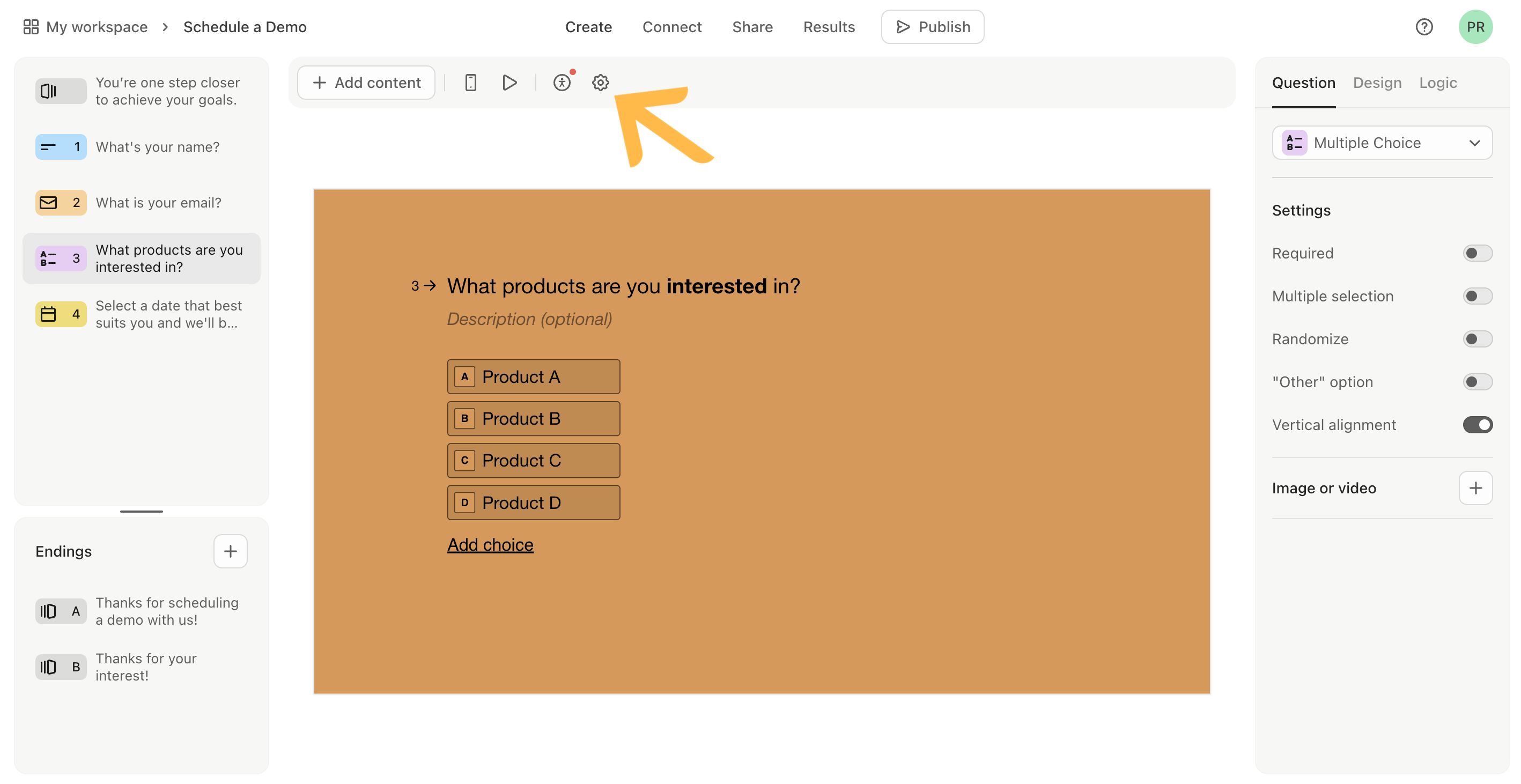
- Review any remaining automation sequences in Typeform: Access settings by clicking the gear icon. If they cannot be created in the Form Builder, may be created in Chat To Clients CRM workflows, like follow up messaging, integrations, and webhooks.
Step 2: Recreate Automations in Chat To Clients CRM
- Set up triggers and actions: Use Chat To Clients CRM’s automation workflows to set up similar sequences that cannot be built inside form builder, such as sending follow-up emails or triggering CRM actions based on form responses.
- Test Automations: Ensure that each automation triggers correctly and performs as expected when forms are submitted.
Migrate Form Domains & QR Codes
You must migrate the domain so the customer can continue to use this for Chat To Clients CRM forms and leads can access previous custom links. Forms can be shared with custom QR Codes. Recreate any QR codes for forms in Chat To Clients CRM.
Step 1: Document and Remove TypeForm Domain
- Document TypeForm Custom Domain: Click the organization avatar in the upper left-hand corner and go to Admin settings.
- Remove TypeForm Custom Domain: On the Admin settings page, click Change URL. Choose the Custom domain radio button and click Confirm.
Step 2: Add 301 redirect in Chat To Clients CRM
- Setup a Redirect: go to Sites > URL Redirects
- Test Sharing and Accessibility: Test each form’s accessibility across various platforms and devices to ensure a smooth user experience.
Step 3: Add API Domain in Chat To Clients CRM
- Rebrand Forms with Domains: go to Settings > Business Profile
Step 4: Document Forms with QR Codes in TypeForm
- Log into Typeform: To get to the Share panel, open up a form and click Share. The last icon gives you a QR code, which you can also use to share your form.
Step 5: Add QR codes in Chat To Clients CRM
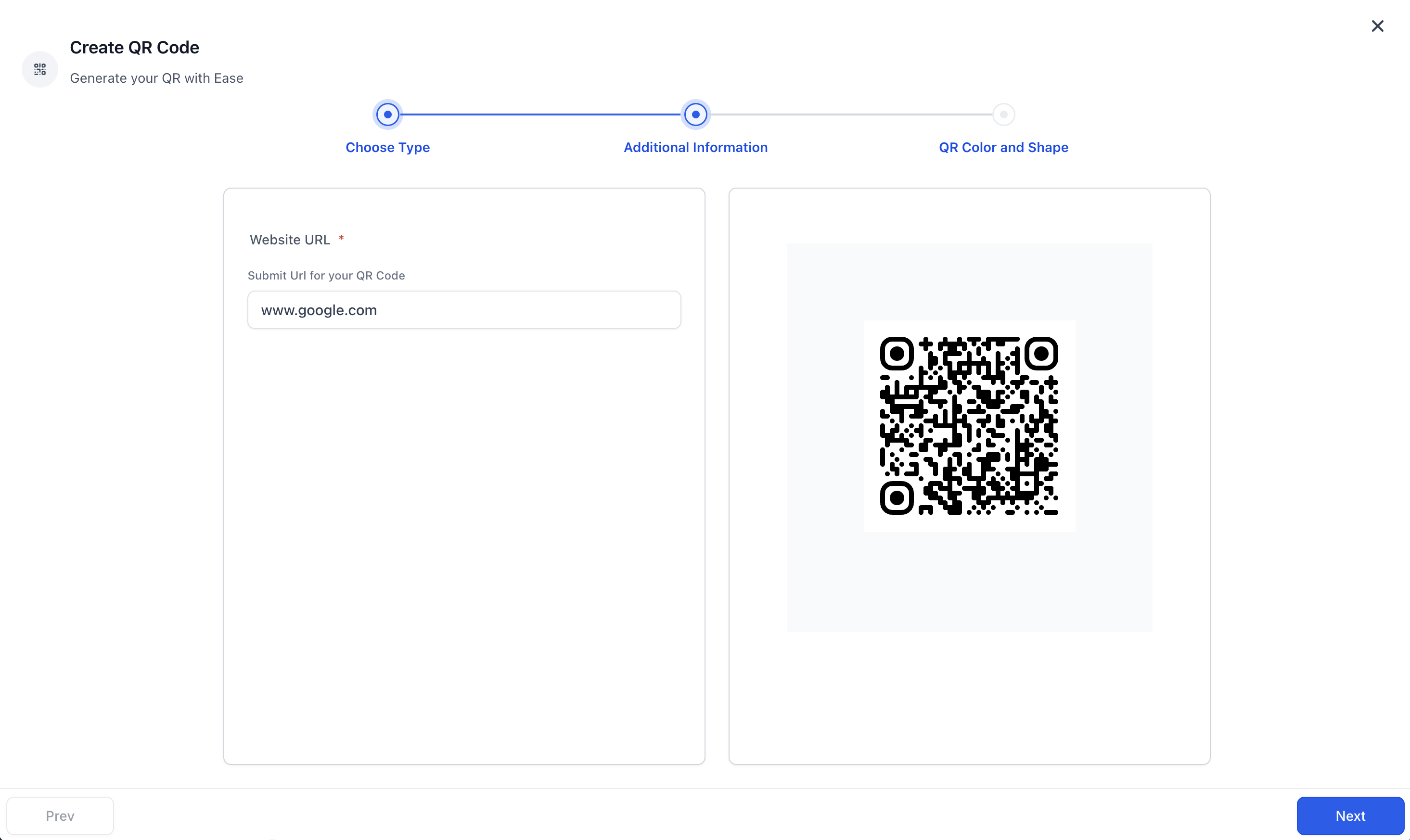
- Create QR Code: go to Sites > QR Codes > Create QR code. Add Name and Select QR Type as Website and click on Next.
- Attach Chat To Clients CRM Form URLs: Add your Chat To Clients CRM form URLs here. You can change this website URL later incase you want to redirect your users to a new link.
- Test and Share: For analytics related to QR codes, go to QR Codes > Analytics
Exporting and Generating New Data
Users who cancel their paid Typeform subscriptions will not be able to view or create reports after their plan cancellation goes into effect. This report only supports aggregated form responses. Contact Info, and Address question types are currently not supported.
Step 1: Export Reports from TypeForm
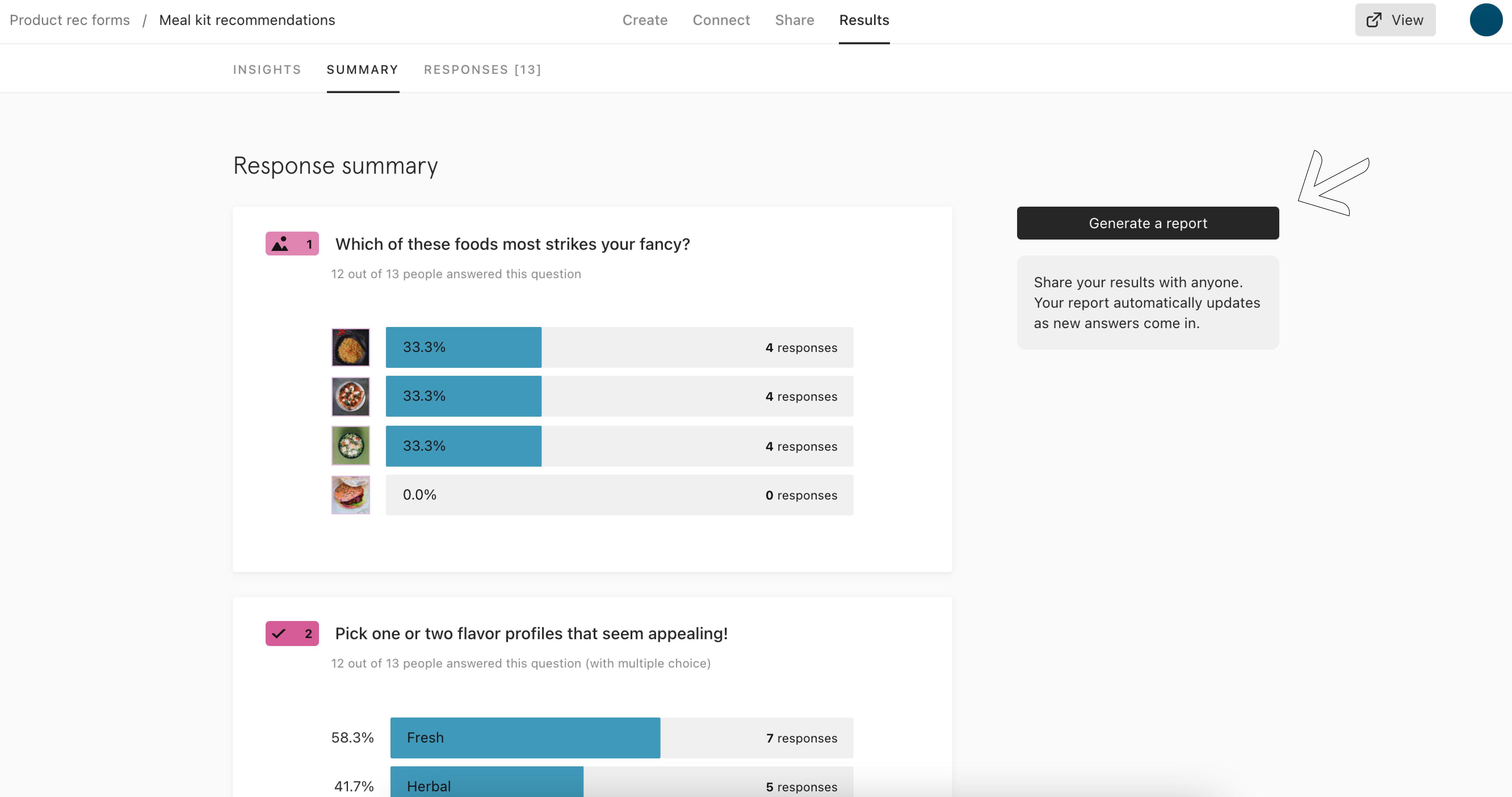
- Generate Report: Open your form from your Workspace, and click on the Results panel, and then Summary. Click Generate a report.
- A new screen will open, where you can see and share your report.
- Show answers to open-ended questions in your report by clicking the toggle on the left.
- Display all open-ended questions so it is included in the report.
- A new screen will open, where you can see and share your report.
Step 2: Save the Report as a PDF
- Click the Print button to print your report: A new tab will open in your browser with a option to Save as PDF. Upload this to Cloud Storage for safekeeping.
Step 3: Form Submissions and Dashboard Widget Reporting
- Where Do Form Responses Show Up?
- Custom Widgets(Pro Plan Users Only)