
Inclusion of Ad Manager in Snapshots
In this article, we will be discussing the steps needed to duplicate Ad campaigns from one sub-account to another using snapshots.
Using Snapshots, agency users can save time during onboarding and provide their locations with desired ad campaigns to be used as start-up templates as they begin. This allows agencies to create snapshots of their desired or high performing Ad Campaigns in one sub-account and easily load it into other existing or new sub-accounts, enabling users to have pre-configured ad campaigns seamlessly. Below enlisted are the steps which one should take to duplicate Ad campaigns from one location to another.
TABLE OF CONTENTS
Step 1: Navigate to Account Snapshots
- Step 2: Create New Snapshot
- Step 3: Create Snapshot
- Step 4: Choose Target Sub-Account
- Step 5: Load Snapshot
- Step 6: Select Ad Campaigns
- Step 7: Final Response of Account Snapshot loading
- Step 8: View Loaded Ad Campaigns
- Important Notes:
Step 1: Navigate to Account Snapshots
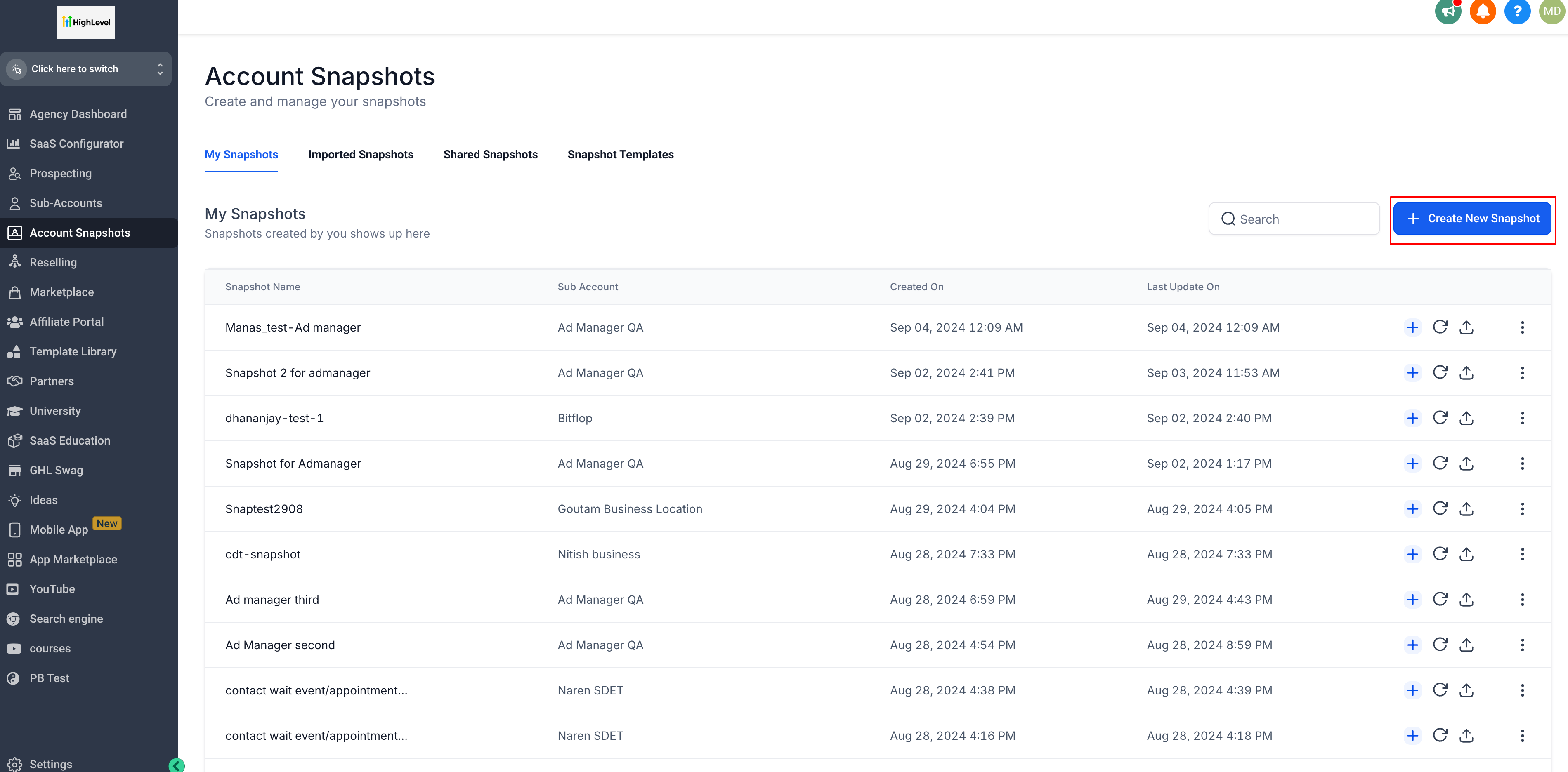
- Head over to Agency View and navigate to the Account Snapshots page.
Step 2: Create New Snapshot
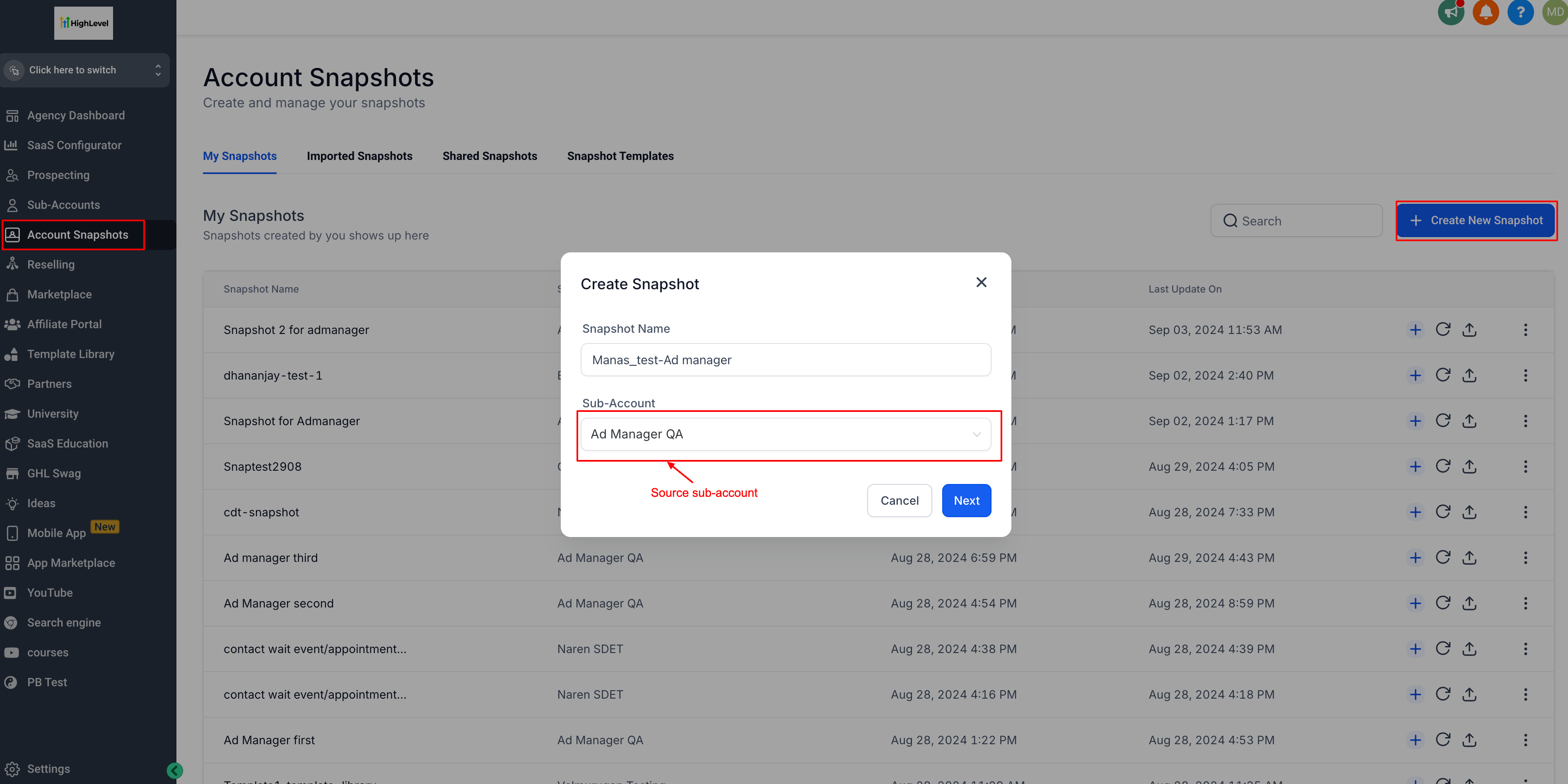
- Click on "Create New Snapshot" and give it a name. Choose the source sub-account where your ideal ad campaigns are present that you wish to share with other locations.
Step 3: Create Snapshot
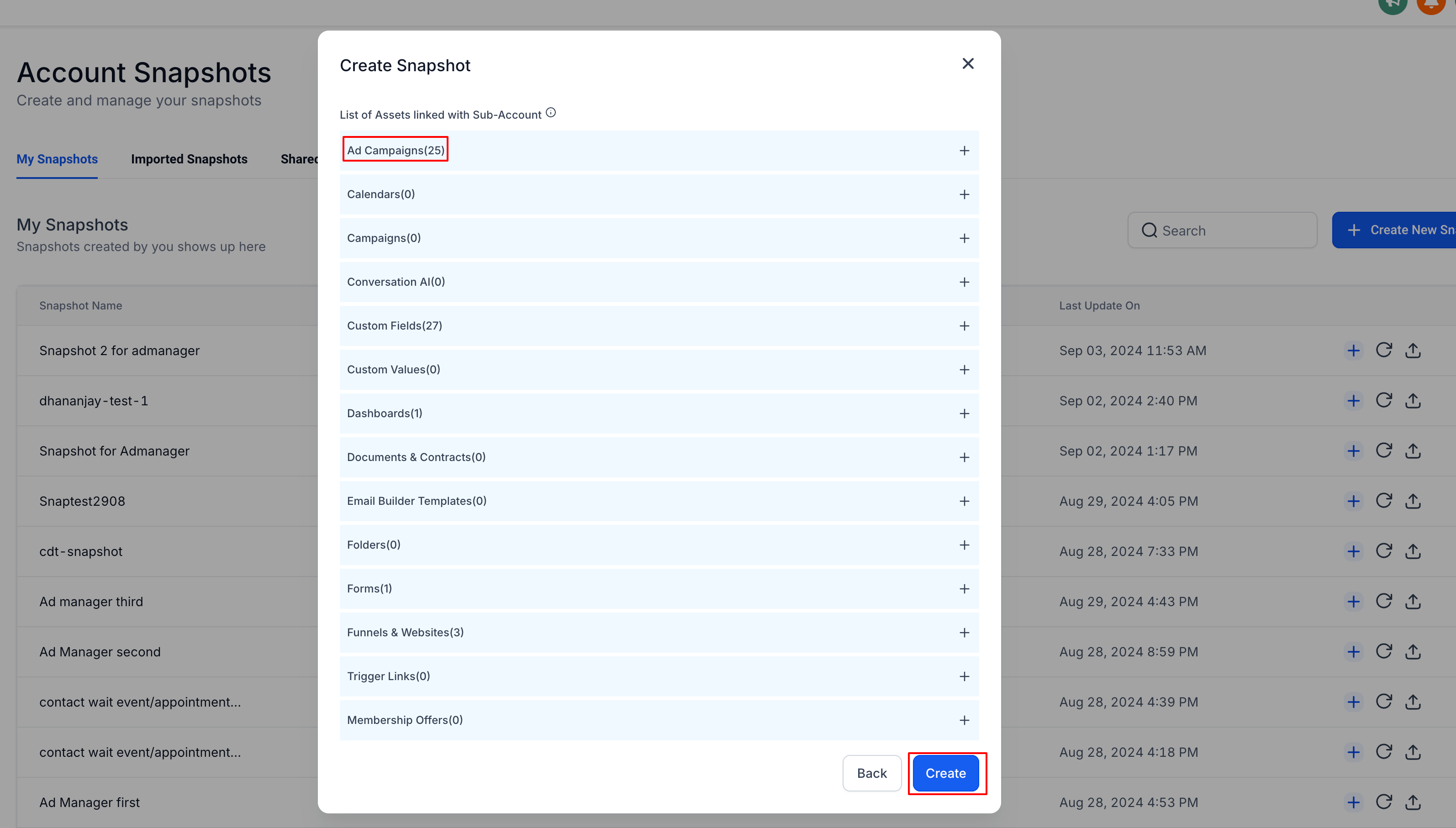
- After verifying the list of assets present in the source sub-account and the desired ad campaigns are present, click on 'Create'.
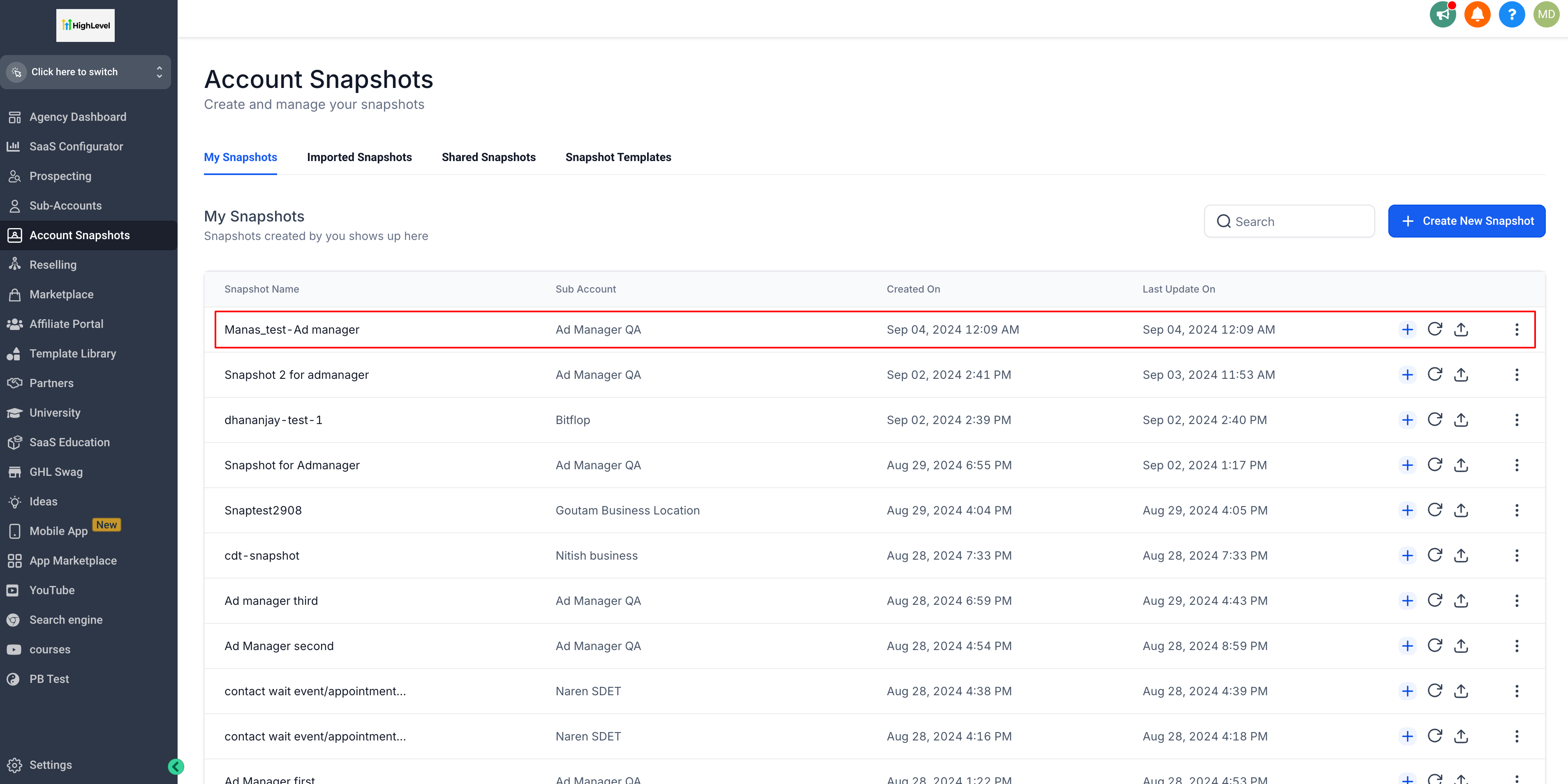
- Once created, you'll see your snapshot added to the list.
Step 4: Choose Target Sub-Account
- Now, you can either create a new sub-account to load the newly created snapshot with the desired ad campaigns or choose an existing sub-account from the list.
- Go to "Sub-Accounts" and select the sub-account into which you want to load the snapshot > under 'basic details' tab of the sub-account > on top right, in the 'Actions' dropdown > select load snapshot.
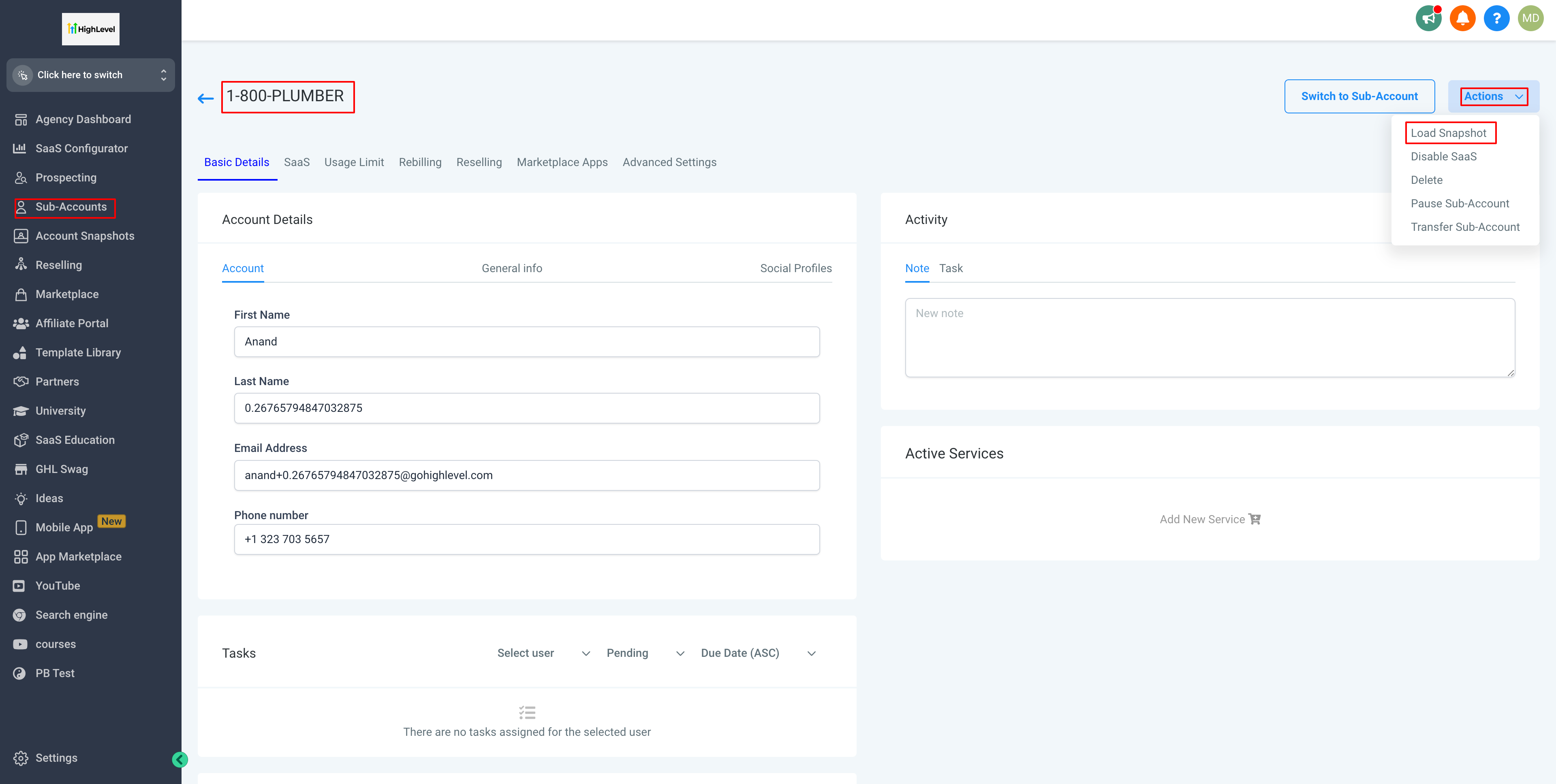
Step 5: Load Snapshot
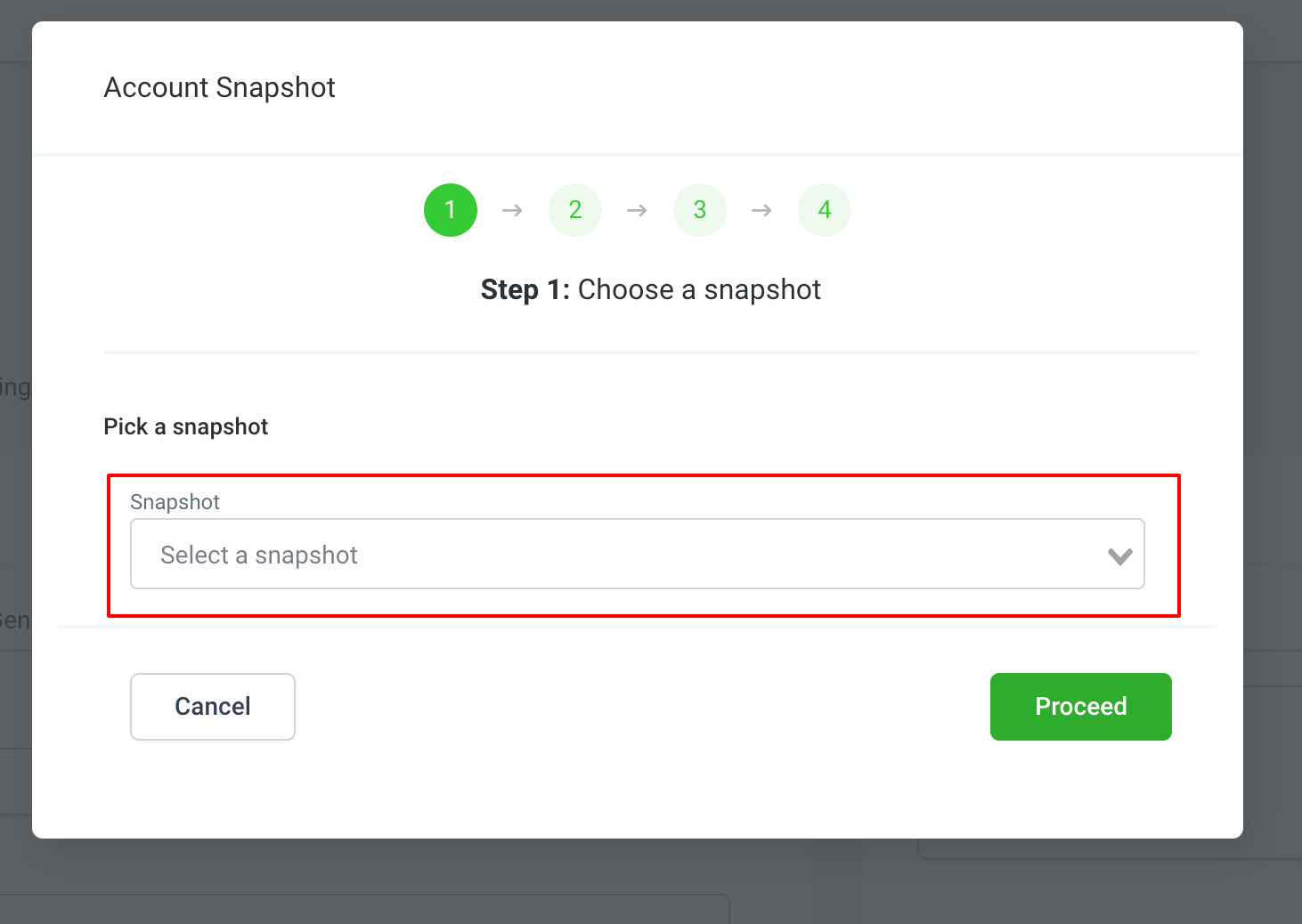
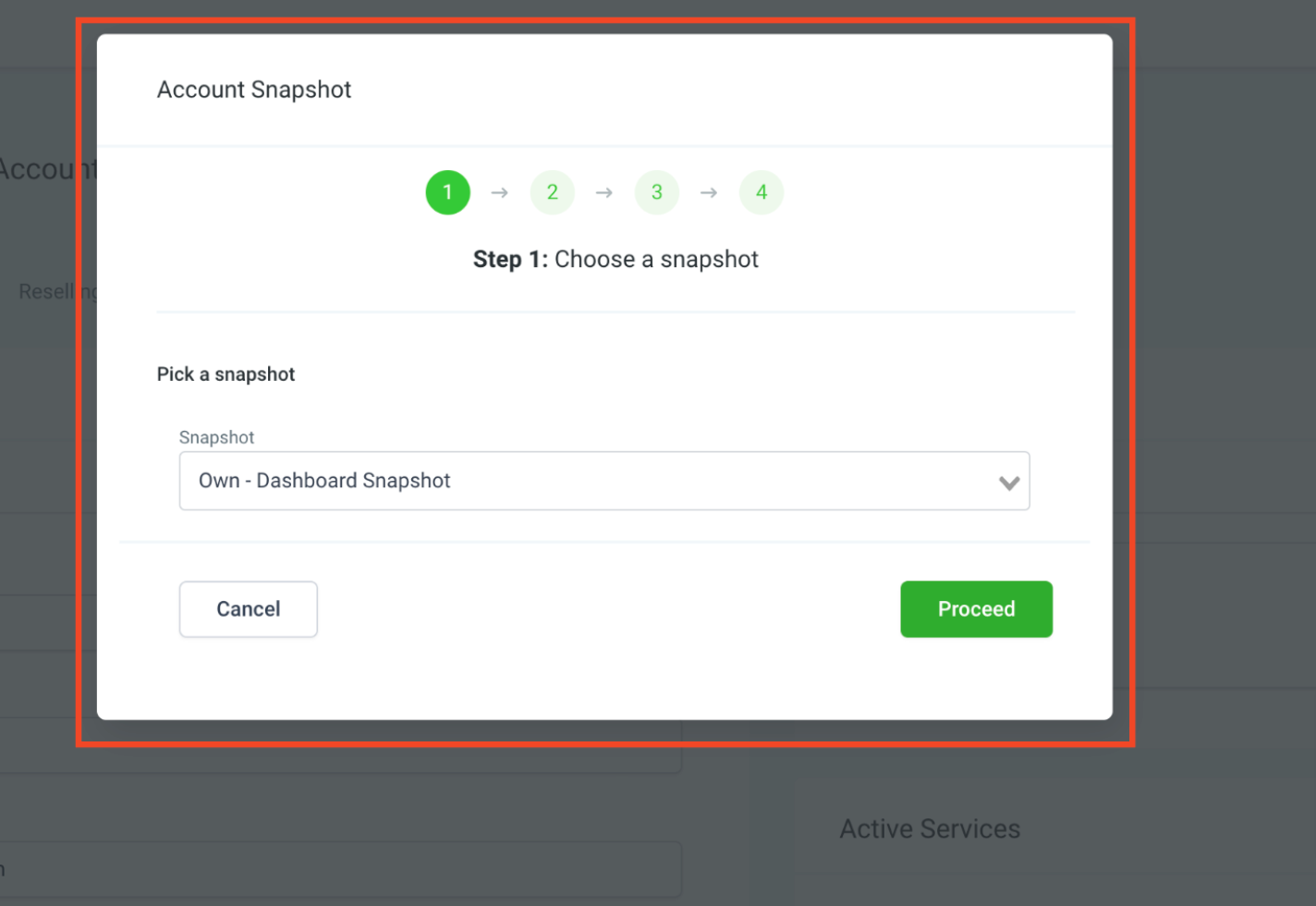
- On click of 'Load Snapshot', you will be presented with a 4 step dialog. As part of the first step, look for the snapshot that you created off the parent location and want to load to the desired location.
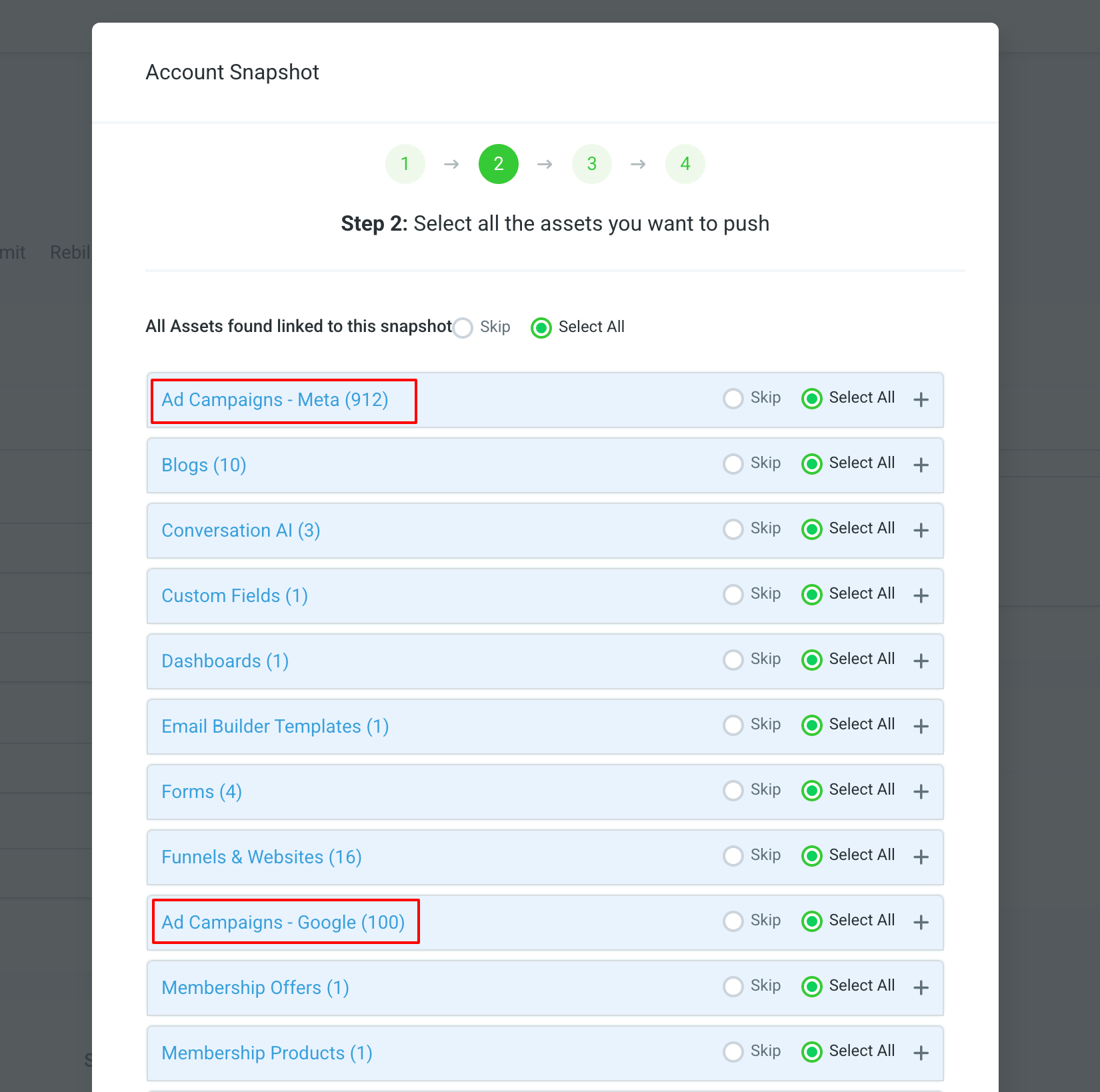
Step 6: Select Ad Campaigns
- From the asset list shown in the second step, locate the Ad Campaigns - Meta and Ad Campaigns - Google asset and choose one or all the ad campaigns you want to load to the target location.
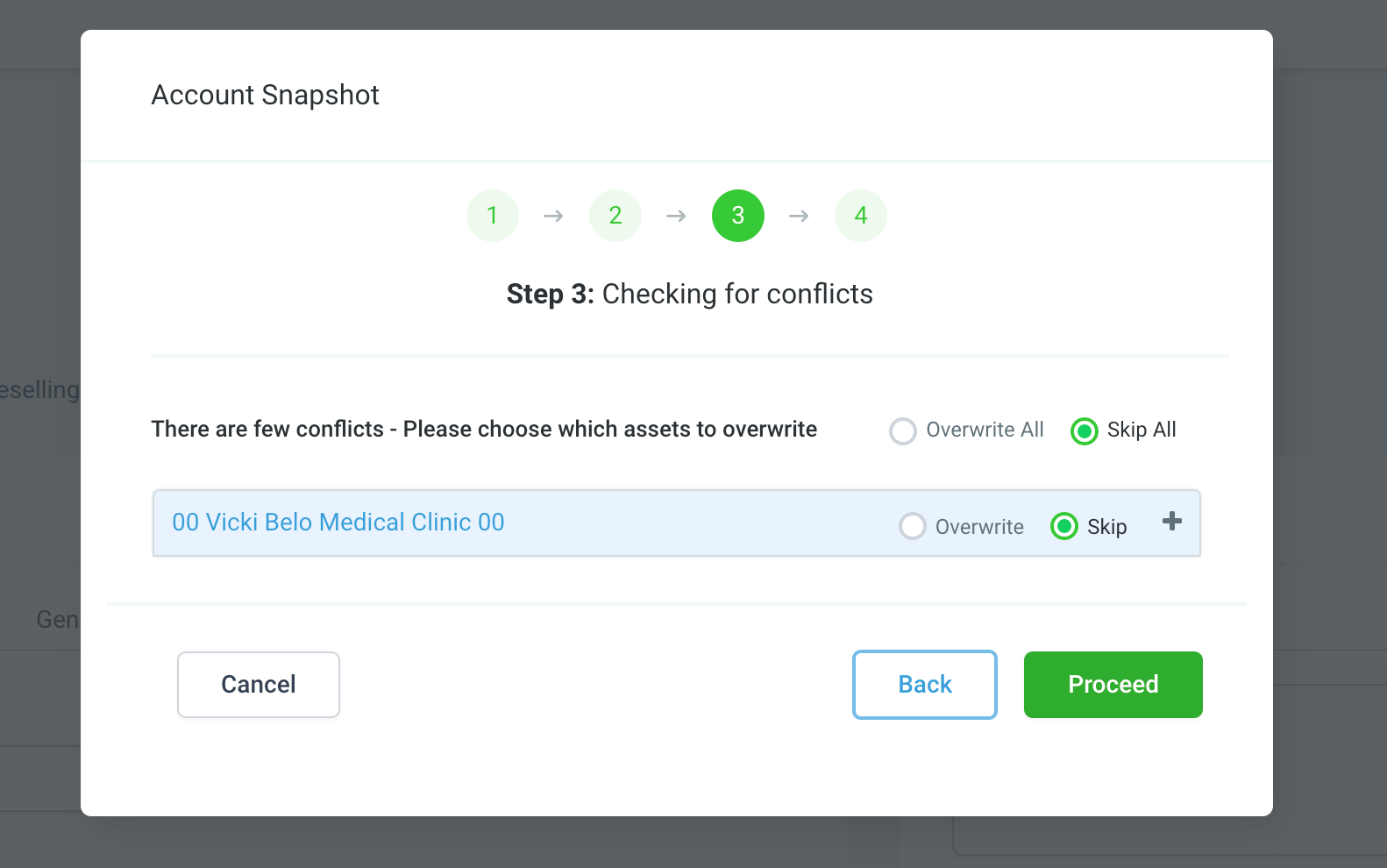
- Click on 'Proceed' once ad campaign assets are selected. It will take you to the next step to check for conflicts at the target location. If any exists, it will show the details of the same as part of step 3 and you will have the option to skip the conflicted ones or overwrite them.
Step 7: Final Response of Account Snapshot loading
- Confirm your selection and proceed with the loading process.
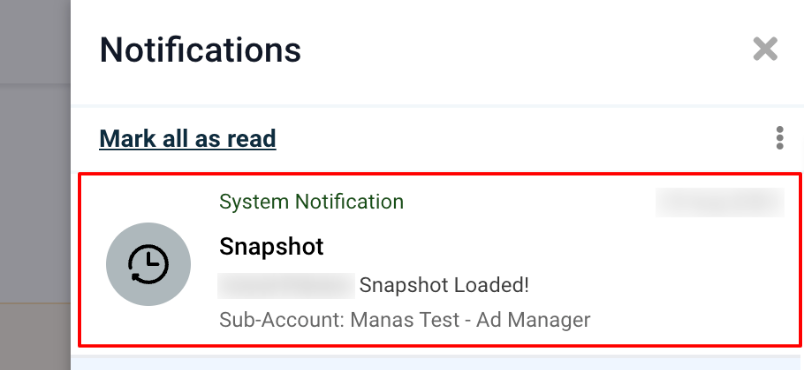
- Once a snapshot is successfully loaded into the desired sub-account, a notification is shown under the bell icon on top right of the application signifying that selected snapshot asset is successfully copied.
Step 8: View Loaded Ad Campaigns
- Head over to the target sub-account, and you'll find the ad campaigns loaded and shown in the 'Campaign Details' list once you complete the onboarding process of connecting your Facebook account, Ad account and Facebook page.
Important Notes:
Ad Campaigns that are loaded to the desired sub-account will be created under the selected and connected default page of the target sub-account. Users can change it to a page of their choice.All the Facebook specific assets like Lead Forms, Custom Audiences, Lookalike Audiences will not be copied as they are specific to the Ad Account and Business Manager connected at the source sub-account. Therefore, if a source sub-account ad campaign is using any of these, it will not be part of the copied ad campaigns to the target sub-account. Users would have to add the same or use the ones associate with the Ad Account they will be connecting during onboarding.