How to Use the Rich Text Editor to Enhance Your Calendar Descriptions
We are excited to introduce the
rich text editor
for calendar descriptions! This new feature allows users to create more engaging
, readable, and customizable
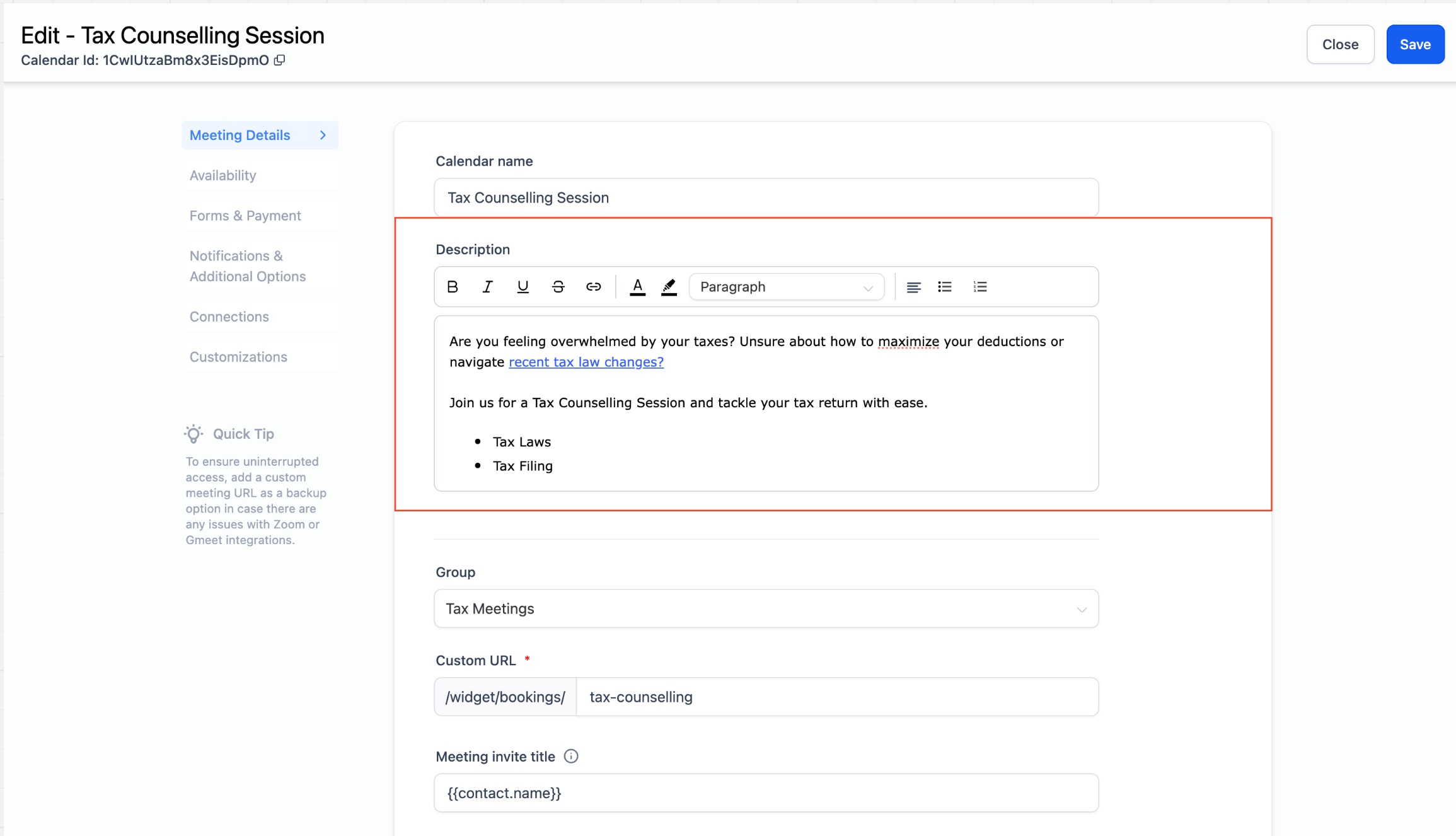
calendar descriptions.With the rich text editor, you can now enhance your calendar descriptions with various formatting options. Here are the features you can use:
- Text Formatting: Bold, Italics, Underline, Strikethrough
- Lists: Bulleted and numbered lists
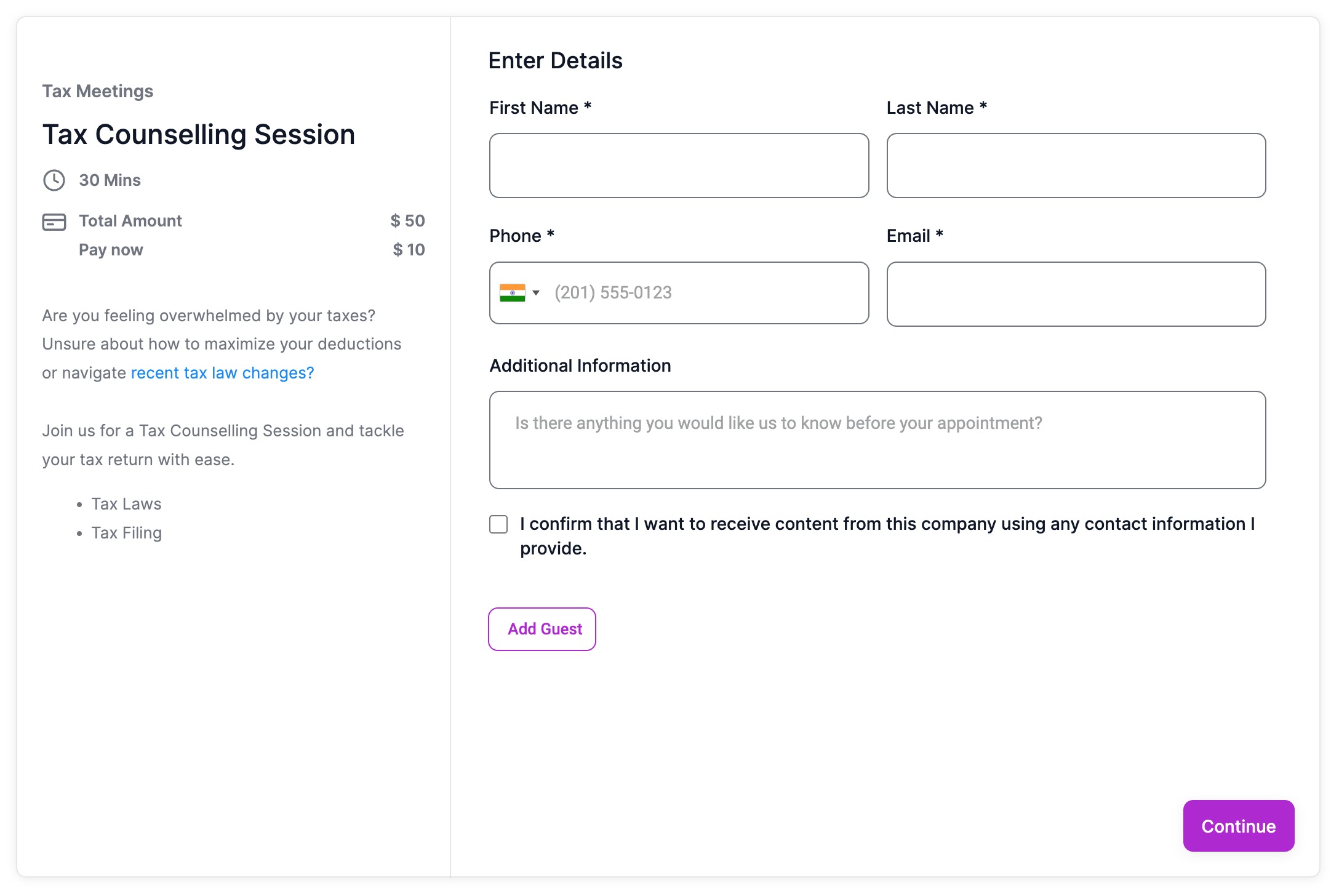
- Hyperlinks: Add clickable links to redirect users to other pages from the booking widget
- Text & Background Color: Customize text and background colors to match your theme
- Paragraphs and Headings: Organize content with paragraphs and different headings
- Text Alignment: Align text to the left, center, or right as per your preference
These enhancements enable you to highlight important information, improve readability, and make your calendar descriptions visually appealingand in line with your branding.
How to Use?
- Go to the calendar settings and select the calendar you want to edit.
- Navigate to the 'Meeting Details' section.
- Under the calendar description, you will find the rich text editor options.
- Use the available formatting options to create your desired description.
- Click "Save" to apply the changes.