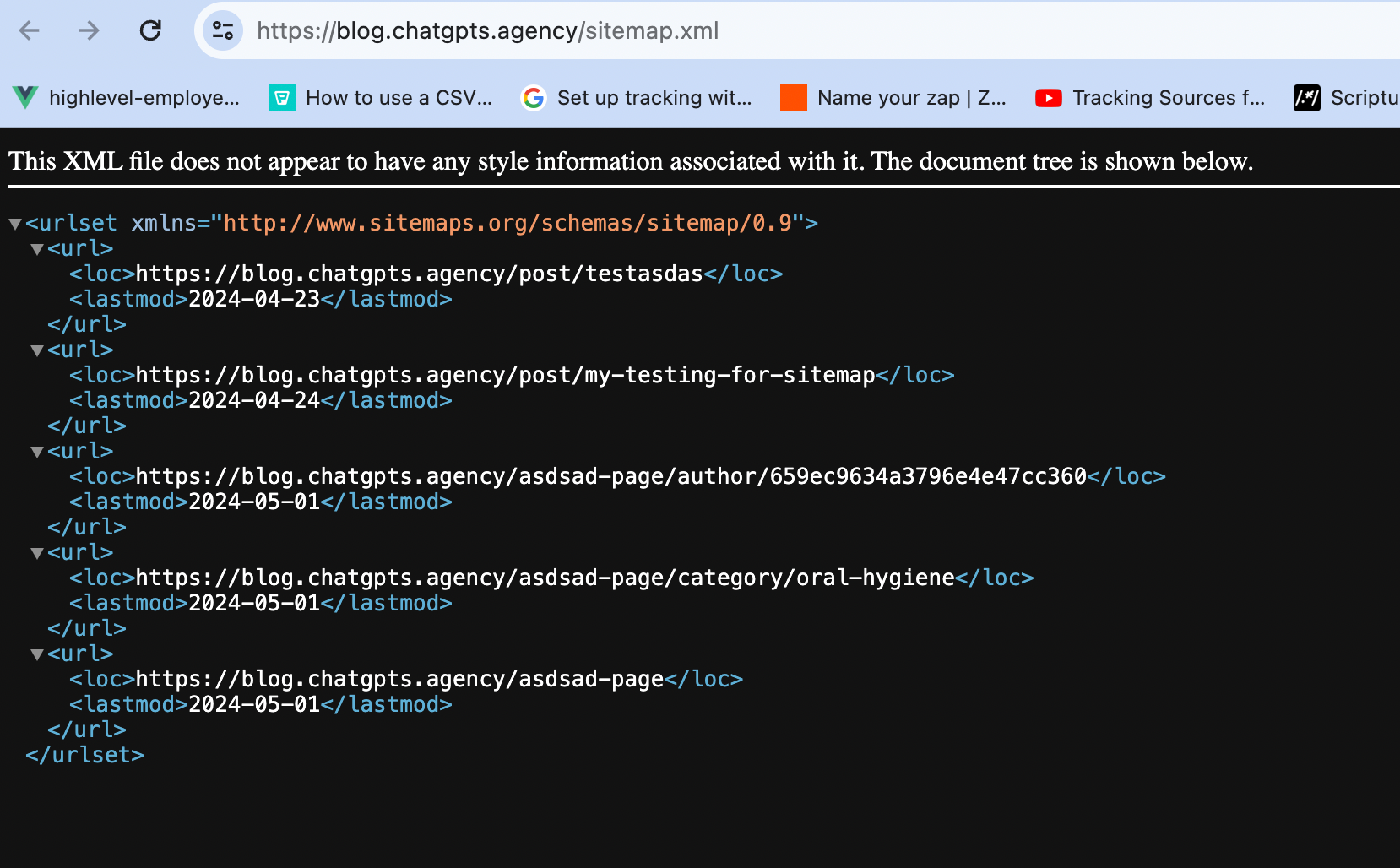
How to add Blog Sitemap?
Having XML sitemaps allows search engines to crawl and index a website sufficiently, and allowing all search engines to be notified of the site map by inserting it into the robots.txt file. In a nutshell, sitemaps enhance the ranking of a website in search engine results, thus boosting the SEO efforts.
New Blog allows automatic sitemap, which means everytime a post is published the sitemap gets automatically updated.
How does it work?
- Go to Domain
- Add the domain -Follow this article for Domain setup /
- After adding the domain, in three dots the option to visit the XML Sitemap
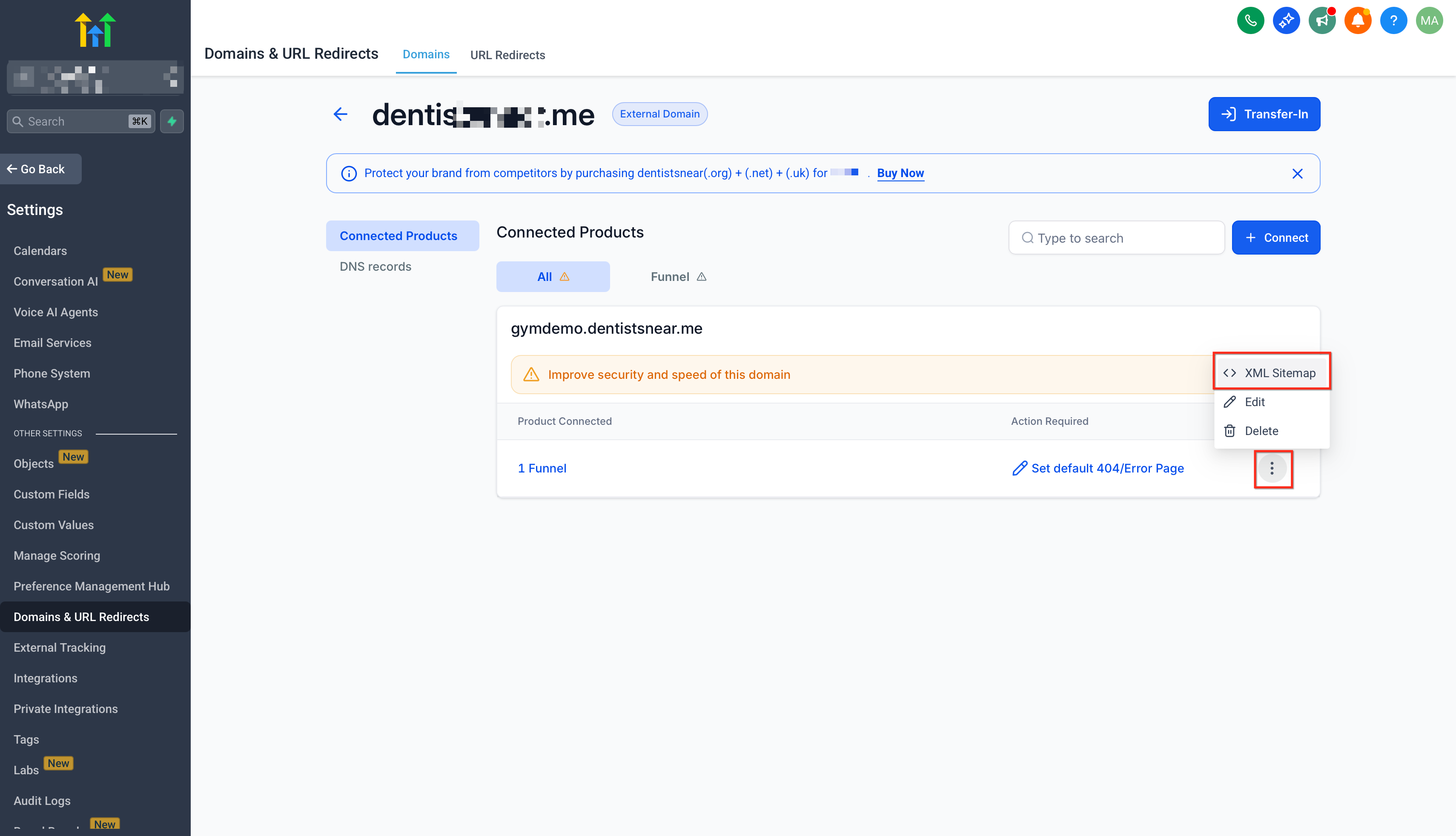
- In XML Sitemap, step one is to select the landing pages/funnel to add by selecting the blog home and blog post option.
- In step two, click on generate Sitemap
Example -