
Understanding Email Conversion and Revenue Attribution
What Is Email Conversion and Revenue Attribution?
Email conversion and revenue attribution helps you understand which email campaign receives credit when a recipient interacts with an email and later completes an eligible purchase. Chat To Clients CRM uses an attribution window to connect qualifying email interactions with subsequent orders and display the resulting conversion and revenue data in Email
Statistics.
By default, Chat To Clients CRM uses a 5-day attribution window, which can be customized based on your reporting needs.
Note: Attributed revenue is not the same as ROI. Revenue attribution measures revenue credited to a campaign, while ROI also requires cost or spend information.
How Email Attribution Works
Chat To Clients CRM uses qualifying email interactions and the configured attribution window to determine which campaign receives credit for an eligible purchase. When a contact interacts with multiple eligible campaigns, the most recent qualifying campaign within the attribution window receives the attribution.
For example:
A contact opens Campaign A.
The contact later clicks Campaign B.
The contact completes an eligible purchase within the attribution window.
Campaign B receives credit because it was the most recent qualifying email interaction.
If the purchase occurs outside the configured attribution window, it is not attributed to the campaign under this attribution model.
Email Conversion Metrics
Conversion statistics help you evaluate the purchases and revenue attributed to an email campaign. The available metrics provide both overall revenue performance and record-level conversion information.
| Metric | Meaning |
|---|---|
| Orders/Conversions | Number of purchases or conversions attributed to the campaign |
| Revenue | Total revenue attributed to the campaign |
| RPR (Revenue per Recipient) | Average revenue generated per email recipient |
| Conversion/Order Rate | Rate at which recipients generated attributed conversions |
| Average Order Value | Average value of attributed orders |
How to View Email Conversion Metrics
Campaign Statistics provides the conversion and revenue information associated with an individual email campaign. Use this view when you want to understand how a specific campaign contributed to eligible purchases.
Go to Marketing > Emails > Campaigns.
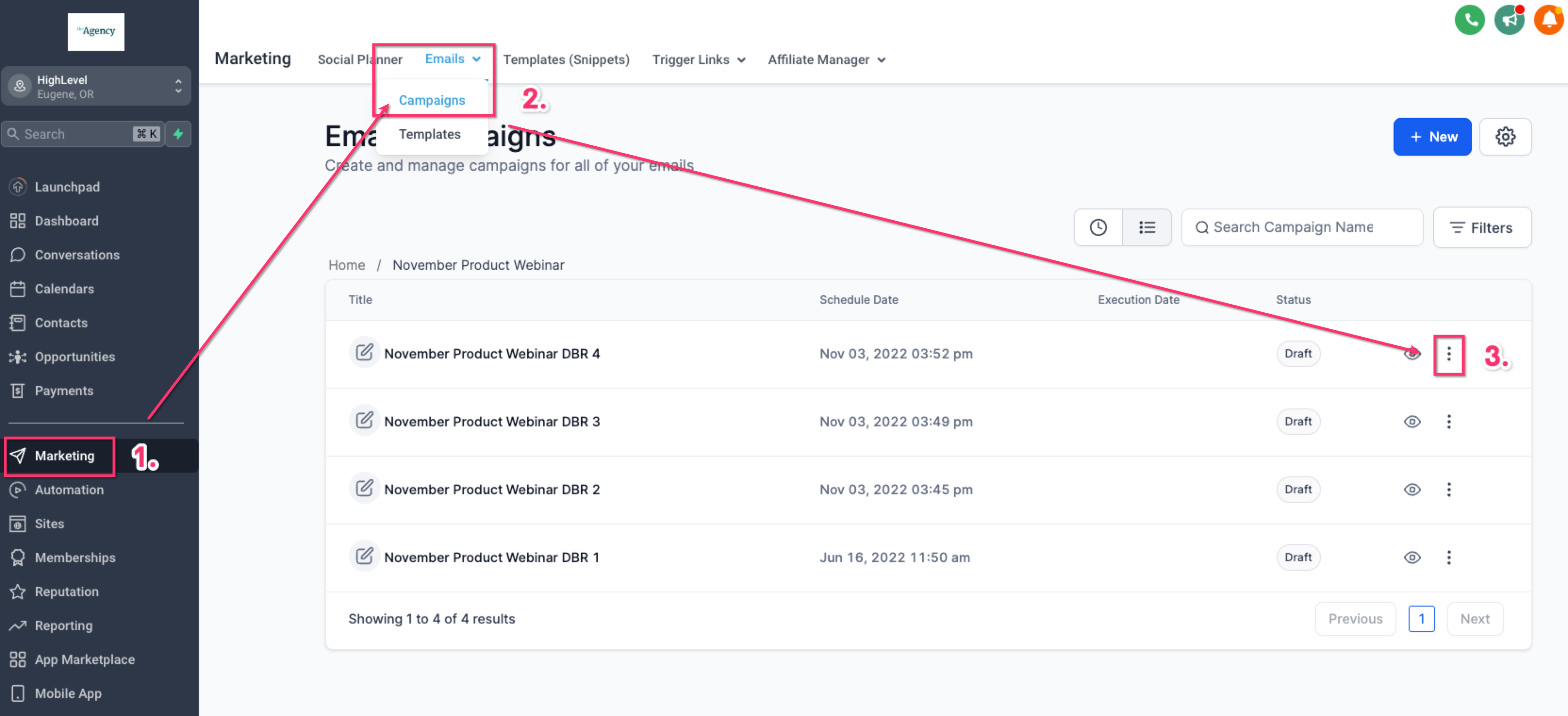
Locate the email campaign you want to review.
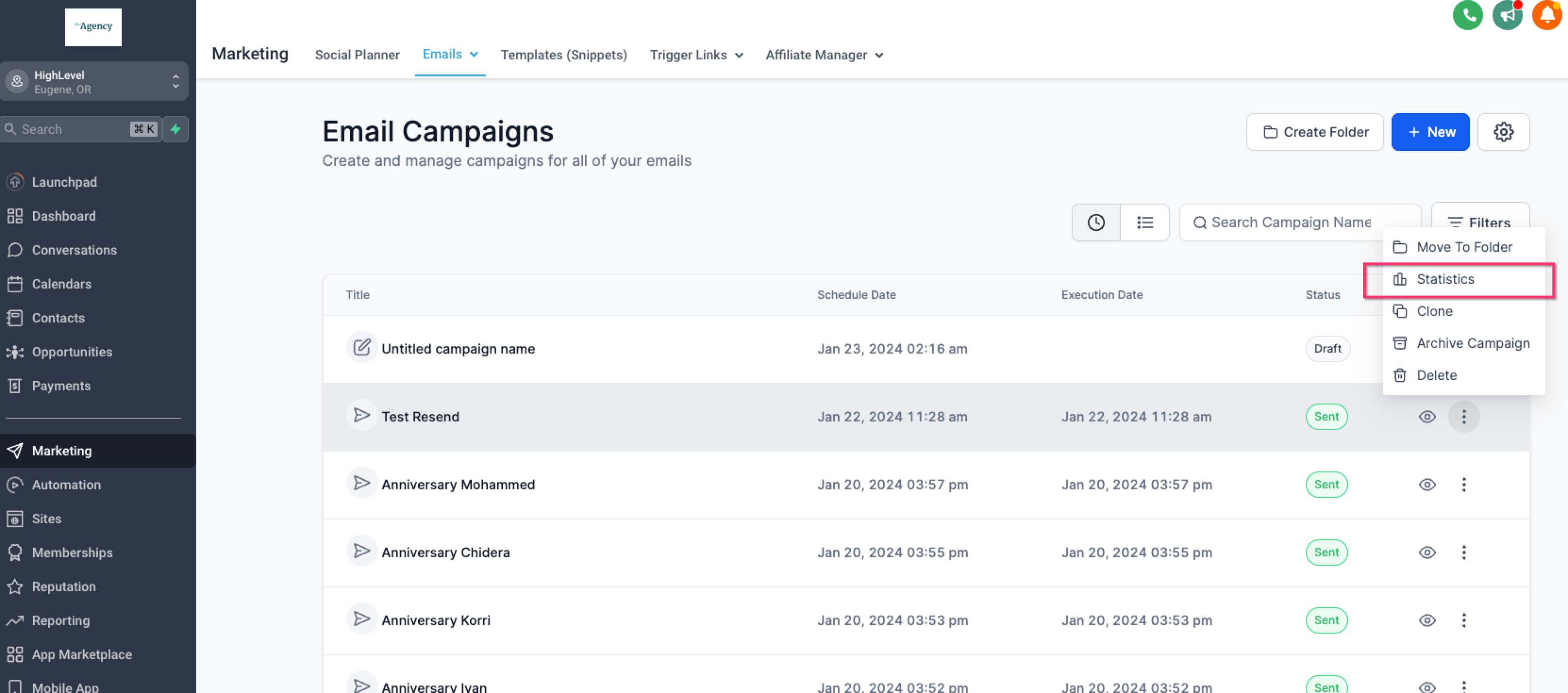
Open the three-dot menu and select Statistics.
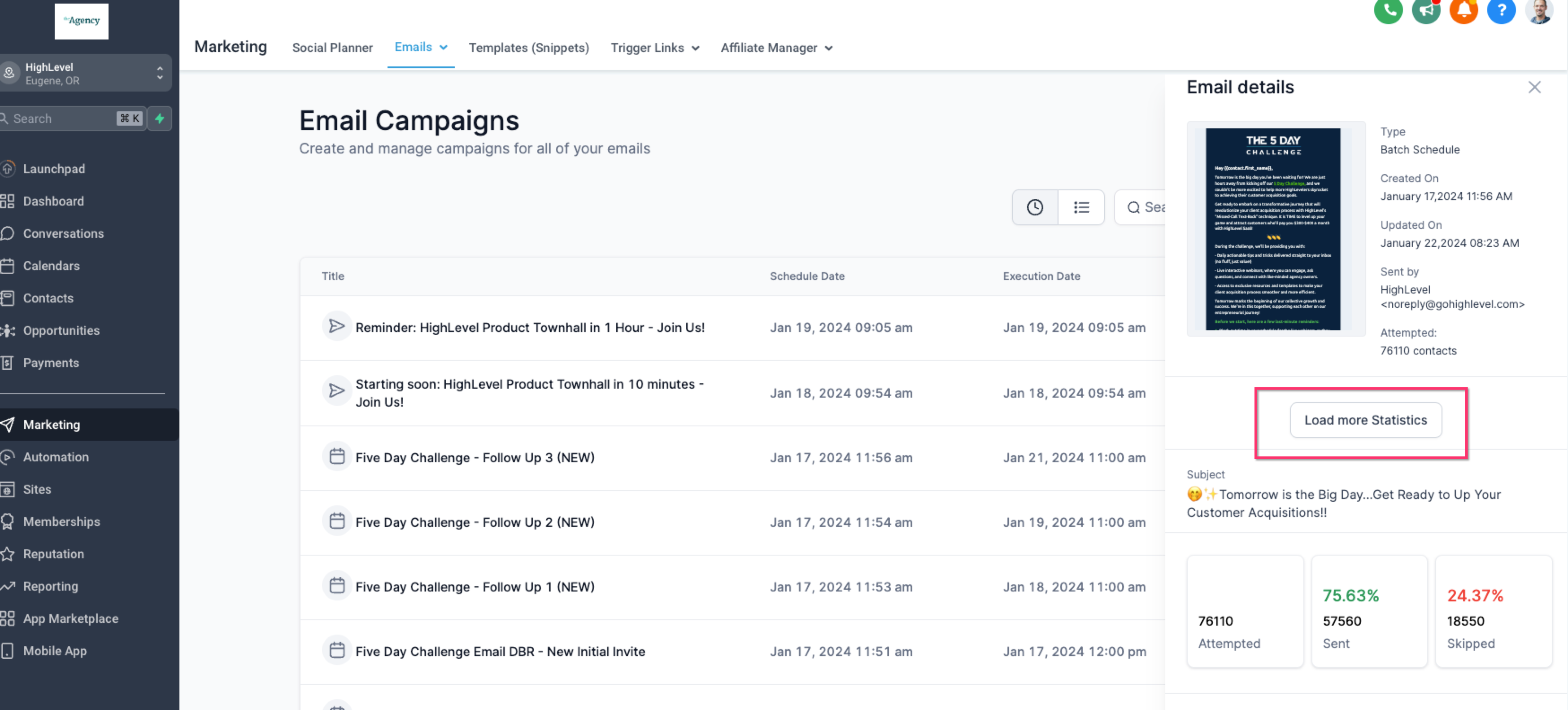
Click Load More Statistics.
Review the available conversion and revenue metrics.
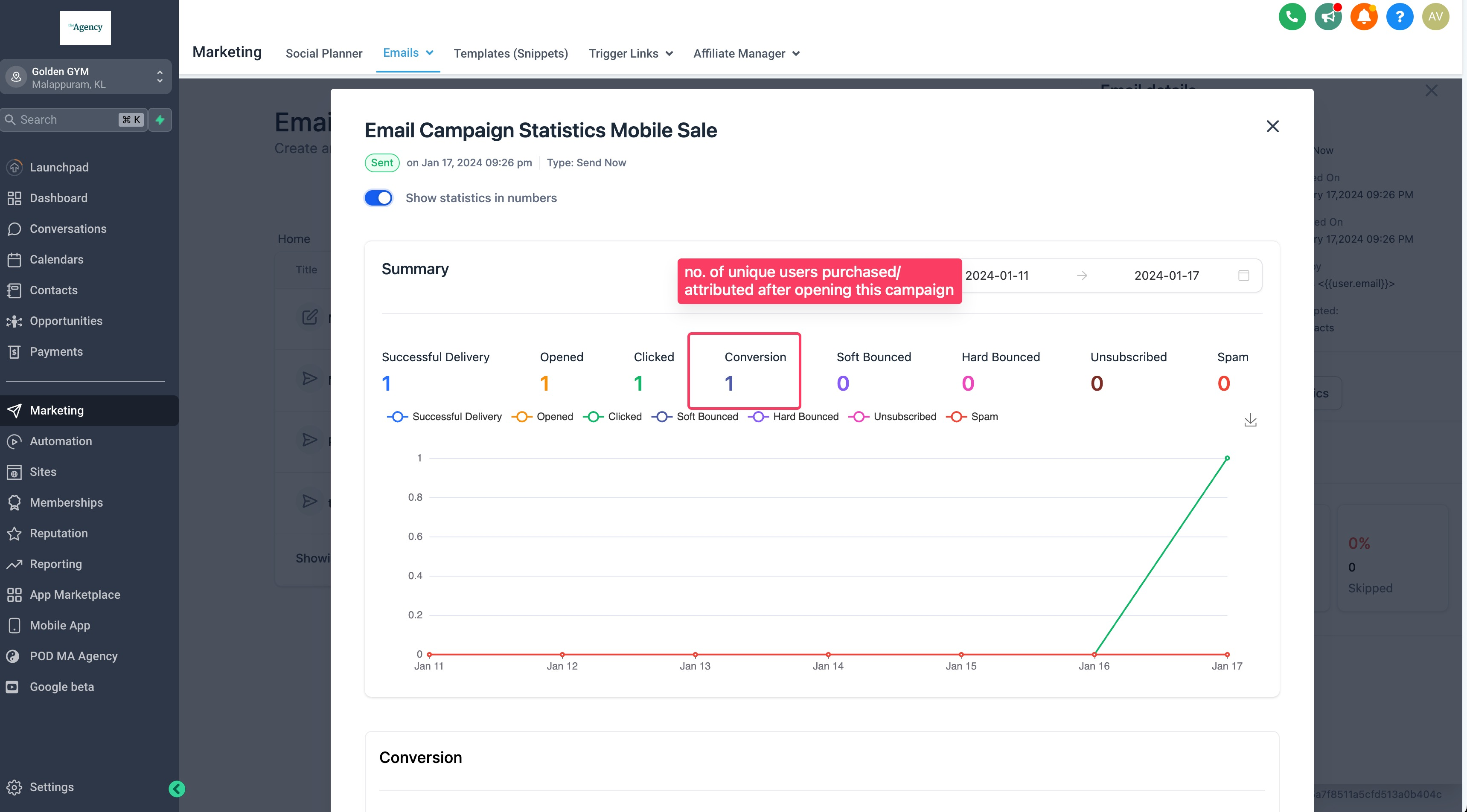
Use the Ordered tab to review contacts whose eligible purchases were attributed to the campaign.
Note: Eligible orders reflected in Chat To Clients CRM Payments can be considered for attribution, including Shopify orders as documented by Chat To Clients CRM.
Configure Email Attribution
Attribution settings determine how long a qualifying email interaction can receive credit for a purchase and which campaigns are eligible for attribution. Adjust these settings based on how you want to evaluate email-driven revenue.
Attribution Window
Chat To Clients CRM uses a 5-day attribution window by default. You can customize this period in the applicable email attribution settings.
A longer attribution window allows purchases occurring further from the qualifying email interaction to receive attribution, while a shorter window limits attribution to purchases occurring closer to the interaction.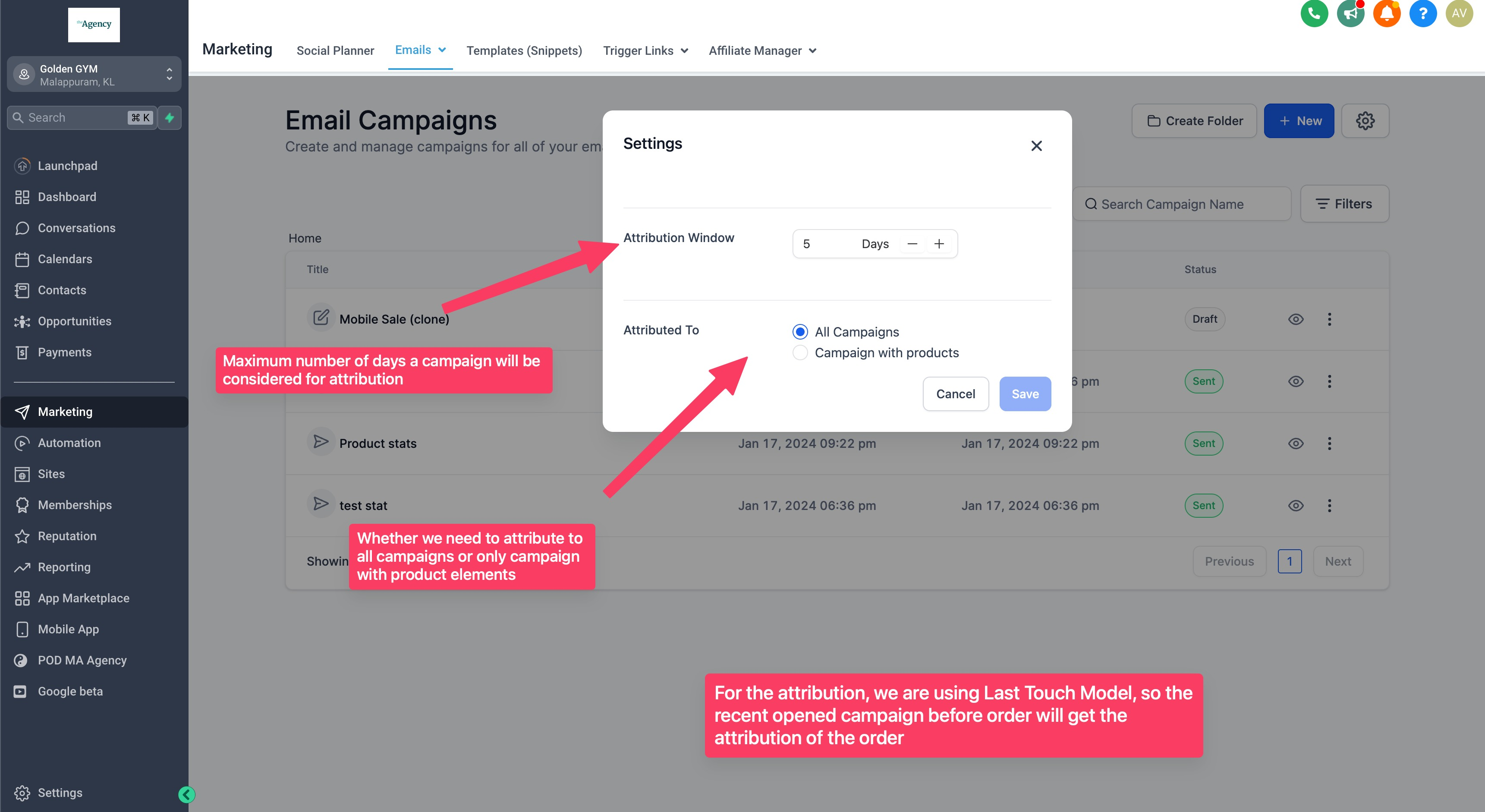
Attribution Scope
Chat To Clients CRM provides attribution scope options including:
All Campaigns: Allows attribution across eligible email campaigns.
Product Element Specific: Limits attribution to applicable product-focused campaigns.
Choose the option that matches how you want email purchases attributed in your reporting.
Frequently Asked Questions
Q: What happens if a contact interacts with multiple email campaigns?
The most recent qualifying opened or clicked campaign within the attribution window receives credit for the eligible purchase.
Q: What happens if the purchase occurs outside the attribution window?
The purchase is not attributed to that email campaign under the configured attribution model.
Q: Are Shopify orders included in email attribution?
Chat To Clients CRM documents that eligible orders reflected in Payments can be considered for attribution, including Shopify orders.
Q: What is the difference between All Campaigns and Product Element Specific?
All Campaigns allows attribution across eligible campaigns. Product Element Specific limits attribution to applicable product-focused email campaigns.
Q: Is attributed revenue the same as ROI?
No. Attributed revenue shows revenue credited to the campaign according to Chat To Clients CRM's attribution rules. ROI requires cost or spend information in addition to revenue.