
Source Field in Forms and Surveys
The Source field in Chat To Clients CRM forms and surveys lets you assign a predefined source value to submissions without showing the field to respondents. It helps you identify where leads came from and keep Contact Source values organized.
What is the Source Field?
The Source field stores a predefined source value with a form or survey submission. Because the field is hidden from respondents, Chat To Clients CRM can capture source information automatically in the background.
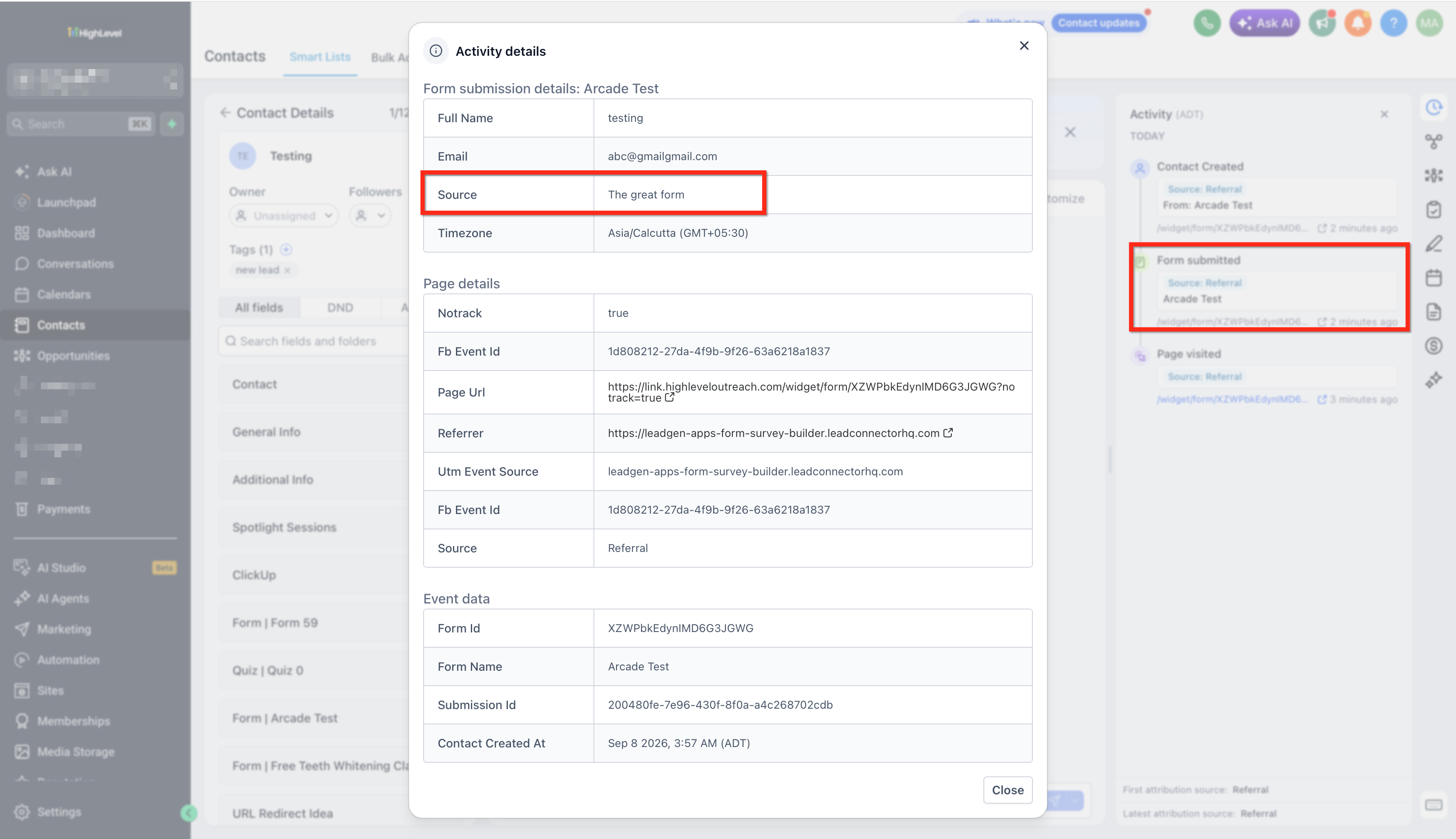
After submission, the value appears with the submission and as the contact’s Contact Source.
Key Benefits of the Source Field
The Source field helps you keep lead-source information consistent without asking respondents to enter it manually.
Automatic source capture: Stores a predefined source value in the background.
Consistent contact organization: Helps standardize Contact Source values.
Flexible URL tracking: Lets you override the configured Source using a URL parameter.
Reusable forms and surveys: Allows one asset to capture different Source values based on the link used.
Using a Source Value from the URL
URL-based Source values are useful when the same form or survey is shared across multiple campaigns or channels.
Add the source query parameter to the form or survey URL:
?source=alternative_source
If the builder contains one Source value and the URL contains another, the URL value overrides the Source configured in the builder for that submission.
Important: The Source field is different from Chat To Clients CRM attribution data such as First Attribution, Latest Attribution, Session Source, and utm_source.How to Set Up the Source Field
Proper setup ensures Chat To Clients CRM captures the intended Source value with each submission.
Go to Sites → Forms or Sites → Surveys and open the asset you want to edit.
Add the Source element to the form or survey.
Enter the Source value you want Chat To Clients CRM to capture.
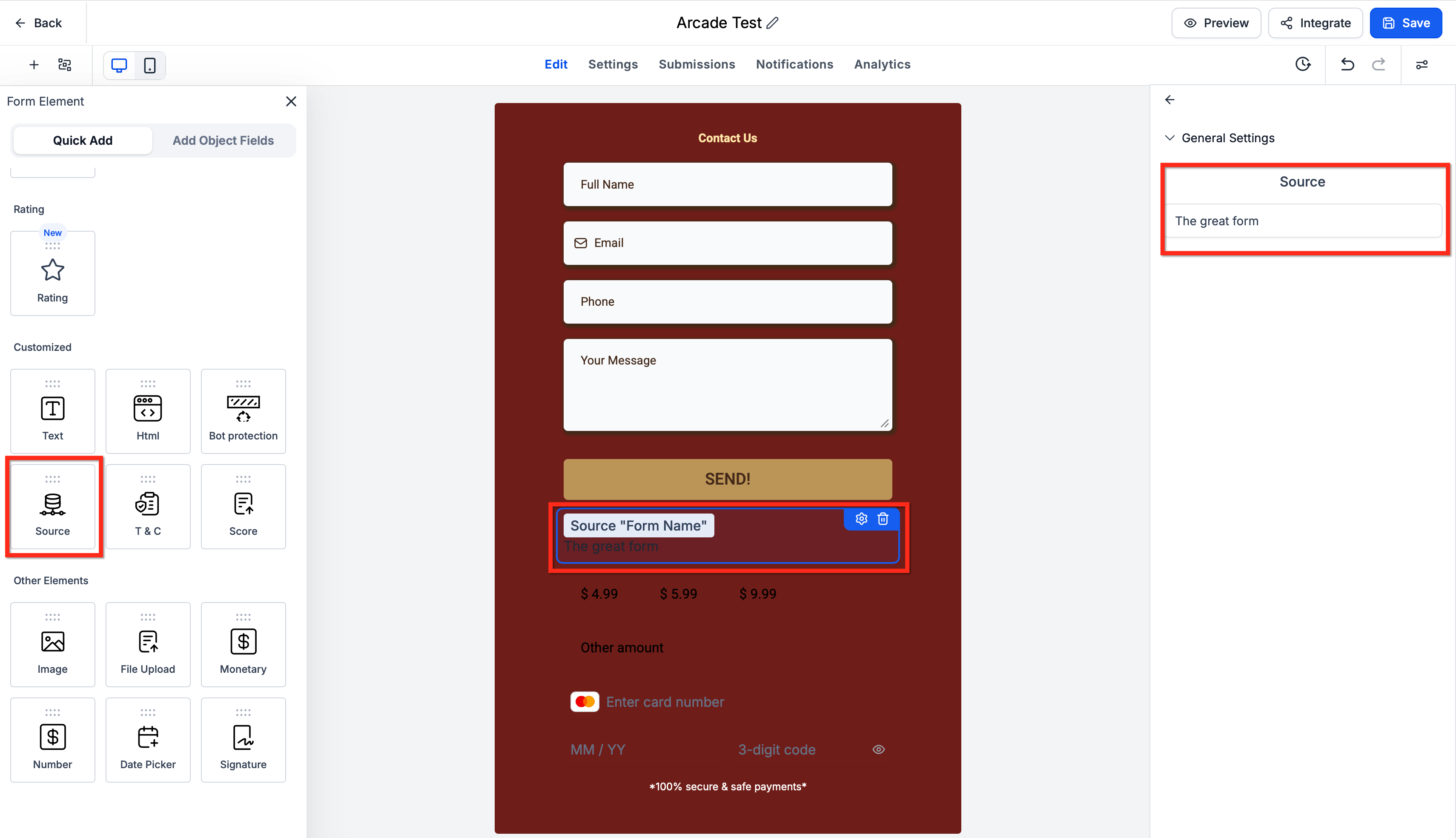
Save the form or survey.
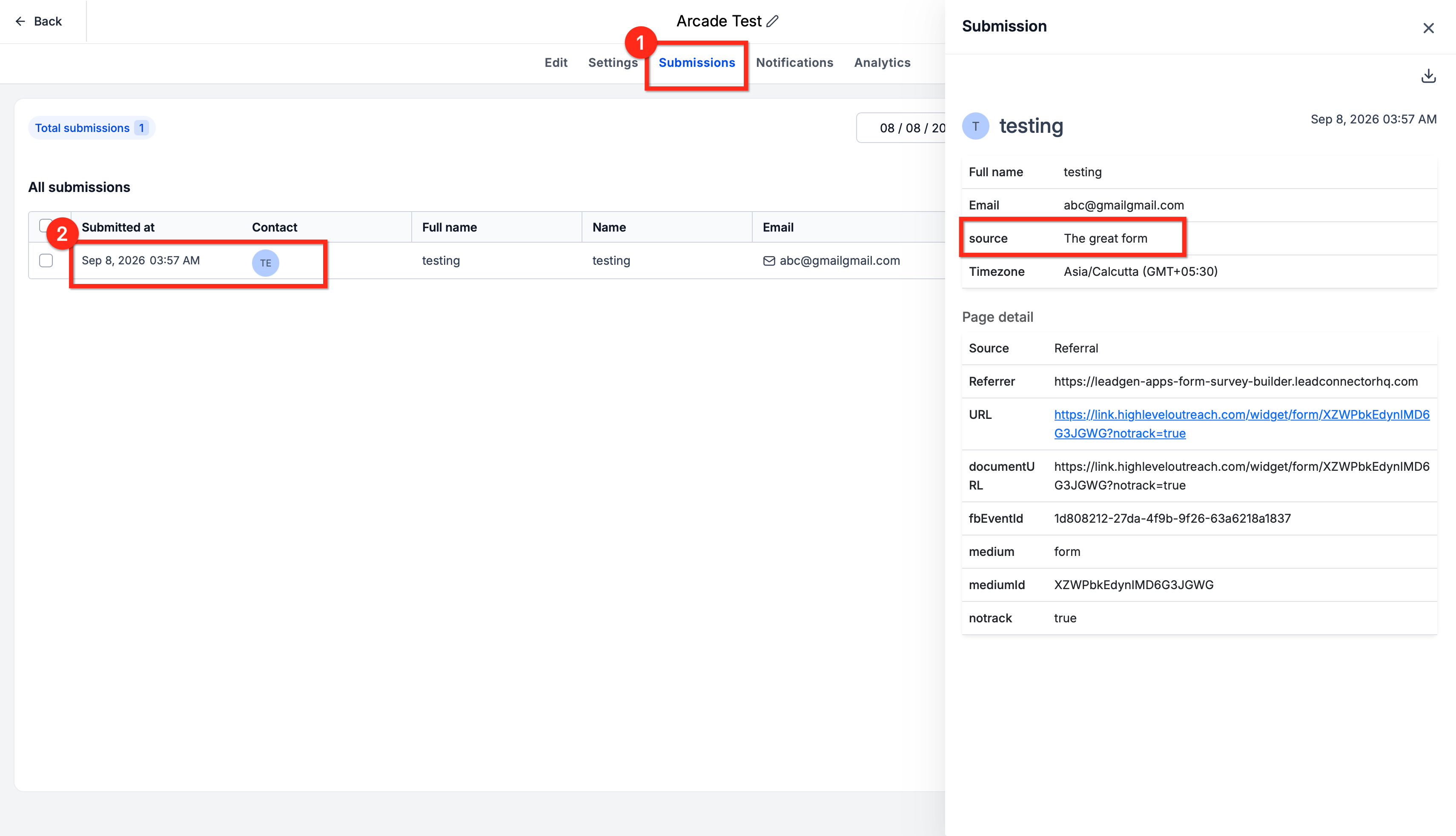
Submit a test response.
Review the submission and confirm the Source value.
Open the related contact record and verify the Contact Source.
Frequently Asked Questions
Q: Is Source the same as Attribution Source?
No. Source is the raw Source value stored on the contact. Chat To Clients CRM attribution uses separate data such as First Attribution, Latest Attribution, Session Source, and UTM parameters.
Q: Is source the same as utm_source?
No. source controls the Source field described in this article. utm_source is used for attribution tracking.
Q: Can I use different Source values with the same form or survey?
Yes. Add a different source value to the URL to override the value configured in the builder.
Q: Can I filter contacts by Contact Source?
Yes. Contact Source can be used in supported contact filters and reporting areas.