
How to Create Equipment
Setting up Equipment allows you to manage shared physical resources—like massage tables, exam chairs, or projectors—used during scheduled services. By connecting equipment to calendars, you prevent double-bookings and maintain operational efficiency.
TABLE OF CONTENTS
- What is Equipment?
- Key Benefits of Equipment
- How to Set Up Equipment
- Editing or Deleting Equipment
- Frequently Asked Questions
- Related Articles
What is Equipment?
Equipment refers to shared tools, devices, or physical resources that are needed for services offered in your business — like projectors, therapy tables, or treatment chairs. When added to your system, these resources can be linked to calendars and availability settings to prevent scheduling conflicts. This ensures that only available equipment is booked, allowing for smooth operations and improved client experiences.
Key Benefits of Equipment
Using equipment in your scheduling setup improves visibility and prevents overlaps with limited-use resources.
Prevent double-bookings of shared resources
Assign equipment to specific calendars or services
Automate resource availability during appointment scheduling
Reduce manual coordination and increase reliability
Improve staff efficiency and service quality
Manage resources across multiple locations
How to Set Up Equipment
Creating equipment ensures availability logic is respected across all scheduled appointments.
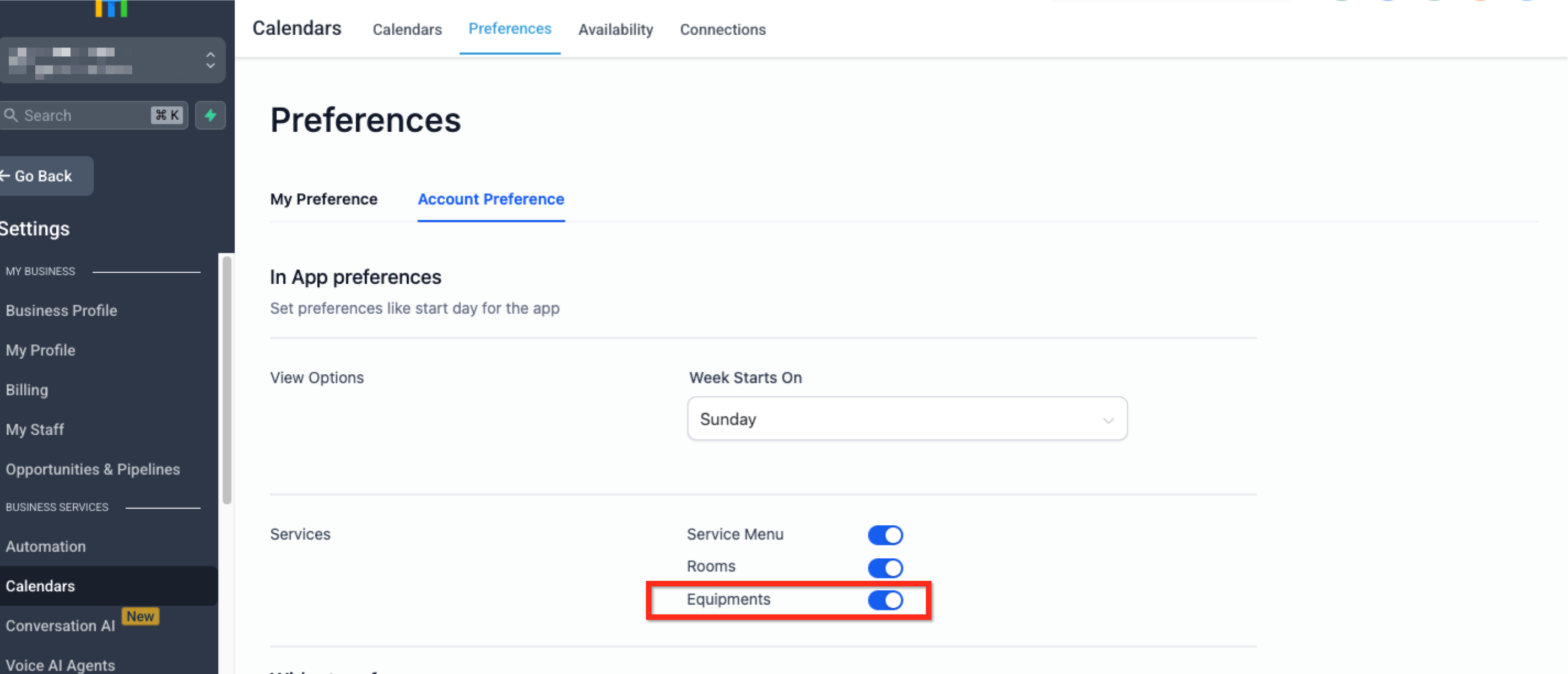
Step 1: Enable Equipment
Go to Settings > Calendar Settings
Select the Preferences tab in the secondary navigation ribbon
Select the Account Preference tab located under preferences
Toggle on the blue switch labeled Equipments, located in the Services section
Step 2: Create Equipment
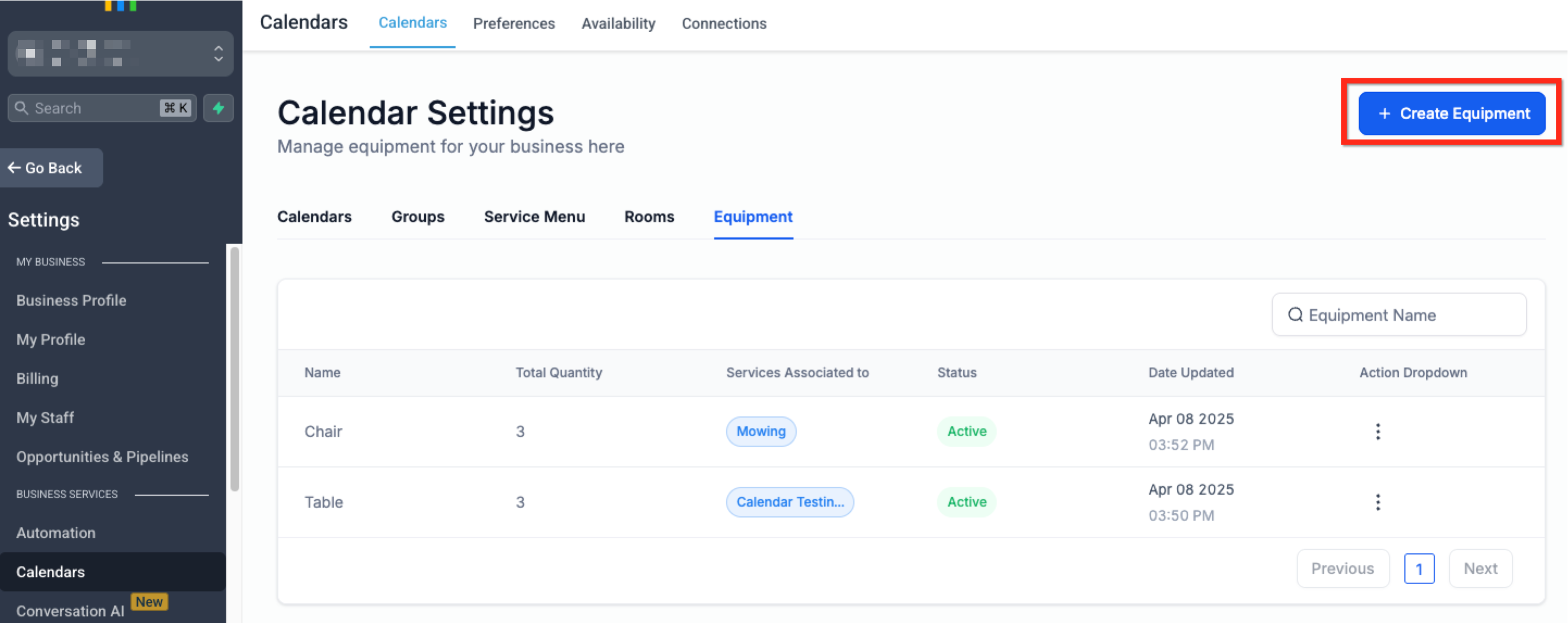
- Return to the Calendars tab of Calendar Settings located in the secondary navigation ribbon
- Navigate to the Equipment tab located under Calendar Settings
- Select the blue button labeled Create Equipment in the upper right corner
Step 3: Provide Equipment Detail
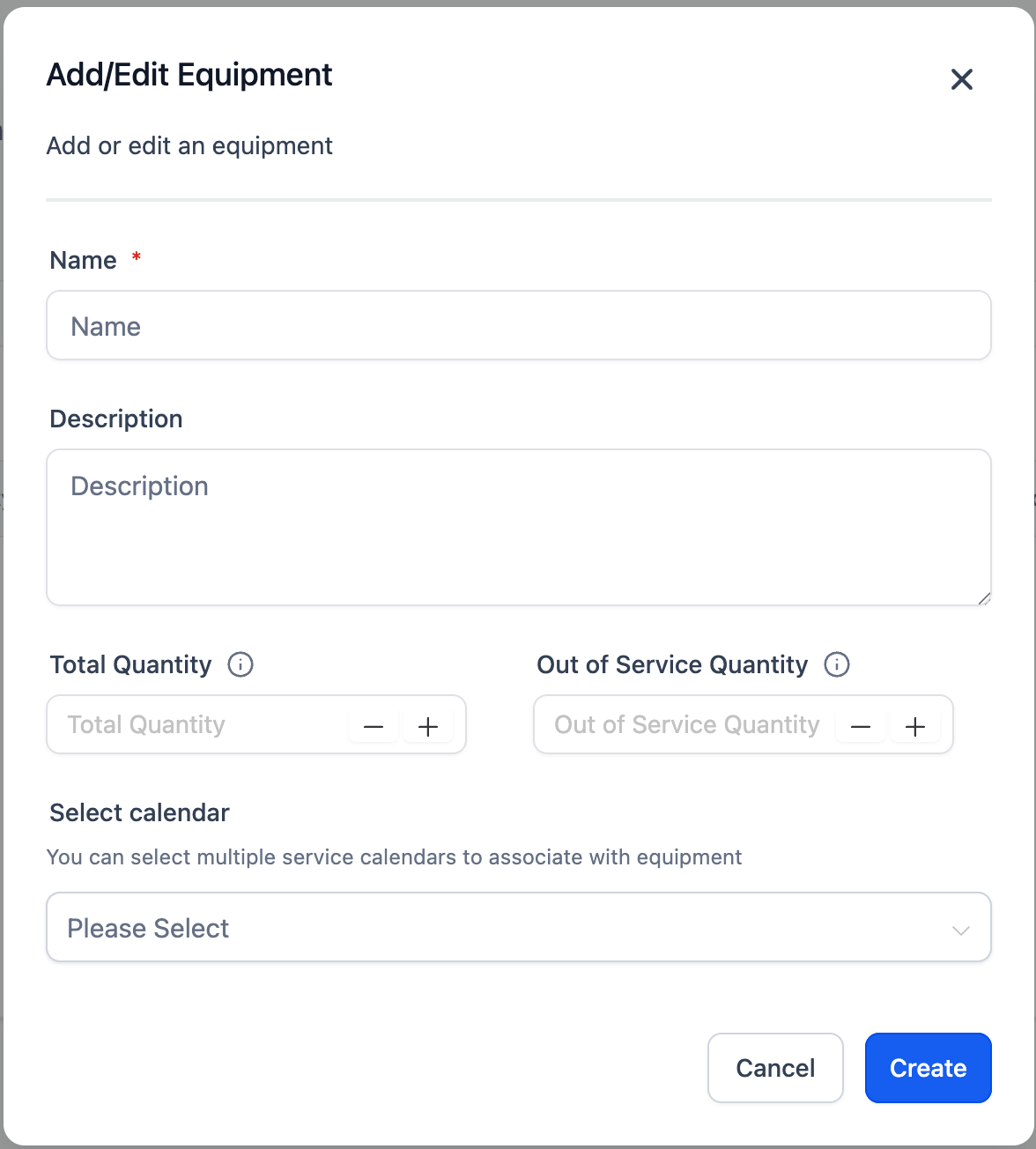
To set up equipment, enter the following details:
- Equipment Name: Assign a unique name to the equipment.
- Description: Provide a brief description to clarify the equipment's purpose.
- Total Quantity: Specify the total number of available equipment units.
- Out of Service Quantity: Enter the count of equipment units that are currently non-functional, require repair, or are out of service.
- Select Calendar: Choose the calendars you wish to associate with this equipment.
Once all details are entered, click the blue button labeled Create in the lower right corner.
Editing or Deleting Equipment
Managing equipment over time helps keep your system up to date. Whether you're renaming a resource or removing one no longer in use, it's important to keep the list current.
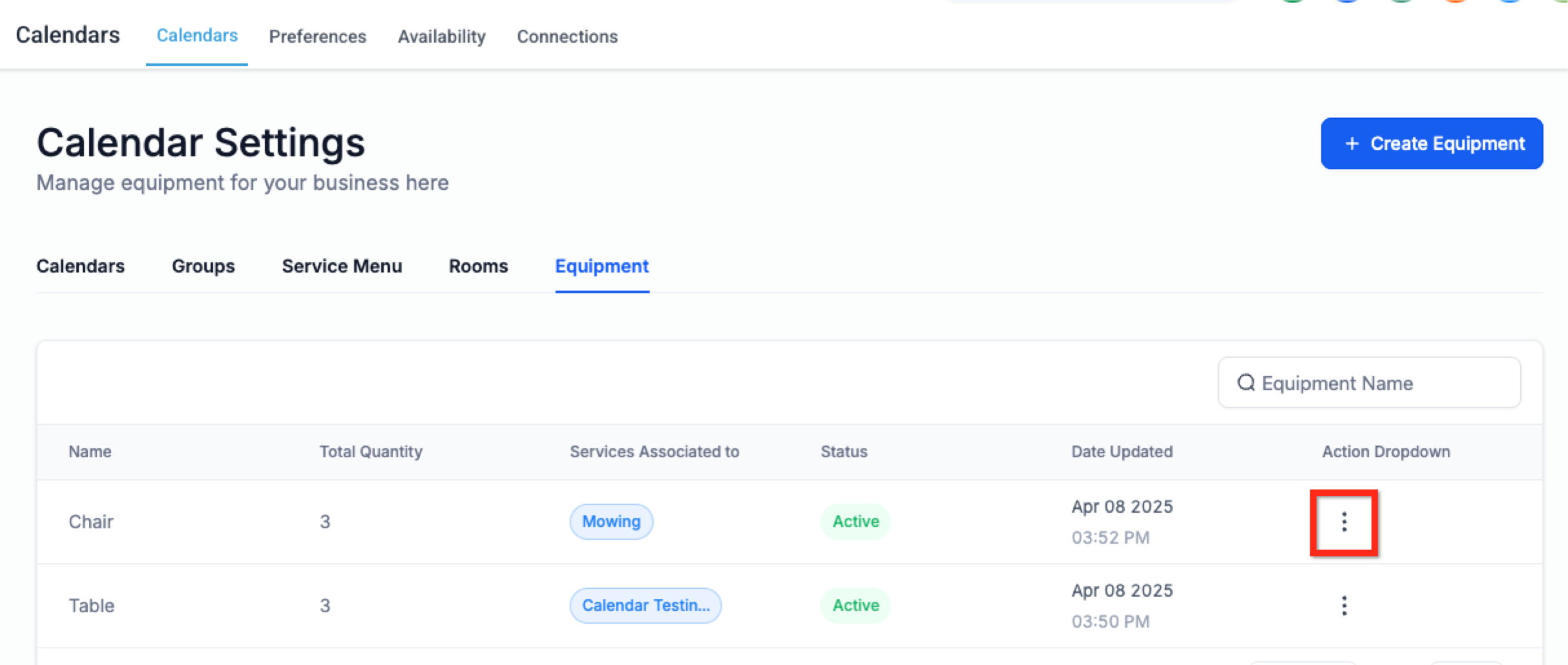
Navigate to Settings > Calendar Settings
Select the Equipment tab in the ribbon under Calendar Settings
Click the 3 Dots icon. Select Edit to edit the equipment or Delete to delete the equipment
Make your changes and click Save
Frequently Asked Questions
Q: What is the difference between Rooms and Equipment?
Rooms are physical spaces, like offices or studios. Equipment refers to tools or resources, like chairs or machines. Both can be scheduled as resources.
Q: Can equipment be assigned to more than one calendar?
Yes. Equipment can be linked to multiple calendars, but it can only be used in one appointment at a time.
Q: How do I add multiple versions of the same equipment?
You can set the quantity for each equipment item during creation. For example, if you have three identical massage tables, you only need to create one entry (e.g., “Massage Table”) and set the quantity to 3.
Q: What happens if I delete equipment that is in use?
Deleting it may affect scheduling and remove the availability restrictions tied to it. Review connected calendars before removing any equipment.
Q: Can I generate reports for equipment usage?
There is no native reporting for equipment usage, but appointments tied to specific resources can be reviewed manually via calendars.