
New Footer in Surveys
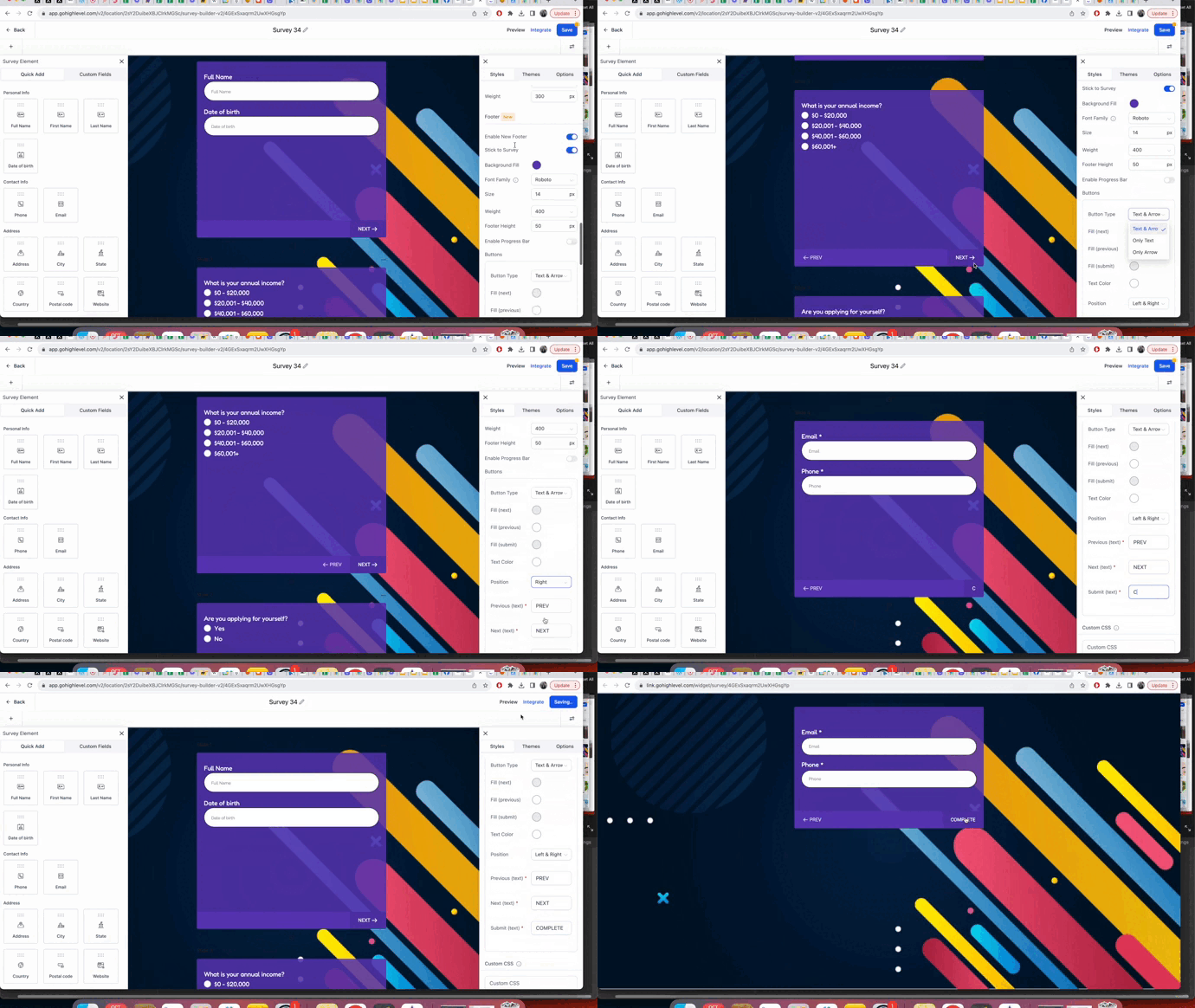
You can now tailor your survey footer by customizing themes, background, font, height, progress bar, button color, and position, allowing it to align seamlessly with your brand identity. Choose from various themes, including progress bars, and enjoy real-time previews for instant feedback. The footer can also stick to each slide, ensuring a smooth user experience. New surveys will have these customization options enabled by default, while existing surveys can be upgraded to benefit from the enhanced footer features.
TABLE OF CONTENTS
Quick Overview
How do I enable new footer in survey builder ?
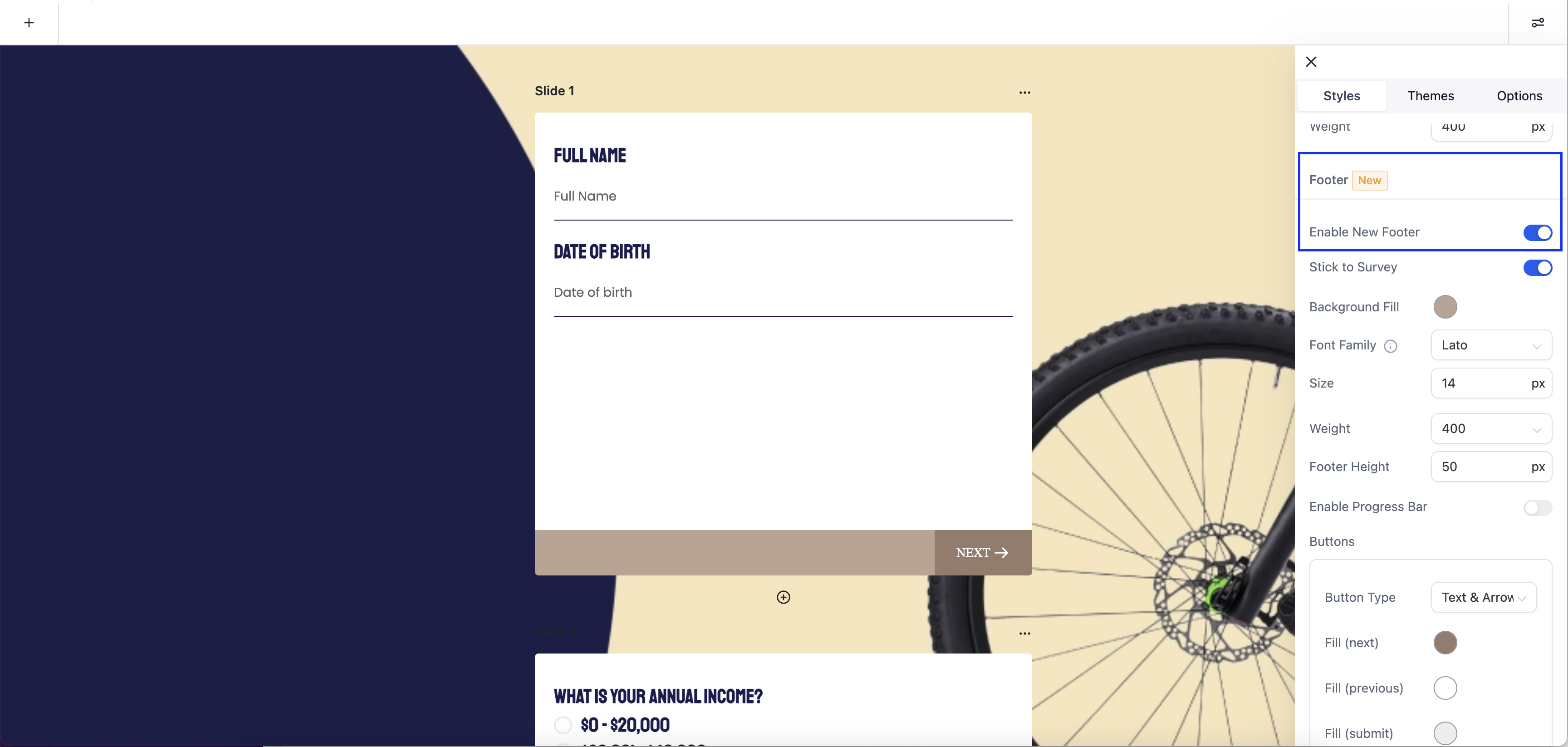
- Access the Survey Builder: Log in to your survey creation platform or tool.
- Open or Create a Survey: You can either open an existing survey or create a new one.
- Navigate to Footer Customization: Look for "Style" tab within the Survey Builder interface.
- Enable the new footer.
Please note that if you're creating a new survey, the new footer customization options may be enabled by default. For existing surveys, the default old footer will be retained, but you may have the option to toggle on the new footer customization options for an upgraded look and feel, depending on the survey builder's settings.
What are the customizaiton option in the new footer ?
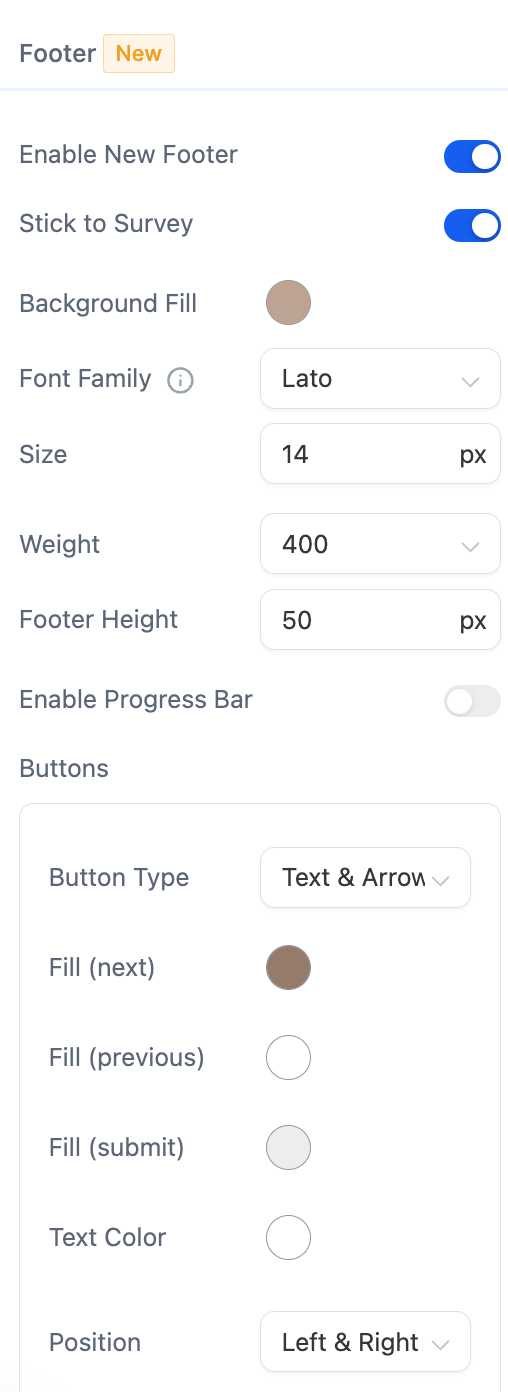
Following are the customization option:
- Themes: You can choose from different themes to change the overall look and feel of the footer. Themes may include various color schemes, fonts, and styles.
- Background: Customize the background of the footer, which may include selecting a background color, image, or pattern.
- Font: Adjust the font style and size used for the text in the footer.
- Height: Modify the height of the footer to make it taller or shorter based on your preferences.
- Progress Bar: Customize the appearance of the progress bar, including its color, style, and positioning.
- Button Color: Choose the color for buttons within the footer, such as "Next" or "Submit."
- Position: Define the placement of the footer within the survey, which could be at the bottom, top, or other designated positions.
- Stick to Survey: Enable the footer to stick to the slide as respondents progress through the survey, ensuring a seamless and consistent experience.