How to delete a prospect (Agency view)
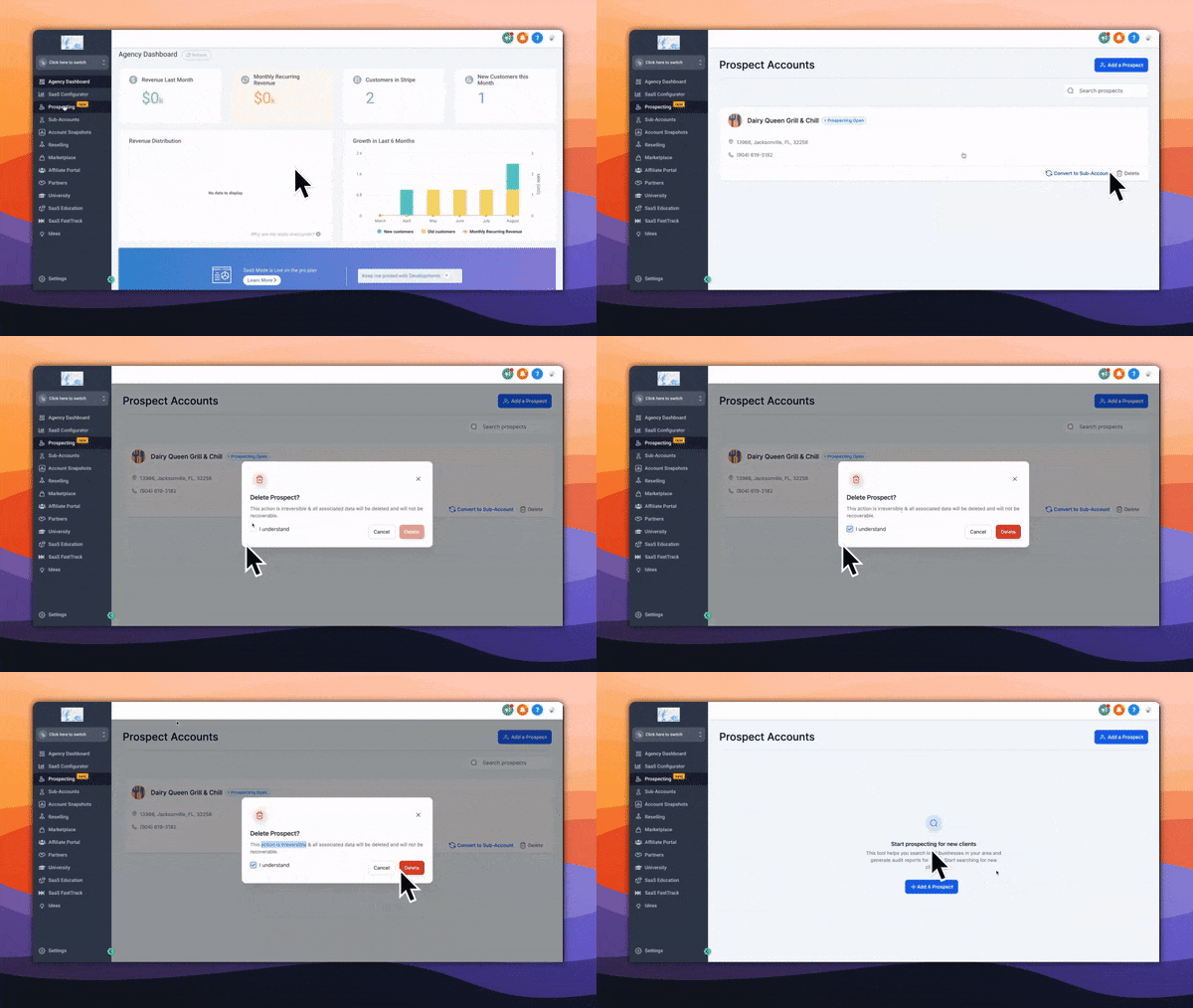
To delete a prospect from the prospecting tool, please head into your 'Agency View' > Click on 'Prospecting' > Search for the prospect you wish to 'delete' > Complete prompts (This step is irreversible)
 Help Center
To delete a prospect from the prospecting tool, please head into your 'Agency View' > Click on 'Prospecting' > Search for the prospect you wish to 'delete' > Complete prompts (This step is irreversible)